Press Start. Watch The Hours, Screenshots And Wages Fill In.
This is a working sample of the TimeTrackr dashboard. Start and stop anyone, send someone on a break, change a pay rate, then export the payroll. The clock runs fast: one second here is one minute of work.
Screenshots appear here while someone is working.
In the real thing, screenshots come from each person's computer while they track, and they are saved on your server, nowhere else.
You Pay For The Hours. So Why Can't You See Them?
Your team works from home, from another country, or just from the next room with the door shut. You pay every hour on the timesheet. But four things make it hard to know what those hours actually bought.
Timesheets You Can't Check
Someone writes "7.5 hours" at the end of the day. Was that seven and a half hours of work, or three hours of work and a long lunch?
You don't know, and asking feels like an accusation. So you pay it and wonder.
The Bill That Grows With Every Hire
Most time trackers charge per person, every month. Add a VA, a developer and two support staff, and the bill climbs every time.
The bigger your team gets, the more you pay just to see what they're doing.
Your Team's Screens On Someone Else's Servers
A screenshot can show a bank login, a private message or a medical appointment. With most trackers, every one of them is uploaded to the tracking company's servers.
Your staff never agreed to that company holding their screens, and you can't say where those images go next.
Payroll By Spreadsheet
Copy the hours, multiply by each person's rate, check it twice, and still miss the timer somebody left running all weekend.
One forgotten timer and you've paid for a weekend nobody worked.
You Shouldn't Have To Choose Between Trust And Knowing The Facts
Good people like a fair record of their work as much as you do. What they don't like is their screen being shipped off to a company they have never heard of. TimeTrackr gives you the facts, on a server you control, with privacy built in from the first screen.
Three Steps. Then The Hours Track Themselves.
Here is exactly what happens, from the day you buy to the day you run payroll.
Put It On Your Server. Or Let Us Do It.
TimeTrackr runs on your own server, and a small one is plenty. Open your server's console, paste one line, and it installs everything:
- A secure HTTPS address for your team, set up and renewed for you
- Automatic restarts, so it keeps running on its own
- A backup every night, with the last 30 kept
No web address yet? Press Enter and it makes one for you. Then you open your address, type your company name and a password, and you're in. Rather not touch a server at all? Choose done-for-you setup and we install it for you.
Licence key: TIMETRACKR-••••-••••-••••
Web address (or Enter): track.yourcompany.com
✓ HTTPS set up for track.yourcompany.com
✓ TimeTrackr is running and restarts itself
✓ Nightly backup at 3am (30 days kept)
All done. Open https://track.yourcompany.com
One line, two answers, then it's done. Or we do this part for you.
Your Team Signs In And Presses Start
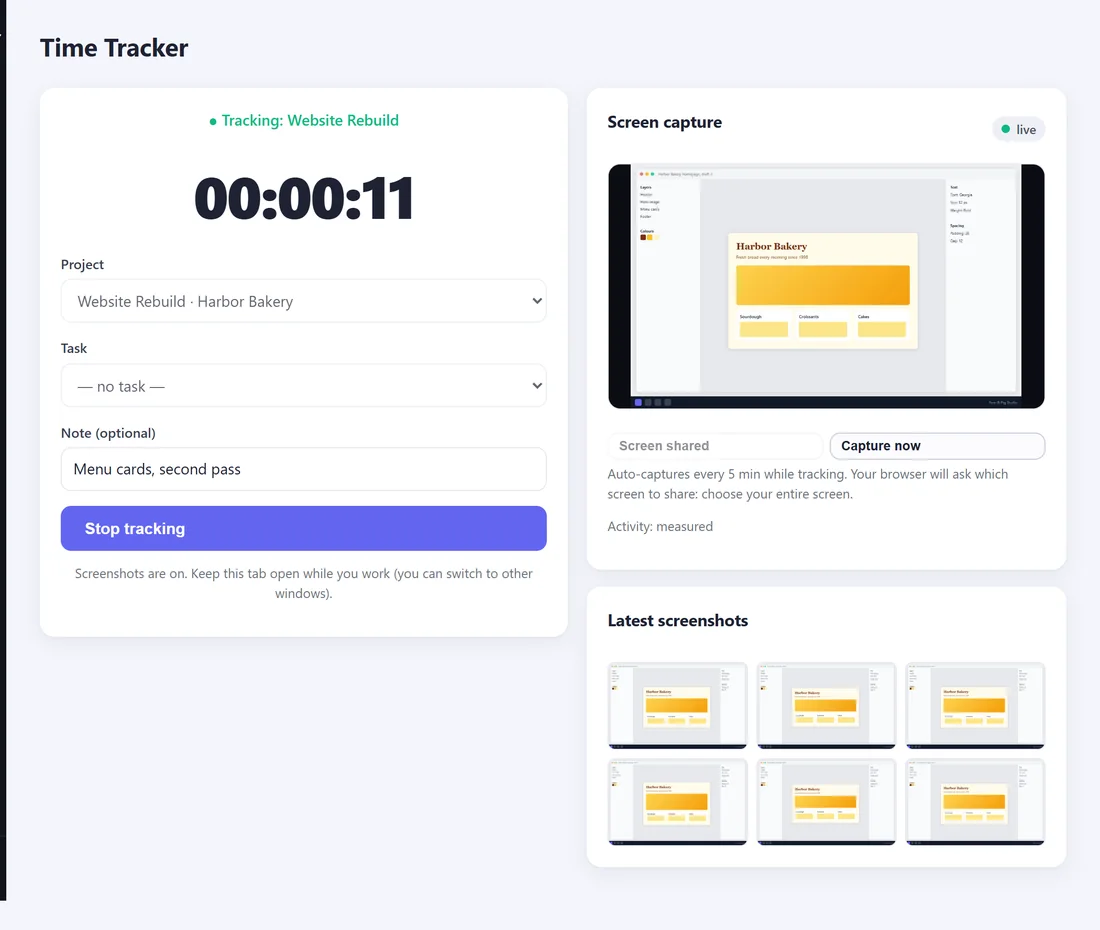
Add each person, send them your web address, and they sign in. On the Time Tracker page they pick a project, press Start, and share their screen once so the screenshots can be taken.
- Nothing to install. It works in the web browser they already use
- The browser asks first before it shares their screen
- Start when they begin, stop when they finish, with the project they're on
Pick a project, press Start, share the screen. That's it.
Hours, Screenshots And Wages Fill In On Their Own
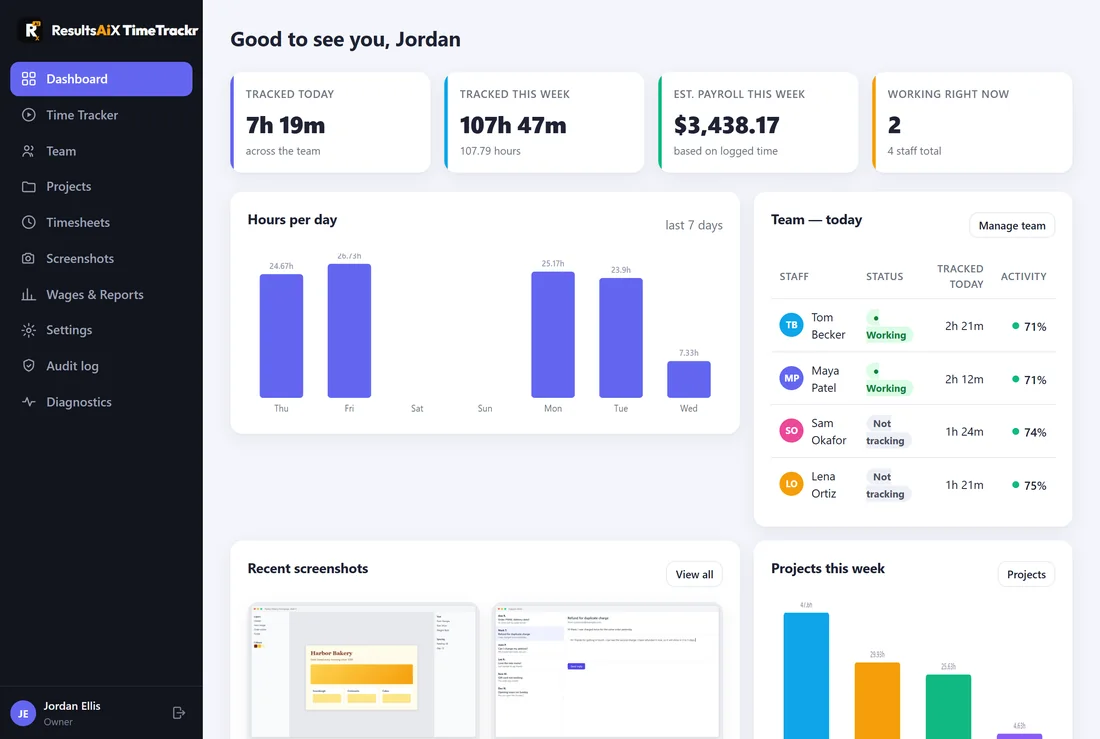
Open your dashboard in the morning and the day is already there: who is working right now, how long each person has tracked, the screenshots with an activity level on each, and what the day has cost so far.
- Projects and tasks, so you see where the time went, not just how much
- A different rate per project when one client pays more than another
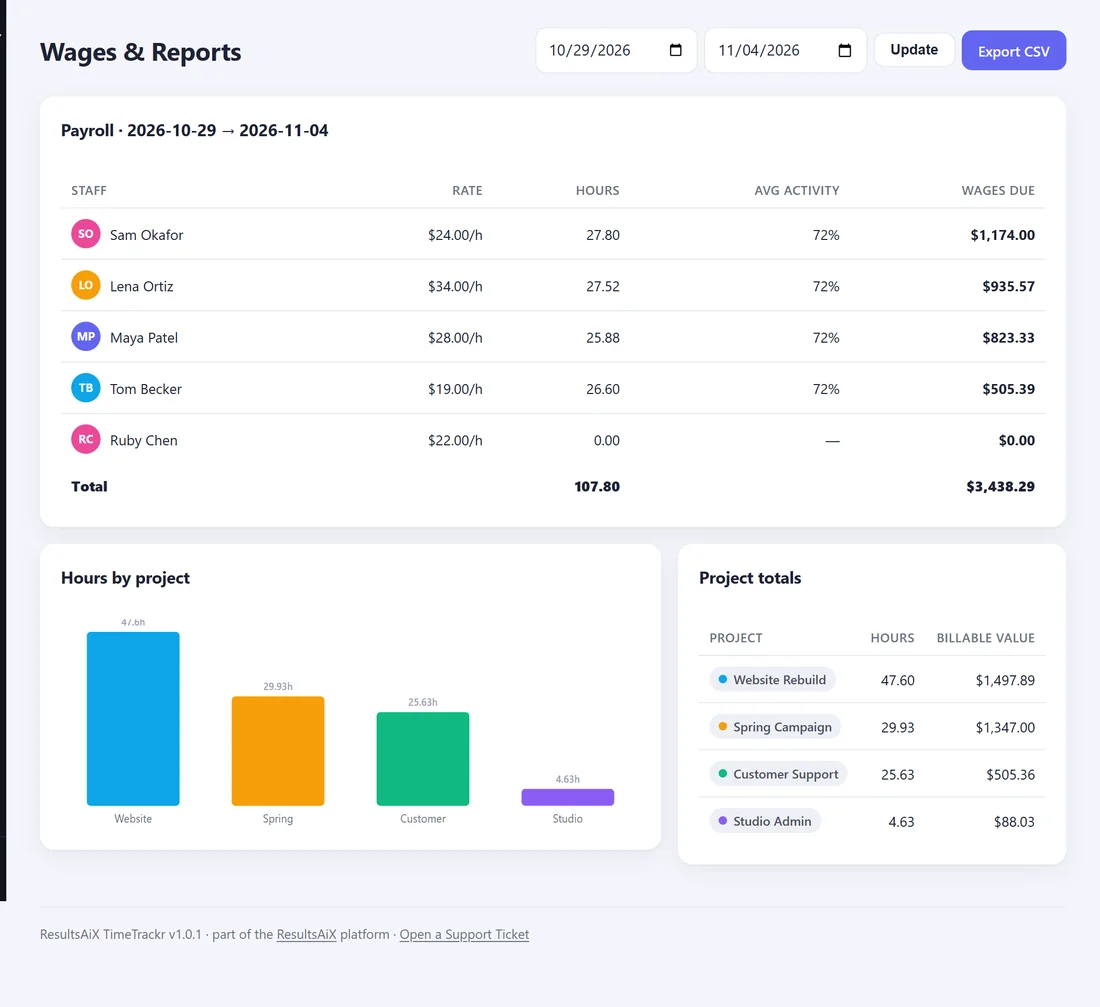
- Payroll for any period: hours times each person's rate, exported as a spreadsheet in one click
| Staff | Rate | Hours | Wages due |
|---|---|---|---|
| Alice | $25.00/h | 38.25 | $956.25 |
| Ben | $18.00/h | 40.00 | $720.00 |
| Chloe | $32.00/h | 29.50 | $944.00 |
| Total | 107.75 | $2,620.25 |
Sample figures. Yours come from your team's real hours.
Everything You Need To Run A Team You Can't See
Screenshots With An Activity Level
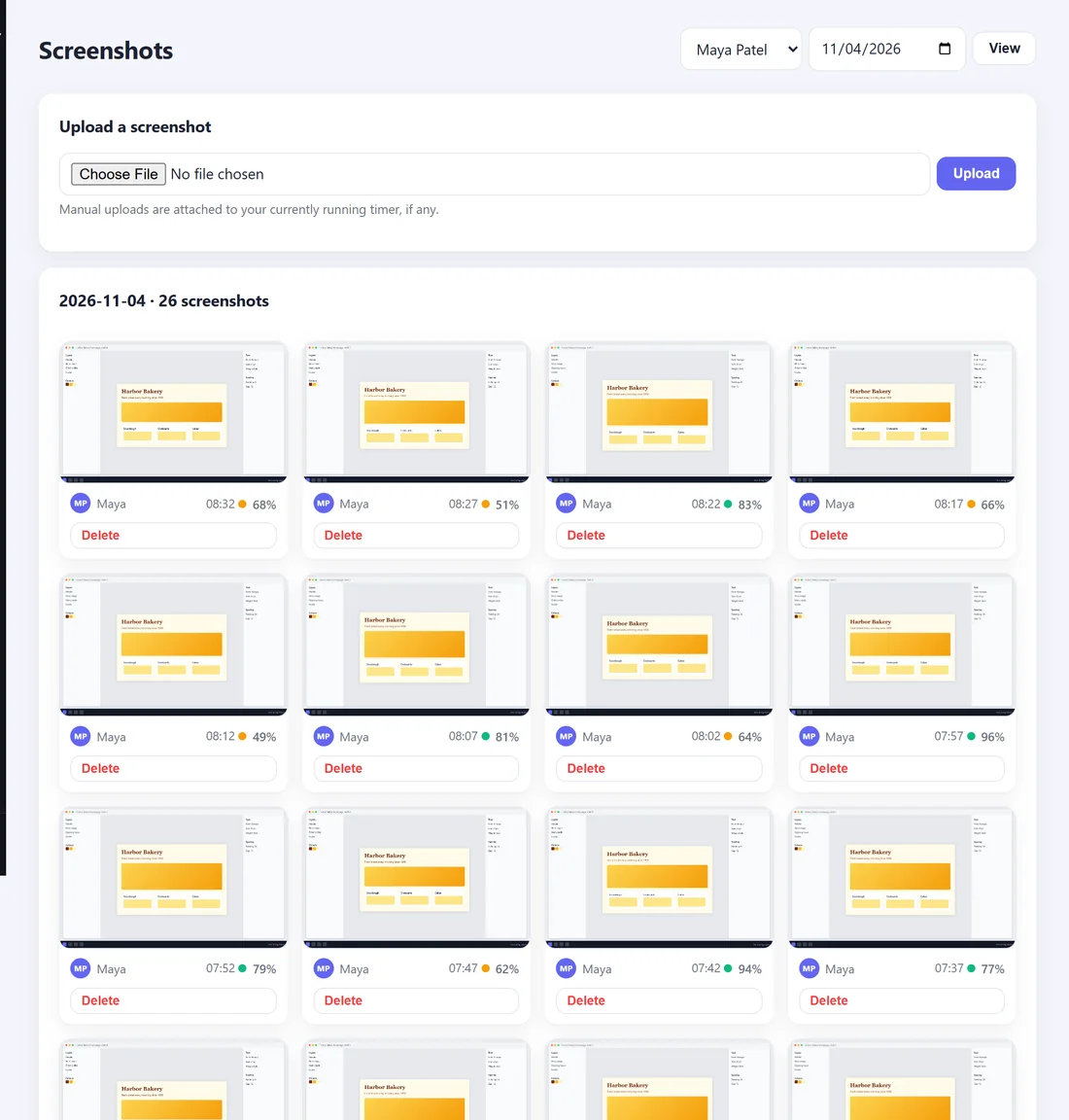
Taken automatically while someone is tracking, every few minutes or as often as you choose, once they have shared their screen in the browser.
Forgotten Timers Fix Themselves
Any timer left running past the end of a shift is closed and marked, so nobody is paid for a night they slept through.
Projects, Tasks And Clients
Staff pick what they're working on when they start. You see where every hour went, and which client it should be billed to.
Wages And Payroll Done For You
Set each person's hourly rate once. Pick any period and see hours, activity and wages due, then export it for your accountant.
Locked Down From Day One
Two-step sign-in, a full log of who signed in and what changed, and screenshots that only the right people can ever open.
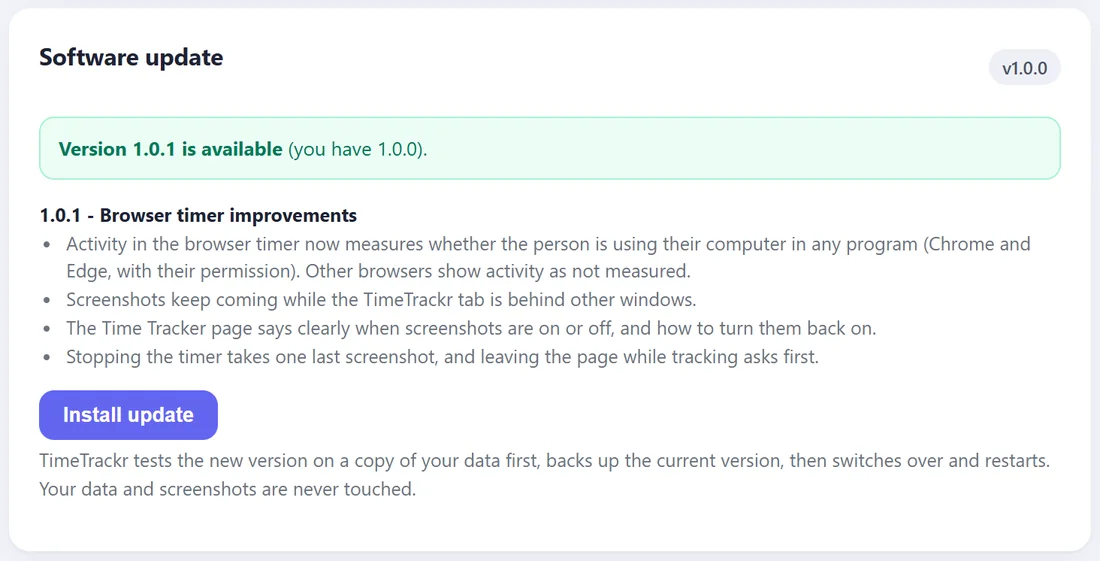
Updates In One Click
TimeTrackr tests each new version on a copy of your data before it switches over, keeps the old one, and can put it back in one click if you ever want to.
See The Real Screens
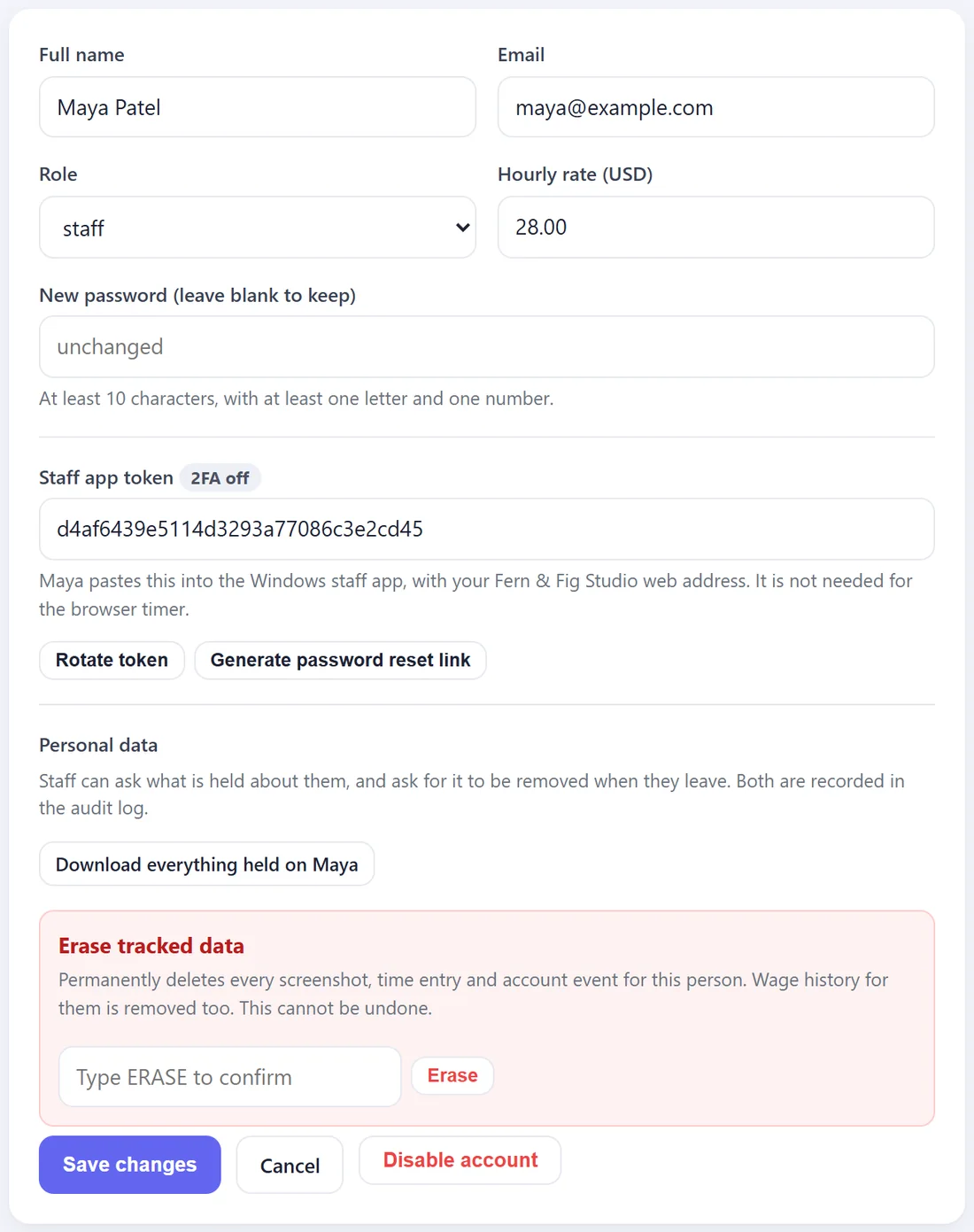
Straight from TimeTrackr, with a made-up design studio and its team. Every screen is explained step by step in the TimeTrackr guide.
Here Is What Changes Once You Can See The Work
You Stop Paying For Hours On Trust
The hours on the timesheet come with screenshots and an activity level beside them. When the numbers and the screens agree, you pay with confidence. When they don't, you have something real to talk about instead of a hunch.
Payroll Takes Two Minutes, Not An Afternoon
No more copying hours into a spreadsheet and multiplying rates by hand. Choose the dates, and every person's hours and wages are already added up, ready to export.
Your Team's Privacy Stays Yours
Screenshots go from your staff's computers to your server and nowhere else. Old ones delete themselves after 90 days, or whenever you choose. Nobody outside your company ever holds them.
Hiring Doesn't Cost You More Each Month
Add a VA this week and two support staff next month. The price stays the same, because TimeTrackr isn't charged per person.
Your Staff Can See It's Fair
Everyone can sign in and see their own hours and their own screenshots, and nobody can see a colleague's. Managers see the team. When someone asks what you hold about them, you can hand them a full copy in one click.
It Looks Like Your Company
Put your own name on it, and that's what your team sees every day when they sign in.
- Charged per person, every month
- Every screenshot stored on their servers
- They decide how long your team's screens are kept
- Their name on the screen your team uses
- Your team's records live in their account
- One yearly price, unlimited staff
- Screenshots stay on your server, nowhere else
- You choose how long they're kept
- Your company's name on every screen
- Your database, on your server, backed up nightly
Monitoring Done Properly, Not Sneakily
Tracking people's work only works if they trust it. These are built in, not extras.
Everyone sees their own
Each person can sign in and see their own hours and screenshots. Nobody can open a colleague's.
Nothing kept forever
Screenshots delete themselves after 90 days by default. Choose anything from 30 days to a year.
Shared only with permission
The browser asks each person before it shares their screen, and they can stop sharing at any time.
A copy on request
When someone asks what you hold about them, download all of it, ready to hand over.
Erased when they leave
One button removes a person's screenshots, hours and history for good, when they ask or when they go.
A record of every change
Who signed in, who changed a setting, who deleted what, with the time and where from.
No Monthly Platform. Just A Place For It To Live.
TimeTrackr runs on your own server, which is exactly why your data stays yours. Pick whichever suits you.
Your own server
A small one is plenty: a VPS running Ubuntu. Install with one line. Best if any of your team work from home or abroad.
A computer in your office
Any PC that stays switched on. Free, and fine if everyone works in the same building.
Or we set it up for you
Choose done-for-you setup and we install TimeTrackr on your server, so you never touch anything technical.
Verified Customers, Across The ResultsAiX Family
These are not TimeTrackr reviews. They are verified customers of the ResultsAiX tools, the same shared review set that runs on every ResultsAiX page.
Two Ways To Get It. Both With A 30‑Day Guarantee.
Install it yourself, or have us set it up for you. Either way it's yours, on your server, for your whole team.
ResultsAiX TimeTrackr
Launch price. Soon $97 a year.
One server, unlimited staff. One command installs it.
- Time tracking with projects and tasks
- Automatic screenshots while they track
- Wages and payroll with spreadsheet export
- Works in any web browser, nothing to install
- Two-step sign-in and a full audit log
- One-click updates, tested first
- 30-day money-back guarantee
TimeTrackr, Done For You
- Everything in Option 1
- We install it on your server, with HTTPS and nightly backups
- We check it's working before we hand it over
- You get your login and the link to send your team
Try It For 30 Days. If It Doesn't Earn Its Place, Say So.
Here is my promise. Install ResultsAiX TimeTrackr, or have us install it. Add your team, have them sign in and press Start, and run it for a few weeks. Watch the hours, screenshots and wages fill in, and run your first payroll from it.
If it doesn't do what this page says, email me within 30 days and it's refunded. I built this because I wanted to know what I was paying for without shipping my team's screens to a company I'd never met. If it doesn't solve that for you, I don't want your money.
Frequently Asked Questions
Know What You're Paying For. Keep Your Team's Screens Where They Belong.
You've read this far, so you already know the feeling: paying for hours you can't see, and not wanting to fix it by handing your team's screens to yet another online service.
TimeTrackr gives you the hours, the screenshots, the activity and the wages, on a server you control. Your team gets a tracker that is fair to them, and you get the facts. Set it up this week, send your team the app, and run your next payroll from it.
To Your Results,
Kevin Fahey
Creator, ResultsAiX TimeTrackr
Everything on this page. One server, unlimited staff.
Get ResultsAiX TimeTrackrWe install it on your server and hand you the login. Nothing technical for you.
Get It Set Up For Me →P.S. Most time trackers charge per person, every month, and keep your team's screenshots on their own servers. TimeTrackr is one yearly price for your whole team, and every screenshot stays on your server.
P.P.S. Not technical? Pick done-for-you setup. We install it, check it, and hand you the login and the link for your team.
30-day money-back guarantee on both