A members-only show has no public feed. Every member who may hear it gets a private feed of their own instead, so they can listen in their podcast app while the show stays private.
Where to find it:
Set a show to Members only in its Show settings box. The My Podcasts page is made with Make the My Podcasts page on the Dashboard tab, or the same button on the Settings tab. The Settings tab's Members-only shows and private feeds card sums up how it works on your site.
Who counts as a member:
- With ResultsAiX Membership active, you can limit a show or a single episode to exact membership levels. A bundle that includes a level counts too. Tick no level and anybody signed in can listen.
- Without ResultsAiX Membership, members only means anybody signed in to your site.
- Listeners you add by email also get members-only shows, with no account at all.
- Anyone who can edit the episode, such as editors and administrators, can always listen.
The My Podcasts page:
- Open Podcasts, Dashboard and press Make the My Podcasts page in step 4. The page is made and published at yoursite.com/my-podcasts/, and the button becomes Open My Podcasts.
- Add the page to your members' menu, or link to it from your members area.
- Or put the shortcode [raix_my_podcasts] on any page of your own.
What members see there:
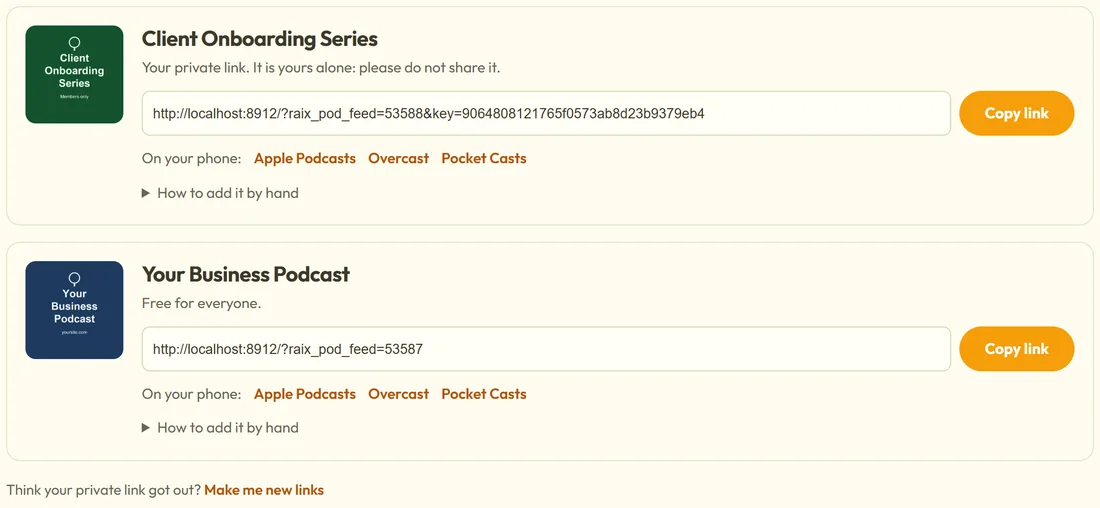
Every signed-in member finds each show they may hear, members-only shows first. For each one:
- The cover and the show's name.
- Their private link, marked as theirs alone, with a Copy link button. Public shows say Free for everyone instead.
- On your phone: one-tap buttons for Apple Podcasts, Overcast and Pocket Casts.
- How to add it by hand, with the steps for Apple Podcasts, Overcast, Pocket Casts and Spotify.
Someone who is not signed in sees Sign in to get your private podcast links and a Sign in button. The page is kept out of search engines because it carries private links.
When someone's access ends:
Someone whose membership level is taken away stops hearing the show at once, on your site and in their podcast app. Their private feed then holds no episodes, only a note that the show is for members.
A member's link got out?
The My Podcasts page has Think your private link got out? Make me new links. It asks first, then makes new links. The old links stop working everywhere, and the member adds the new link to their app again.
Visitors who are not members:
Someone who lands on a members-only episode sees its title and summary, This episode is for members, Sign in to listen, and Join when you have set a Join link on the Settings tab. Set the Join link to your sales or join page, for example https://yoursite.com/join/.
How the audio stays private:
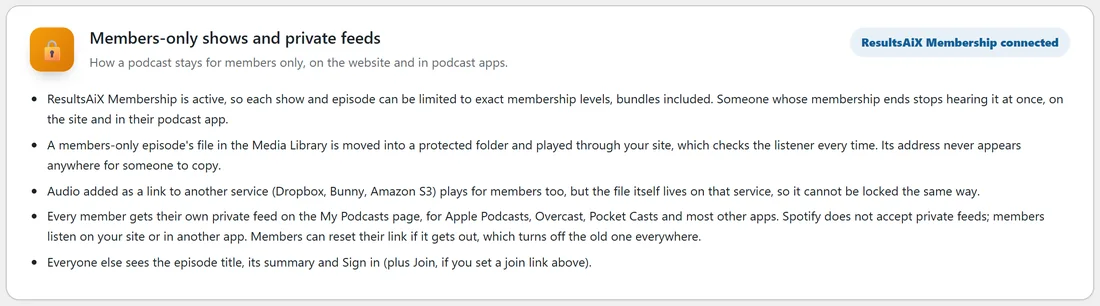
A members-only episode's file in the Media Library is moved into a protected folder and played through your site, which checks the listener every time. Its address never appears anywhere for someone to copy. Audio added as a link to another service plays for members too, but the file itself lives on that service.
Levels and Mailer tags that give a private link by email:
On the Integrations tab you can also tick which shows a membership level or a Mailer tag gives. Those people get a private link by email as listeners, and taking the level or tag away takes the shows away again, unless something else gave them. See With ResultsAiX Membership: Levels That Can Listen.
A real example:
On yoursite.com the Client Onboarding Series is members-only for the Coaching Club and Gold Members levels. Jo, a Coaching Club member, signs in, opens My Podcasts, taps Apple Podcasts under the series and listens on her walk. The free Your Business Podcast appears on the same page as Free for everyone.
Tips:
- Put the My Podcasts page in your members' menu so nobody has to hunt for it.
- Spotify does not accept private feeds; members use another app or listen on your site.