Everything about one person is on their Edit page. Open Team and press Edit on their row.
The details:
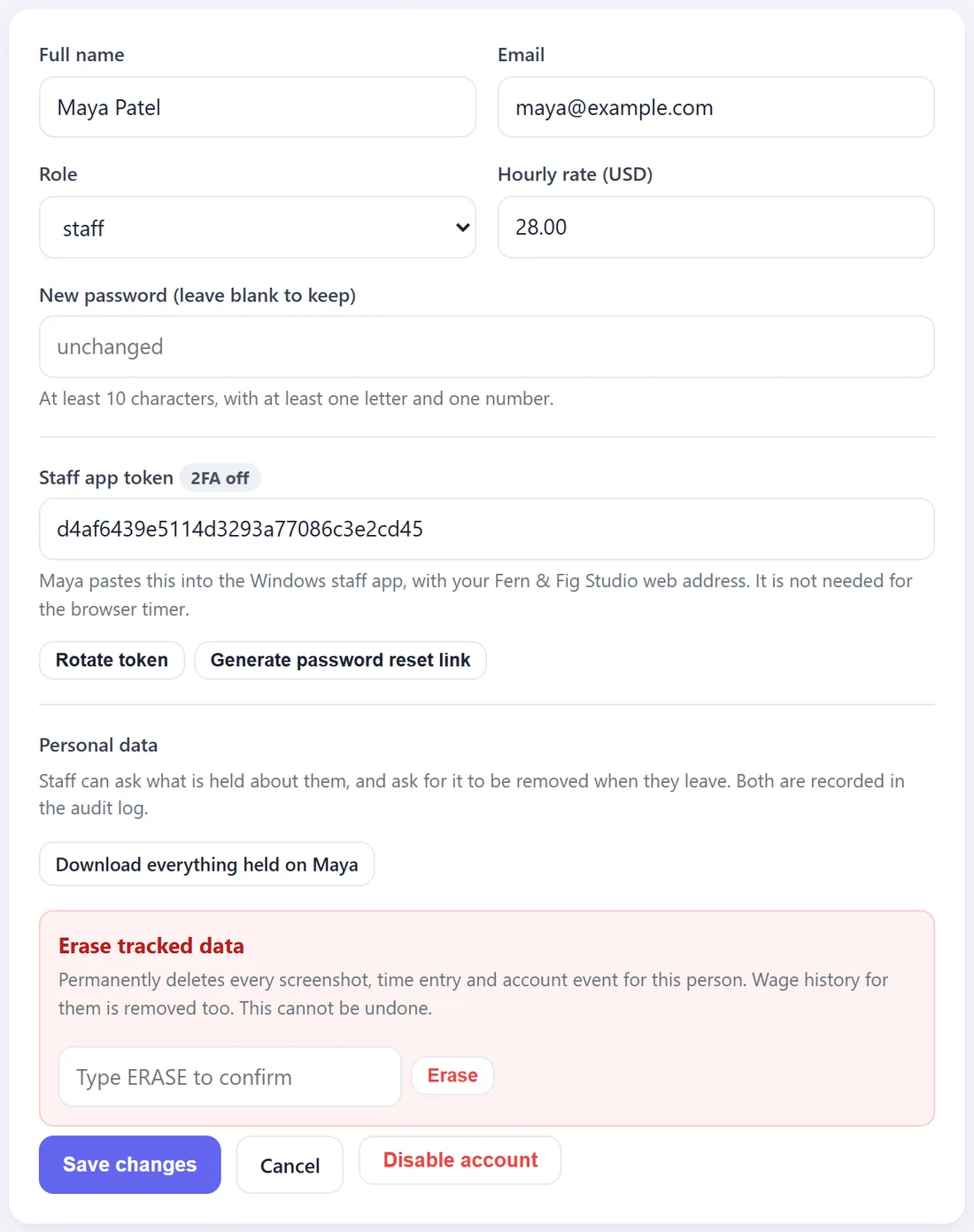
- Full name, Email, Role and Hourly rate. Change any of them and press Save changes.
- New password. Leave it empty to keep their password. Type a new one to replace it.
A new rate applies to the whole history in reports, because wages are worked out from the current rate. If you need a record of last month at the old rate, export the report before you change it. See Wages And Payroll Reports.
Password reset link:

If someone forgets their password, press Generate password reset link. A green box shows a link. Copy it and send it to them. It works once and lasts one hour, and it lets them choose a new password.
Staff app token:
A personal code for the Windows staff app, shown with a 2FA on or 2FA off tag for two-step sign-in. People who track time in their browser do not need it. Rotate token makes a new one and the old one stops working.
Personal data:
- Download everything held on them. A spreadsheet of their account, every time entry, every screenshot record and their sign-in history. Use it when someone asks what you hold about them.
- Erase tracked data. Deletes every screenshot, time entry and account event for this person, and their wage history. Type ERASE and press Erase. Download their data first if you still need their hours for payroll.
When someone leaves:
Press Disable account. They are signed out everywhere straight away and cannot sign in again. Their hours stay in your reports. Press Re-enable to let them back in.
The owner's own account cannot be disabled or erased from here, and nor can yours.