The Audit log is the security record of your TimeTrackr. Owners and admins can open it.
Where to find it:
Audit log in the menu.
What it records:
- Sign-ins, failed sign-ins and sign-outs.
- Password changes, reset links and completed resets.
- Two-step sign-in turned on or off.
- People added, changed, disabled, their data downloaded or erased, and new staff app tokens.
- Settings saved, projects created or archived.
- Time entries and screenshots deleted.
- Licence activations and checks, software updates and undos.
- Setup finishing, cleanups and the staff app being uploaded.
Each line shows:
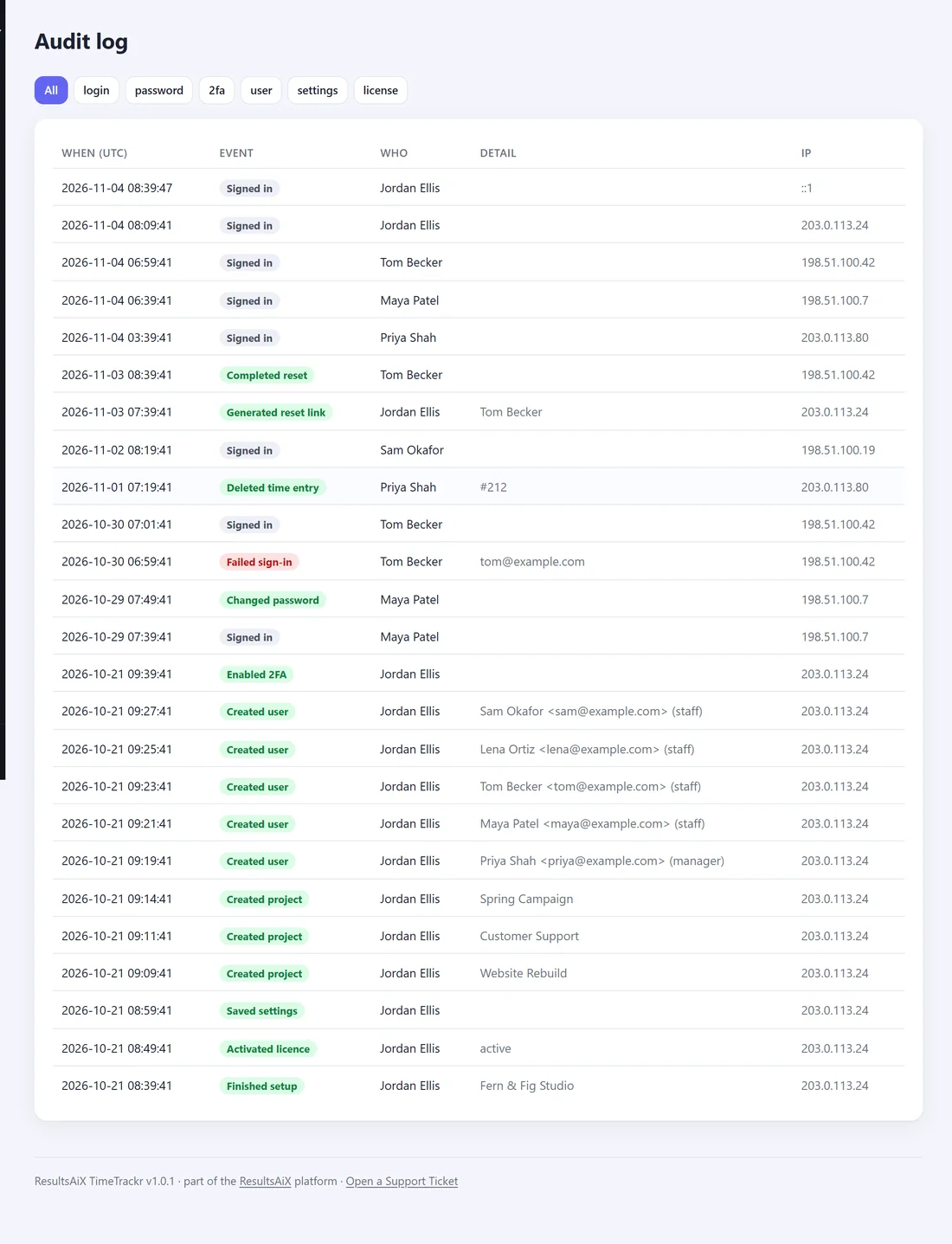
- When (UTC). The date and time, in universal time.
- Event.
- Who did it.
- Detail, such as the person or project affected.
- IP, the address they came from.
Filter it:
The buttons at the top show All, or only login, password, 2fa, user, settings or license events.
A real example:
Tom at Fern & Fig Studio says a time entry has gone missing. Jordan opens the Audit log, sees Deleted time entry by Priya two days ago, and has the answer in seconds.