Projects are what your team tracks time against. When someone starts their timer they pick a project, and optionally a task inside it. Owners, admins and managers manage projects.
Where to find it:
Projects in the menu. The New project panel is at the top, and every project is listed below it.
Create a project:
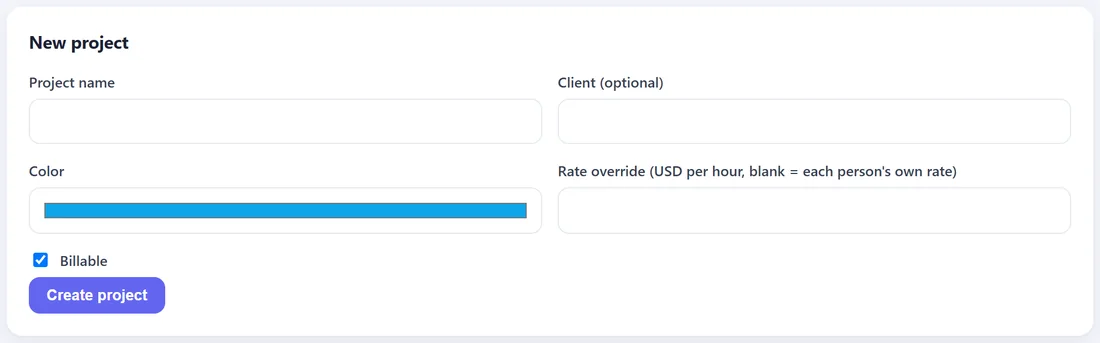
- Project name, for example Website Rebuild.
- Client (optional), for example Harbor Bakery.
- Color. Used for this project on the dashboard, timesheets and reports.
- Rate override (optional). A rate per hour for this project. Leave it empty to use each person's own rate.
- Billable. A label for your own reference, so you can see at a glance which projects you bill a client for.
- Press Create project.
What the rate override does:
When a project has a rate override, every hour on that project is valued at that rate, whoever works it. At Fern & Fig Studio, the Spring Campaign for Copper Kettle Cafe has a rate of $45 per hour, so the reports show what that client's work is worth, whatever each designer earns.
Tasks:
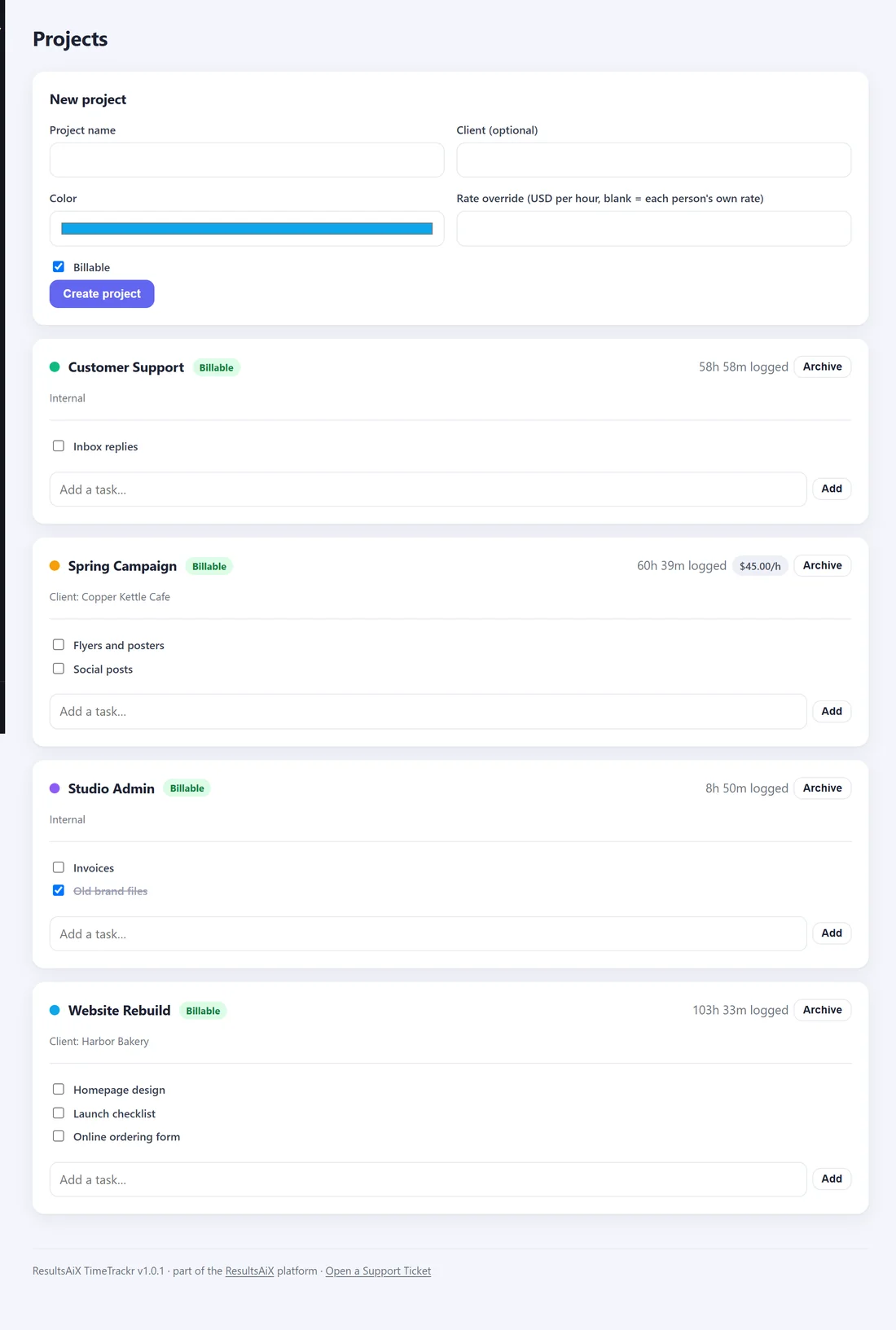
Under each project there is an Add a task box. Type a task name and press Add. Staff can then choose that task on the Time Tracker. Tick a task's box when it is finished: it is crossed out and no longer offered on the Time Tracker.
Each project shows:
- Its total time logged.
- Its rate, if it has an override.
- Archive, which hides it from the Time Tracker and the Add time form. Its hours stay in your reports. Press Restore to bring it back.