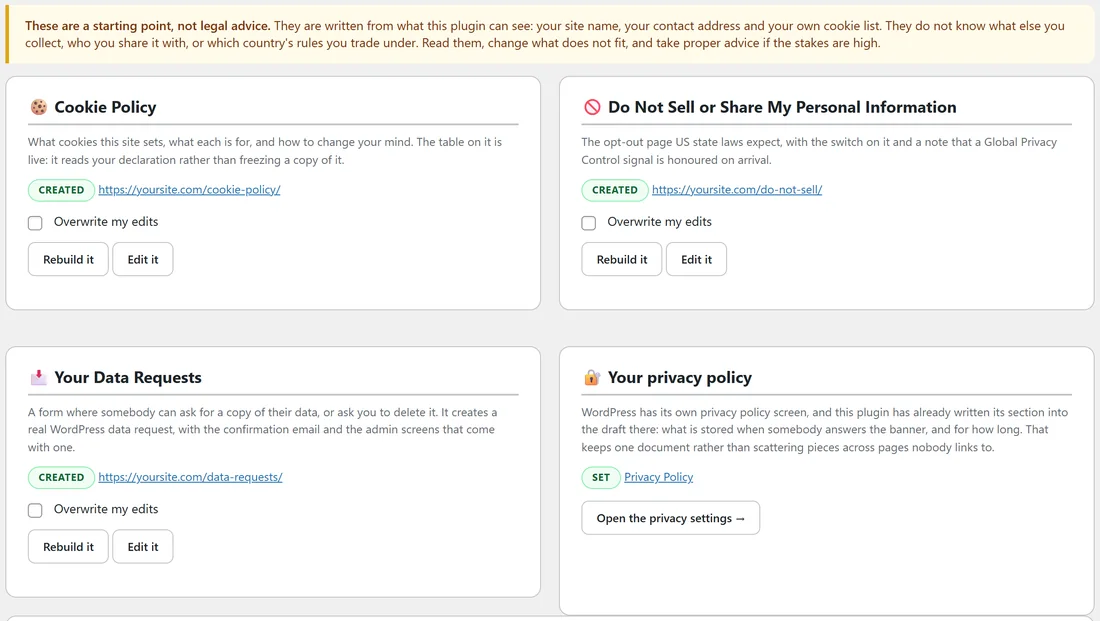
The Policies tab builds three pages for you and lists the shortcodes that power them. The pages are written from what the plugin can see, so they are a starting point you read and adjust to fit your business.
Where to find it:
- The pages: AiX Consent, Policies tab.
- The data request switch and notification address: AiX Consent, Settings tab, Data requests.
What the pages are built from:
The note at the top of the Policies tab says it plainly: the pages are a starting point, not legal advice. They are written from your site name, your contact address and your own cookie list. Read each one through and change what does not fit.
The three pages:
- Cookie Policy. What cookies the site sets, what each is for, and how to change your mind. Its cookie table is live, so it always matches Your cookie declaration. It includes a button that reopens the choices panel and the date the visitor last answered.
- Do Not Sell or Share My Personal Information. An opt-out page for visitors covered by US state privacy laws, with an opt-out button, a note that a Global Privacy Control signal is honoured on arrival, and the data request form.
- Your Data Requests. A form where somebody can ask for a copy of their data, or ask you to delete it.
Creating a page:
- Open the Policies tab.
- Press Create the page on the card you want.
- The page is published straight away, and the card shows CREATED with the page address.
- Open the page and read it through.
When you create the Cookie Policy and the banner has no policy link yet, the banner is linked to it for you. If your site already has a published page at the expected address, such as /cookie-policy/, that page is used as it is.
Editing and rebuilding:
- Edit it opens the page in the normal WordPress editor.
- Rebuild it refreshes a page you have not touched.
- Once you have edited a page, rebuilding leaves your version alone unless you tick Overwrite my edits.
The cookie policy on yoursite.com:
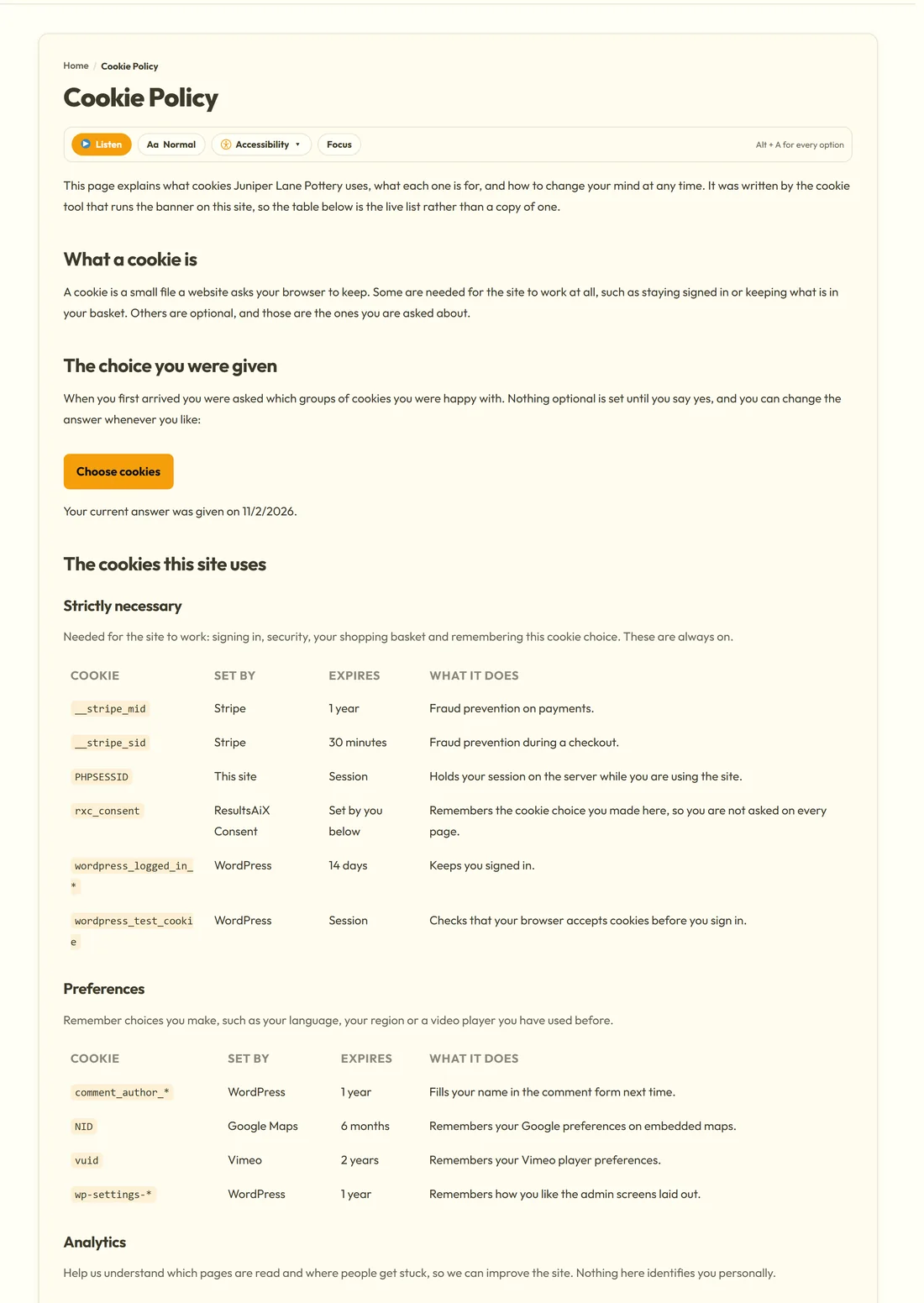
Juniper Lane Pottery's Cookie Policy opens with a line naming the business, explains what a cookie is, offers a Choose cookies button and the date of the visitor's answer, then shows the live cookie table group by group. It ends with how to clear cookies in each browser and the contact address.
The Do Not Sell page:
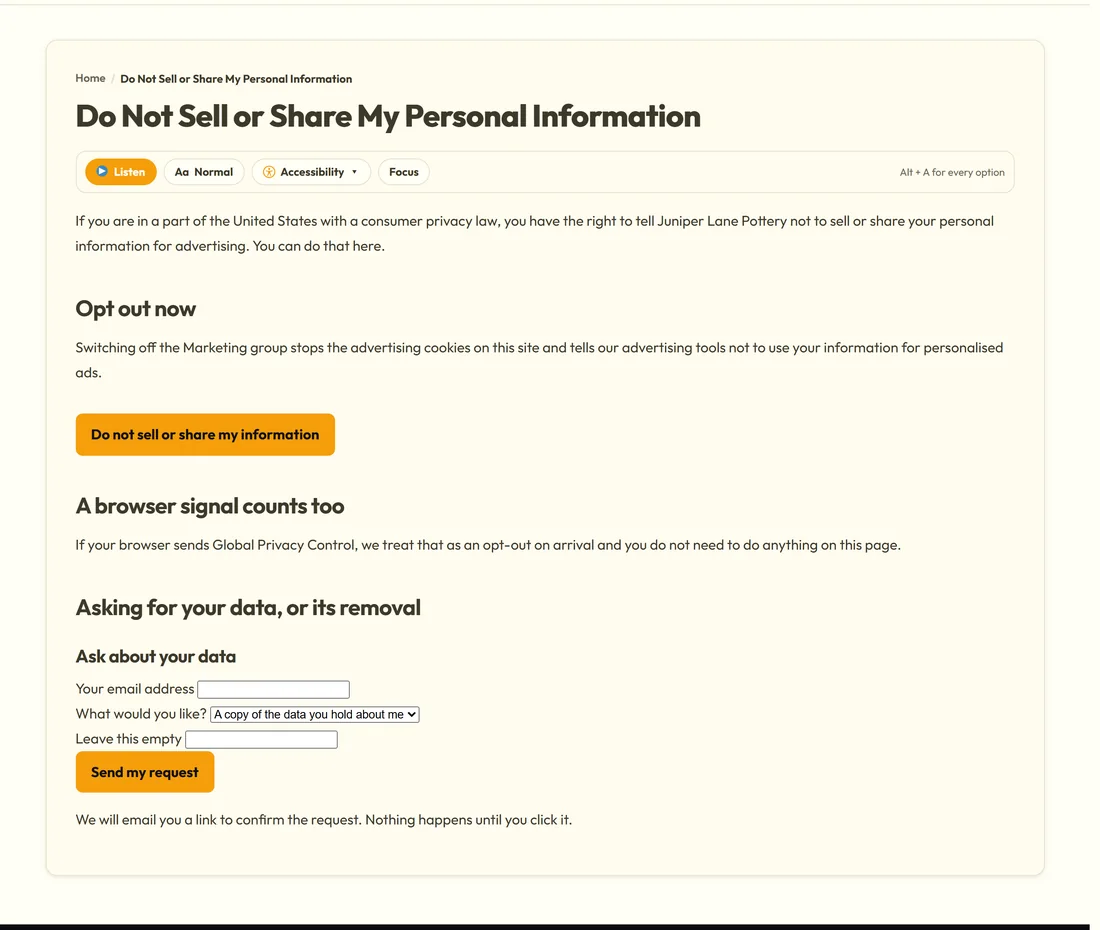
The Do Not Sell or Share My Personal Information page explains the right to opt out, has a Do not sell or share my information button that opens the choices panel, says that a Global Privacy Control signal counts too, and ends with the data request form.
The data request form:
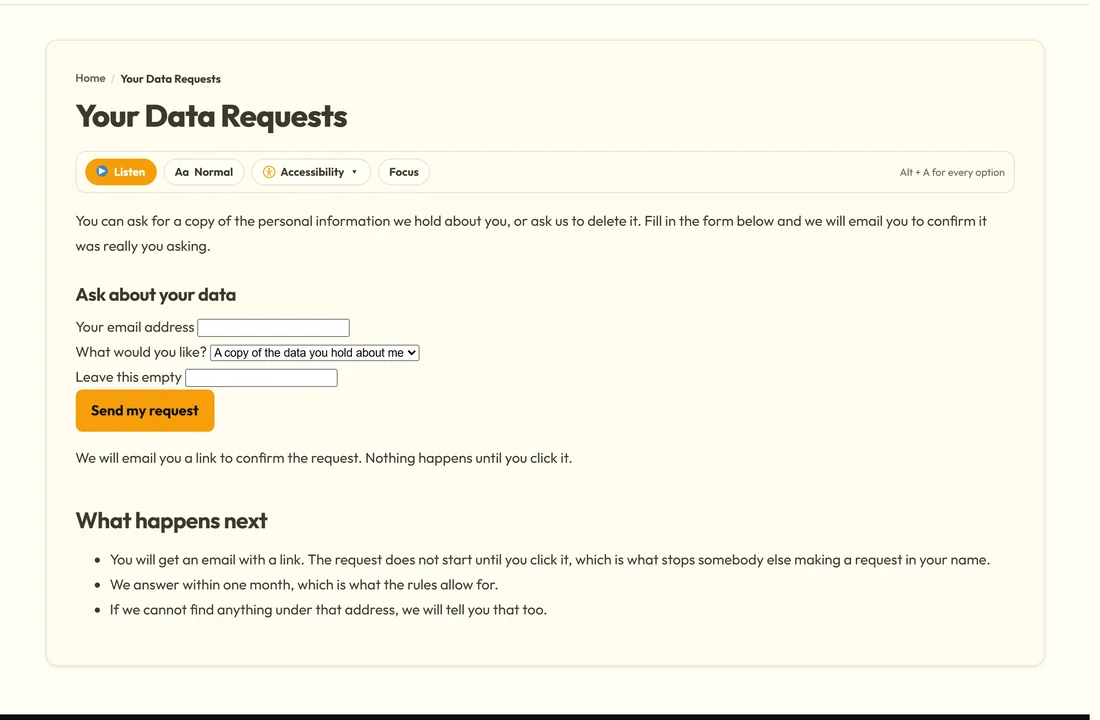
The [rxc_data_request] shortcode shows a form headed Ask about your data, with Your email address and What would you like?, offering a copy of the data or its deletion, and a Send my request button. The form also carries a field labelled Leave this empty, which catches automated spam; real visitors leave it blank.
What happens after a request:
- The visitor sends the form and sees Thank you. Check your email for the confirmation link.
- WordPress emails them a confirmation link. Nothing happens until they click it.
- You get an email headed New data request, sent to the address in Tell this address when one arrives, or to the site's admin address.
- The request appears in WordPress under Tools, Export Personal Data or Erase Personal Data, where you answer it.
Because it uses WordPress's own system, one request collects from every plugin that holds personal data. Consent records made while the visitor was signed in are included under Cookie consent records.
Limits on the form:
The same email address from the same connection can send three requests an hour, which also covers a visitor pressing the button twice. If there is already an open request for an address, the visitor is told to check their email for the confirmation link.
The data request settings:
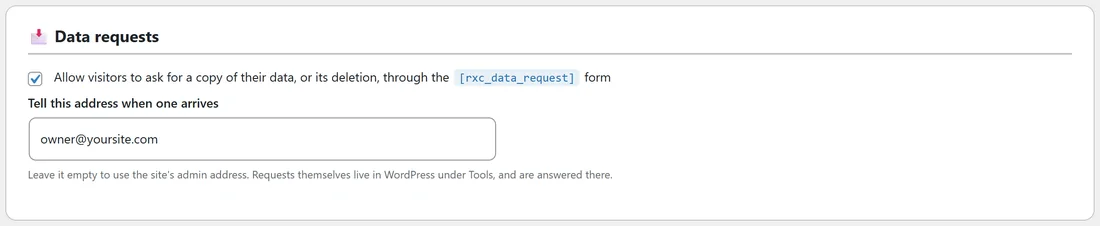
On the Settings tab, the Data requests box has.
- Allow visitors to ask for a copy of their data, or its deletion, through the [rxc_data_request] form. On from the start.
- Tell this address when one arrives. Leave it empty to use the site's admin address.
Your privacy policy:
The Your privacy policy card shows whether WordPress has a privacy policy page set, marked SET with a link, and an Open the privacy settings button. The plugin also adds a suggested section to WordPress's own privacy policy guide, describing what is stored when somebody answers the banner, and for how long.
The shortcodes:
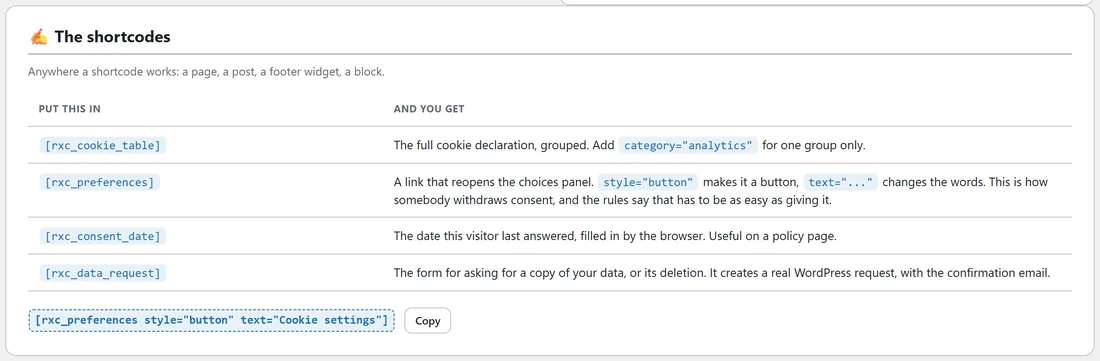
The bottom of the Policies tab lists the four shortcodes, with a Copy button.
- [rxc_cookie_table] for the full cookie declaration, grouped.
- [rxc_preferences] for a link that reopens the choices panel.
- [rxc_consent_date] for the date this visitor last answered.
- [rxc_data_request] for the data request form.
Tips:
- Add the four pages to your footer menu, as Juniper Lane Pottery did, so they are one click from every page.
- After a big change to your cookie list, open the Cookie Policy page. The table is already up to date, but your own paragraphs may need a line.
Next steps:
See For Developers: PHP Hooks, The JavaScript Event And Shortcodes for every shortcode attribute.