Every email is checked against a set of built in house rules on every save and again every night, so the score beside each email is never stale. An email starts at 100 and each finding takes points off. 90 and over is shown green as clean, 70 to 89 amber as needs a look, and under 70 red as breaks a rule.
The rules are written for autoresponder emails: they must still be true in six months, read cleanly on a phone, and send people to the right page.
Hard rules:
These are shown in red and cost the most.
- No em dashes or en dashes anywhere in the subject lines, preheader or body. 8 points.
- No prices or currency amounts, such as a dollar, pound or euro sign followed by a number, or a number followed by dollars or euros. 10 points.
- No link on your never link list, such as a checkout page or a licence server. 10 points.
- No sales link on a backend domain. 8 points.
- Balanced merge tag braces. 8 points.
- At least one subject line. 12 points.
The two link rules:
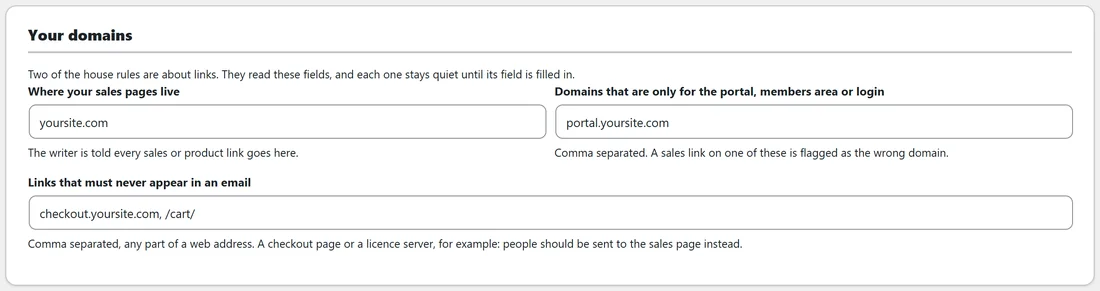
They read Your domains on the Settings tab and stay quiet until their fields are filled in.
- Links that must never appear in an email: any part of a web address, comma separated, such as checkout.yoursite.com or /cart/. An email containing one is flagged.
- Domains that are only for the portal, members area or login: a link to one of these domains is flagged as a sales link on the wrong domain, unless its path includes /portal, /members, /login, /wp-login, /my-account or /plugin-assets, or it is the bare domain. The finding names your sales domain as the right place.
Saving Settings checks every email again with the new details.
Amber findings:
Shown in amber, worth fixing.
- A merge tag other than {name}. 6 points.
- Exclamation marks. 4 points.
- Hype words such as amazing, incredible, revolutionary, skyrocket, unleash and supercharge. 5 points.
- No preheader. 5 points.
- No greeting. The check looks for Hi, Hey or Hello at the start of a line. 4 points.
- No sign off. The check looks for the sign off line and the name from Your details, or a plain close such as Talk soon, Cheers, Best, Kind regards, Thanks or Warmly. A starter template still holding [YOUR NAME] or [SIGN OFF] passes. 4 points.
- No link anywhere in the body. A [LINK] placeholder counts. 5 points.
Grey notes:
Shown grey, small touches.
- Fewer than three subject lines. 3 points. Style reference emails are exempt.
- A subject line over 68 characters, which phones will cut. 2 points.
- A preheader over 110 characters. 2 points.
- No P.S. 3 points.
- More than two sentences running past 30 words. 3 points.
- Under 60 words, except for a thank you email, or over 900 words. 2 points.
- More than two shouted words of four or more capital letters in the body. 2 points.
- Three or more spam filter favourites, such as act now, click here or limited time. 3 points.
Where you see it:
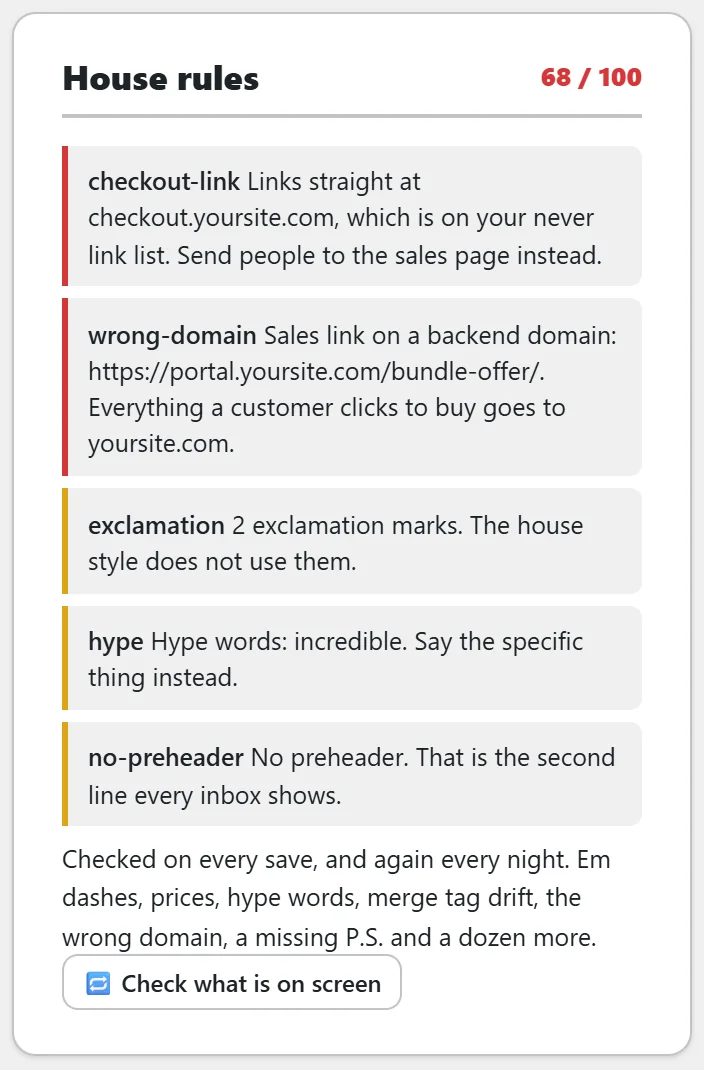
- In the editor, the House rules card lists every finding with a few words of context. Check what is on screen scores your unsaved draft.
- On every Library row, the score sits on the right.
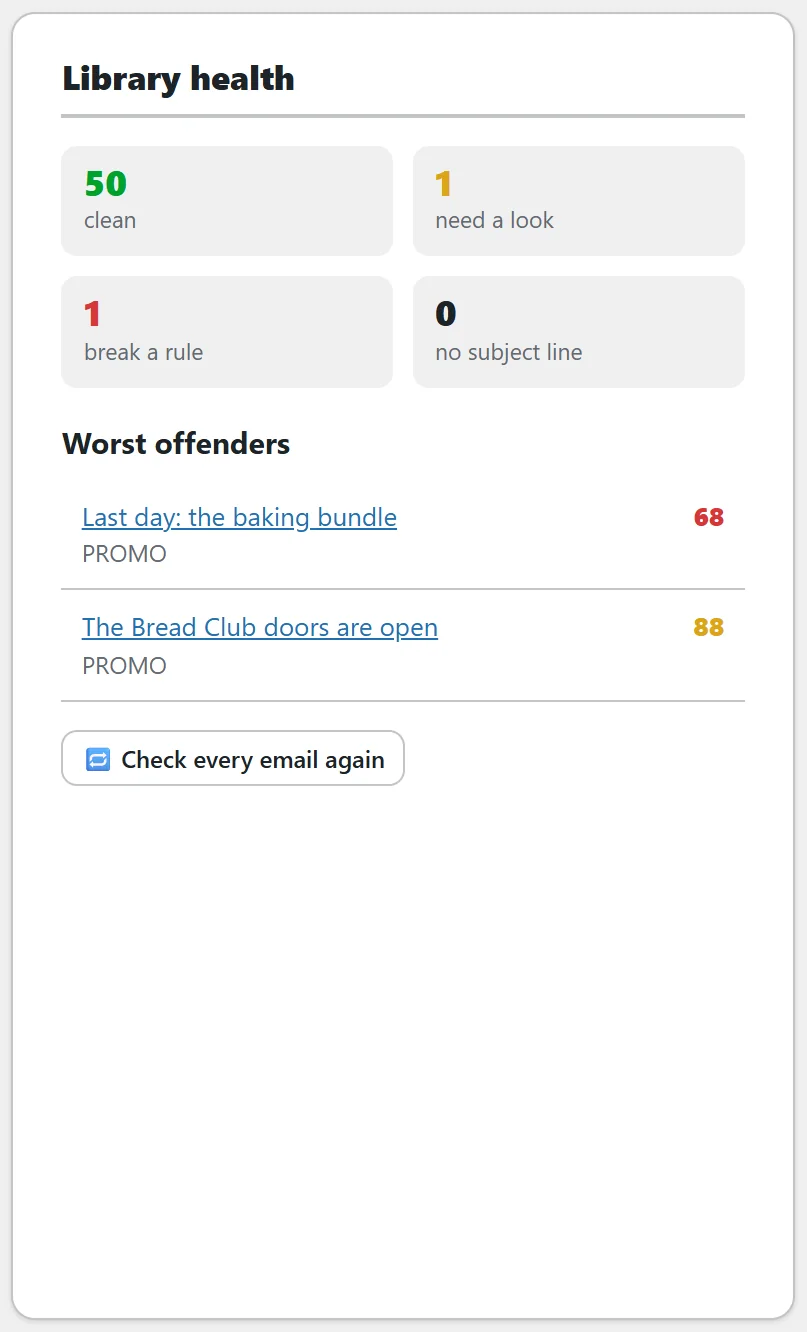
- On Overview, Library health counts clean, need a look and break a rule, lists the Worst offenders and offers Check every email again.
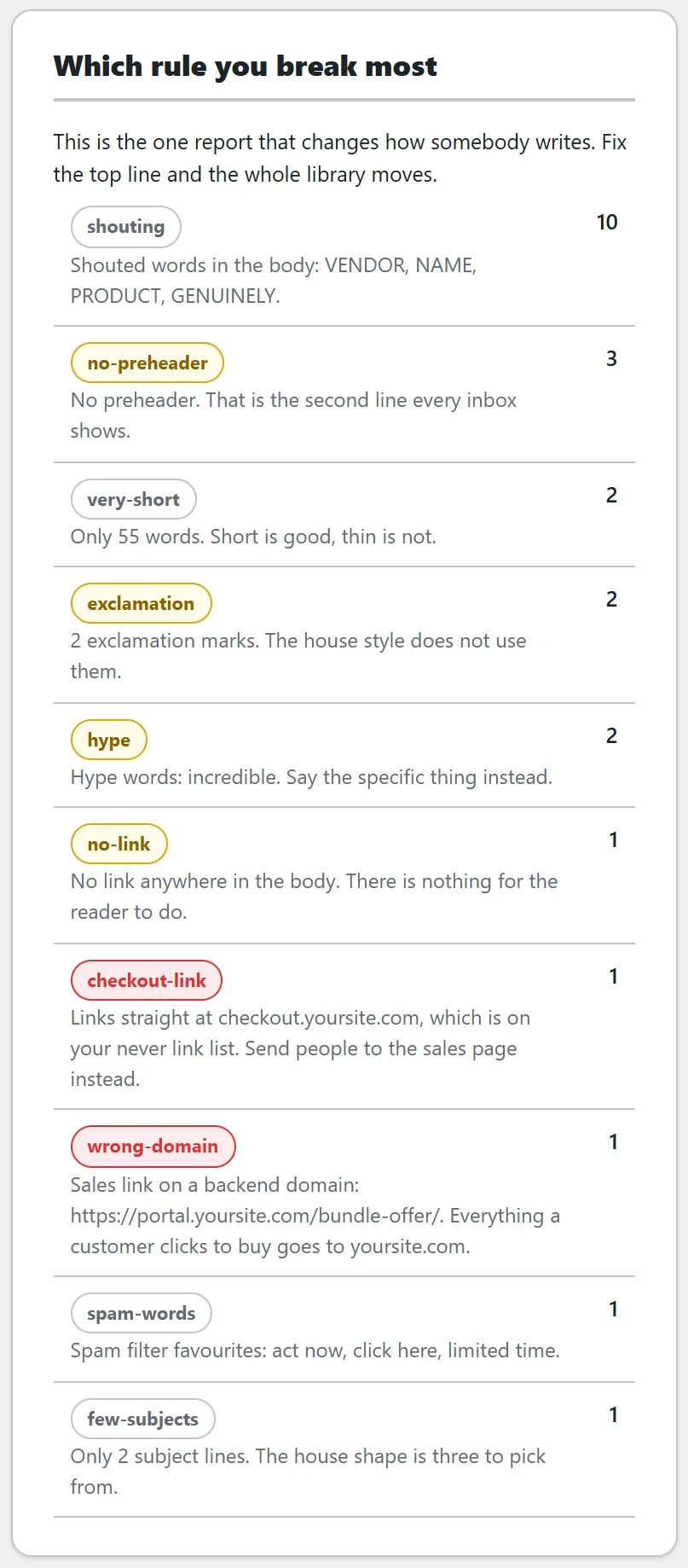
- On Reports, Which rule you break most counts findings across the whole library.
- On Import and export, Run the house rules over the whole library does the same job on demand.
A worked example:
Sam's Last day: the baking bundle email scores 68. The House rules card shows four findings: a link to checkout.yoursite.com, which is on the never link list; a sales link on portal.yoursite.com, a backend domain; two exclamation marks; and the hype word incredible. Sam swaps both links for https://yoursite.com/bundle/, removes the exclamation marks and the hype word, presses Check what is on screen to see 100, then presses Save.
The AI follows them too:
The writer is handed these rules before it writes, including your sign off, your name, your support and login links and your domains from Settings. Whatever it produces is checked before it is saved, and if a hard rule is broken the draft is sent back once with the finding quoted. The Subject lab marks any suggested subject line with an em dash, a price, an exclamation mark, a hype word or too many characters.
Your own instructions:
The rules themselves are built in. To add writing instructions of your own, use Anything extra this voice must always do when you train a voice. See Voice Training: Teaching The AI To Write In Your Own Voice.
Tips:
- Fill in Your domains before you import, so the link rules check the whole library from the start.
- Check Which rule you break most on Reports once a month. Fixing the top line moves the whole library.