The layout decides the frame around every page: where the menu sits, how wide the writing runs and what the footer looks like. One choice switches the whole site, and nothing on your pages has to be rebuilt.
Use it to make a public business site, an app-style members area, a framed classic look or a quiet reading site, and to give single pages, such as a sales page, a look of their own.
Where to find it:
Appearance, Customize, ResultsAiX Theme, Layout mode. The Setup Wizard sets it too, in step 1.
The four layouts:
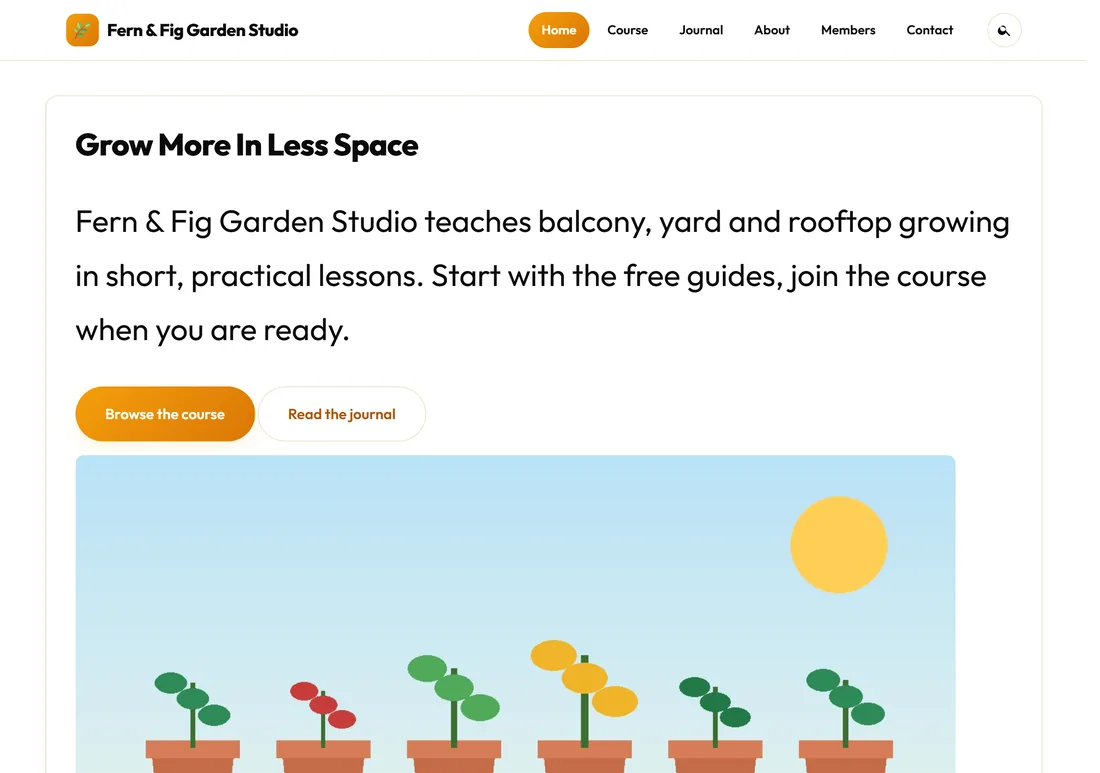
- Classic site (top navigation): a sticky header with your menu along the top and a dark footer. This is the default, and right for most business sites and blogs.
- Member portal (left sidebar, app style): the members-area look. See below.
- Boxed classic (framed, card-style page): the classic navigation with your content framed as a card on the page background.
- Minimal (narrow, distraction-free reading): a narrower column for quiet reading and funnel pages.
Choosing the site layout:
- Go to Appearance, Customize and open ResultsAiX Theme.
- Under Layout mode, pick one of the four layouts. The preview on the right changes at once.
- Press Publish.
The Classic site:
The menu runs along the top. Links that do not fit on one row move into a More dropdown at the end of the row, and on a phone the whole menu sits behind a Menu button.
The Member portal:
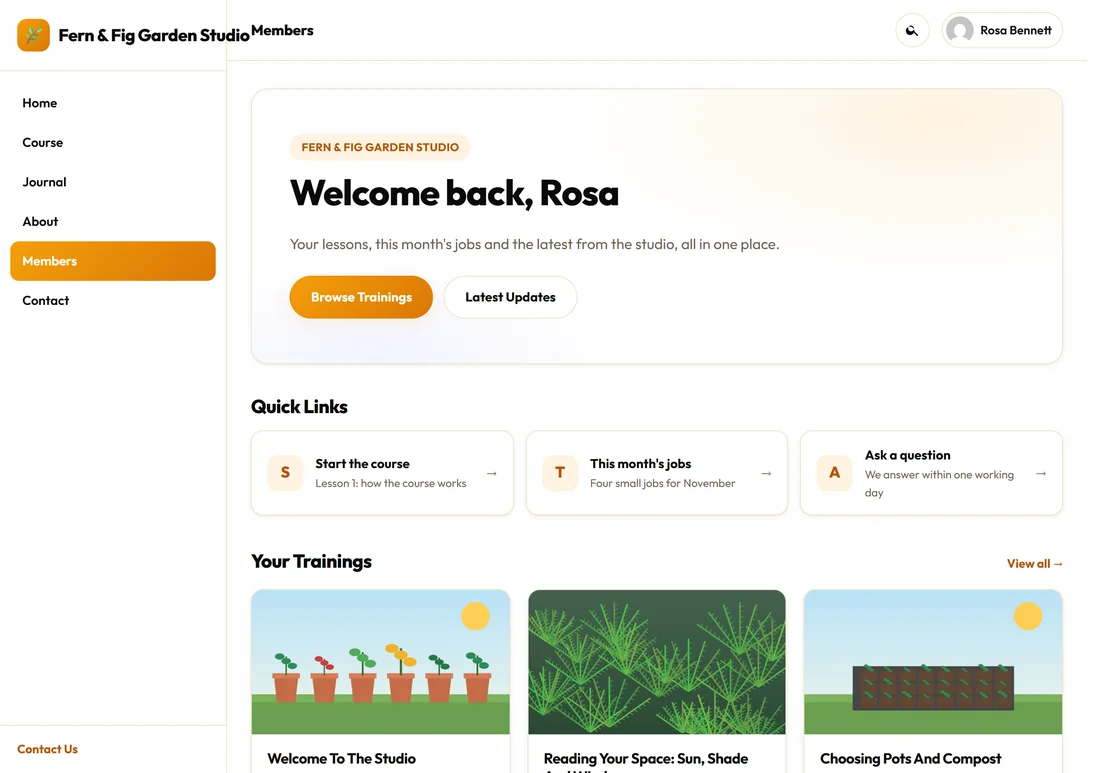
The portal turns your site into something that feels like an app:
- A left sidebar with your site name or logo at the top and your Primary Menu listed down it. At the bottom sits your support link, when you have one.
- A top bar with the name of the page you are on. It says Dashboard when your front page uses the Member Dashboard template (Home on any other front page), Training Library on the trainings and topic pages, Updates on the blog, Search on search results, and the page title everywhere else.
- The search button and, for a signed-in member, their picture and name at the top right.
Pair it with the Member Dashboard template and the Trainings library for a complete members area. See The Member Dashboard And Training Library.
The portal on a phone:
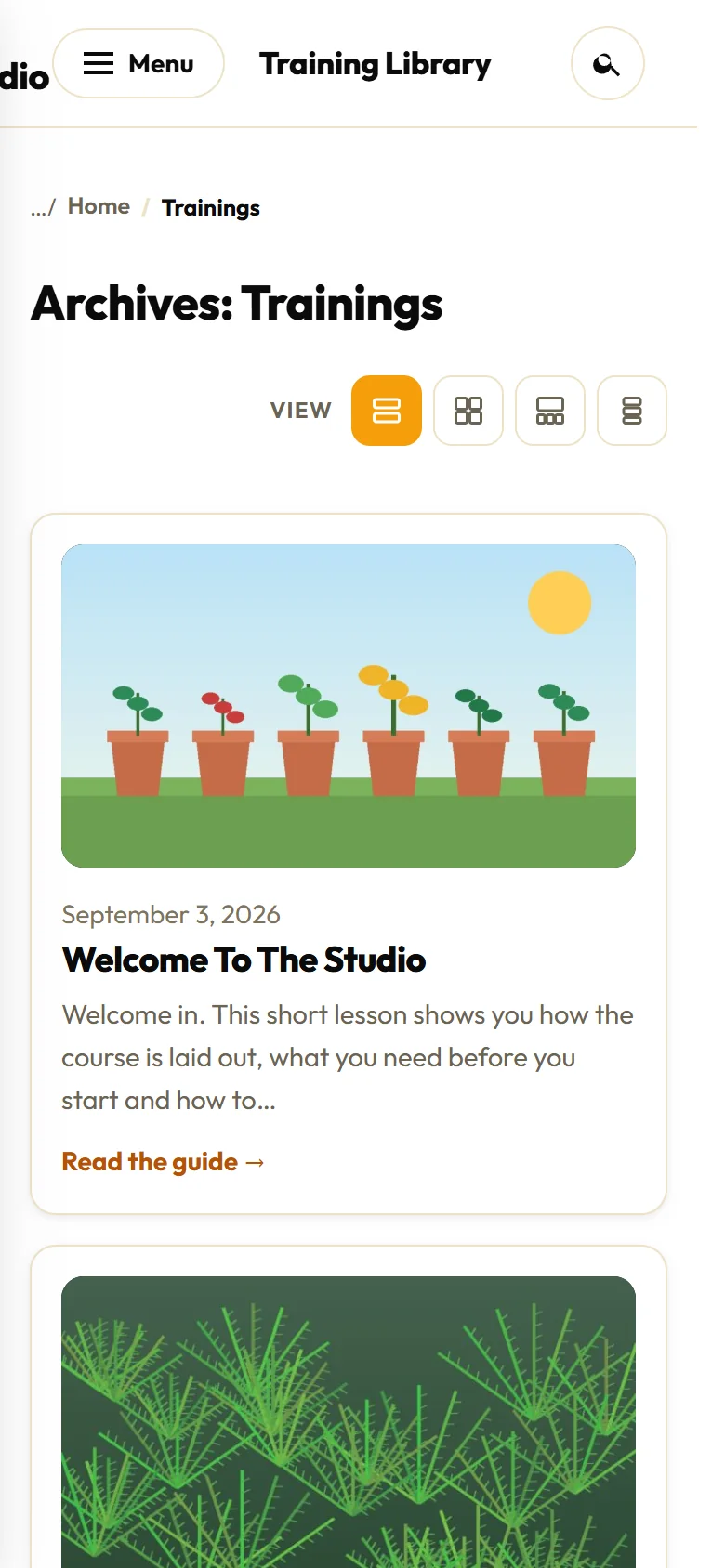
On a phone the left sidebar folds away behind a Menu button in the top bar, and the page you are on is named beside it.
Boxed classic and Minimal:
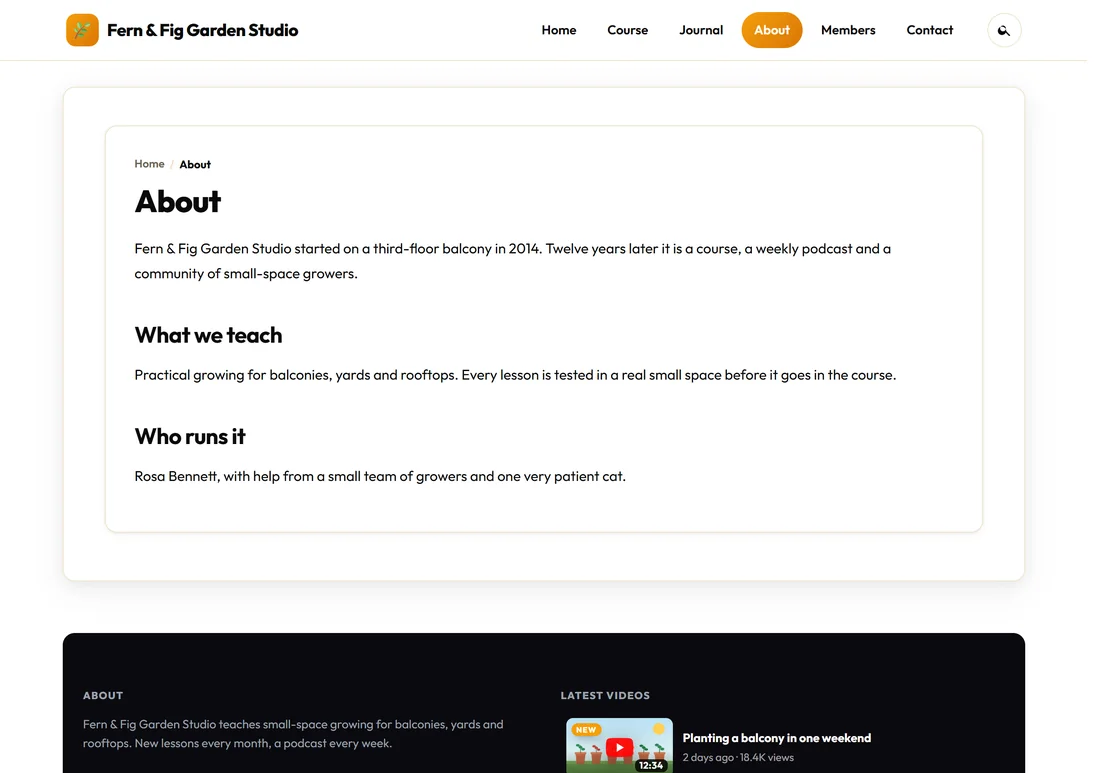
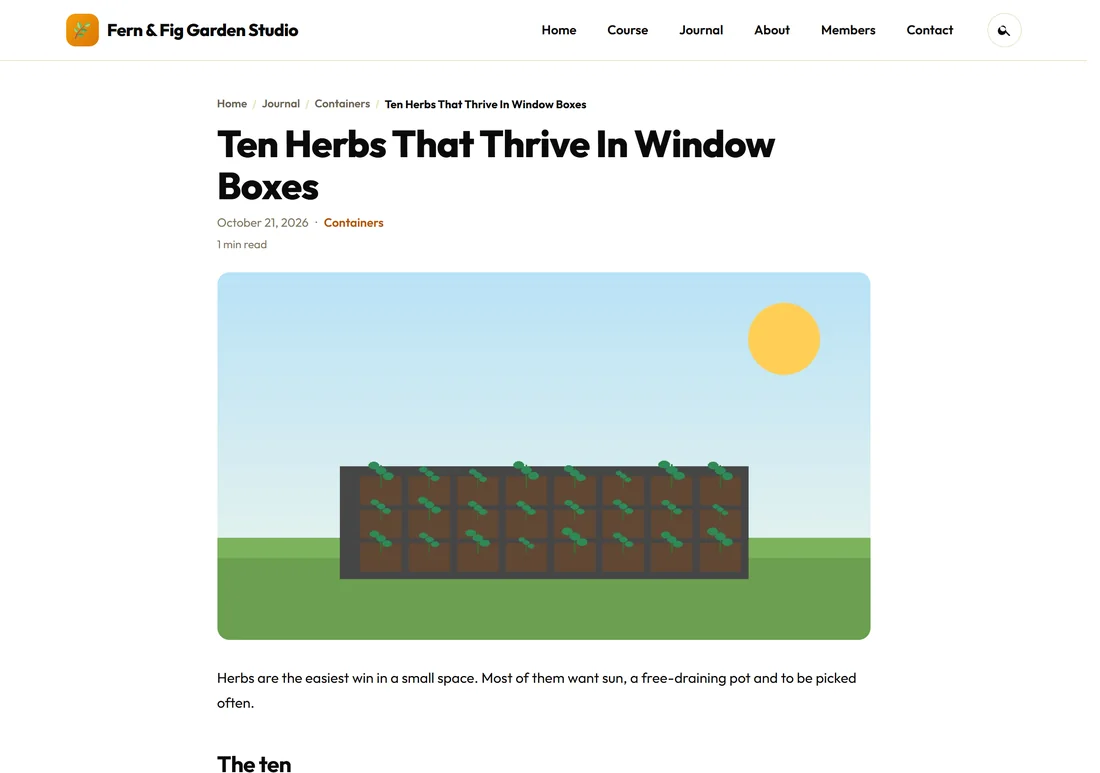
Boxed classic keeps the Classic header and frames each page as a card, which suits sites with a coloured or patterned page background.
Minimal keeps the header simple and narrows the column, so a long post reads like a book. A sidebar, if you use one, always sits below the writing in Minimal.
One page, a different layout:
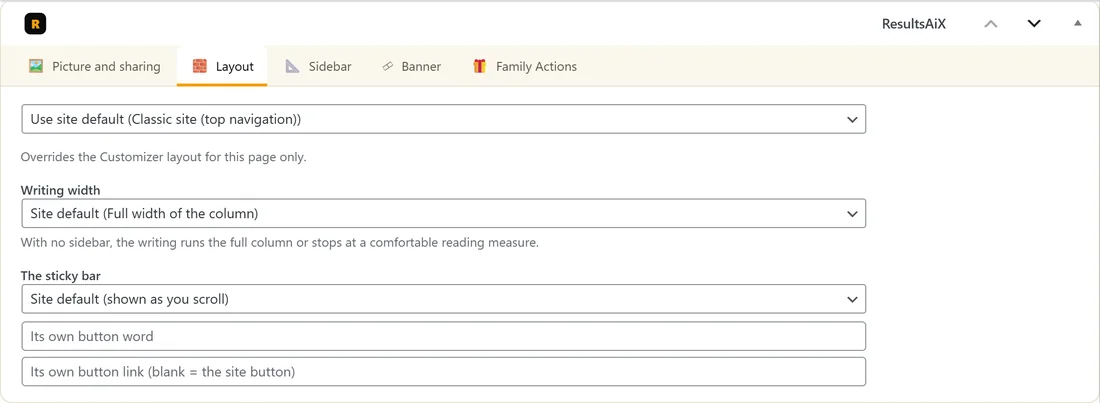
Every post, page and training has a Layout tab in the ResultsAiX panel on its edit screen (the ResultsAiX Layout box if you keep the boxes in the side column).
- Open the page in the editor.
- Scroll to the ResultsAiX panel under the editor and click Layout.
- Change Use site default to the layout you want for this page only.
- Press Update.
The same tab holds Writing width (see below) and the sticky bar choice for that page. A sales page in Minimal while the rest of the site stays Classic is a common choice.
How wide the writing runs:
With no sidebar, the writing on posts and pages can run the full width of the column, or stop at a comfortable reading measure of about 860px.
- For the whole site: Appearance, Customize, ResultsAiX Theme, Writing width on posts and pages. The choices are Full width of the column (the default) and A comfortable reading measure (about 860px).
- For one post or page: its Layout tab, Writing width.
A page with no header or footer:
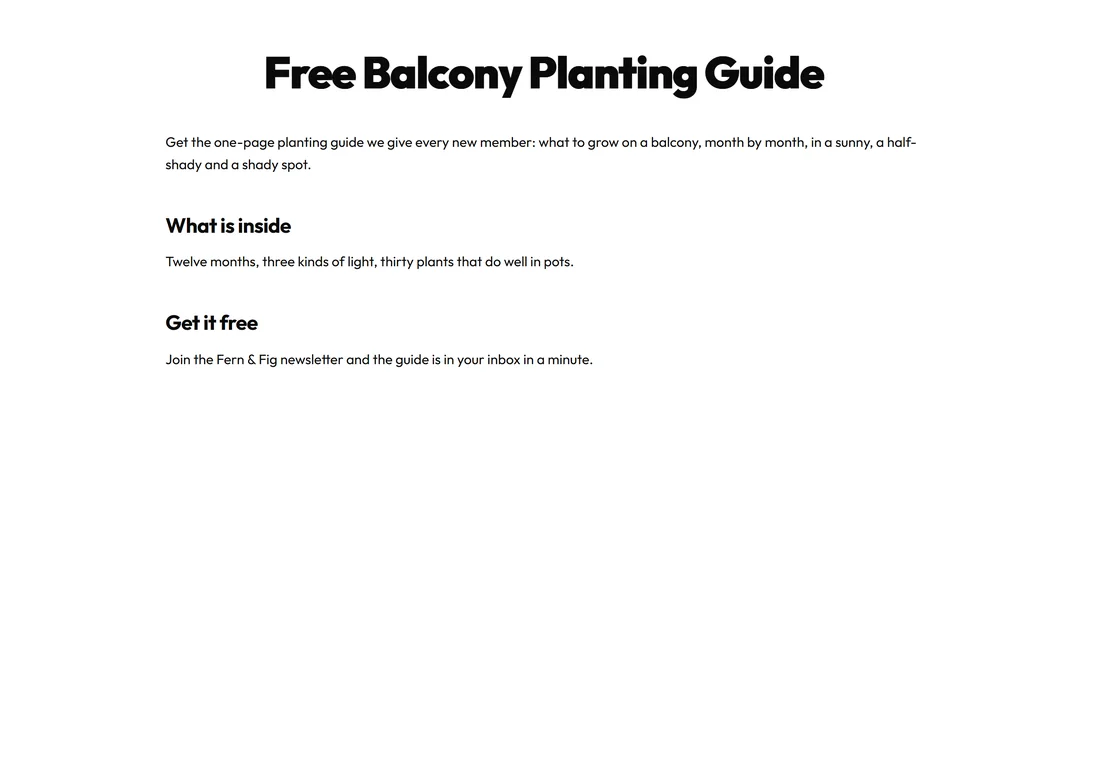
For an offer page or a thank-you page, set the page's Template to Landing (No Chrome) in the page settings of the editor. It is a blank full-width canvas with no header, no footer and no menu out of the box. The sticky bar never appears there, and sidebar choices have no effect.
The page title is the headline at the top. To build your own headline from blocks instead, tick Hide the page title on the page's Layout tab. The page keeps its title in your Pages list.
Landing pages with a header and footer:
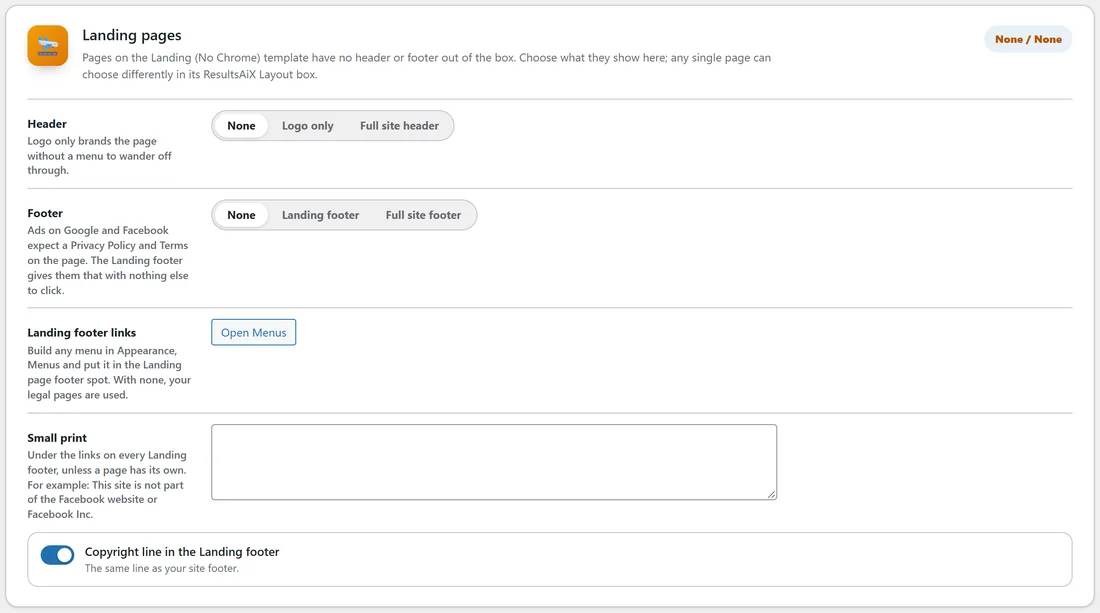
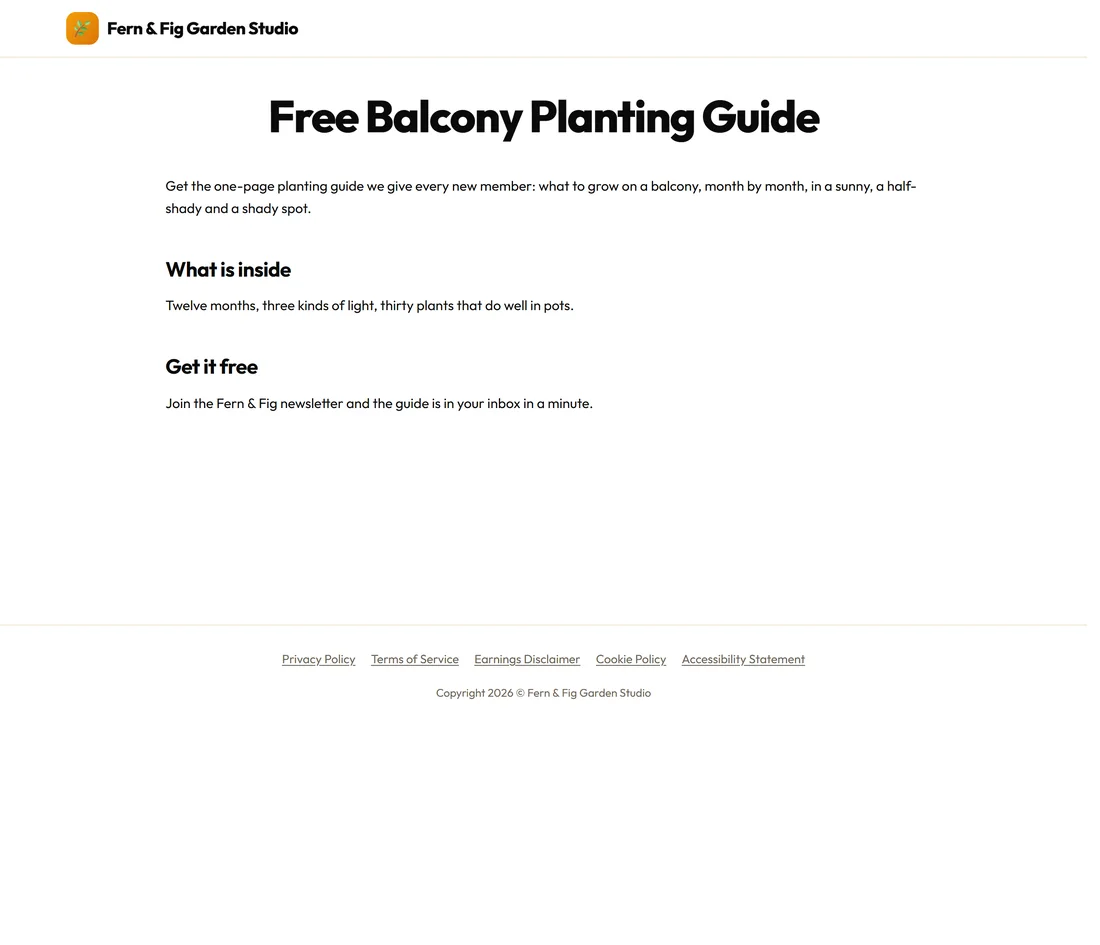
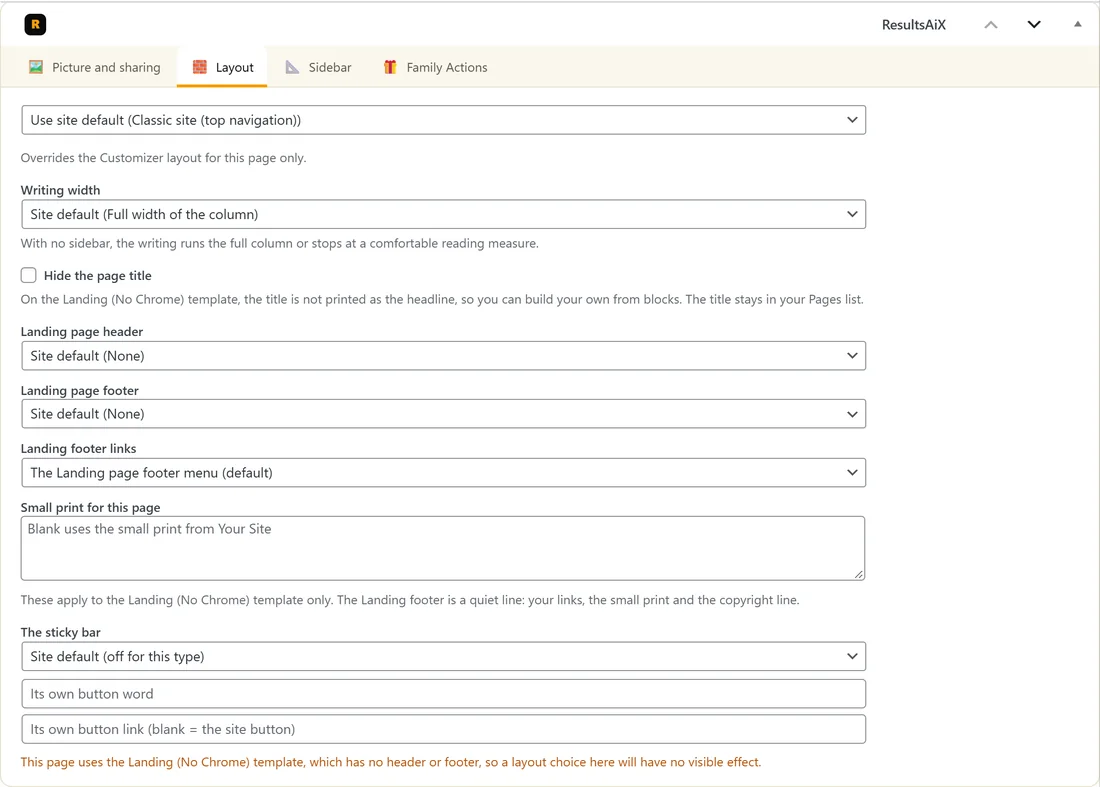
A Landing page can also carry a small header and a footer. Set them for every Landing page on the Your Site tab, in the Landing pages card:
- Header: None, Logo only or Full site header. Logo only brands the page without a menu to wander off through.
- Footer: None, Landing footer or Full site footer. The Landing footer is one quiet line of links with your small print and copyright line under it, made for pages you send ads to. Google and Facebook expect a Privacy Policy and Terms on the page.
- Landing footer links: build any menu in Appearance, Menus and put it in the Landing page footer spot. With none, your legal pages are used. Open Menus takes you there.
- Small print: a line under the links on every Landing footer, unless a page has its own.
- Copyright line in the Landing footer: the same line as your site footer.
One page can choose differently on its own Layout tab: Landing page header, Landing page footer, Landing footer links (any menu you have made) and Small print for this page. Pages you already had stay exactly as they were until you choose.
The optional sidebar:
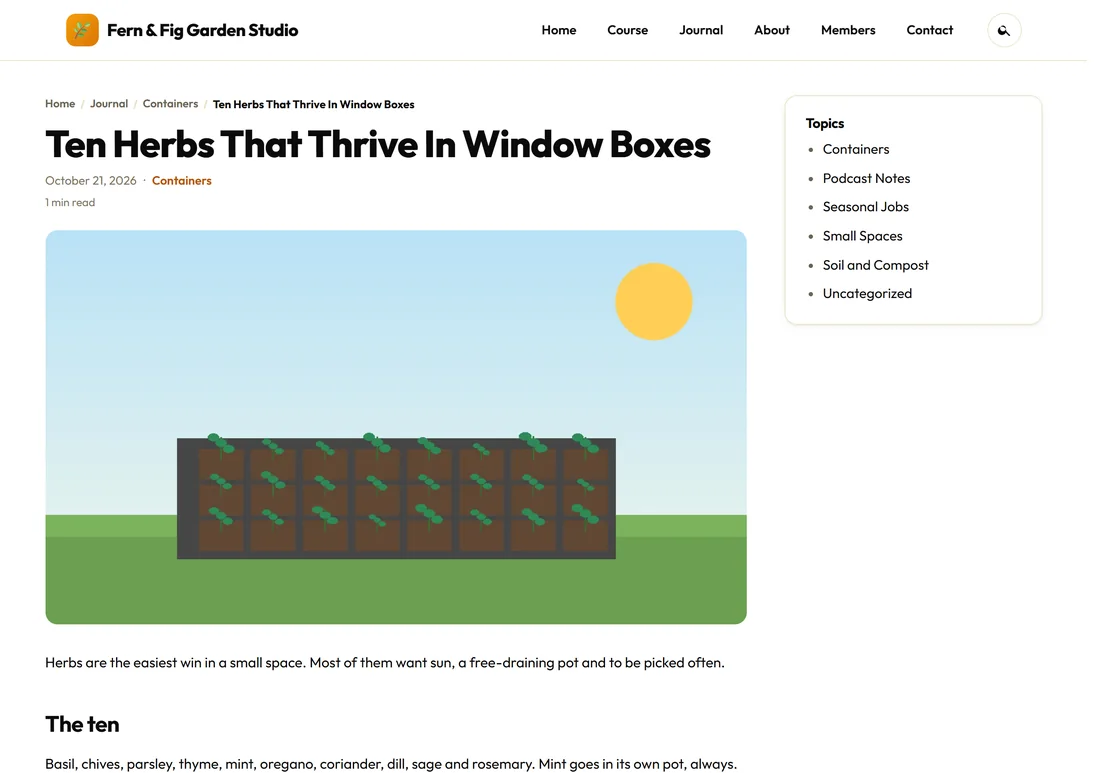
The sidebar is off by default, so the writing gets the full column. To show one:
- Appearance, Customize, ResultsAiX Theme: tick Show a sidebar next to pages and posts, and press Publish.
- Appearance, Widgets: add at least one widget to Sidebar (Optional).
Both must be true before it shows, so an empty box never appears. Any single post or page can choose Show the sidebar on this page or Hide the sidebar on this page from its Sidebar tab. On screens narrower than 1024px, and on the Member portal and Minimal layouts, the sidebar sits below the writing instead of beside it.
A real example:
Fern & Fig runs on Classic site for the public pages. Rosa tried the Member portal for the members area and liked the app feel, so a membership site would switch the whole site to it. Her free planting guide page uses the Landing (No Chrome) template with Logo only in the header and the Landing footer, so visitors from an ad see the offer, the logo and the legal links, and nothing else to click.
Tips:
- Try each layout in the Customizer preview before you publish. Nothing changes for visitors until you press Publish.
- For a members site, set up the Dashboard next. See The Member Dashboard And Training Library.
- Colours, logo and menus are in Colour Schemes, Your Logo, Menus And The Customizer.