If you ever need a hand, the Diagnostics tab gives support everything they need in one go, so your question gets answered faster.
Where to find it:
Open Bonus Builder and click the Diagnostics tab.
Sending the report:
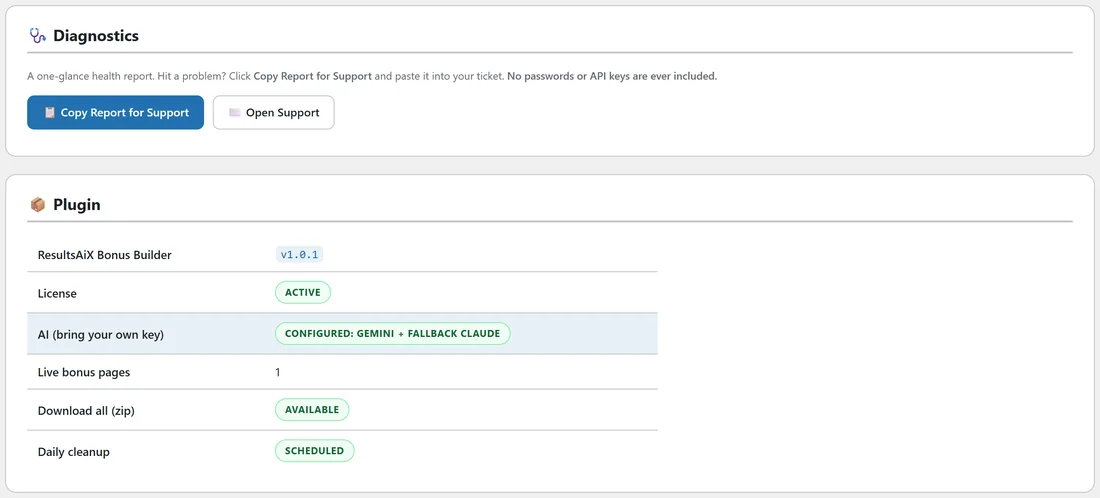
- Click Copy Report for Support. The button confirms it is copied.
- Click Open Support and paste the report into your ticket.
The report never includes passwords or API keys.
Plugin:
- ResultsAiX Bonus Builder. The version you are running.
- License. Active when your key is set.
- AI (bring your own key). Which provider is configured, and the fallback.
- Live bonus pages. How many bonus pages are published.
- Download all (zip). Available when your server can make zip files.
- Daily cleanup. Scheduled. It keeps the AI usage log tidy.
Environment:
Your WordPress, PHP and database versions, your site address, HTTPS, your theme, the PHP time limit and the memory limit.
Database Tables:

The three Bonus Builder tables, Projects, Bonuses and AI jobs, with how many rows each holds.
If you see something to fix:
- Download all (zip) shows the Zip extension is missing: ask your host to switch on the PHP Zip extension. Each bonus still saves as a PDF on its own.
- Daily cleanup or a table shows as not set up: deactivate and reactivate the plugin under Plugins.
- AI shows as not configured: add a key on the AI tab.