Because Bonus Builder uses your own AI account, you can see exactly what each promo costs to build. Costs show in four places.
Before you click:
Every AI button shows a cost estimate, such as the price beside Write every bonus or AI cover. It is worked out from the model in use now and the typical size of that job.
On each project:

- The project header shows AI spend on this project and the number of AI calls, with how many were images.
- Each bonus card shows the AI cost so far for that bonus.
- The Projects tab has an AI cost column.
The AI costs report:
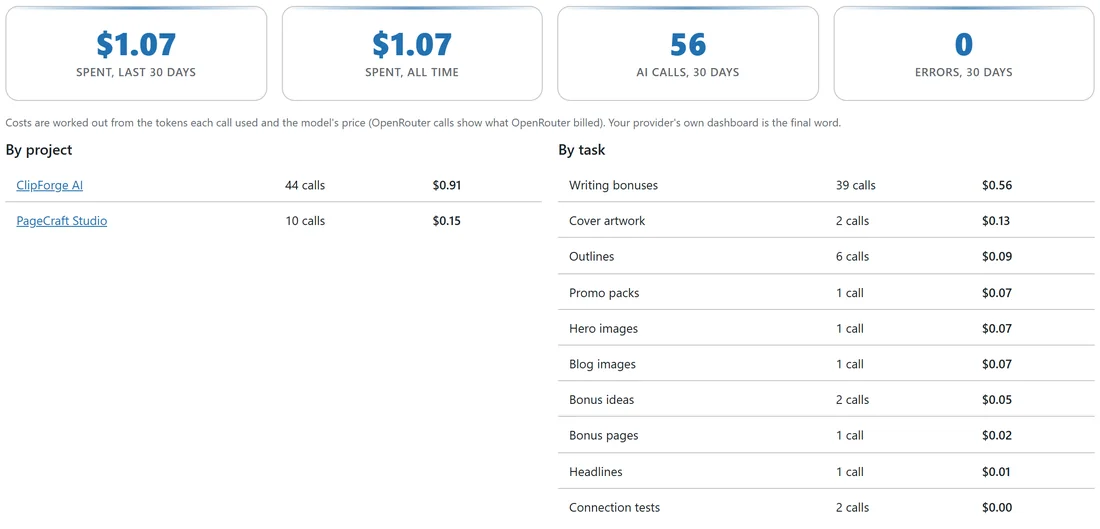
On the AI tab, the AI costs card shows:
- Spent, last 30 days.
- Spent, all time.
- AI calls, 30 days.
- Errors, 30 days.
The breakdowns:
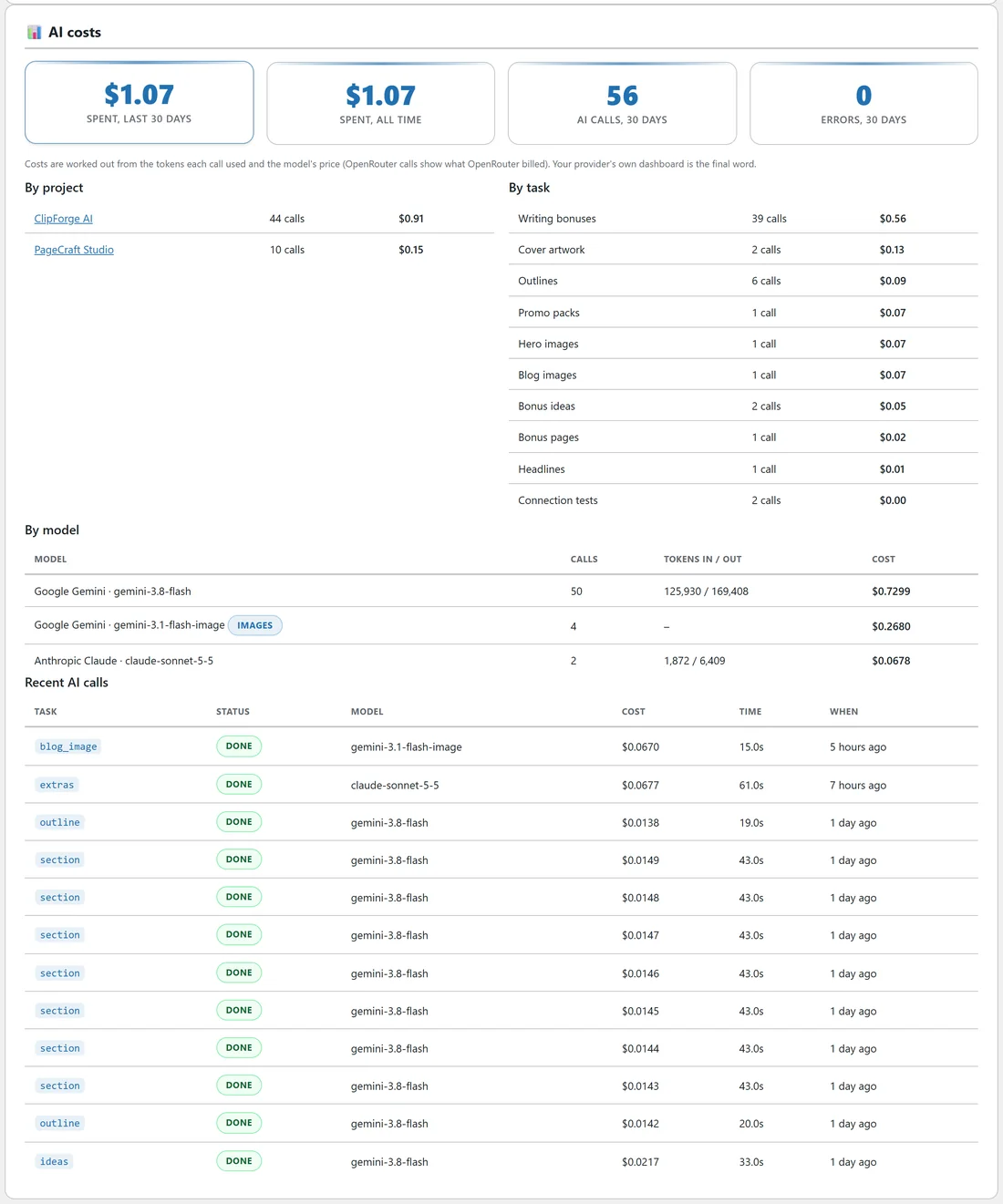
- By project. What each promo cost, with a link to open it.
- By task. Bonus ideas, Outlines, Writing bonuses, Headlines, Bonus pages, Promo packs, Cover artwork, Hero images, Blog images and Connection tests.
- By model. Each model used, with its calls, the tokens in and out, and the cost. Image models are marked images.
- Recent AI calls. The latest calls with the task, status, model, cost, how long it took and when.
How costs are worked out:
From the tokens each call used and the model's price. OpenRouter calls show what OpenRouter billed. Your provider's own dashboard is the final word. Every completed call is kept, so Spent, all time and the cost of each project always include every call you made.
Your monthly soft budget:
Set it under AI configuration on the same tab. When your spend for the last 30 days reaches it, a note shows here. See Connecting Your AI Provider.
A real example:
Sam's report shows what the whole ClipForge AI package cost, four full bonuses, two AI covers, the page and the promo pack, with Writing bonuses as the biggest line under By task.