The checker reads what you write and lists what stops people: pictures with no description, headings out of order, links that say nothing, frames with no name and more. It runs on every save, on demand in the editor, and across the whole site with one press.
Where to find it:
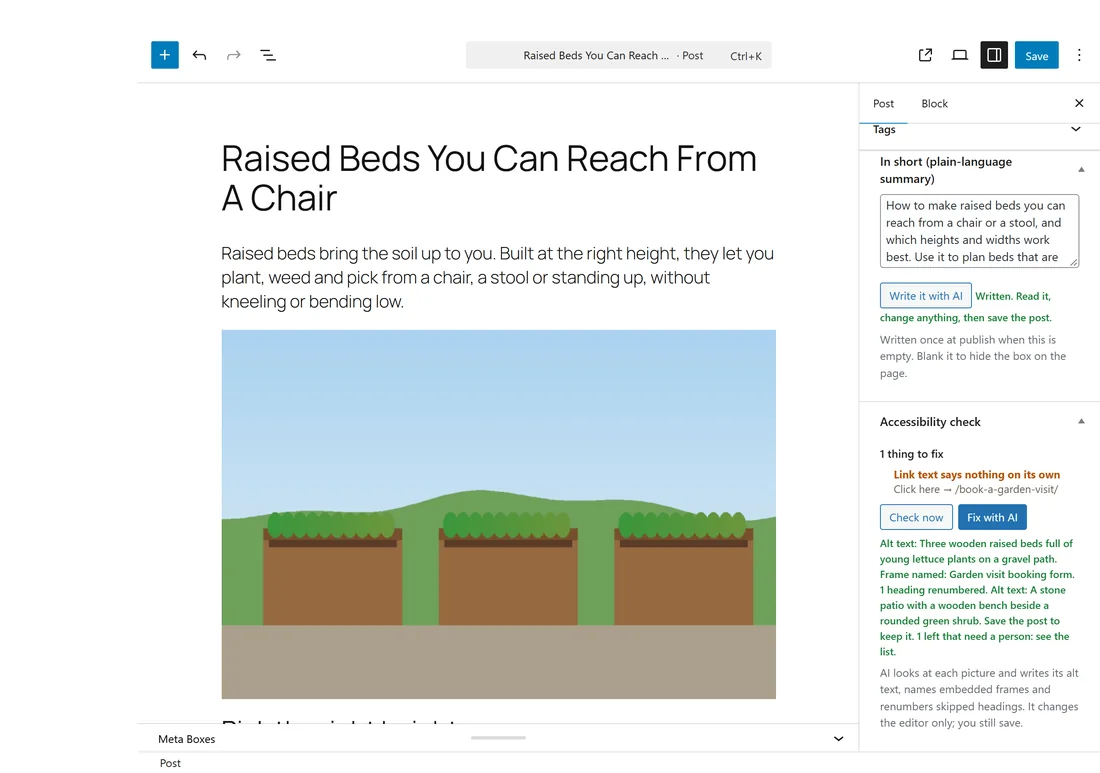
- In the editor: the Accessibility check box in the side column, on posts and pages of the types ticked on the Reading tools tab.
- For the whole site: AiX Accessibility, Checker, Check every published page.
- For your progress: AiX Accessibility, Dashboard, Your site check.
Every save, checked:
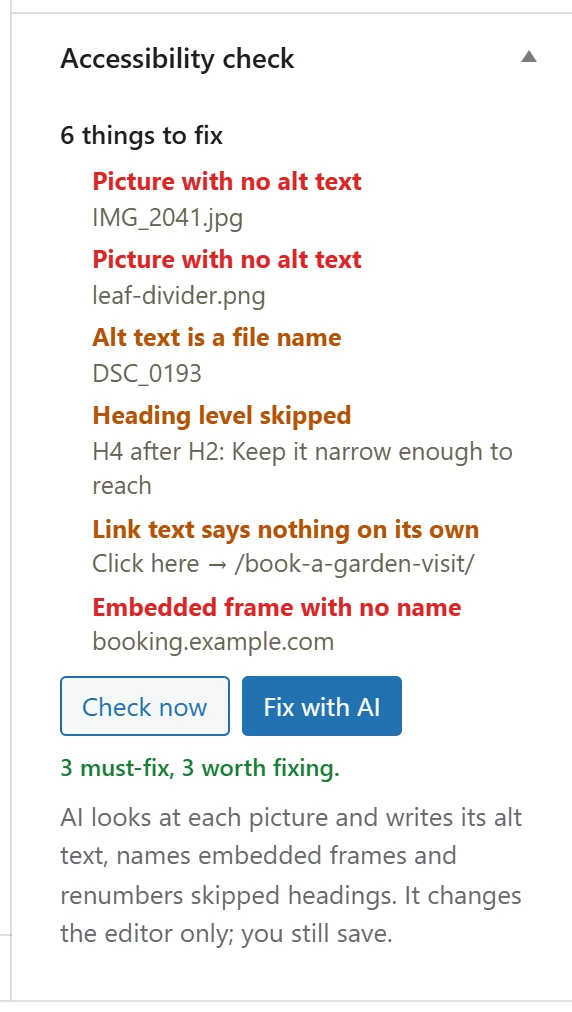
With Accessibility PRO active and licensed, every save of a post or page of a ticked type is checked. The findings appear in the Accessibility check box. The top line says how many things to fix. Each finding shows in red when it is a must fix and in amber when it is worth fixing, with a short detail such as the picture's file name, the heading text or the link's address.
The thirteen checks, must fix:
- Picture with no alt text.
- Empty heading.
- Link with no text.
- Button with no text.
- Embedded frame with no name.
- Form field with no label.
The thirteen checks, worth fixing:
- Alt text is a file name, for example IMG_1234.jpg or DSC_0193.
- Heading level skipped, for example an H4 straight after an H2.
- Second H1 on the page. Your theme already prints the title as the H1.
- Link text says nothing on its own: click here, here, read more, more, learn more, link, this, this page, continue, go, download or button.
- Table with no header row.
- Media plays by itself with sound.
- Video with no captions track.
Pictures you have marked as decorative, with an empty alt text or hidden from screen readers, are not flagged. Form fields that are hidden, and submit or reset buttons, are not flagged either.
Check now:
Check now checks what is in the editor this second, saved or not, in the block editor or either tab of the Classic Editor. The line under the buttons says how many it found, for example 3 must-fix, 3 worth fixing. When nothing is found, the box says Nothing found. The checks that matter all pass.
With an AI key, Fix with AI sits beside Check now. See PRO: Fix With AI, From The Picture Itself.
Check every published page:
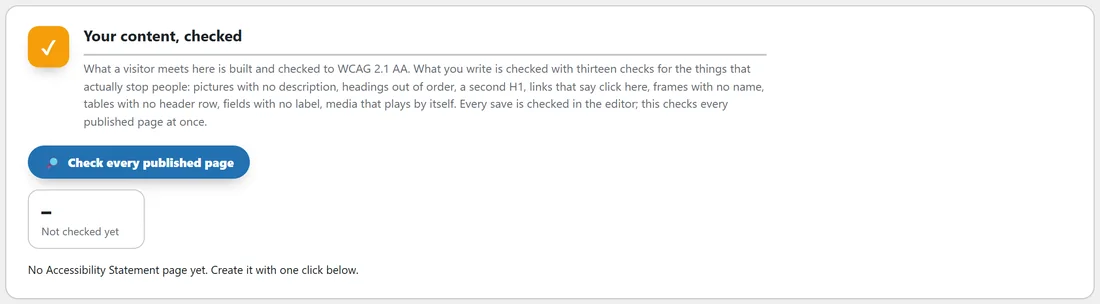
- Open AiX Accessibility, Checker.
- Press Check every published page.
- It checks every published post and page of the ticked types, 25 at a time, showing its progress, for example 25 / 40, then Done.
The result stays on the tab until you run it again:
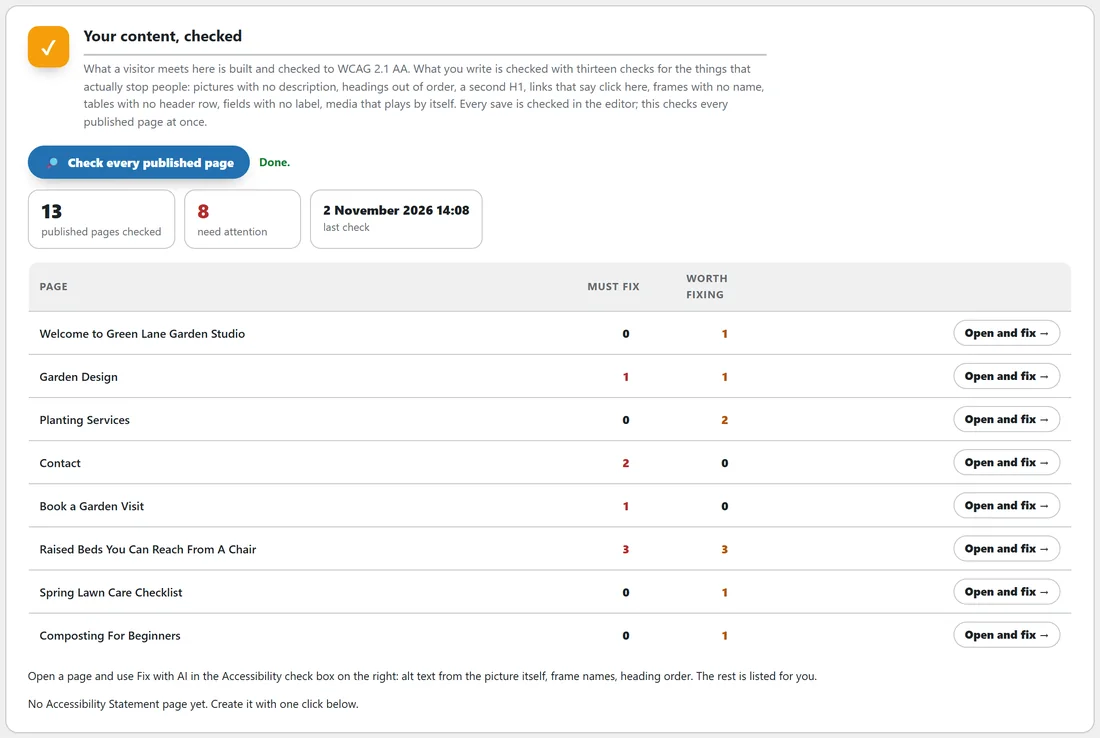
- Published pages checked, Need attention, and the date and time of the Last check.
- A table of the pages that need attention, with their Must fix and Worth fixing counts and an Open and fix button for each, which opens that page's edit screen.
- When every page passes, the tab says Nothing to fix. Every published page passes the thirteen checks.
Your site check on the Dashboard:
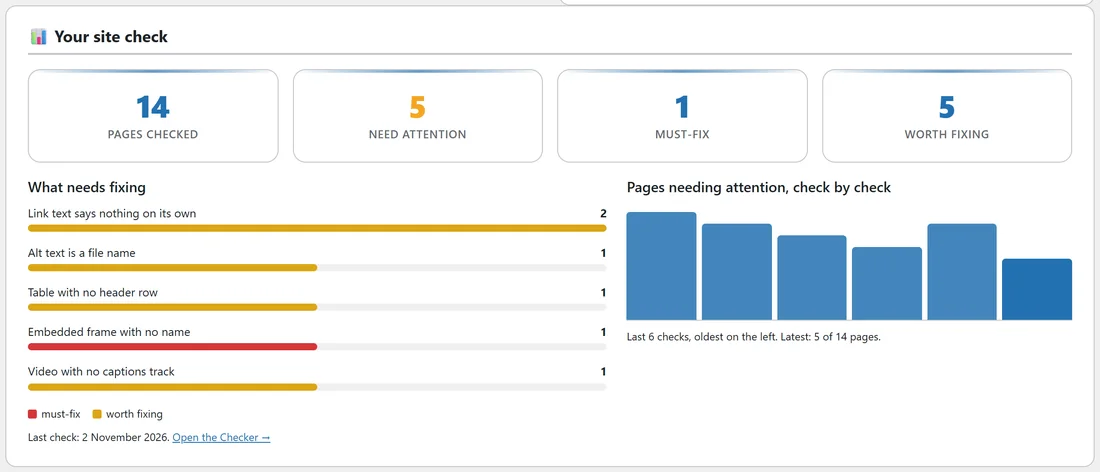
After your first check, the Dashboard draws it:
- Four totals: pages checked, need attention, must-fix and worth fixing.
- What needs fixing: up to eight bars, one per kind of finding, longest first, red for must-fix and amber for worth fixing.
- Pages needing attention, check by check: from your second check on, a bar for each of your last twelve checks, oldest on the left, with the latest count under it. Fix a few pages, check again, and watch the last bar drop.
How to fix each finding by hand:
Fix with AI handles pictures, frames and headings. For the rest, these are the quickest fixes in the block editor.
- Picture with no alt text: click the picture, open the block settings, and type a short description in Alternative text. For a purely decorative picture, leave it empty.
- Alt text is a file name: replace the file name in Alternative text with a description of what the picture shows.
- Empty heading: type the heading text, or delete the empty heading block.
- Heading level skipped: click the heading and pick the next level in the block toolbar, for example H3 under an H2.
- Second H1 on the page: change that heading to H2. Your theme already prints the title as the H1.
- Link with no text: this is usually a picture or an icon used as a link. Give the picture alternative text, or add words to the link.
- Link text says nothing on its own: rewrite the link to say where it goes, for example Book a first garden visit instead of Click here.
- Button with no text: type the button's words, or remove the empty button.
- Embedded frame with no name: press Fix with AI, or add a title to the frame in the Custom HTML block, for example title="Map to our studio".
- Form field with no label: in your form plugin, switch on the field's label. A placeholder inside the box is not a label.
- Table with no header row: click the table, open the block settings and switch on Header section, then type the column names in it.
- Media plays by itself with sound: in the Video or Audio block settings, switch off Autoplay, or switch on Muted.
- Video with no captions track: in the Video block toolbar, use Text tracks to add a captions file in WebVTT format.
After fixing, press Check now to see the list update, then save.
What it reads:
The checker reads each post the way a visitor gets it: blocks and shortcodes run, and pages built with page builders such as Divi, WPBakery, Thrive and Elementor drawn in full, so their pictures and links are checked too. The checker needs the PHP DOM extension; Diagnostics shows whether your host has it.
A real example:
Maya runs Check every published page on yoursite.com. Thirteen pages are checked and eight need attention. Raised Beds You Can Reach From A Chair has three must-fix and three worth fixing: two pictures with no alt text, a file name for alt text, a skipped heading, a Click here link and a booking frame with no name. She presses Open and fix, uses Fix with AI, rewrites the link as Book a first garden visit, and does the same on Garden Design and Contact. She checks again: five pages need attention, and the Dashboard chart shows the drop.
If a check stops part way:
Press Check every published page again. Each run starts from the first page, so nothing is counted twice. If it stops at the same place, open Diagnostics: the Error log shows the site check as never finished, with the last step it reached, ready to send to support.
Tips:
- Run the whole-site check after a big import or a redesign, and once a month.
- Work through must-fix items first. They are the ones that stop people completely.
- Link text, form labels, table headers and captions need a person. Rewrite the link to say where it goes, add a label to the field, mark the first table row as a header, and add a captions track to the video.