ResultsAiX Accessibility puts an Accessibility button on every page of your WordPress site. A visitor presses it, or presses Alt + A on a keyboard, and gets a real reading panel that changes how your page reads for them: bigger text, calmer colours, a reading font, a reading guide, the page read aloud and more.
It is for anyone who wants their site to be easier to read for people with low vision, dyslexia, ADHD, migraines, tired eyes or shaky hands. It works the moment you activate it, with nothing to set up.
What your visitors see:
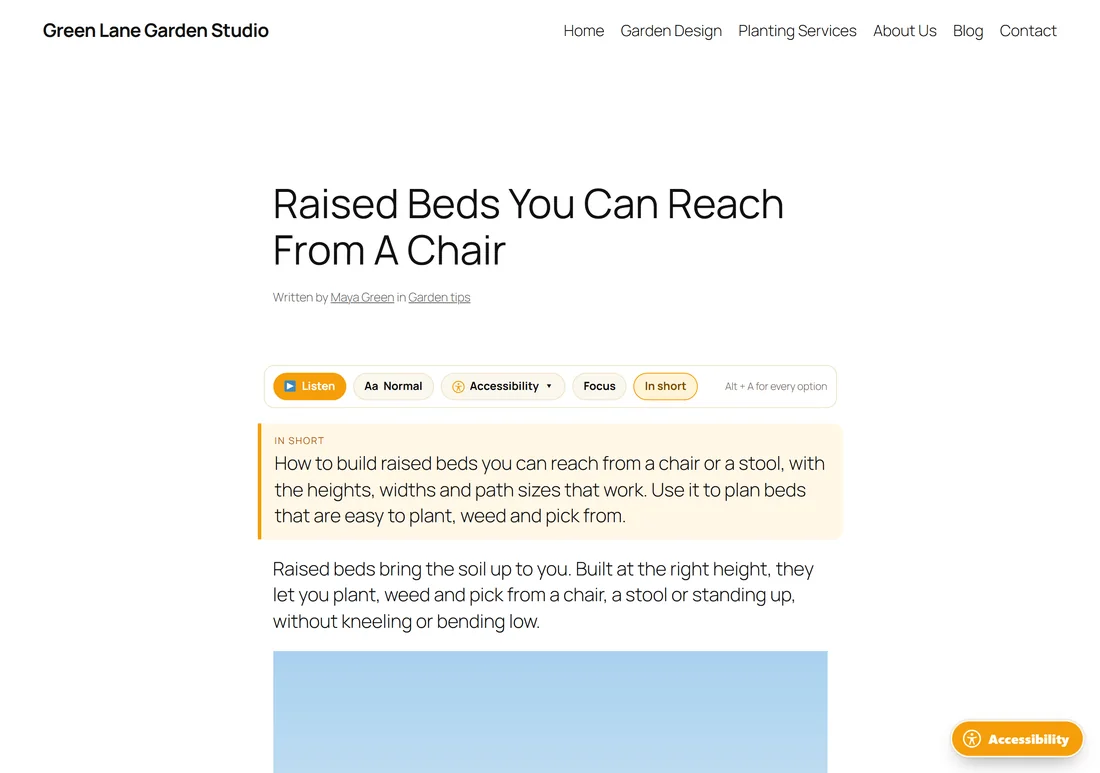
On single posts and pages a small reading bar sits under the title, with Listen, a text size button, the panel button, Focus and In short. In the corner of every page sits the Accessibility button with the universal access symbol. One press opens the panel.
The first time a visitor opens the panel it asks one plain question: Anything making this hard to read? One tap on an answer, such as Text is small or Letters swim, sets up the page for them. After that the panel opens straight to every option.
What the free plugin gives your visitors:
- The Accessibility button on every page, in the corner, colour and word you choose.
- The first-visit question with six plain answers.
- Five one-press profiles: Low vision, Dyslexia, ADHD and focus, Seizure safe, and Keyboard and motor.
- Five colour modes: As designed, Dark, High contrast, Low colour, and Black and white.
- Text size, line height, letter spacing, word spacing, two reading fonts and text alignment.
- Ten reading aids, from Highlight links to Bigger buttons.
- A map of the headings on the page, and the keyboard shortcuts.
- Listen, which reads the page aloud in the voice already on the visitor's own device. No AI, no key and no running cost.
- In short, a plain-language summary you can write for any post or page.
- Every choice remembered in the visitor's own browser and applied before the page paints, so nothing flashes.
What you see as the site owner:
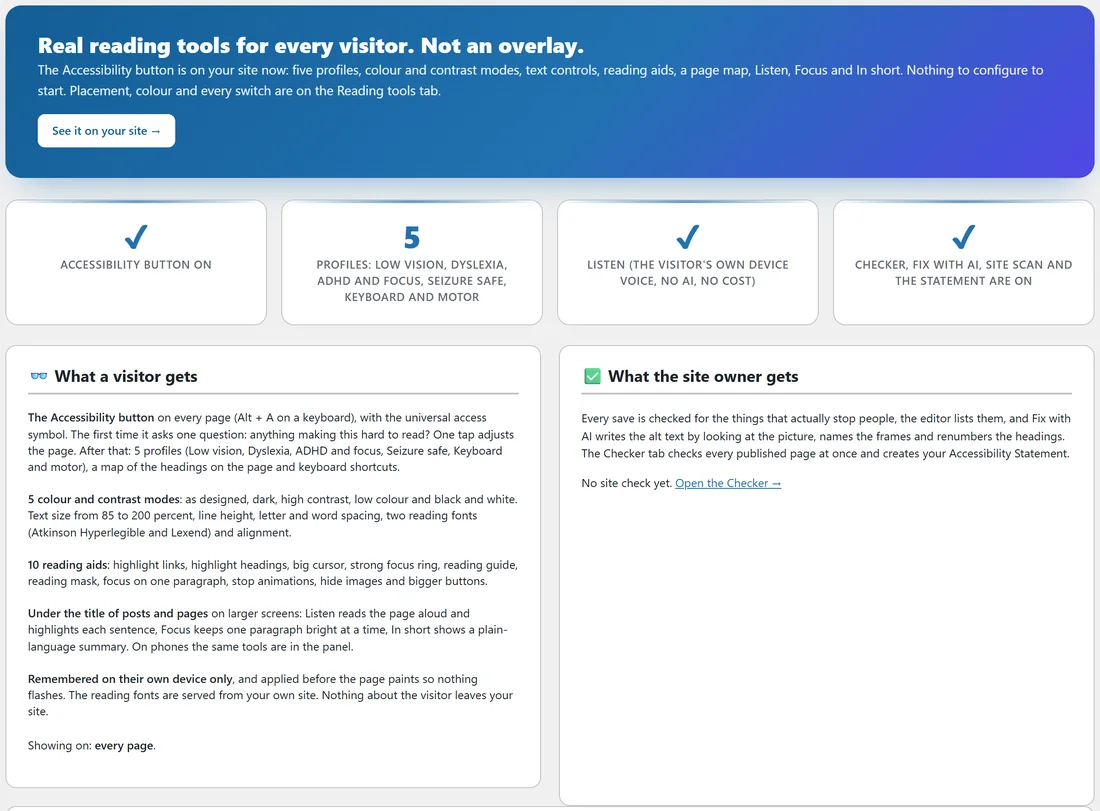
Everything lives under AiX Accessibility in your WordPress menu. The Dashboard tab tells you what is switched on and what a visitor gets. The Reading tools tab holds every switch and the button designer.
What Accessibility PRO adds for you:
- The checker: thirteen checks on every post and page each time you save it, listed in the Accessibility check box on the edit screen.
- Fix with AI: alt text written by looking at the picture itself, names for embedded frames, and headings put back in order. You bring your own AI key.
- Check every published page: one press checks the whole site and lists the pages that need attention.
- The Dashboard site check: what needs fixing by type, and a chart of how the number of pages needing attention moves from check to check.
- An Accessibility Statement page, written, published and linked for you.
- On any page: one script line that puts the same panel on any HTML page, on any domain.
- In short written for you by AI when a post is first published.
Articles about PRO features start with PRO: in their title. Everything else in these docs is in the free plugin.
How it differs from an overlay:
An overlay is a script that paints a button over a site and changes nothing underneath. The pictures stay without descriptions and the headings stay out of order.
ResultsAiX Accessibility works on two levels. The free plugin changes how the page itself reads for each visitor, with designed profiles and colour modes rather than a wall of toggles. PRO reads your actual content, tells you what stops people, and helps you fix it in the editor.
The plugin never prints a compliance badge and never claims your site is compliant. What it does is give readers real tools and, with PRO, check what you publish.
A real example:
Maya runs Green Lane Garden Studio at yoursite.com, a small garden design business with a blog. She installs the free plugin and her blog post Raised Beds You Can Reach From A Chair gets a reading bar and an Accessibility button straight away. A reader who finds small text hard taps Text is small and the post grows to 130 percent with clear letters. Later Maya adds PRO, runs Check every published page, and finds eight pages that need attention, most of them pictures with no alt text. Fix with AI writes the descriptions and a week later the count is down to five.
Requirements:
WordPress 5.8 or newer and PHP 7.4 or newer. It works with any theme. The PRO checker also needs the PHP DOM extension, which almost every host has switched on. The Diagnostics tab tells you whether yours has it.
If you also use the ResultsAiX Theme:
The theme carries the same reading tools. Only one copy ever runs on a site, the newest one, so nothing prints twice. The settings stay in one place: the Reading tools tab of this plugin. The theme also offers its header as a place for the button.
Where to go next:
- Get ResultsAiX Accessibility Free, then Installing, Activating And Your Free Key.
- The Accessibility Button, The One Question And The Panel, for the visitor side.
- The Reading Tools Tab: Switches, Where It Shows, And The Article Selector, for your settings.