This walk-through runs a first test on a sales page: the original headline against a new one. It takes about five minutes, and the report then fills in by itself as visitors arrive.
Where to find it:
AiX Optimize, then the New Test button at the end of the tab row. The sidebar shortcut New Test opens the same builder.
Before you start:
- Pick a page that already gets visitors every day. The busier the page, the sooner you get an answer.
- Pick one idea to test, such as a clearer headline. One idea per version makes the result easy to read.
- Decide what a win is: a sale, an opt-in, or a visit to a thank-you page.
- Open the page's heatmap first if it has one. It often shows what is worth changing. See Heatmaps: Click Maps, Mouse Maps, Scroll Maps And Attention Maps.
Step 1: name the test and pick the page:
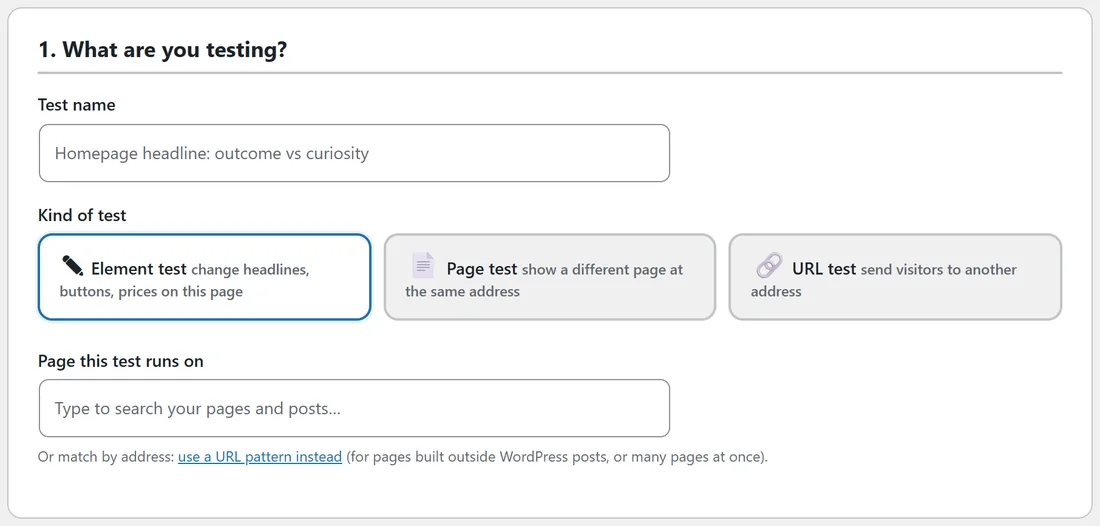
- Type a Test name that says what you are trying, for example Masterclass headline: bakery promise vs first loaf.
- Leave Kind of test on Element test.
- Click the box under Page this test runs on and start typing the page title, or paste the page's address. Sales pages are listed first, each with a picture. Pick the page from the list.
- Press Save in the sidebar. The live editor loads under the versions with your page inside it.
The page can also be on another of your sites, such as a plain HTML sales page. It then needs one line of code in its head. See Using Optimize On Any Page Of Any Site (The One Line Of Code).
Step 2: the versions:
Section 2, The versions, already holds the Original and Version B, with a traffic share of 50 each. You can rename Version B to say what it does, for example First loaf headline.
Step 3: change the headline in Version B:
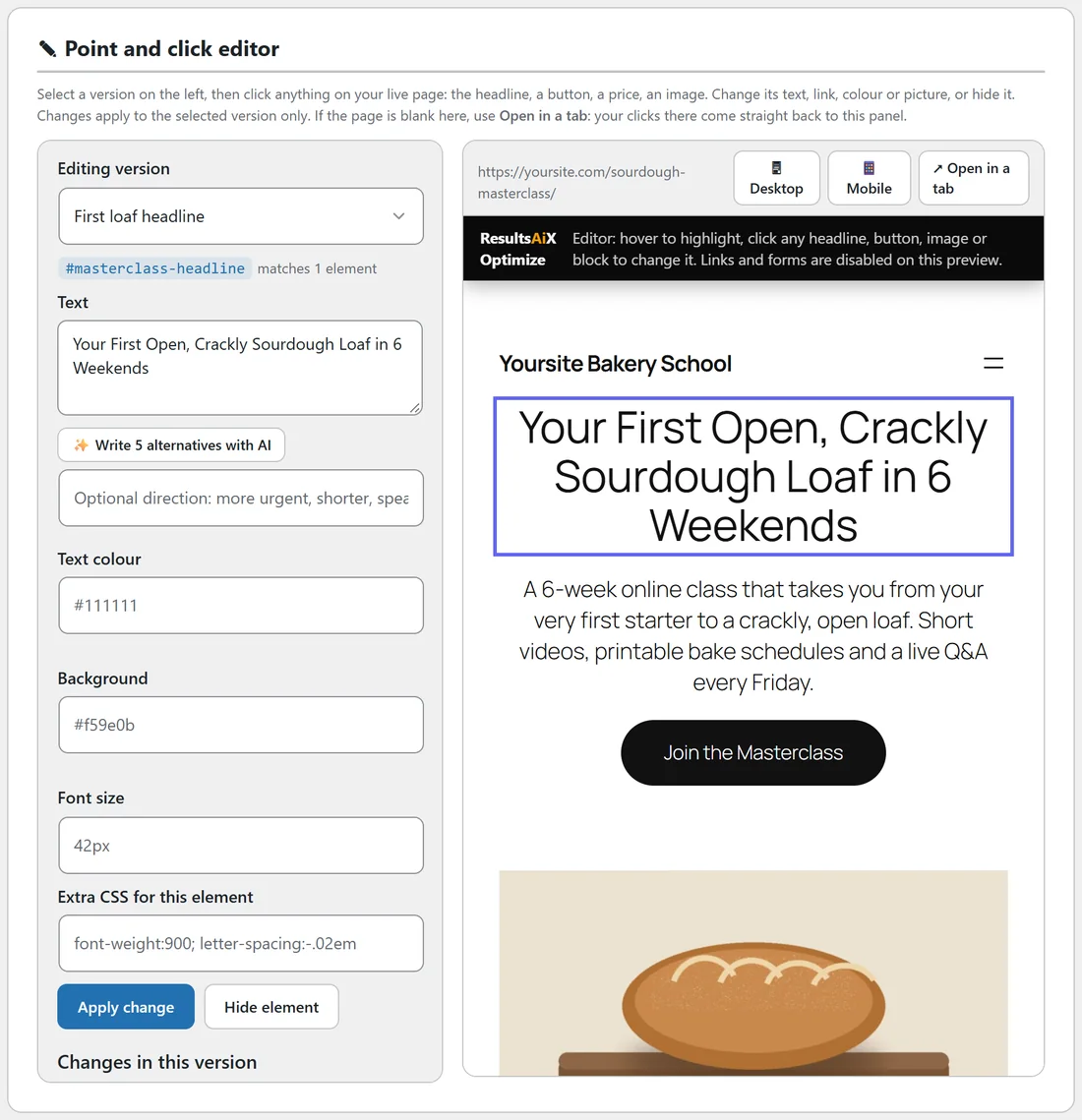
- In the editor, Editing version shows Version B.
- Click the headline on the page. Its text appears in the Text box on the left.
- Type the new headline.
- Press Apply change. The change appears under Changes in this version and the page shows it straight away.
- Click the button on the page and change its text too if you like.
Step 4: choose what counts as a win:
- In section 3, What counts as a win?, leave Goal on Any lead or sale if WP Conversion Tracker, ResultsAiX Mailer, ResultsAiX Forms, Launch Manager, WooCommerce or Easy Digital Downloads reports your sales and leads. Otherwise pick Visits a thank-you page (URL) and type the thank-you page address, or connect your checkout on the Conversions tab. On a page with modest traffic, Clicks a Buy button (early signal) gives you a first answer sooner while the sales add up.
- Leave Pick the winner by on Revenue per visitor (recommended) for a sales page, or pick Conversion rate for an opt-in page.
- Section 4, Traffic and the winner, can stay as it is. The defaults are a classic 50/50 split, 100 visitors and 7 days minimum and 95% confidence.
Step 5: save and start:
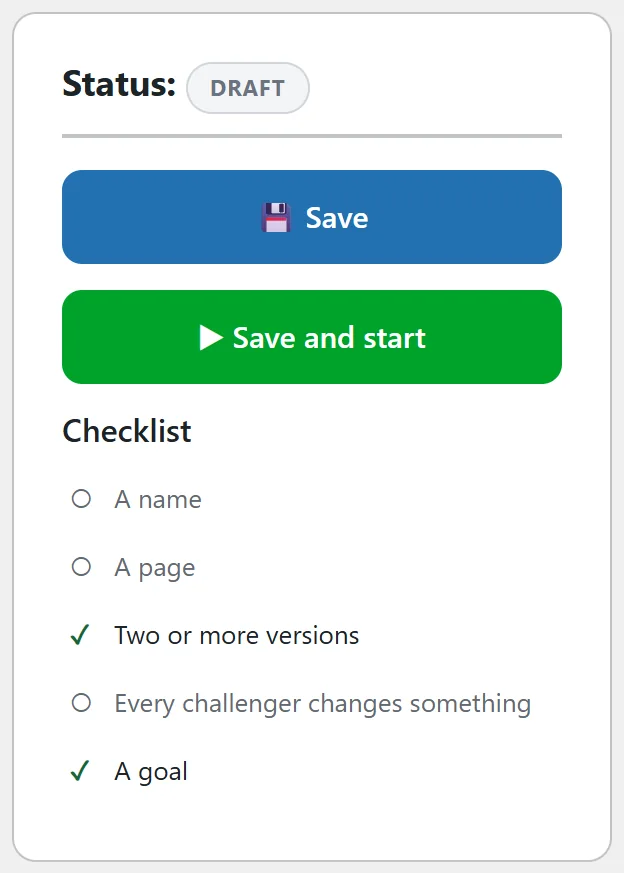
- Check the Checklist in the sidebar: A name, A page, Two or more versions, Every challenger changes something, A goal.
- Press Save and start.
- The report opens with The test is running. Visitors are being split right now.
If something is missing, the builder saves the test and tells you what to add, for example Version "Version B" has no changes yet. Open the editor and change something.
A real example:
Yoursite Bakery School tested the Masterclass headline Bake Bakery-Quality Sourdough in Your Own Kitchen against Your First Open, Crackly Sourdough Loaf in 6 Weekends, and changed the top button from Join the Masterclass to Start Baking This Weekend. Goal: A sale. Winner by: revenue per visitor. After 12 days the report shows both versions with over 2,100 visitors each.
What happens next:
- Each new visitor is given one version and keeps it.
- You, logged in as an administrator, are never counted. Use the Preview a version links in the sidebar to see each version.
- The report fills in as visitors arrive, and tells you when the test is ready to call.
Next steps:
- See Reading The Results Report: Visitors, Revenue, Lift And P(best).
- See How A Winner Is Called: Ready, Too Early To Call And Confidence.
- See The Point And Click Editor: Changing Headlines, Buttons And Colours for everything the editor can change.