The goal is what a version has to make a visitor do. Pick the winner by is how the versions are compared. Get these two right and the test answers the question you care about.
Where to find it:
AiX Optimize, New Test or Edit, section 3, What counts as a win? It has Goal, a detail box under it for the goals that need one, and Pick the winner by.
The goals:
- Any lead or sale (recommended): every lead and sale reported by WP Conversion Tracker, ResultsAiX Mailer, ResultsAiX Forms, WP Sync, Launch Manager, WooCommerce or Easy Digital Downloads counts. Nothing to set up. Leads and sales from the thank-you page line and the postback address on the Conversions tab count too.
- A sale (money events only): only sales count as the conversion. Leads are still recorded in their own column.
- A lead / opt-in: only opt-ins count. Sales are still recorded.
- Clicks a Buy button (early signal): counts the visitors who click a Buy, Order or Checkout button or link. The addresses it knows are listed on the Your sites tab, under What counts as a Buy click. A fast early signal while the sales add up, good for pages with modest traffic.
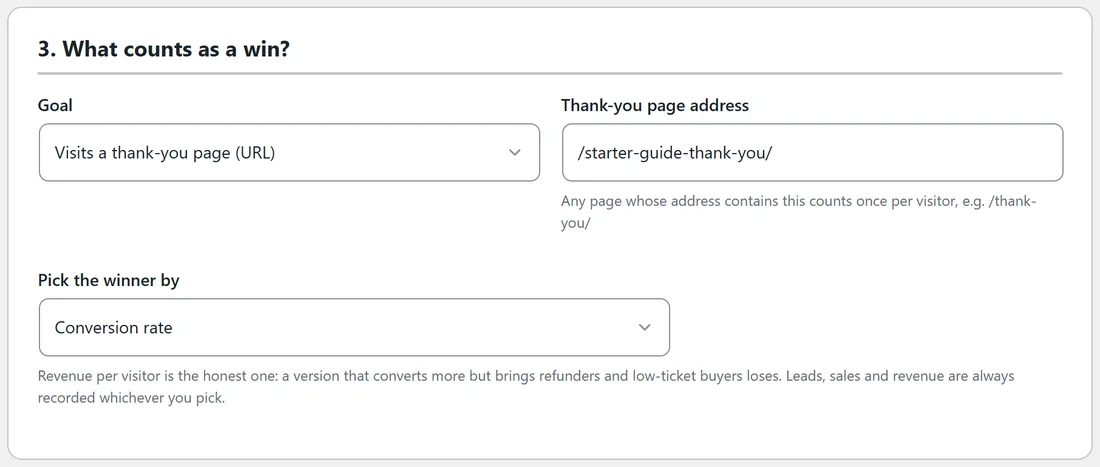
- Visits a thank-you page (URL): type part of the thank-you page address, for example /thank-you/. Any page on this site whose address contains it counts, once per visitor. For a thank-you page on another site, use the thank-you page line from the Conversions tab instead.
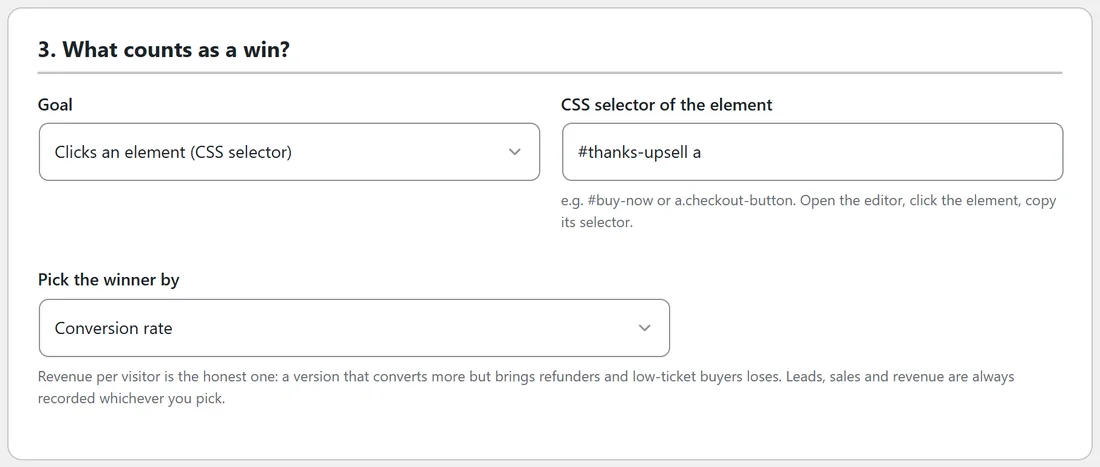
- Clicks an element (CSS selector): type the selector of the element, for example #buy-now. Open the editor, click the element and copy the selector it shows.
- Submits a form on the page: leave the box empty to count any form on the page, or type the form's selector. Forms sent without reloading the page are counted too, from a click on their submit button.
- Scrolls past a depth (%): for example 75 counts visitors who scroll past three quarters of the page.
- Stays longer than (seconds): for example 60 counts visitors who stay a full minute.
- Custom: count anything from your own code. In JavaScript call rao_convert("sale", 49). In PHP use do_action("rao_conversion", "sale", 49, "order-123"). The last value is your own order number, so the same order is never counted twice.
A goal counts at most once per visitor for each test. Leads and sales can count more than once when each one has its own order or record number.
Pick the winner by:
- Revenue per visitor (recommended): net revenue divided by visitors. Money given back is taken off the version that earned the sale. A version that wins more buyers at a lower order value, or buyers who ask for their money back, can still lose here.
- Conversion rate: conversions divided by visitors. Right for lead pages and pages with no sale on them.
- Lead rate: leads divided by visitors.
- Engagement (time + scroll + clicks): the share of visitors who stayed at least 15 seconds, scrolled at least half the page, or clicked something. Good for articles and pre-sell pages.
Whatever you pick, the report shows visitors, conversions, leads, sales, revenue, money given back, time on page, scroll, bounce and rage clicks for every version.
A real example:
Yoursite Bakery School uses a different goal for each page:
- The Masterclass sales page: A sale, picked by revenue per visitor.
- The Free Starter Guide page: Visits a thank-you page (URL) with /starter-guide-thank-you/, picked by conversion rate. Its form sends people to that page.
- The thank-you page upsell button: Clicks an element (CSS selector) with #thanks-upsell a.
- The blog post's call to action box: Clicks an element (CSS selector) with #masterclass-cta a.
How conversions find the right version:
Each visitor carries a random id and their version in cookies. When a lead or sale arrives, it is credited to the version that visitor saw, in every running test they are in. Sales recorded by WP Conversion Tracker are matched through its click id too, so a sale reported later by a payment notification still finds the right version. On pages with the tracking line, Buy links carry the visitor's code to the checkout, so a sale sent to the postback address on the Conversions tab finds the right version as well. See Counting Leads And Sales On Any Checkout (Conversions). See Working With WP Conversion Tracker And Other ResultsAiX Plugins, Or Without Them.
Tips:
- On a sales page, choose A sale and revenue per visitor. It rewards the version that makes the most money.
- On an opt-in page, a thank-you page goal works with any form tool.
- On a page with little traffic, Clicks a Buy button gives a first reading weeks before the sales do. Confirm the winner on sales once they add up.
- Use the scroll and time goals for articles, where a visitor reading on is the win.