A session replay plays back one real visit: the page exactly as the visitor saw it, with their cursor, scrolling and clicks. Heatmaps show what many people do. A replay shows how one person did it, which is often where the reason for a number becomes clear.
Where to find it:
AiX Optimize, Replays. The WordPress sidebar has a Replays shortcut too.
What a replay records:
- A snapshot of the page, taken 1.5 seconds after it loads, with scripts removed. Page text shows as small blocks only when you switch on masking in Settings.
- The cursor on desktop, scrolling, clicks, rage clicks and window size changes.
- Typing in form fields as dots only. The words are never recorded.
- The version of a test the visitor saw.
Pages on your other sites with the one line of code are recorded too.
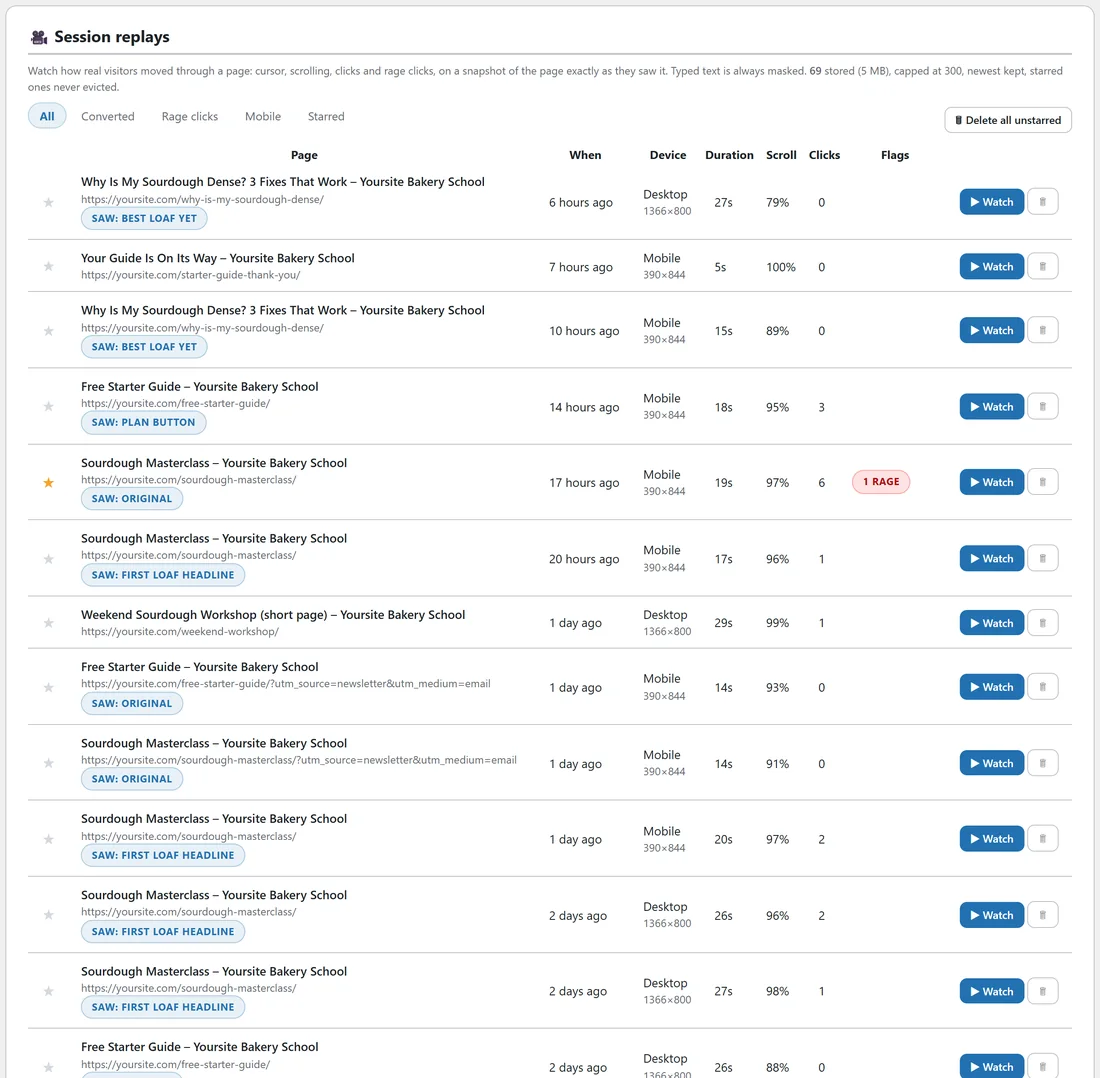
The top line of the tab says how many replays are stored, how much space they take, and the most kept.
The replay list:
Filters across the top: All, Converted, Rage clicks, Mobile and Starred. Each row shows:
- The star, to keep a replay.
- Page: title and address, and a saw: badge naming the test version when the visitor was in a test.
- When: how long ago.
- Device: desktop, mobile or tablet, with the window size.
- Duration, Scroll (deepest point reached) and Clicks.
- Flags: Converted when a goal on that page was reached during the visit, and a count of rage clicks.
- Watch, and a bin to delete the replay.
Thirty replays show per page, with page numbers under the table.
Watching a replay:
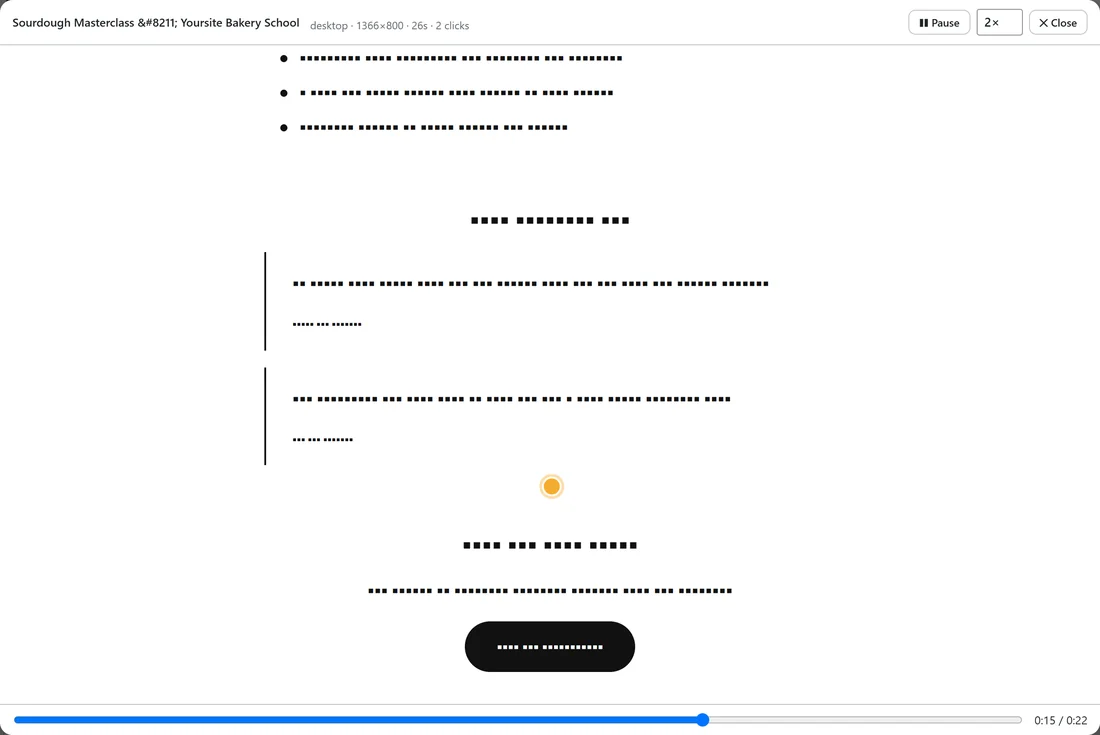
- Press Watch on a row.
- The player opens and starts playing after a moment.
- Use Play and Pause, the speed menu (1x, 2x, 4x or 8x, starting at 2x) and the seek bar.
- The top line shows the device, window size, duration, clicks, and whether the visit converted or had rage clicks.
- Press Close to return to the list.
What to look for in a replay:
- Hesitation: the cursor stopping over a price, a form field or a question.
- Rage clicks: several fast clicks in one spot, often on something that looks clickable but is not.
- Skipping: a fast scroll past a section, which may be too long or not interesting.
- The last thing seen before leaving: often the reason the visit ended.
Starring and deleting:
- Click the star on a row to keep that replay. Starred replays are never removed by the limits or the daily clean-up.
- The bin removes one replay after you confirm.
- Delete all unstarred removes every replay you have not starred.
The settings:
Under AiX Optimize, Settings, Session replays:
- Record session replays: on or off.
- Also mask all page text in replays (for pages showing personal data): every letter of page text shows as a block in the replay.
- Record this % of eligible visitors: 100 by default.
- Skip sessions shorter than (seconds): 5 by default.
- Keep at most (replays): 300 by default, from 20 to 5,000. The newest are kept.
- Max size per replay (KB): 400 by default.
A recording starts once the visitor moves the mouse, touches the screen or types, so email link checkers are never recorded. It is saved while the visitor is still on the page, once a minute (only the new part, together with the visit's stats), and once more when they leave, so long sales pages are recorded in full. Settings has the share of visitors to record and a cap on new recordings a minute for the whole site (6 by default), so a big mailing never strains your server. Heatmaps and test results are collected for every real visit either way.
A real example:
The owner of Yoursite Bakery School filters to Rage clicks and watches a mobile visit to the Masterclass page. The visitor taps the loaf picture several times in a row, waits, then scrolls on. She stars that replay, and adds Link the picture to the join section to her list of tests. Then she filters to Converted to see how visitors who clicked through on her blog post moved down the article before they clicked.
Tips:
- Watch five replays before you write a new test. Patterns show up quickly.
- Star the replays you want to show a designer or a colleague.
- Use Mobile to see the page the way most visitors do.
- See Privacy, Cookies And What Is Recorded About Visitors for what is and is not kept.