Every conversation is one click away, from any screen of any of your sites. Pulse puts a Chats menu in the black WordPress toolbar, keeps the chats happening now on its Chats page, and with the ResultsAiX Support Desk installed, the Desk's Chat history keeps every chat in one place: these included.
Chats in the WordPress toolbar:
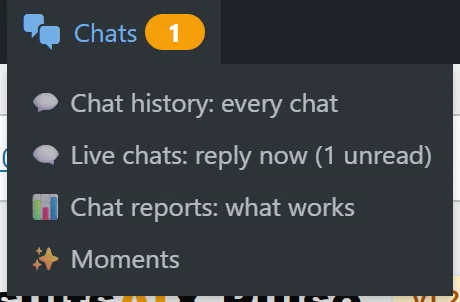
At the top of every admin screen, on every site running Pulse, the black toolbar has 💬 Chats with your unread count. Hover it for:
- 💬 Chat history: every chat
- 🗨️ Live chats: reply now, with the unread count
- 📊 Chat reports: what works
- ✨ Moments
Chat history and Chat reports need the ResultsAiX Support Desk on your main site. On your other connected sites the menu takes you straight to your main site, where the chats are kept, and says so.
The Chats page:
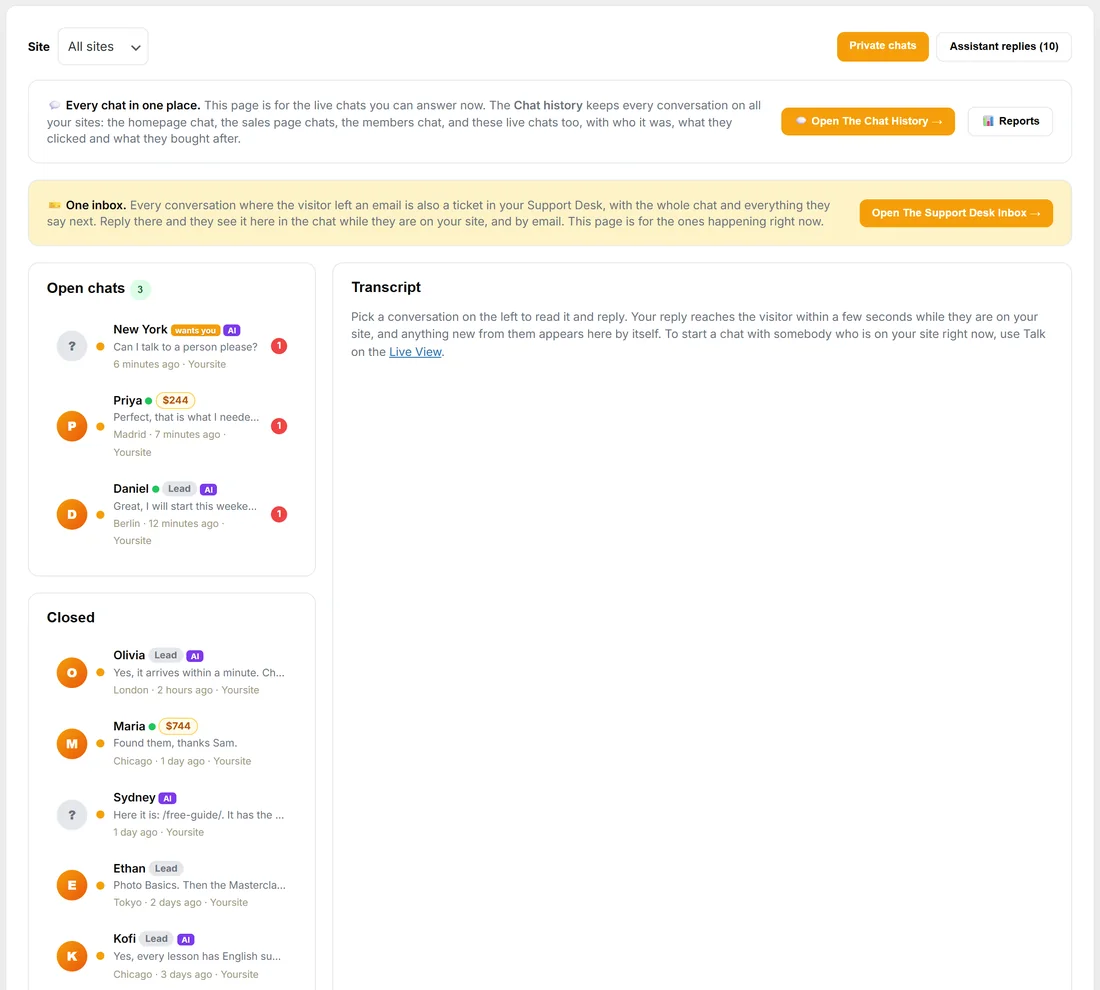
WordPress menu, ResultsAiX Pulse, 💬 Chats. This page is for the live chats you can answer now: open chats first, then closed ones, with a site filter and the reply box. See Visitor Chat: Talk to the People on Your Site.
Its top card, Every chat in one place, has Open The Chat History and Reports when the Support Desk is installed.
With the Support Desk:
With ResultsAiX Support Desk on the same site, a 📜 Chat history tab appears in Pulse's own tabs, next to Chats. The Desk's Chat history is the one place that keeps every conversation: the homepage chat, the sales page chats, the members chat, and a Live chats view of the chats you, your Moments and the assistant had on your sites.
- Each chat shows who it was, where it happened, what they clicked, whether they left their details and what they bought after it.
- Search by words or by email.
- Reports shows what actually sells.
On a chat with an email, Their Other Chats on Pulse's Chats page opens that person's chats in the history.
Without the Support Desk:
The Chats page keeps the live chats, and each person's timeline on the People tab lists every private chat they had with Open the conversation. Install the Support Desk and the Chat history appears by itself.
A real example:
Sam is writing a blog post in WordPress when the toolbar shows Chats with a 1 beside it. Sam hovers it, picks Live chats: reply now, and lands on the Chats page with the chat from New York open: "Can I talk to a person please?". Later, in the Chat history, Sam searches daniel.fischer@example.com and sees both of Daniel's chats this month.
Tips:
- Bookmark Live chats: reply now if you answer chats often.
- The Chat Setup page has the same buttons at the top: 💬 Chat history, 📊 Reports: what works, 🗨️ Live chats and ✨ Moments.