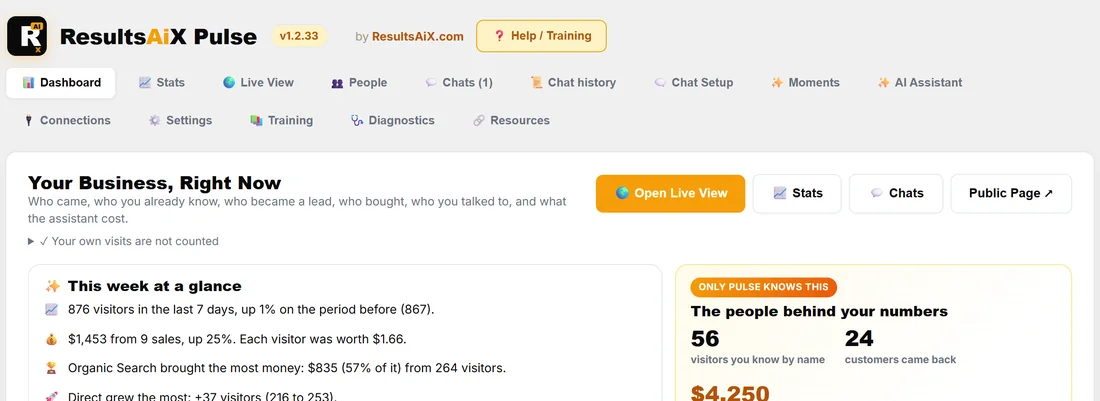
ResultsAiX Pulse is a WordPress plugin that shows you who is on your sites right now, who they are to you, and lets you talk to them while they are still on the page. It runs on your own WordPress site and keeps its data in your own database.
Most analytics tools give you numbers. Pulse gives you the people behind them: the customer who came back to the members area this morning, the lead who has read the course page three times, the stranger from Lisbon who has been on your pricing page for four minutes. And it lets you say hello.
What it does, in three jobs:
- See who is on your sites. A live globe and a real street map of everyone on every site you connect, with a replay of the last hour, the last day or everything Pulse keeps.
- Know who they are to you. Customers, leads, VIPs and new visitors, with first names, what they bought and their lifetime value, from the ResultsAiX plugins you already run.
- Talk to them. A chat that you open with one click, Moments that open it by themselves for the right person on the right page, and an AI assistant that answers when you are busy.
See who is on your sites:
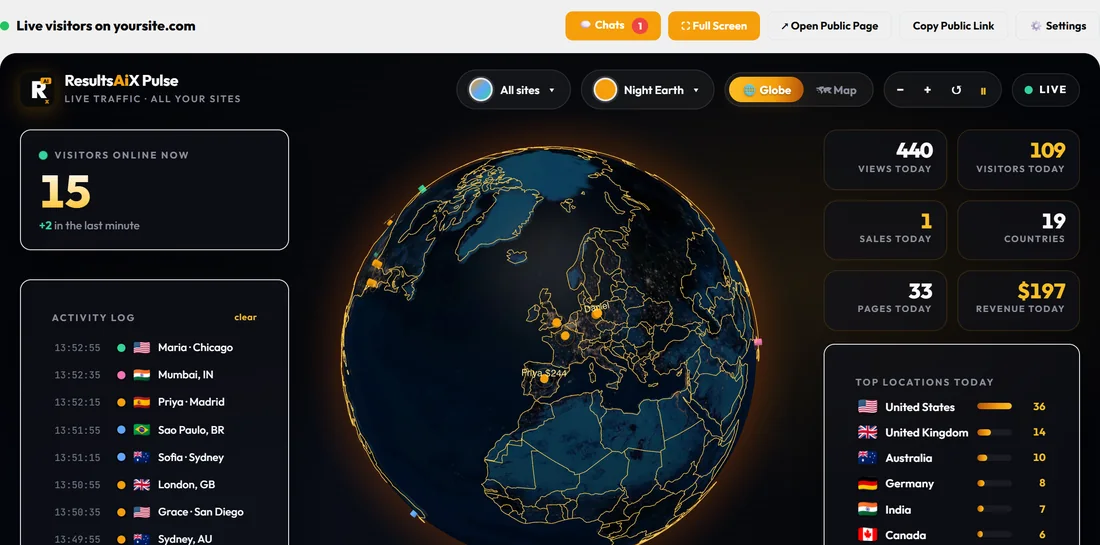
The Live View is the screen most people leave open on a second monitor. Each place with a visitor is a dot. Somebody online right now is a bright, pulsing dot, and on your own screen their first name and lifetime value sit beside it. Sales burst on the map where the buyer is, and new leads pulse. Under the globe, a table lists everybody on your sites right now with the page they are on, where they came from and how long they have been there.
Know who they are to you:
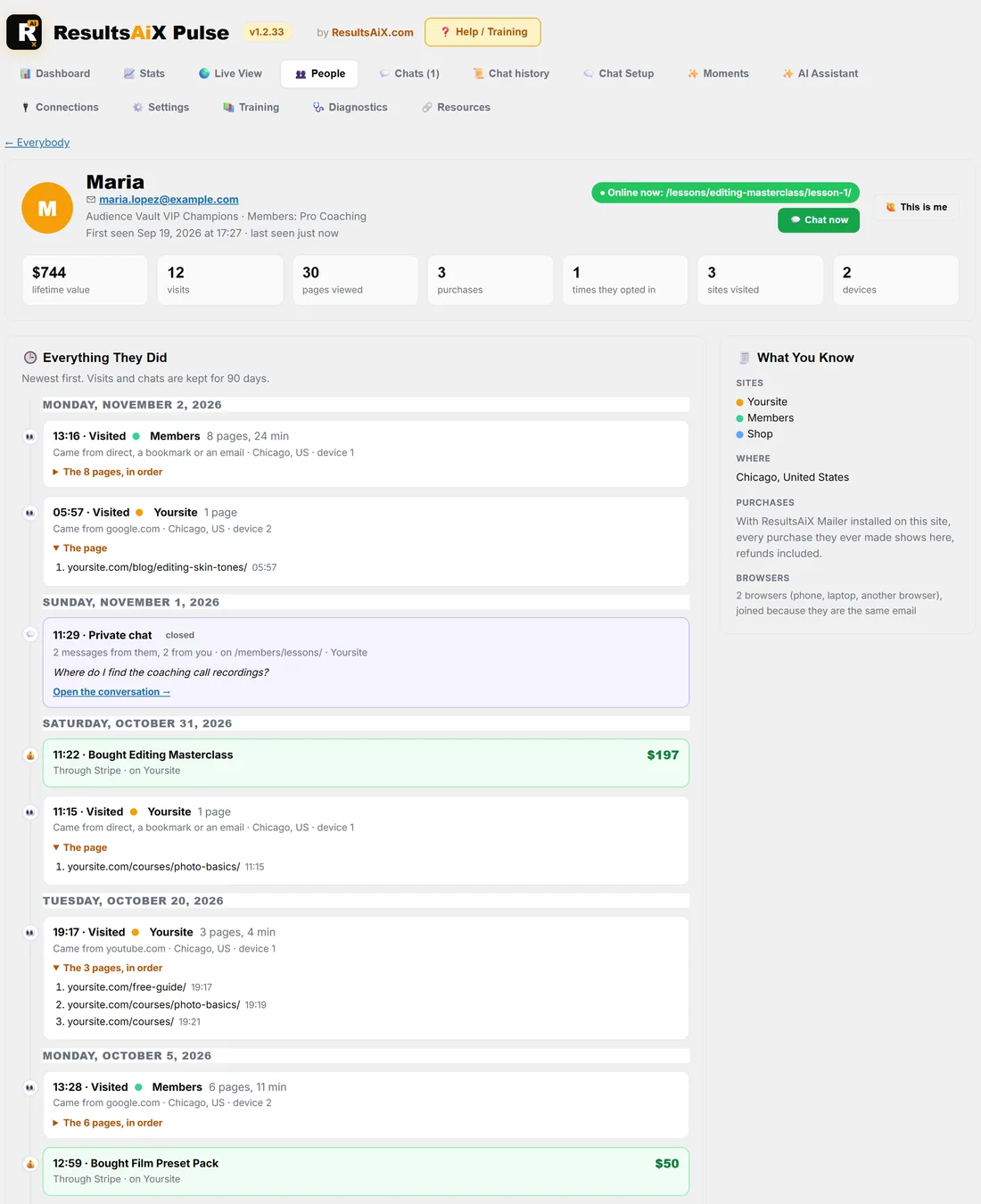
Pulse joins up with the rest of the ResultsAiX family. When a visitor is somebody your other plugins already know, for example a Mailer subscriber, a member, a buyer or a Support Desk contact, Pulse shows their name and what they are worth to you. The People tab lists everybody, and one click opens a person's whole story: every visit and every page in order, when they opted in, what they bought and every chat you had.
Talk to them:
Press Talk next to anybody who is online and a small chat window opens on their screen within a few seconds. Or write Moments: short rules such as "a lead who has not bought Photo Basics, on the Photo Basics page, after 40 seconds". When a Moment matches, the chat opens by itself with your line. With an AI key connected, the assistant can answer when you have not replied in time.
The screens, at a glance:
- 📊 Dashboard: your numbers for any date range, the people you know who came by, the latest sales and leads, chats and what the assistant cost.
- 📈 Stats: the full report, from channels and ad keywords to pages, devices and the visits that ended in a sale.
- 🌍 Live View: the globe, the map and everybody on your sites right now.
- 👥 People: everybody Pulse has seen, and one person's whole story.
- 💬 Chats, 🗨️ Chat Setup and ✨ Moments: your conversations, your chat window and the rules that open it.
- ✨ AI Assistant: your own AI key, what it knows about your business and what it spends.
- 🔌 Connections: your other sites, Google Search Console and the other ResultsAiX plugins.
- ⚙️ Settings, 📚 Training and 🩺 Diagnostics: licence, privacy, the public page, built-in training and a health check.
Where it runs:
Install Pulse on your main WordPress site and activate it with your ResultsAiX Bundle key. That site becomes the hub, the place where you watch everything. Your other WordPress sites connect to it with a pairing code from the Connections tab, and plain HTML or PHP pages join with one line of code. Each site gets its own name and colour on the globe.
A real example:
Yoursite sells photography courses on yoursite.com, presets on shop.yoursite.com and lessons on members.yoursite.com. With Pulse on the main site and the other two connected, the owner opens the Live View in the morning and sees 16 people online across the three sites. Maria from Chicago, a VIP customer worth $744, is on lesson 1 of the Editing Masterclass. Daniel, a lead from Berlin, is on the Photo Basics page for the third time this week. One click on Talk next to Daniel, and the owner asks if he has any questions.
What is never counted or shown:
- Your own visits, and the browsers and connections you use, are never counted.
- Search engines, crawlers and automated browsers are never counted.
- Names, emails and lifetime values only ever show inside your own admin screens. The public globe, the shortcodes and the public live page never carry them.
Tips:
- Start with Quick Start: Watching Your Visitors in Five Minutes. It takes you from activation to your first chat.
- Then read The Dashboard: Your Numbers, Any Date Range and Live View: The Globe, the Map and Who Is Here Now, the two screens you will use every day.
Pulse comes with the ResultsAiX Bundle, and your Bundle key activates it.