The public live page gives your globe an address of its own, for example yoursite.com/live-visitors/. It is a full screen page served by Pulse with no theme around it, good for a second monitor, a TV at an event, a launch day or a link in an email. No page or block is needed.
What it looks like:
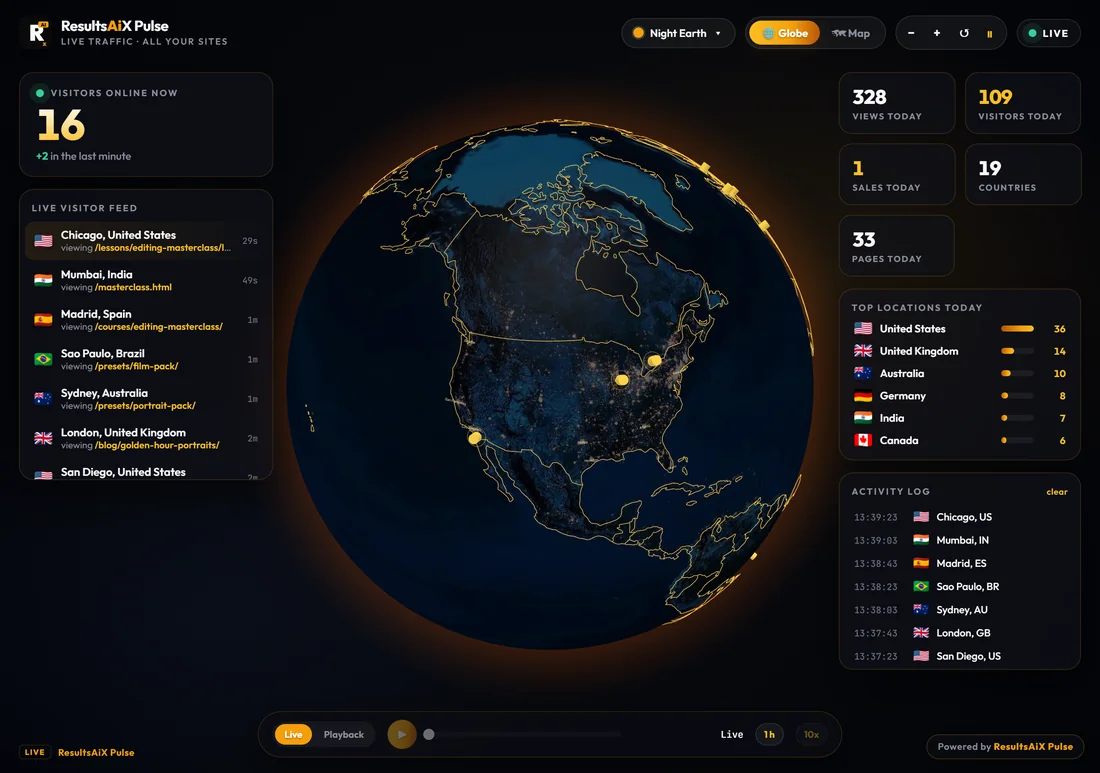
The same globe as your Live View, in your default theme and layout, without names, emails or anybody's value. Which numbers it shows is up to you under What The Public Sees, for example visitors online now, the live visitor feed, today's numbers and the top locations. A small Powered by ResultsAiX Pulse link sits in the corner unless you switch it off.
Setting it up:
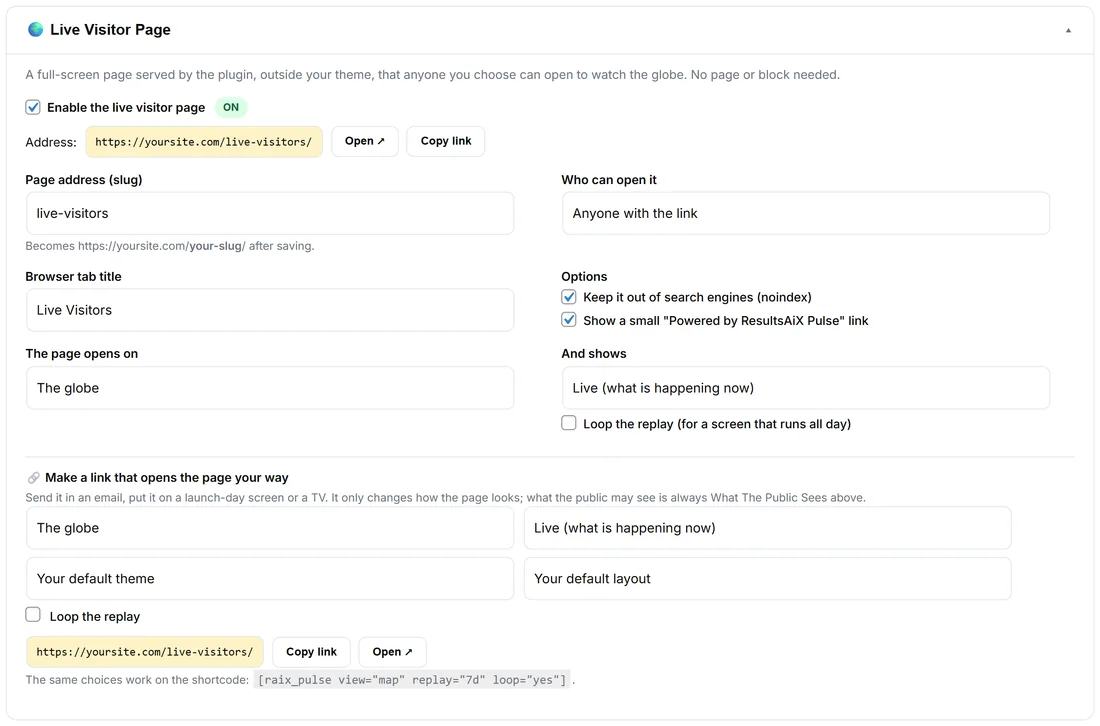
Open ⚙️ Settings and click 🌍 Live Visitor Page.
- Enable the live visitor page. The pill says ON, and the Address shows with Open and Copy link.
- Page address (slug): for example live-visitors. It becomes yoursite.com/your-slug/ after saving.
- Who can open it: Anyone with the link, Logged-in users only, or Administrators only.
- Browser tab title: Live Visitors unless you change it.
- Options: Keep it out of search engines (noindex), on by default, and Show a small "Powered by ResultsAiX Pulse" link.
- The page opens on: The globe, The map, or Google 3D (needs your Google key).
- And shows: Live (what is happening now), or a replay: the last hour, the last 6 hours, today, the last 24 hours, the last 7 days, the last 30 days, or everything Pulse keeps. Tick Loop the replay (for a screen that runs all day).
- Press Save Settings.
A link for every occasion:
Under 🔗 Make a link that opens the page your way, pick the view, the replay, the theme, the layout (Command center, or Hero, the globe and one big number) and Loop the replay. The link builds as you choose, with Copy link and Open. For example: the map replaying the last 7 days on a loop for a launch-day screen. A link only changes how the page looks; what the public may see is always What The Public Sees. The same choices work on the shortcode: [raix_pulse view="map" replay="7d" loop="yes"].
What the public may see:
Under 👁 What The Public Sees, tick only what you want shown. Everything is off until you switch it on. On your main site, tick Visitors from all your connected sites, not only this one and the page shows your whole network, anonymous as always. Sale amounts need their own tick, and show only when a sale bursts.
Google 3D on the public page:
Google 3D on the public page needs a Google Maps key and Show Google 3D on the public live page and the globe shortcode too, under Settings, Map And Google 3D. It is off by default, because every public view of Google 3D is a call on your Google bill.
From the Live View and Dashboard:
The Live View has Open Public Page and Copy Public Link, and the Dashboard has Public Page.
A real example:
For a course launch, the owner of yoursite.com ticks the online count, today's numbers, the live list of arrivals and sales (not amounts), then makes a link: the globe, Live, Deep Space theme, Hero layout. The link goes in the launch email: "Watch photographers from around the world join in, live." On the day, a TV in the studio shows the same page on a loop of the last 24 hours.
Tips:
- Use Administrators only while you try it out, then switch to Anyone with the link.
- Dashboard, Setup ticks Public live page when it is on.