ResultsAiX Testimonials never needs an AI key. Import, moderation, gifting and every display work fully without one. If you add your own Claude or OpenAI key, extra AI helpers appear across the plugin. You pay your AI provider directly.
AI never invents a testimonial. Any change to a customer's words is shown to you for approval first.
Where to find it:
Click AiX Testimonials, then the Integrations & AI tab, and scroll to AI.
Connecting a key:
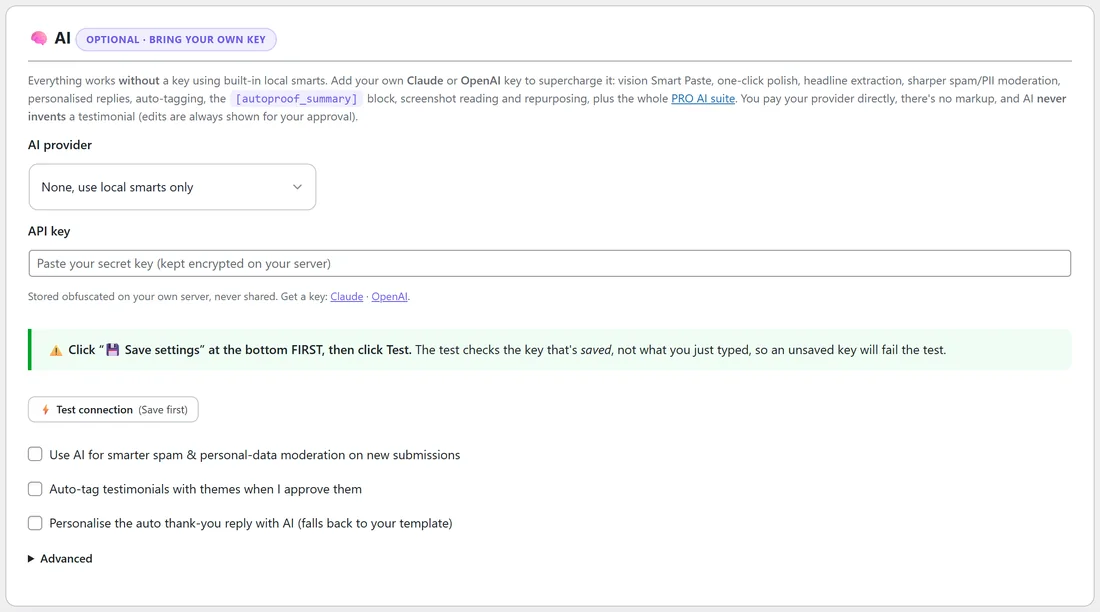
- Choose the AI provider: Anthropic (Claude) or OpenAI (ChatGPT). None, use local smarts only keeps AI off.
- Choose the Model, or leave the default.
- Paste your API key. It is stored obfuscated on your own server and never shared.
- Click Save integration at the bottom.
- Then click Test connection. The test checks the saved key, so always save first.
The AI switches:
- Use AI for smarter spam & personal-data moderation on new submissions
- Auto-tag testimonials with themes when I approve them
- Personalise the auto thank-you reply with AI (falls back to your template)
Advanced has one setting, Custom API address. Leave it empty to connect directly. Fill it in only if you send AI requests through your own gateway.
What AI adds:
With a key connected:
- On the edit screen: AI Polish, headline suggestions and screenshot reading
- On the Testimonials tab: ✨ Tag and ✨ Repurpose buttons on each row. Repurpose turns a testimonial into ad, email or social copy.
- On the Import tab: AI clean-up of messy pasted text, reading a screenshot of reviews into entries, and filling in missing star ratings
- On Settings and Gifting: an Improve with AI button beside the email editors
- [autoproof_summary] writes a short headline and the points customers love most
The PRO AI suite:
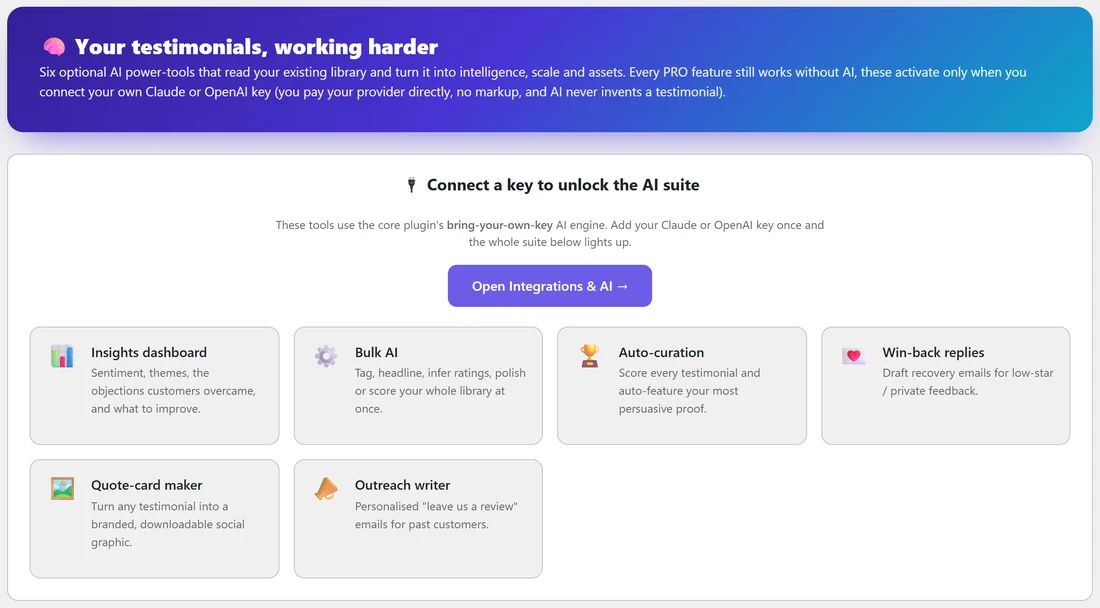
The PRO AI tab holds six more tools that read your whole library:
- Insights dashboard: sentiment, themes, the objections customers overcame and what to improve. Click Generate insights.
- Bulk AI: run one job across many testimonials. Choose the Operation (Tag with themes, Suggest headlines, Infer missing ratings, Score for curation or Polish wording, which keeps a backup of every original), Which testimonials (Approved or Pending) and an optional product, then Run on my library. It makes one AI call per testimonial.
- Auto-curation & ranking: ① Score all approved, then ② Show my best. Show the winners anywhere with [autoproof_best limit="10"].
- Win-back replies: drafts a recovery email for low-star or private feedback. Click Draft recovery.
- Quote-card maker: picks the strongest line, word for word, and makes a downloadable social graphic. Choose from 30 styles, add a link or footer line, and show the customer's photo if there is one.
- Review-request outreach: writes a leave us a review email for past customers. Choose the product, a Tone (Warm & friendly, Professional, Casual or Grateful) and anything to mention, then Write the email.
Until a key is connected, the PRO AI tab lists the six tools and asks you to connect a key, with a button to Integrations & AI.
A real example:
Fit at Home Academy connects a Claude key and turns on auto-tagging. When Jordan approves a review that mentions back pain and desk work, it is tagged with those themes, so a [autoproof tag="back pain"] block on the yoga page picks it up. Once a month Jordan runs Insights to see what members love most.
Tips:
- Start with auto-tagging and the summary block. They save the most time.
- Use Bulk AI on Pending first, so you can check the results before anything is live.
- If Test connection reports a problem, the message shows your provider's own words. Check the key and your provider account, then save and test again.