A small thank-you gift turns please leave a review into leave a review and get this. It is one of the simplest ways to collect more testimonials. ResultsAiX Testimonials delivers the gift by itself, in a branded email and on the thank-you screen.
A reward can be a link, a coupon code, a file, or any mix: a free download, a discount, a bonus class or a checklist.
Where to find it:
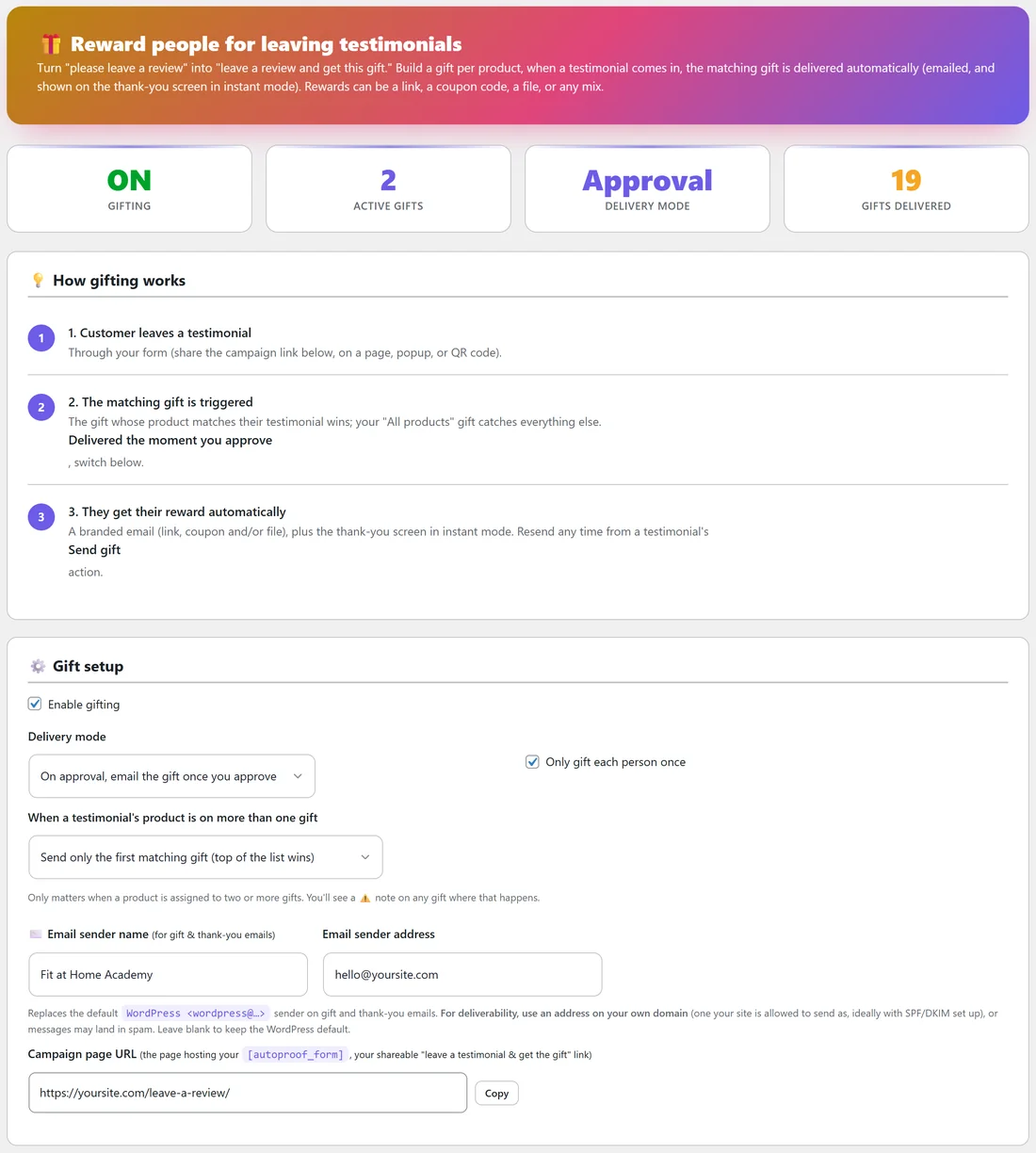
Click AiX Testimonials, then the Gifting tab. The cards at the top show if gifting is ON, how many ACTIVE GIFTS you have, the DELIVERY MODE and how many GIFTS DELIVERED so far.
How gifting works:
- A customer leaves a testimonial through your form.
- The matching gift is chosen. The gift whose product matches their testimonial wins, and your All products gift catches everything else. Gifts ticked on the form itself win over product matching.
- They get their reward by email, and on the thank-you screen in instant mode. You can resend it any time with the Send gift button on the testimonial's row.
Gift setup:
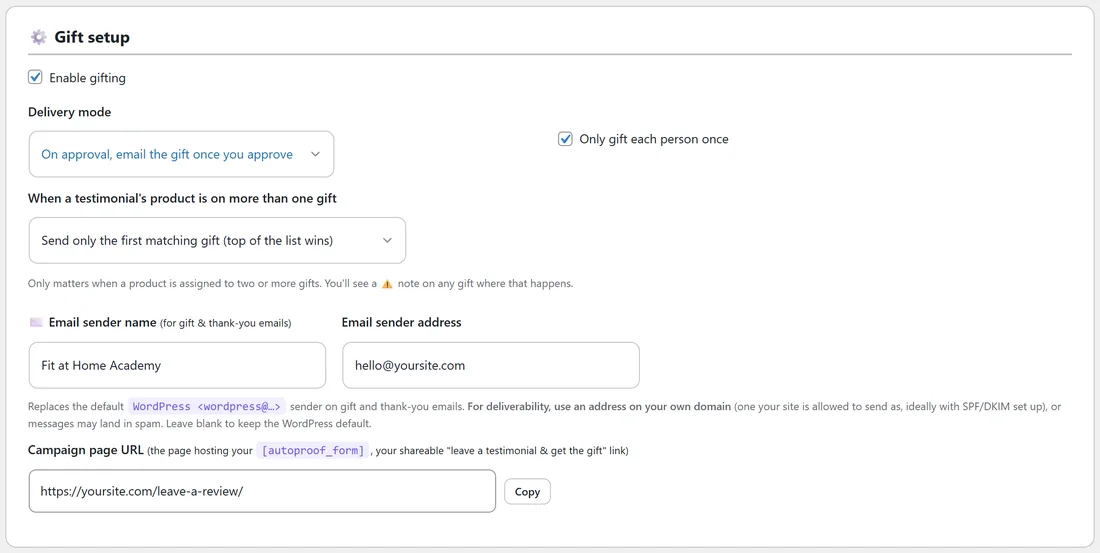
- Enable gifting: the main switch
- Delivery mode: On approval, email the gift once you approve, or Instant, deliver the moment they submit
- Only gift each person once: stops a second automatic gift to the same testimonial. A manual Send gift always goes through.
- When a testimonial's product is on more than one gift: Send only the first matching gift (top of the list wins), or Send every matching gift (they get all of them). You will see a note on any gift where this happens.
- Email sender name and Email sender address: who the gift and thank-you emails come from. Use an address on your own domain for good delivery. Leave blank to keep the WordPress default.
- Campaign page URL: the page with your [autoproof_form], your shareable leave a testimonial and get the gift link. Click Copy to copy it.
Your gifts:
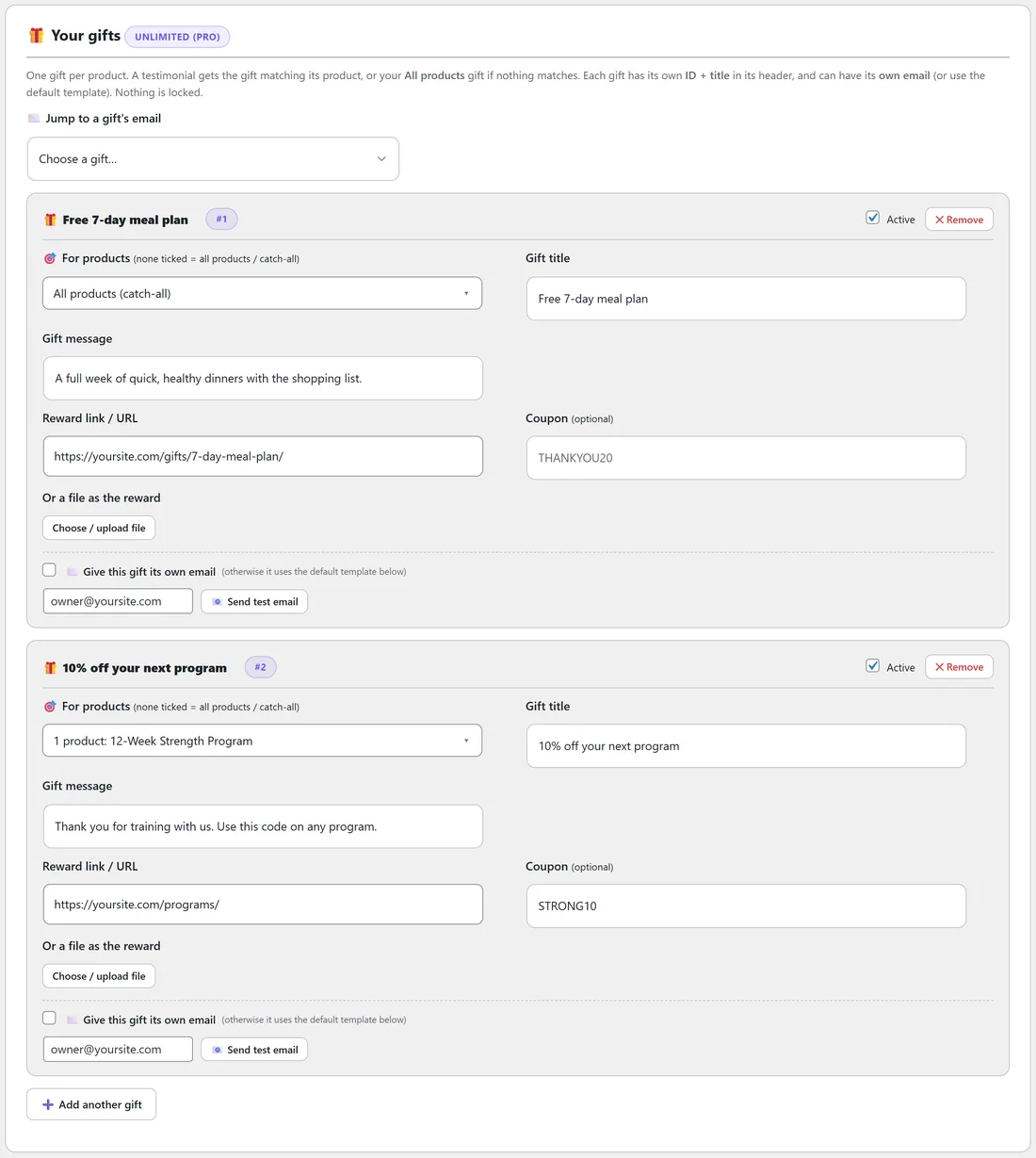
Each gift has a header with its title and ID, an Active tick and a Remove button, and these fields:
- For products: tick the products this gift is for. None ticked makes it the All products (catch-all) gift.
- Gift title, for example Free 7-day meal plan
- Gift message: a sentence about the gift
- Reward link / URL: where the Get your gift button goes
- Coupon (optional): a code shown in the email
- Or a file as the reward: Choose / upload file from your Media Library
- Give this gift its own email: tick to write a different email for this gift. Otherwise it uses the default email below.
- Send test email: type an address beside it and click to see the email in your inbox
Click Add another gift to add more. Jump to a gift's email takes you straight to one gift's email settings.
Making your first gift:
- Tick Enable gifting and choose On approval, email the gift once you approve.
- Fill in your first gift: leave For products empty so it covers all products, and add a title, message and reward link.
- Type your own address beside Send test email and click it.
- Click Save gift settings at the bottom.
The default gift email:
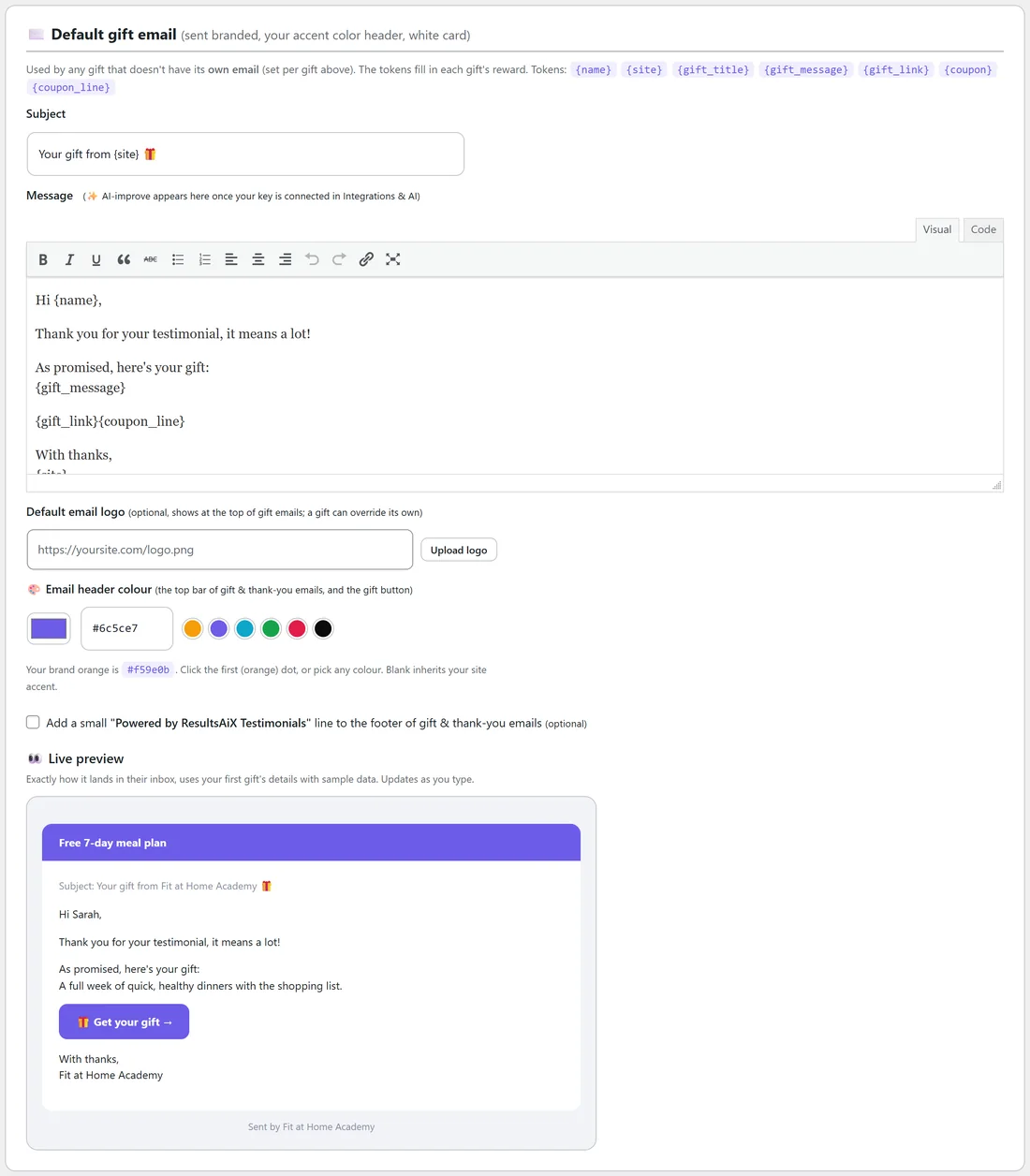
The Default gift email is used by any gift without its own email. It is sent as a branded email with your colour header and a white card.
- Subject: Your gift from {site} 🎁 by default
- Message: written in the editor. Tokens fill in each gift's details: {name}, {site}, {gift_title}, {gift_message}, {gift_link} (a Get your gift button), {coupon} and {coupon_line} (a line with the code, only when there is one).
- Default email logo (optional): shown at the top of gift emails. A gift can have its own.
- Email header colour: the top bar of gift and thank-you emails, and the gift button. Click a dot or pick any colour. Blank uses your site accent colour.
- A small Powered by ResultsAiX Testimonials line in the footer, if you tick it
The Live preview shows exactly how the email lands, using your first gift and sample data, and updates as you type.
A real example:
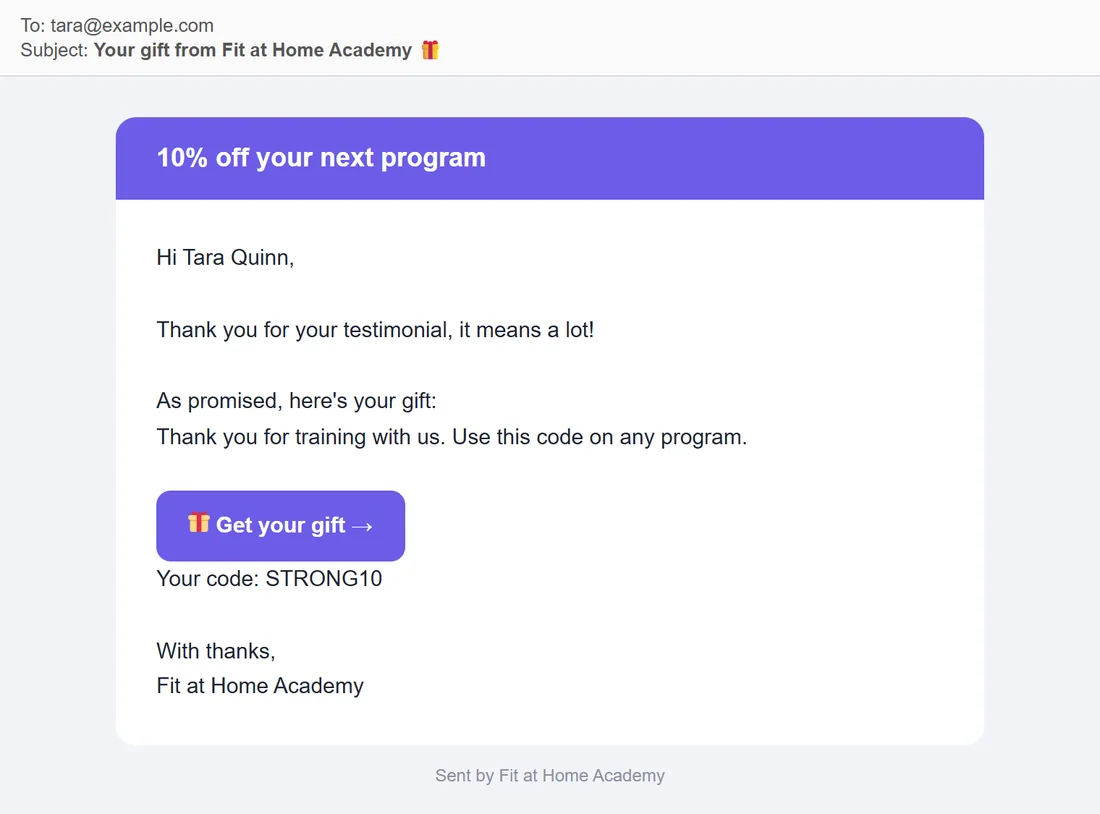
Fit at Home Academy has two gifts:
- Free 7-day meal plan for all products, with a link to yoursite.com/gifts/7-day-meal-plan/
- 10% off your next program for the 12-Week Strength Program only, with the coupon STRONG10
When Jordan approves Tara Quinn's strength program review, Tara gets the 10% off gift with her code, because the product match wins over the catch-all. A yoga member gets the meal plan.
Low ratings and gifts:
With the Review Funnel on, a low rating never gets a gift, even in Instant mode. See The Review Funnel & Auto Thank-You Reply.
For developers:
Works with any system lists the hooks you can use: autoproof_testimonial_submitted, autoproof_testimonial_approved and autoproof_gift_delivered actions, and the autoproof_gift_link filter for a personal link per customer and autoproof_gift_email_body for the email body.
Tips:
- On approval mode gives you a chance to read the review first. Instant mode feels more generous.
- Pick a gift that helps the customer use what they bought, so it leads to more results and more reviews.
- With PRO, Gift Campaigns can give a different reward per product, and Gifts delivered by product shows the counts. See ResultsAiX Testimonials PRO: Upgrade Features.