Your sales page might live outside WordPress: a page builder, a funnel tool or plain HTML. The JS embed brings your testimonials there, pulled live from your WordPress site. Approve a new review and it shows on the outside page too, with nothing to update.
The embed carries its own styles, so it looks right on any page without extra CSS.
Before you start:
The embed reads your testimonials from another web address, so this must be on:
- Click AiX Testimonials, then Settings, and scroll to Embed.
- Tick Allow the JS embed to read from other domains (your sales pages). It is on by default.
- Click Save settings.
Getting the code:
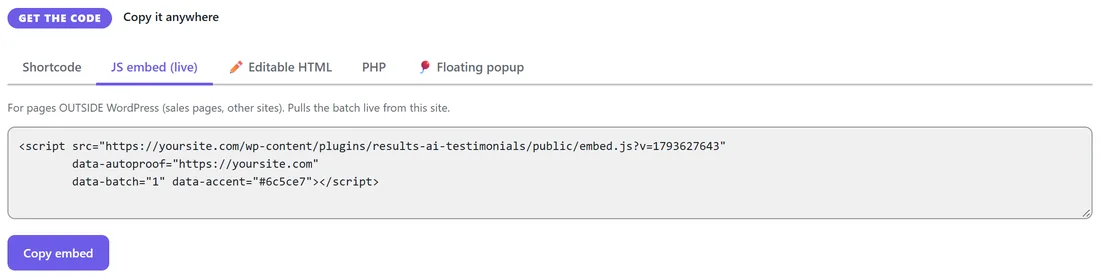
There are three places to copy a ready script tag:
- Display & Embed, STEP 2, the JS embed (live) tab: shows a saved batch. See Display Batches: Build Once, Show Anywhere.
- Settings, Floating popup, On an outside HTML / sales page?: the floating popup. Click Copy snippet.
- Collect, Use this form, HTML embed: your testimonial form. Click Copy HTML embed.
Paste the script tag where you want the testimonials to appear. They render right where the tag sits.
Showing testimonials:
A basic embed looks like this:
<script src="https://yoursite.com/wp-content/plugins/results-ai-testimonials/public/embed.js" data-autoproof="https://yoursite.com" data-product="12-Week Strength Program" data-columns="3" data-limit="3"></script>
data-autoproof is the address of your WordPress site. Every other setting is a data- option:
- data-batch: a saved batch by ID
- data-layout: grid, masonry, list, carousel, single or gallery (grid by default)
- data-columns: 3 by default
- data-limit: 9 by default
- data-product, data-tag, data-rating, data-featured, data-kind, data-ids: which testimonials
- data-orderby and data-order: the sort
- data-theme: light or dark. data-accent: a colour.
- data-autoplay: milliseconds between carousel slides
- data-font (system, serif or rounded), data-size (sm, md or lg), data-radius, data-card-bg, data-text-color, data-star-color: the style
- data-show-photo, data-show-rating, data-product-chip: set to 0 to hide
- data-target: a CSS selector such as #proof, if you want the testimonials to appear inside a different element on the page
The floating popup:
Add data-float="1" to show the corner popup instead of cards. Set data-float-position (bottom-left, bottom-right, top-left or top-right), data-interval (milliseconds, 8000 by default) and data-rating for the minimum stars.
The testimonial form:
Add data-form="1" and data-form-id with the form's ID to show your live testimonial form. Submissions land on your Testimonials tab exactly like the WordPress form. You can style it with your own CSS using .ap-form, .ap-field, .ap-rate-star and .ap-form-submit.
A real example:
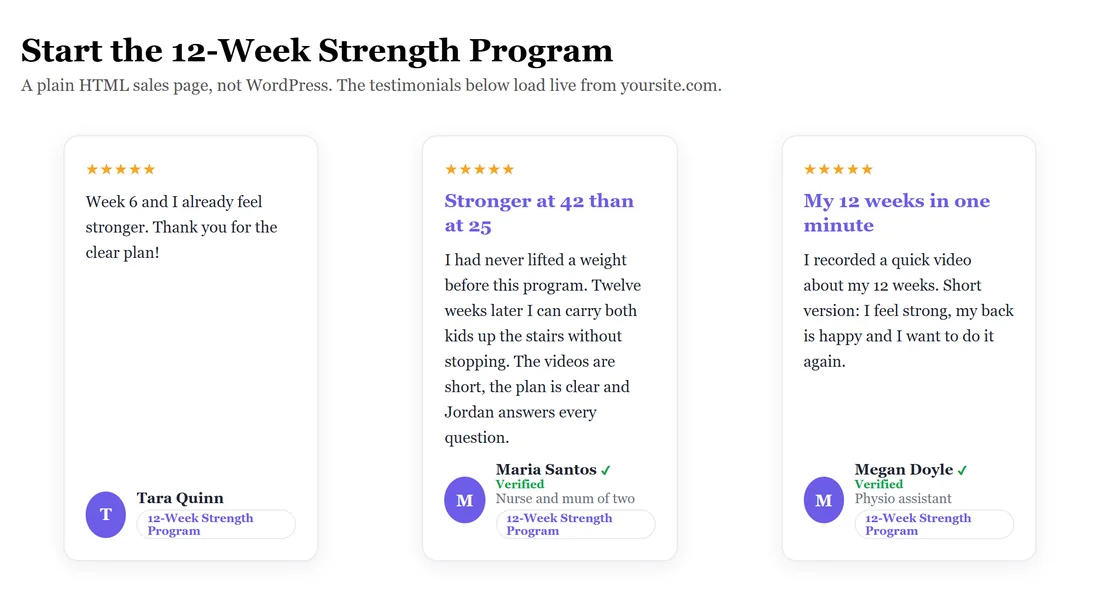
Fit at Home Academy runs a plain HTML sales page for the 12-Week Strength Program. Jordan pastes the script with data-product="12-Week Strength Program", data-kind="testimonial" and data-limit="3" into a div with the ID proof and sets data-target="#proof". The three newest strength reviews show under the headline. When Tara Quinn's review was approved, it appeared on the sales page within seconds.
Editable HTML instead:
If you would rather paste plain HTML that never changes, use Editable HTML on the Display & Embed tab. It makes a snapshot of a batch, styles and cards included, that you can edit freely.
Tips:
- Use a batch for outside pages. Change the batch in WordPress and the outside page follows.
- Keep data-limit small on sales pages. Three to six strong reviews is plenty.
- Test the page in a private browser window to see it as a visitor.