Two settings shape what happens after a customer leaves a review. The Review Funnel keeps unhappy feedback private so you can put things right. The Auto Thank-You Reply sends a warm, branded email the moment you approve a review.
Both live on the Settings tab.
Where to find it:
Click AiX Testimonials, then Settings. Scroll to Auto Thank-You Reply and Review Funnel.
The Review Funnel:
The funnel does three things:
- A low rating never triggers the gift, even in Instant delivery mode
- The customer sees your private thank-you message instead of the usual submitted for review message
- The review lands in your inbox as private feedback, and it can never be published by mistake
The minimum rating setting and moderation only change what is displayed. The funnel is the one setting that also changes the gift and what the customer sees.
Setting up the funnel:
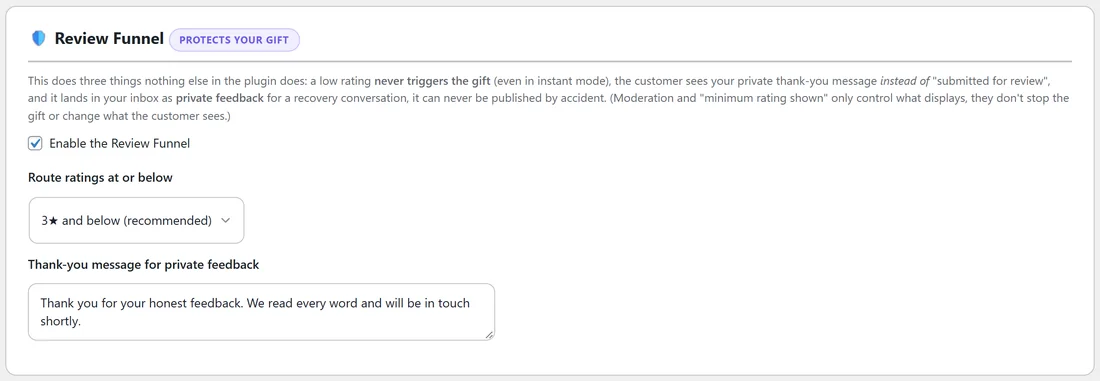
- Tick Enable the Review Funnel.
- Choose Route ratings at or below: 1★ only, 2★ and below, 3★ and below (recommended) or 4★ and below.
- Write your Thank-you message for private feedback. The default reads Thank you for your honest feedback. We read every word and will be in touch shortly.
- Click Save settings at the bottom of the page.
What happens to a low rating:
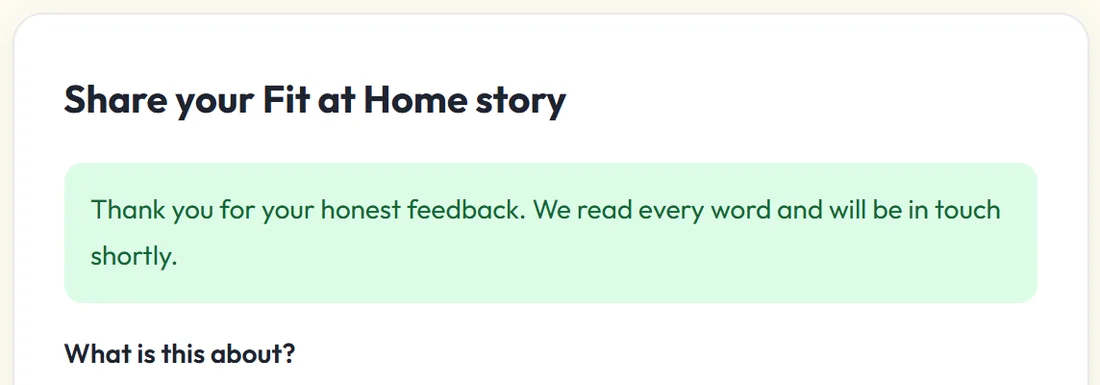
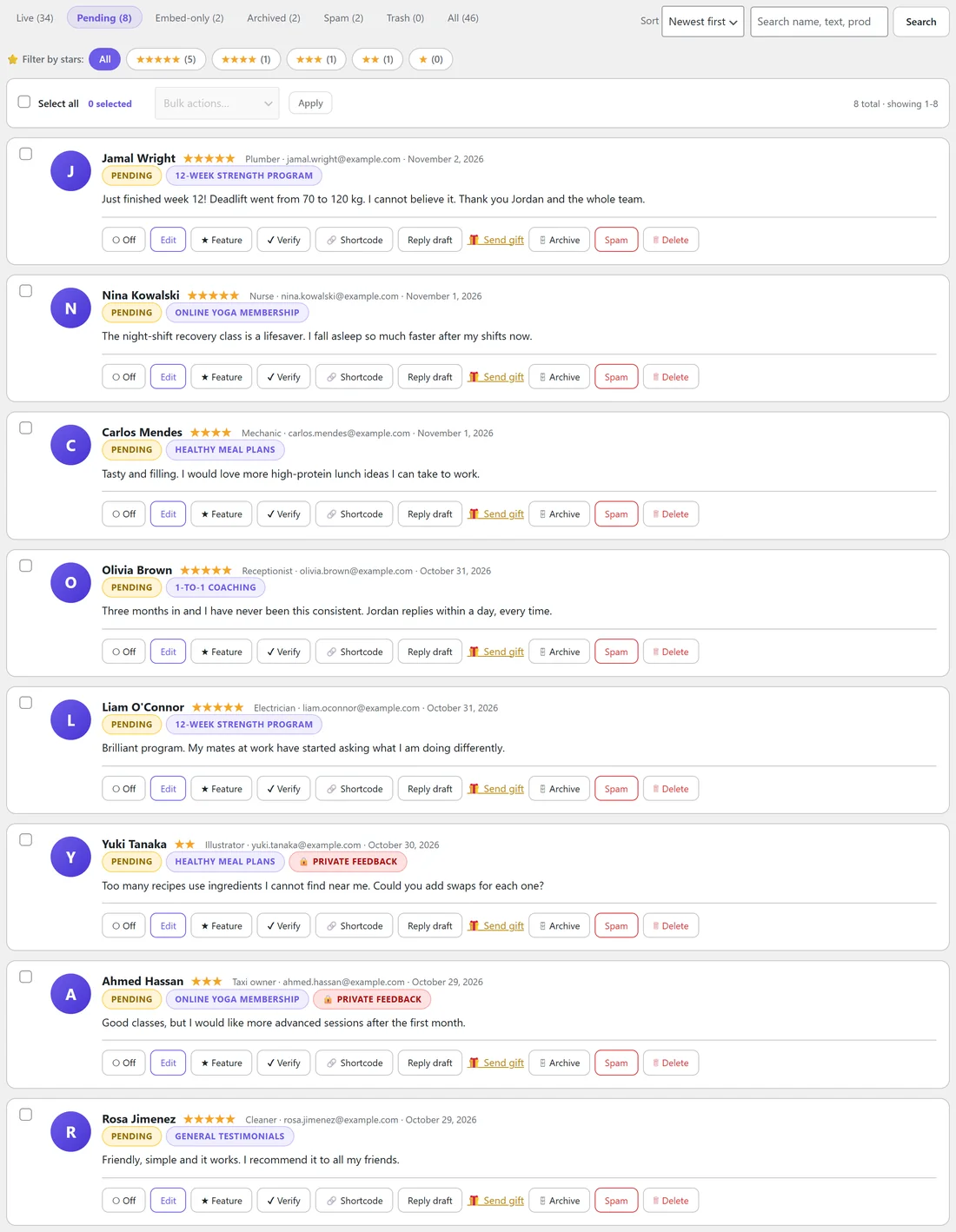
The review is saved as Pending with a red Private feedback badge on the Testimonials tab. You get an email titled Private feedback received with the name, email, rating and words. The Activity log records Private feedback received (review funnel). A review with no star rating is not routed, because there is no rating to check.
A real example:
Fit at Home Academy routes 3★ and below. Sam Ortiz leaves 2 stars because the videos buffer in the evening. Sam sees the private thank-you message, gets no gift, and Jordan gets an email the same minute. Jordan replies personally, fixes the video setting, and Sam later leaves a 5 star review.
The Auto Thank-You Reply:
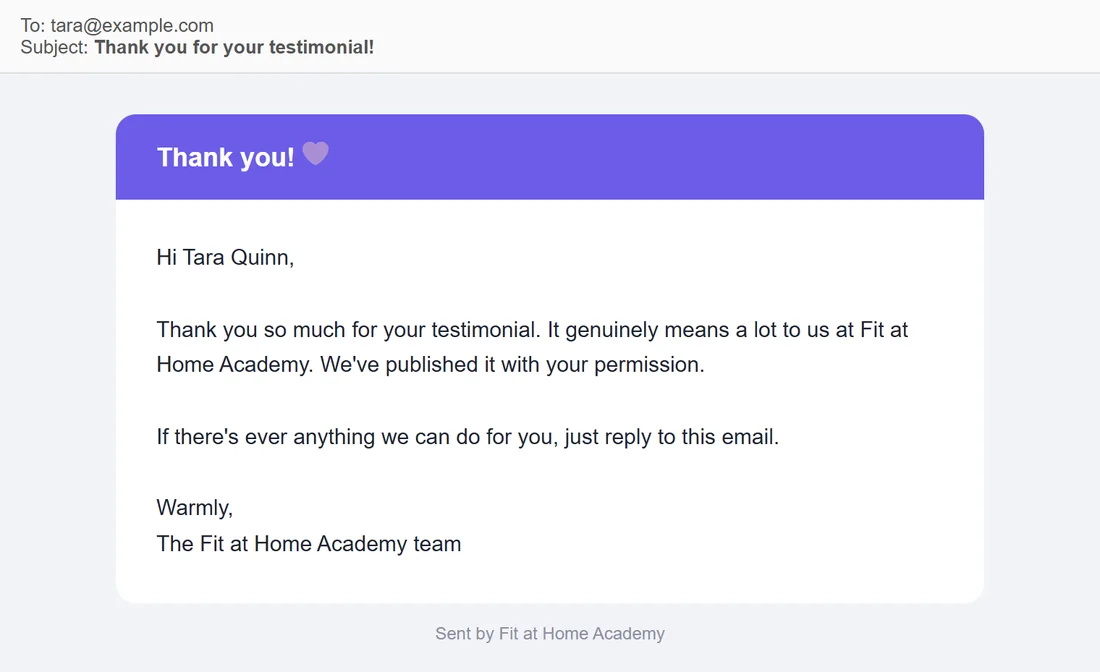
When you approve a testimonial, the plugin can email the customer a thank-you from your site. It sends once per testimonial and only when an email address is on file. Importing never sends it, and neither does adding a testimonial yourself with Add Testimonial.
Setting up the thank-you:
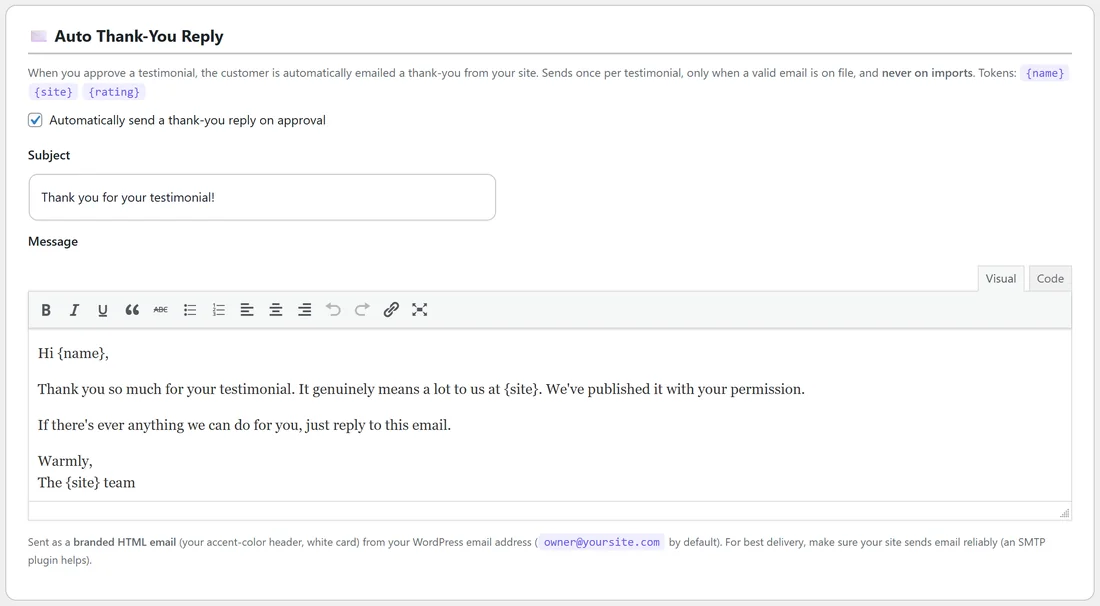
- Tick Automatically send a thank-you reply on approval.
- Edit the Subject. The default is Thank you for your testimonial!
- Edit the Message in the editor. You can use the tokens {name}, {site} and {rating}.
- Click Save settings.
The email is sent as a branded HTML email with your accent colour header and a white card, from your WordPress email address. For good delivery, make sure your site sends email reliably. An SMTP plugin helps. To set the sender name and address, use Email sender name and Email sender address on the Gifting tab. They apply to gift and thank-you emails.
Which approvals send it:
The thank-you goes out when you click Live on a single row, when you change an existing testimonial to Approved (published) on the edit screen, and when a form submission is approved straight away by Auto-approve. An imported review you left as Pending counts the same way when you later click Live on it. Bulk Make Live on many rows at once does not send it, which keeps big clean-ups quiet.
The reply draft:
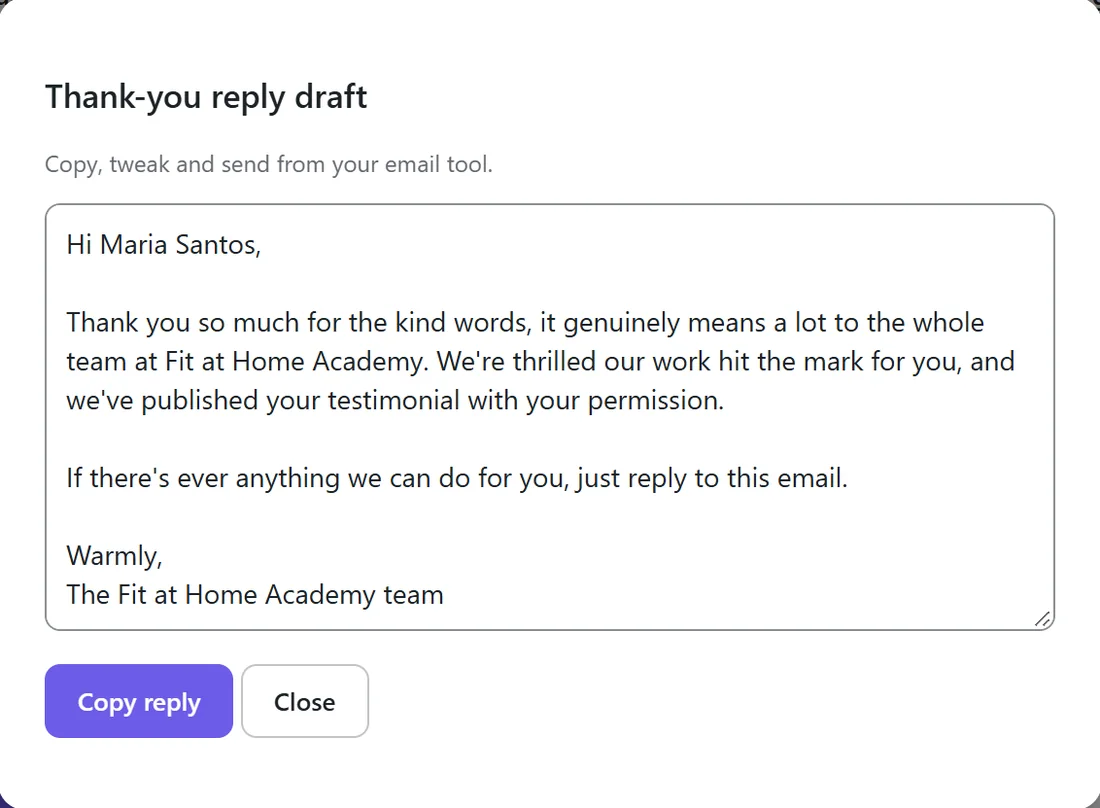
Every row on the Testimonials tab also has a Reply draft button. It opens a ready thank-you you can copy into your own email tool.
Tips:
- 3★ and below is a good starting point. A 4 star review is usually worth showing.
- Keep the private message short and human, and reply to every private feedback email within a day.
- With an AI key connected, Personalise the auto thank-you reply with AI on the Integrations & AI tab makes each email more personal. Your template is used if the AI is not available. See Connecting Your AI Key (Optional).