Three displays get the most attention: the Wall of Love for a dedicated reviews page, the carousel for tight spaces, and the floating popup that brings proof to visitors on any page.
The Wall of Love:
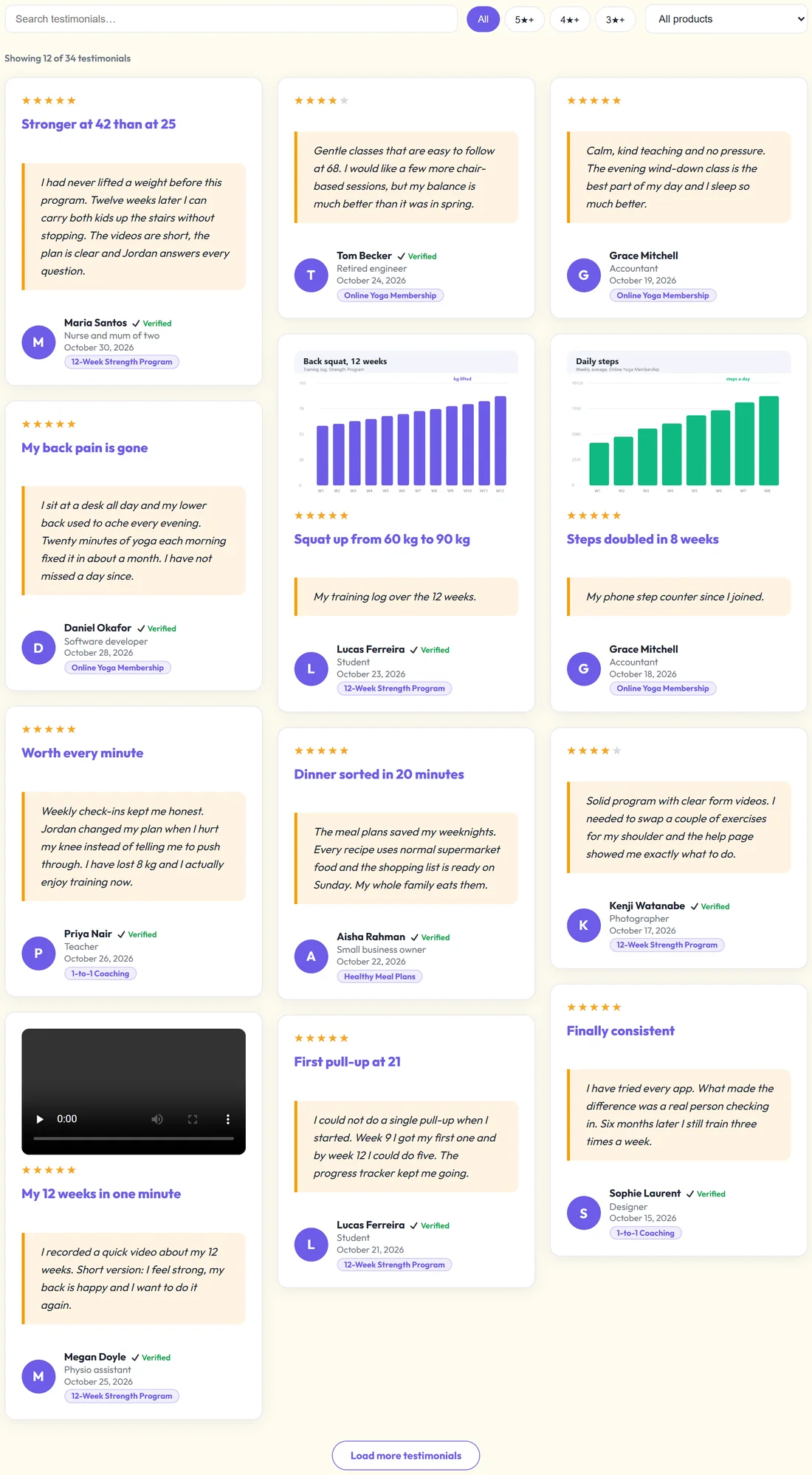
[autoproof_wall] shows every approved testimonial on one page, with a search box and filters on top. It is made for a page called Reviews or Wall of Love.
Visitors can:
- Type in Search testimonials… to find words or names
- Click All, 5★+, 4★+ or 3★+ to filter by stars
- Choose a product from All products. The list shows only products that have live reviews.
The wall opens with 60 testimonials and loads more as visitors scroll, with a Load more testimonials button.
Wall options:
- columns: how many across (3 by default)
- limit: how many show first (60). limit="all" shows every one at once.
- search="0" hides the search box. filters="0" hides the star and product filters.
- show_date="0" hides dates. show_product="0" hides product names.
- load_more="0" stops at the limit with no Load more button
- skin, theme and accent work as on [autoproof]
Adding the wall to a page:
- Create a page called Reviews.
- Paste [autoproof_wall columns="3" search="1" filters="1"].
- Publish.
Using the ResultsAiX Theme? Open any page's edit screen and switch this plugin on in the ResultsAiX Family Actions box. The Wall of Love then appears at the end of that page without a shortcode. Nothing is written into the page itself, so switching it off removes the wall again.
Carousels:
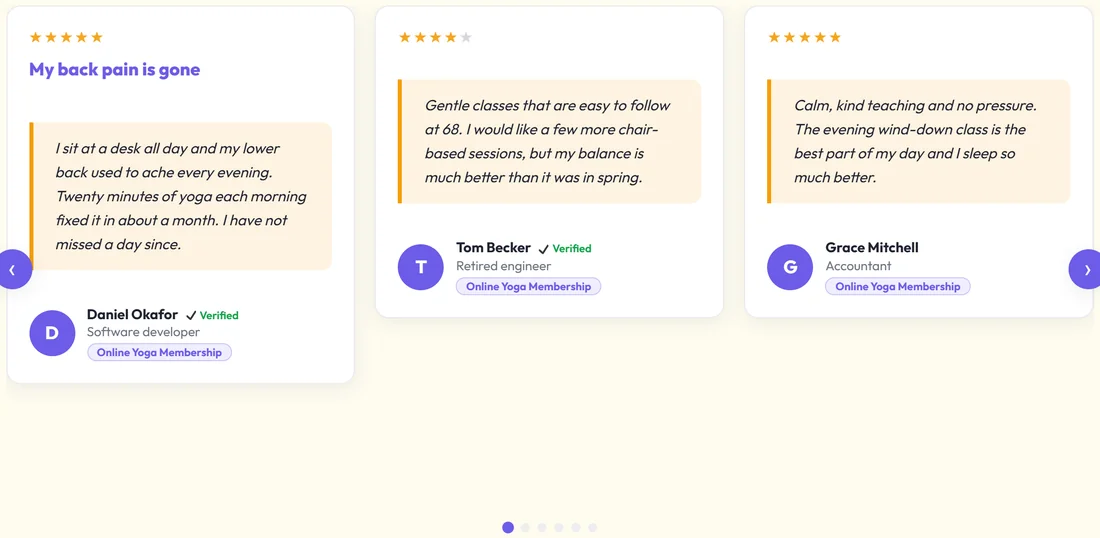
A carousel shows a few testimonials at a time and slides on by itself, with arrows and dots so visitors can move it. [autoproof layout="carousel" product="Online Yoga Membership" limit="8"] Set autoplay to change the time between slides in milliseconds, for example autoplay="7000".
The floating popup on one page:

[autoproof_float] shows a small card in a corner of the screen that rotates through your testimonials. Visitors can close it with ×.
Options:
- position: bottom-left (default), bottom-right, top-left or top-right
- interval: seconds between testimonials (8 by default)
- rating: minimum stars
- product, featured, ids, batch: which testimonials rotate
- limit: how many are in the rotation (10 by default)
- theme and accent
The floating popup across your site:
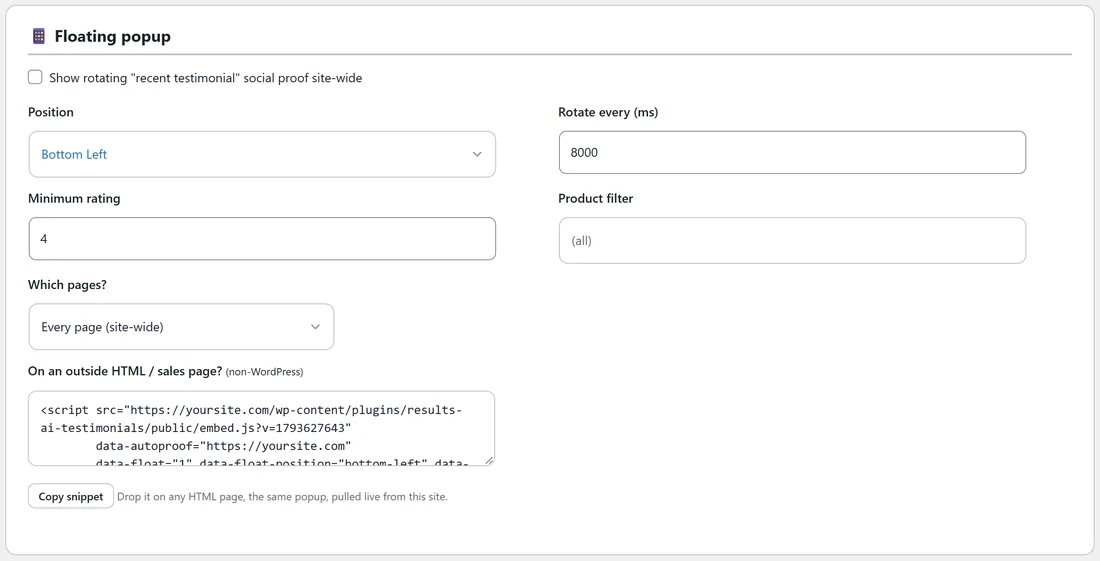
- Click AiX Testimonials, then Settings, and scroll to Floating popup.
- Tick Show rotating "recent testimonial" social proof site-wide.
- Set Position, Rotate every (ms) (8000 is 8 seconds, the smallest is 3000), Minimum rating (4 by default) and an optional Product filter.
- Under Which pages?, choose Every page (site-wide), Only the pages listed below, or Every page EXCEPT the ones below. List one page per line, as a path or a full address, with * as a wildcard, for example /offer/*.
- Click Save settings.
The same panel has a ready snippet for outside HTML pages. Click Copy snippet. See Showing Testimonials on Any HTML Page.
A real example:
Fit at Home Academy uses all three:
- yoursite.com/reviews/ shows the Wall of Love with 12 per load
- the home page has a yoga carousel
- the sales pages show a floating popup of 5 star reviews only, set to Only the pages listed below with /strength-program/ and /offer/*
Tips:
- Use 4 or 5 as the popup's minimum rating, so only glowing reviews float by.
- Keep the interval at 6 to 10 seconds. Faster feels busy.
- One popup per page is plenty.