An AI drawn maze often has no way through. Printed, that is a page a child cannot finish. ResultsAiX Publisher avoids that by building mazes, dot to dot, counting and tracing pages with real puzzle code instead of AI. Only the picture activities, such as spot the difference and matching, are images.
Where to find it:
Pick Activity Book on step 1 of the New Book wizard. In the page grid, puzzle pages show a grey card that says Puzzle page (drawn in the PDF). The puzzles themselves appear in your KDP Interior PDF when you export.
How the page plan is made:
- With a text AI key, AI plans every page: it picks a type for each one (maze, dot-to-dot, spot-the-difference, counting, matching, tracing or coloring), mixes them so the same type is never used more than twice in a row, and writes a child friendly instruction. Up to 100 pages are planned this way.
- Without a text key, the plugin repeats a set of six in order: maze, dot to dot, counting, spot the difference, matching, tracing.
Whatever the plan, every maze, dot to dot, counting and tracing page is then built by the puzzle engine.
The four puzzle pages:
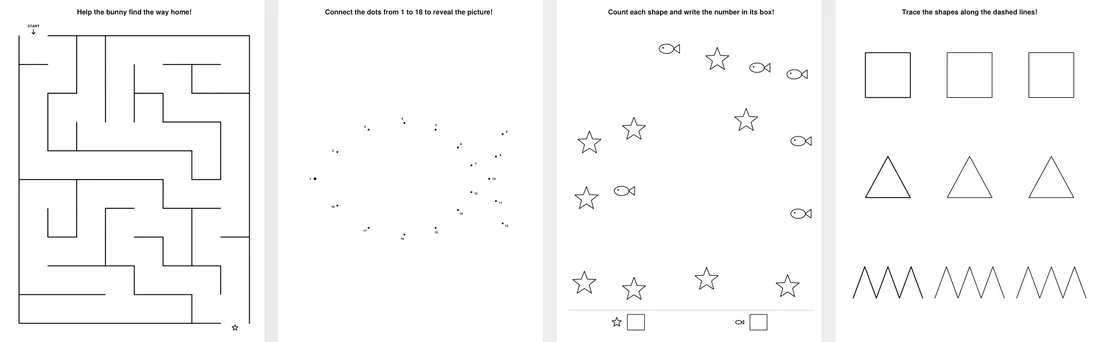
- Maze: a perfect maze, which means there is exactly one path between any two squares. You enter through the top left, marked START, and leave at the bottom right, marked with a star. Easy mazes are 8 by 10 squares, medium 12 by 15, hard 16 by 20.
- Dot to dot: numbered dots follow a real outline in order, with the numbers placed outside the shape so children can read them. The shapes are a star, fish, house, rocket, butterfly, sailboat, tree and cat face. Easy pages have 18 dots, medium 26, hard 32.
- Counting: groups of small shapes (stars, circles, hearts, triangles or fish) that never overlap, with a row of answer boxes at the bottom. Easy pages have 2 groups, medium 3, hard 4, and every group has a different count from 3 to 9.
- Tracing: three rows, each with a solid model shape followed by dashed copies to trace. The shapes come from circle, square, triangle, star, zigzag and wave.
Difficulty grows through the book:
The first third of the book is easy, the middle third medium and the last third hard, just like a shop bought activity book.
Each puzzle is seeded from the book and the page number, so the same book always gives the same puzzles.
The instruction line:
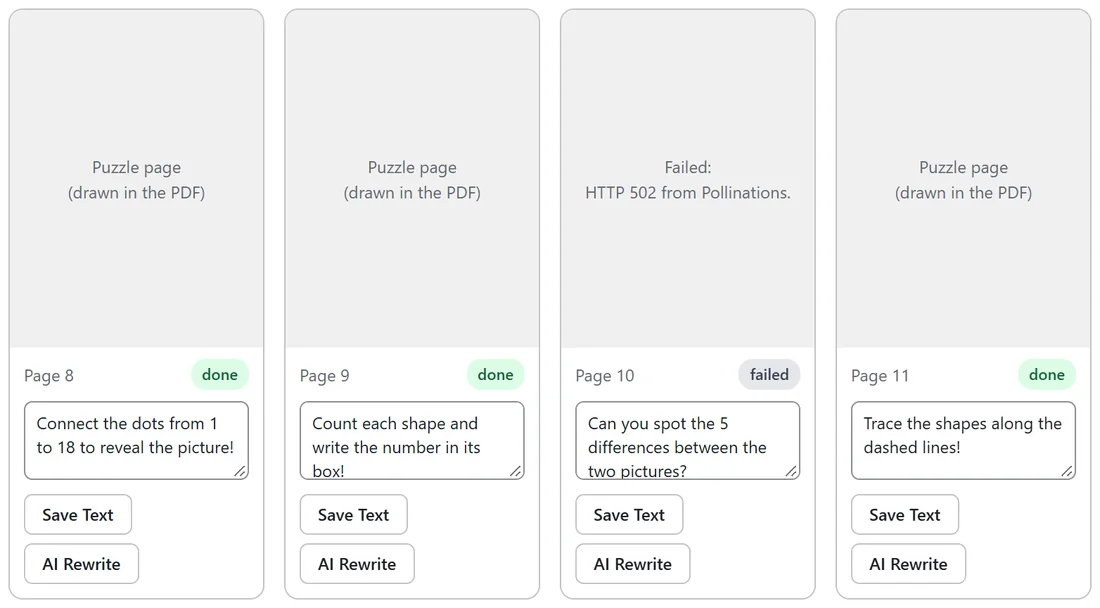
Each puzzle page prints a bold instruction above the puzzle as real text, such as Connect the dots from 1 to 18 to reveal the picture! The puzzle engine writes these lines itself, and a maze picks a friendly animal, for example Help the bunny find the way home!
You can change any instruction to fit your theme. Open the book with Continue, type your own line in the page's text box and click Save Text. For a space book, Ella changed her maze pages to Help the rocket find its way to the Moon!
The picture activities:
Spot the difference, matching and coloring pages are images from your image provider, made with the book's style words and in black and white line art. Their instruction is printed under the picture. These pages can use a locked character too. See The Character Consistency Engine.
A real example:
Space Explorers Activity Book is 30 pages for ages 4 to 8 in the Bold Simple style. Its first pages are an easy maze, an 18 dot fish, a counting page with stars and fish, and a spot the difference page with two rocket scenes.
Tips:
- Puzzle pages print razor sharp at any size, add almost nothing to the file size, and never need upscaling.
- Read the instruction on every page before you export, so the wording matches your theme.