The image provider is the service that draws your pages and covers. ResultsAiX Publisher works with thirteen of them. Two need no key at all, so you can make coloring and activity books the minute the plugin is active. Add keys when you want more choice or need the character lock.
Where to find it:
Click AiX Publisher, then the Providers tab. The Image Providers section lists the Free Providers first, then the Premium Providers.
Free Providers:
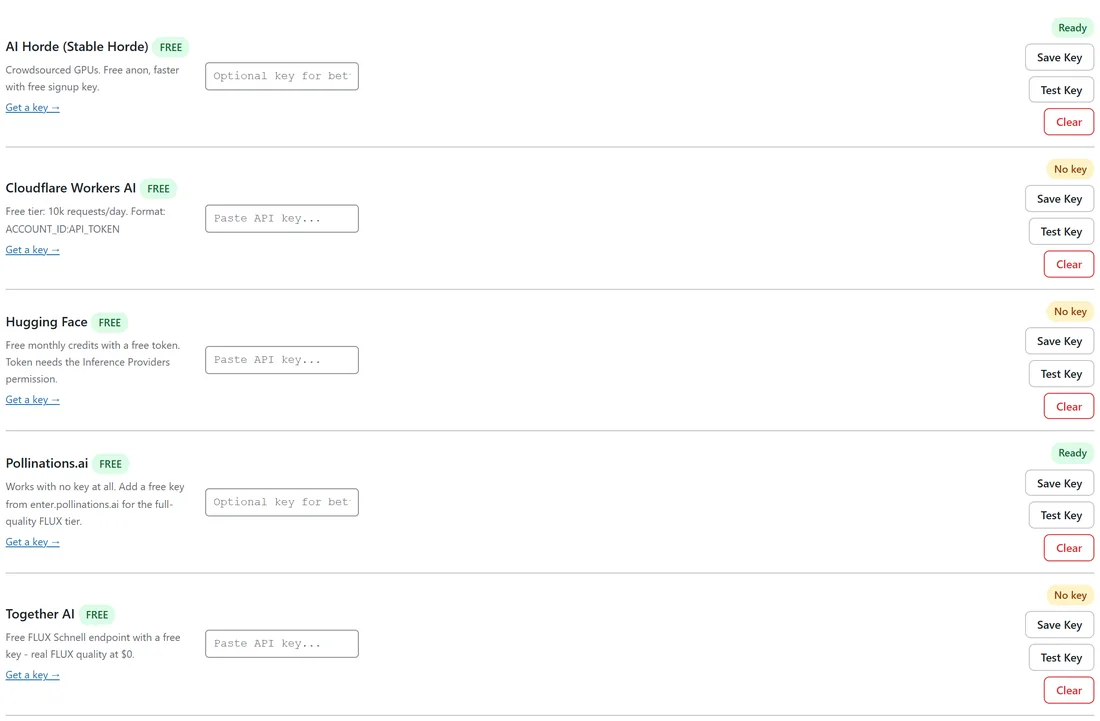
- Pollinations.ai: works with no key at all, and it is the default. Its notes say an optional free key gives the full quality FLUX tier.
- AI Horde (Stable Horde): crowdsourced, free with no key. A free signup key is optional and makes it faster.
- Cloudflare Workers AI: free tier with a key. The key is your account ID and API token joined with a colon, ACCOUNT_ID:API_TOKEN.
- Hugging Face: free monthly credits with a free token. The token needs the Inference Providers permission.
- Together AI: a free FLUX Schnell endpoint with a free key.
Premium Providers (you pay the provider directly):
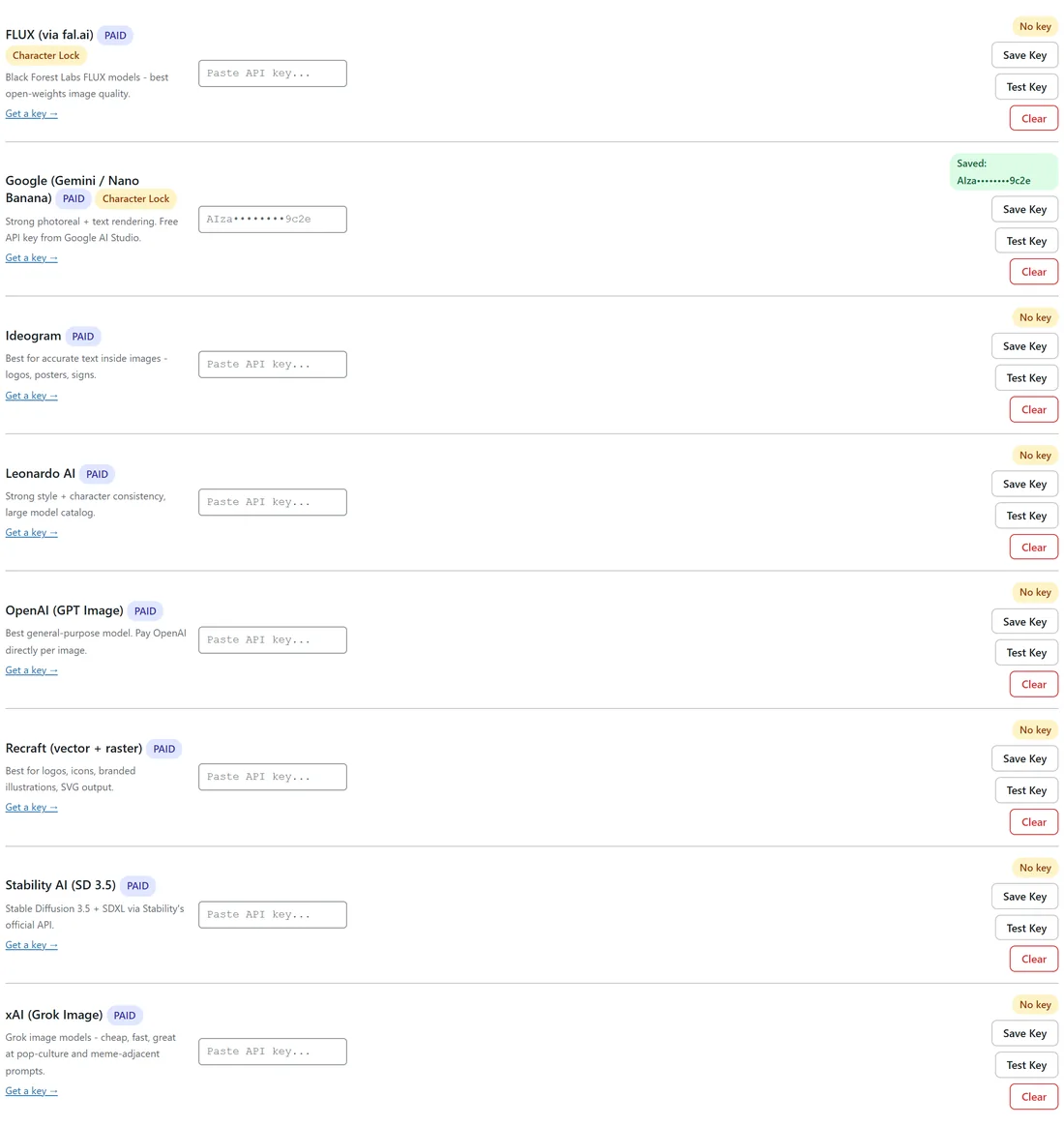
- Google (Gemini / Nano Banana): a character lock provider. Its free key from Google AI Studio also powers the text features. It makes images with Gemini 3.1 Flash Image (Nano Banana 2).
- FLUX (via fal.ai): the other character lock provider. A FLUX key also lets the export use fal's AI upscaler.
- OpenAI (GPT Image), using gpt-image-2.
- Stability AI (SD 3.5), Ideogram, Recraft (vector + raster), Leonardo AI and xAI (Grok Image).
Each row shows the provider name, a FREE or PAID badge, a short note, a Get a key link, a key box, a status badge and the buttons. Google and FLUX also carry a Character Lock badge.
Adding a key:
- Click Get a key on the provider's row and create a key on the provider's site.
- Paste the key into the row's key box.
- Click Save Key. The status badge changes to Saved, followed by the first and last four characters of your key.
- Click Test Key.
What Test Key does:
- OpenAI, Hugging Face and Together AI: a real check with the provider. The badge shows the answer.
- Pollinations and AI Horde with no key: the badge says No key required.
- The other providers: the badge confirms the key is saved. The first page made with it shows the provider's own message if it is not accepted.
Clear removes a saved key after you confirm Clear this API key?
Picking which provider draws your pages:
The provider in Settings, Default image provider, makes every page and cover for books without a locked character. Books with a locked character always use Google or FLUX. See Settings: Default Provider, Paper Type And Color Scheme.
How are my keys stored?
Keys are encrypted on your site with AES-256-GCM using a site specific salt, or AES-256-CBC with an HMAC check where GCM is not available. They are never written to log files, and each key is only ever sent to the provider it belongs to. The screen shows only a masked version.
Why bring your own key?

The plugin never resells image or text calls. You pay each provider directly at its own price, use the free tiers, or use no key at all. The Why "BYO API Key"? panel at the bottom of the Providers tab sums this up.
A real example:
Ella started yoursite.com with Pollinations and no keys at all. When she wanted Milo's story book, she added a free Google AI key, which gave her the character lock and the AI writer in one step.
Tips:
- Use Test Key every time you paste a new key.
- The keyless tier is great for trying ideas. For books you plan to sell, a key for Pollinations or a premium provider gives cleaner line art.
- Older Google and OpenAI image model names are moved to the current models for you, so older books keep working.