Build Export Files makes every file you need in one go and then shows a download button for each one. It also fills in the KDP Upload Checklist with your book's details and changes the book's status to Ready.
Where to find it:

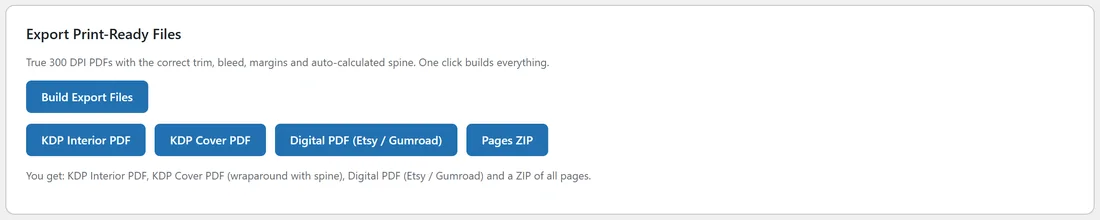
Open the Publish tab, pick your book, and scroll to Export Print-Ready Files. The card says what you get: KDP Interior PDF, KDP Cover PDF (wraparound with spine), Digital PDF (Etsy / Gumroad) and a ZIP of all pages.
Building your files:

- Make sure every page is done and you are happy with the grid.
- Optional but helpful: generate the listing kit first, so the back cover gets your description as its blurb.
- Click Build Export Files. The button says Building files... this can take a few minutes. Keep the tab open.
- When it finishes, four buttons appear: KDP Interior PDF, KDP Cover PDF, Digital PDF (Etsy / Gumroad) and Pages ZIP.
- Click each one to open or save the file.
The four files:
- KDP Interior PDF (interior.pdf): your print manuscript at 300 DPI with the right trim, margins and gutter, including the title page and copyright page. See Print Ready Export And The Exact Specifications.
- KDP Cover PDF (cover.pdf): the wraparound cover sheet with the spine worked out for you. See Spine Width, Paper Type And The Wraparound Cover.
- Digital PDF (digital.pdf): the front cover with title and author as page one, followed by the whole interior, in one file. Sell this one as a download, since the buyer prints at home.
- Pages ZIP (pages.zip): every finished picture as its own file, named page-01, page-02 and so on, plus cover. Useful for previews, social posts and reuse.
The export also writes front-cover.jpg, the front cover at 1600 pixels wide with the title and author on it. The Book Mockup uses it.
If something is skipped:
Only the interior is required. If another part cannot be made, the rest is still built and a box lists what was skipped. The most common one is No cover art yet. Hit "Generate Cover Art" in the Book Cover panel above, then export again. In that case you still get the interior, a digital PDF without a cover page, and the ZIP.
Exporting again:
Each export replaces the files from the last one. After you reroll pages, edit text, change the cover or change the paper type, click Build Export Files again before you upload anything.
How long does it take?
A coloring book or a journal usually takes a minute or two. A full color story book is much bigger, because every page is a full bleed color picture at 300 DPI, and can take several minutes. Ella's 24 page story book made an interior PDF of about 140 MB.
A real example:
Ella built Dinosaur Friends Coloring Fun and got a 32 page interior, a cover with a 0.072 inch spine, a 33 page digital PDF and a ZIP of 31 pictures. The checklist below the card filled in with her title, keywords and file names.
Tips:
- The download buttons only show after a build in the current visit. To get the files again later, click Build Export Files again, or find them in your uploads folder. See File Management: Where Your Books Live.
- Upload interior.pdf and cover.pdf to KDP. Use digital.pdf for stores that sell downloads.