The cover art is the picture your wraparound cover is built from. Every new book gets one automatically, made first in the queue so you see it before page 1. On the Publish tab you can change what the cover shows and make a new one as often as you like.
Where to find it:
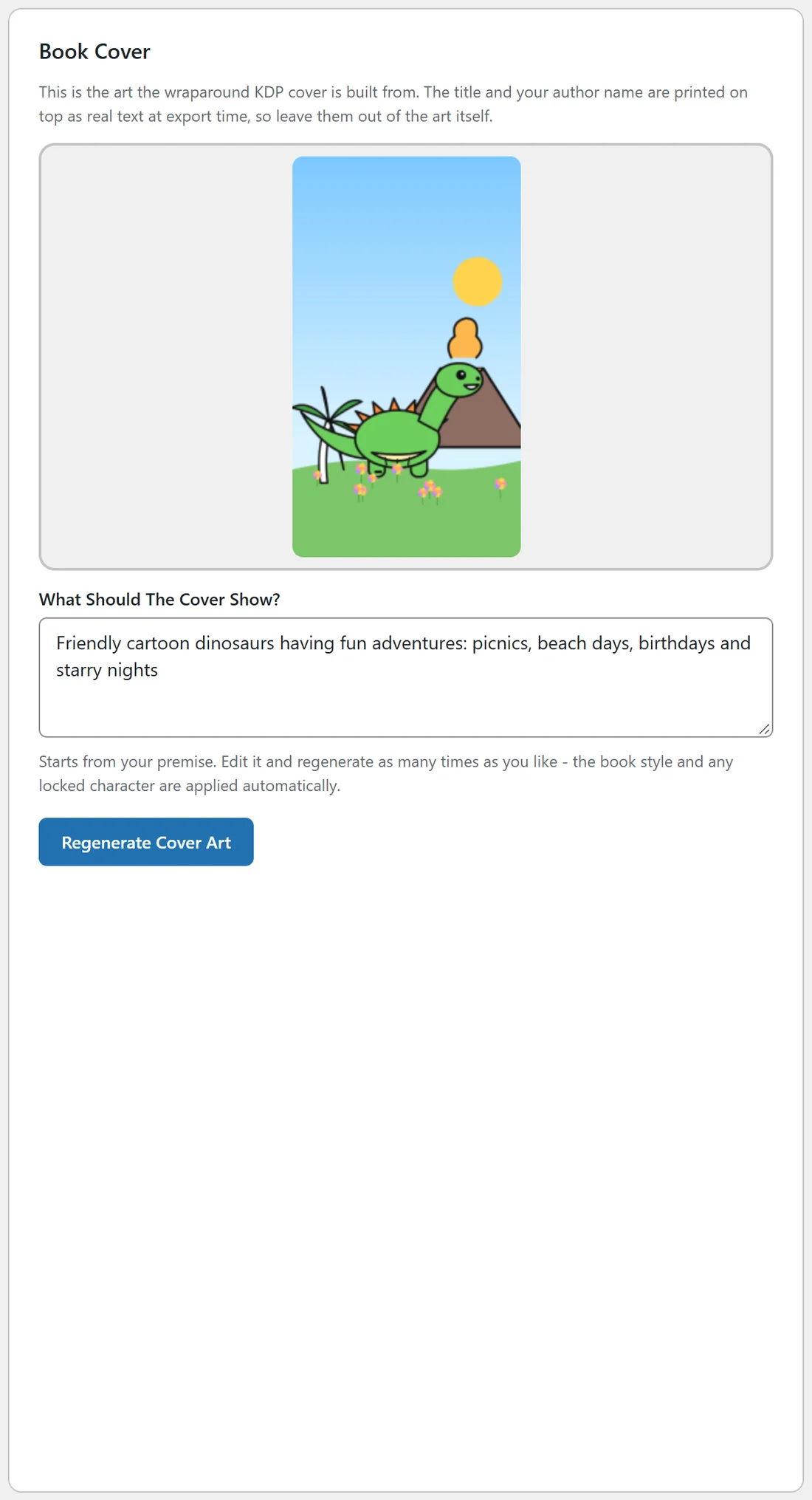
Open the Publish tab, pick the book in the selector at the top right, and find the Book Cover card. It shows the current cover art, a box called What Should The Cover Show?, and a Generate Cover Art or Regenerate Cover Art button.
What the cover art asks for:
The plugin builds a cover prompt from your idea and the book type:
- Coloring books: bright full color art with bold friendly shapes, so it stands out as a small thumbnail, even though the inside is black and white.
- Activity books: bright playful art with characters in the middle of an activity.
- Journals: clean modern art with one strong focal point and a tasteful palette.
- Story books: a warm full color storybook painting with the main character front and center.
Every cover prompt also asks for clear space across the top for a title and along the bottom for the author name, and no words or letters anywhere in the picture. The title and author are added later as real text. The book's style words are added, and so is your locked character's description if the book has one.
The art is requested in the shape of the front cover: tall for 8.5 x 11 and 6 x 9 books, square for story books, when the provider offers that size.
Changing the cover:
- In What Should The Cover Show?, describe the picture you want. The box starts with your premise.
- Click Generate Cover Art, or Regenerate Cover Art if the book already has one. The button says Painting your cover... this can take up to a minute.
- The new art appears in the card, and the line under the button says Cover art saved. Build your export files below to wrap it into the KDP cover PDF.
- The Book Mockup on the same page redraws with the new art.
- Click Build Export Files to put the new art into your cover PDF.
If a new cover cannot be made, your existing cover stays in place and the message under the button explains why.
Which provider draws the cover?
The same one that draws your pages: your default image provider, or Google or FLUX for books with a locked character. Covers are full color art, so any image provider can make one.
A real example:
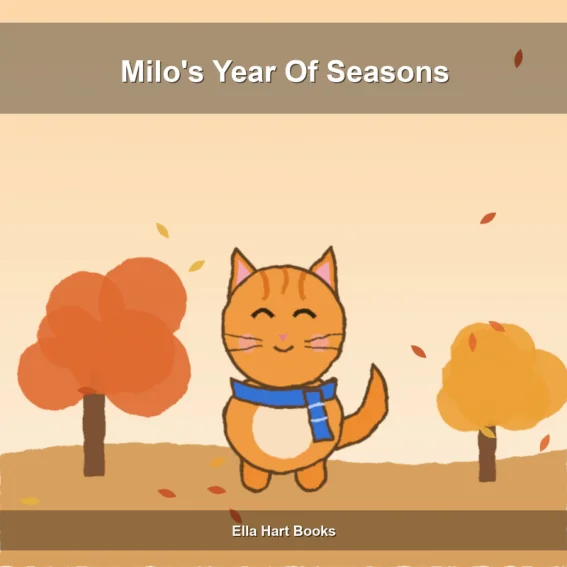
For Milo's Year Of Seasons, Ella typed Milo the orange cat sitting in a pile of autumn leaves and clicked Regenerate Cover Art until she had a cover she loved. Her coloring book cover shows a bright green dinosaur by a volcano, while the pages inside stay black and white.
Tips:
- Keep words out of the cover idea. The plugin prints the title and author name for you.
- Pick a cover with one clear subject. It is easier to spot on a crowded search page.
- See Spine Width, Paper Type And The Wraparound Cover for how the art becomes the printed cover.