Making 30 or 120 images in one go would time out on almost any hosting. So the plugin hands your pages to a background queue that works through them a few at a time. You can close the tab, visit another site, or make a cup of tea. The queue keeps going.
Where to see it:
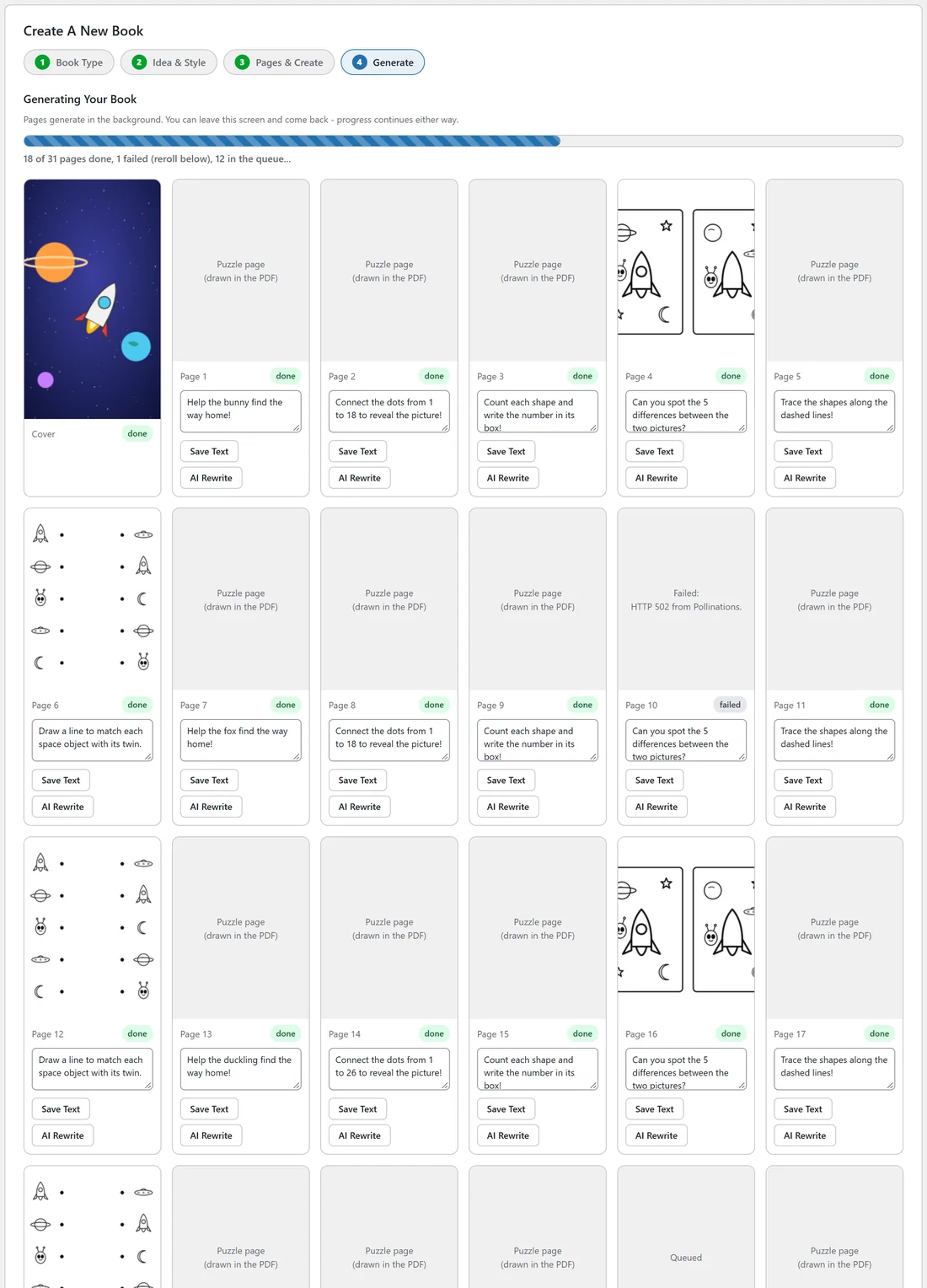
The progress panel in step 4 of the New Book wizard shows the queue for one book. Open it any time with Continue on the My Books tab. The progress bar moves, and the line under it reads something like 18 of 31 pages done, 1 failed (reroll below), 12 in the queue...
How the queue works:
- Every minute, a WordPress cron task called the queue tick runs.
- Each tick makes up to three pending pages.
- Books are worked on in the order they were created, and pages in page order. The cover is always first.
- When nothing is left to make, the queue switches itself off. It switches on again the next time you generate a book or reroll a page.
The progress panel refreshes every two seconds while it is open. When no pages are left in the queue it changes to Your Book Is Generated.
Pages that need no image:
Journal template pages and activity puzzle pages (mazes, dot to dot, counting, tracing) are marked done the moment the queue reaches them. They are drawn as vectors when you export, so they cost nothing.
When a page fails:
One bad page never stops the book. The page is marked failed with the provider's own message saved on it, for example HTTP 502 from Pollinations., and the queue moves on to the next page. The failed card shows that message in the grid, and the finished panel says how many pages failed so you can reroll them.
The daily image safety cap:

The queue stops for the day when the number of images made today reaches your daily cap, 500 unless you change it. This stops a runaway queue from running up a bill with a paid provider. While paused, the progress line says Paused by the daily image safety cap, with today's count. Nothing is lost: the queue carries on the next day, or you raise the cap under Settings, Cost & safety. Your own clicks, such as Reroll, always go through.
Why does progress seem slow sometimes?
WordPress cron runs when someone visits the site, not on a clock. On a quiet site the ticks can be further apart than a minute. Keeping the progress panel open helps, because it asks the site for news every two seconds. A real server cron job that calls wp-cron.php every minute keeps the queue steady on any site; your host can set that up.
When the book is done:
Once every page has finished or failed, the book's status changes from Generating to Review. Then it is time to look through the grid and head to the Publish tab.
A real example:
Space Explorers Activity Book has 31 items in the queue: the cover and 30 pages. Eighteen are done, page 10 failed with a provider error, and twelve are waiting. Ella leaves it running and comes back after lunch.
Tips:
- Diagnostics shows when the queue will next run, under Publishing, Queue (next tick).
- If a whole run of pages fails, test your provider key on the Providers tab before you reroll. See Troubleshooting And FAQ.