Diagnostics gathers the facts support usually asks for into one page, read live from your site. When something is not working, open it first: the answer is often right there, and if not, one click copies everything for your support ticket.
Where to find it:
Click AiX Publisher, then the Diagnostics tab. The Troubleshooting card on the Settings tab has an Open Diagnostics button too.
What it shows:
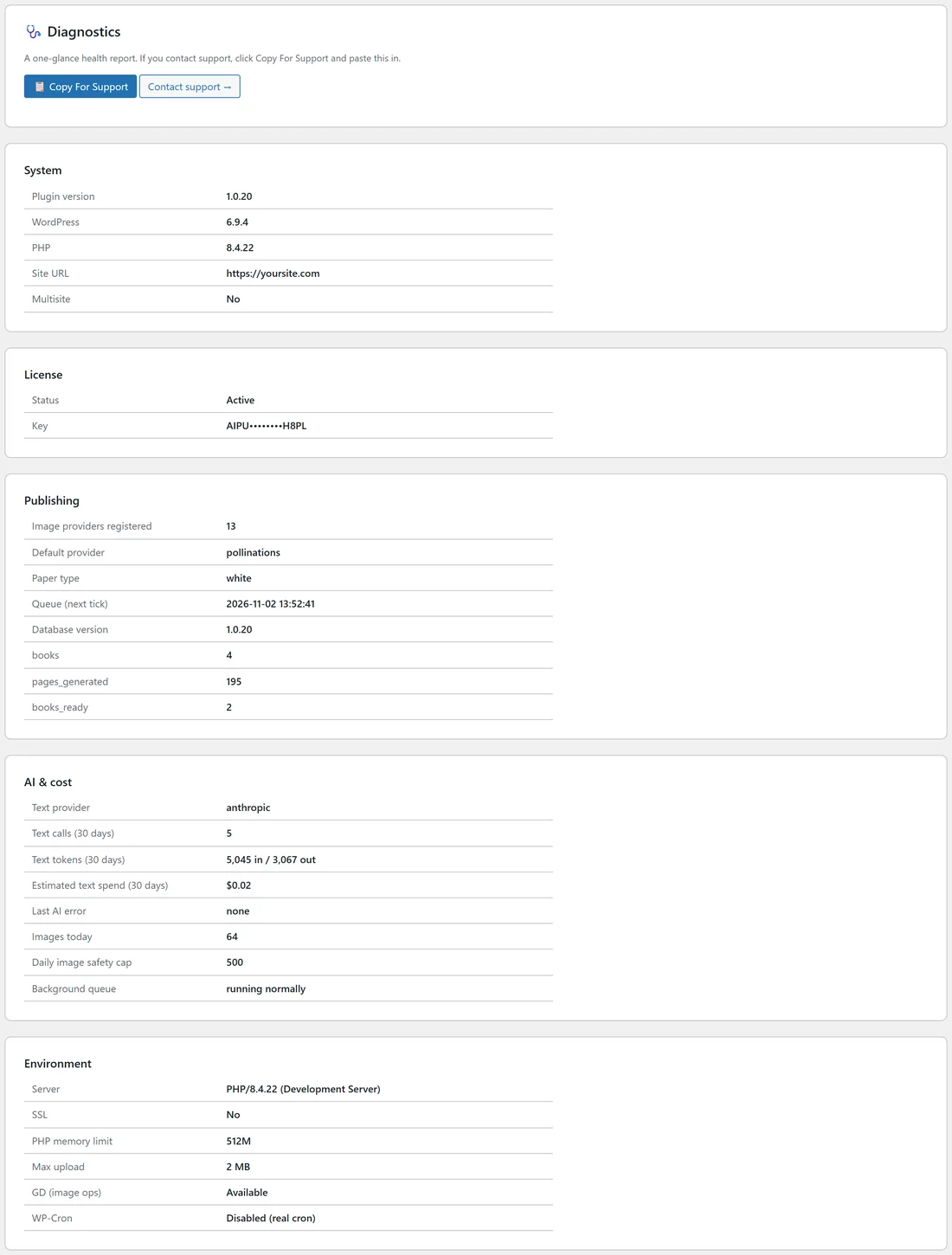
- System: Plugin version, WordPress, PHP, Site URL and Multisite.
- License: Status and the masked Key.
- Publishing: Image providers registered, Default provider, Paper type, Queue (next tick), Database version, and your counts of books, pages_generated and books_ready.
- AI & cost: Text provider, Text calls (30 days), Text tokens (30 days), Estimated text spend (30 days), Last AI error, Images today, Daily image safety cap and Background queue.
- Environment: Server, SSL, PHP memory limit, Max upload, GD (image ops) and WP-Cron.
Copy For Support:
- Click Copy For Support. The button says Copied.
- Open your support ticket or email and paste.
The copy is plain text with every section and value. Only the masked key is included, never your full licence key.
Reading the important lines:
- Queue (next tick): when the queue runs next. idle / not scheduled means nothing is waiting.
- Last AI error: the last message from a text AI provider, with its time and provider. It usually names the problem, such as a billing issue or a wrong key.
- Background queue: running normally, or the paused message when the daily cap is reached.
- GD (image ops): must say Available for covers and upscaling.
- WP-Cron: Enabled, or Disabled (real cron) when your host runs cron on a timer, which also works well.
- PHP memory limit: a bigger limit helps large full color exports.
When to open Diagnostics:
- Pages keep failing: check Last AI error for text problems and Images today against the cap.
- Pages are not moving: check Queue (next tick) and Background queue.
- Exports struggle: check PHP memory limit and GD (image ops).
- Something changed after an update: check Plugin version and Database version. They should match.
A real example:
On yoursite.com, Diagnostics shows plugin version 1.0.20, thirteen image providers, Pollinations as the default, anthropic as the text provider with five calls in 30 days, 64 images today against a cap of 500, and the background queue running normally.
Tips:
- Click Contact support next to Copy For Support to open the support page.
- Paste the report into every new ticket. It saves a round of questions.