A flat cover looks like a file. A book standing on a table looks like a product. The Book Mockup card draws your cover as a 3D style book right in your browser, ready to download for social posts, your website and store listings.
Where to find it:
Open the Publish tab and pick your book. The Book Mockup card sits under the KDP Listing Kit.
How to get a mockup:
- Make sure the book has cover art. See Book Cover Art: Generate And Regenerate.
- Open the Publish tab. The mockup draws itself from your cover art as the page loads, and the line under it says Mockup rendered from your front cover.
- For a mockup with your title and author name on the front, click Build Export Files. When the export finishes, the mockup redraws from the finished front cover.
- Click Download Mockup PNG. Your browser saves book-mockup.png.
What the mockup shows:
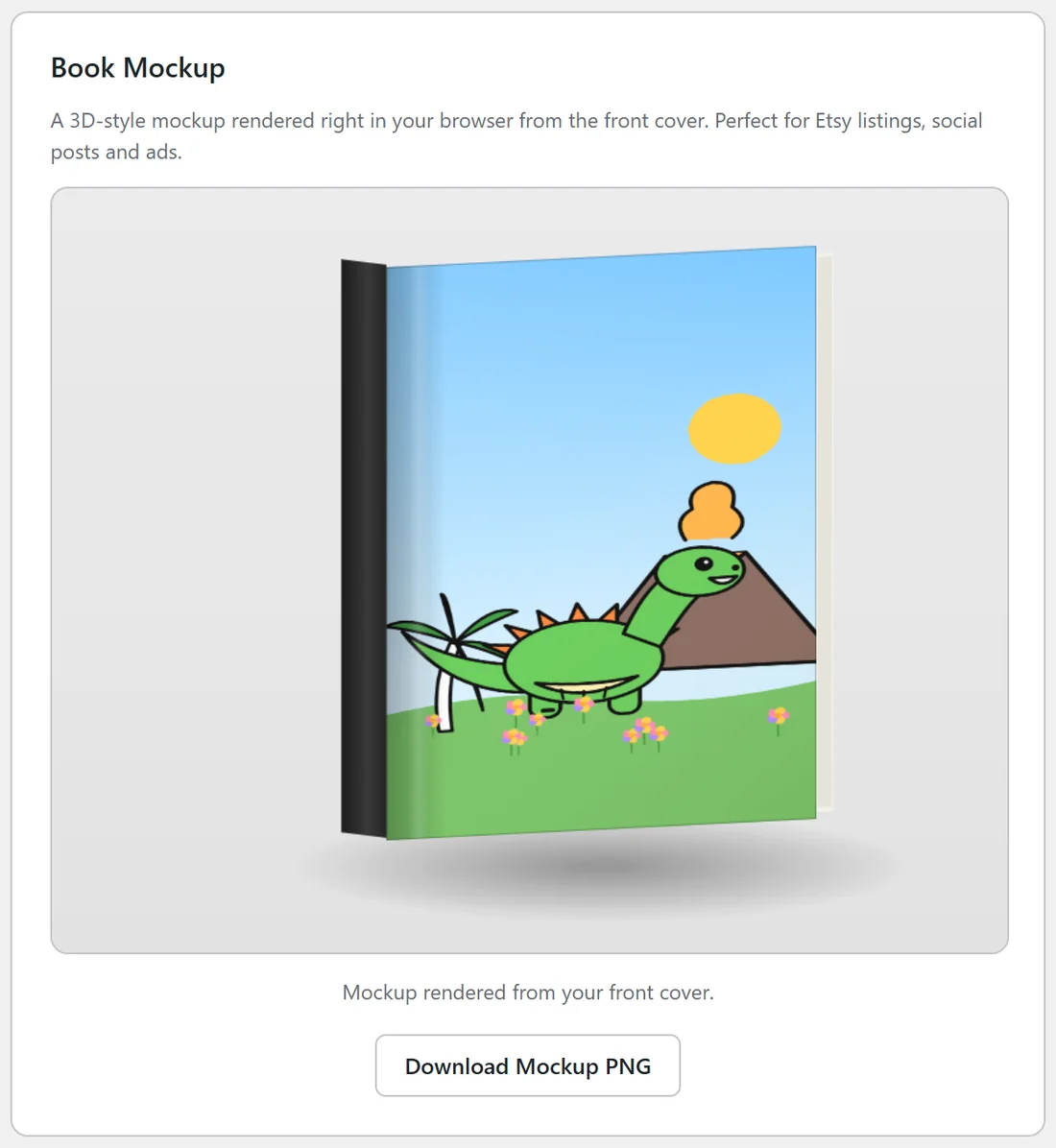
Your cover tilted slightly in perspective, a dark spine down the left side, page edges on the right, a soft shadow underneath, and a light sheen across the cover so it looks like a real object. It is all drawn in your browser from the cover image; nothing is sent anywhere.
Which picture is used?
- When the page loads: the cover art itself, without text.
- After Build Export Files: front-cover.jpg, the front cover with your title and author name.
- After Generate Cover Art: the new art straight away.
Size and shape:
The canvas is 800 x 640 pixels, sized for the web, and the PNG is saved at that size. The book on it is always drawn in a 3 by 4 upright shape, which suits 8.5 x 11 covers best. Square story book covers and tall 6 x 9 journal covers are drawn in that same shape.
Making the best of the mockup:
- Pick cover art with one clear subject and plenty of contrast. It reads better at mockup size.
- Export first, so the mockup shows your title and author name.
- Download the PNG and put it on a plain or soft background in your favourite image editor if you want a wider picture for a banner.
Where to use it:
- Social media posts announcing a new book.
- Your author page or book page on yoursite.com.
- Store listings that allow extra images.
- Email newsletters to your readers.
If the canvas stays empty:
The line under it says Generate cover art above to render the mockup. Make cover art in the Book Cover card and the mockup draws straight away.
A real example:
Ella downloaded the mockup of Dinosaur Friends Coloring Fun after her export and used it at the top of the book's page on yoursite.com.
Tips:
- For print, use the cover PDF, never the mockup.
- Make a fresh mockup after every cover change by exporting again.