Every launch has a Readiness setting, separate from its Status. Status says where the launch is in its life (Planning, Active, Completed, Archived). Readiness answers a different question: how ready am I to promote this launch?
Readiness shows on the calendar, on Today and in Smart Insights, so launches that need work stand out.
The readiness states:
- 🔴 Not Started (0%): nothing done yet.
- 🟡 In Progress (25%): some prep is underway.
- 🟠 Almost Ready (65%): most of it is done.
- 🟢 Scheduled (90%): mail slots booked, bonuses live, only the final check left.
- ✅ 100% Ready (100%): everything confirmed.
- ⊘ Skipping (0%): you have decided not to promote this one.
Where to set it:
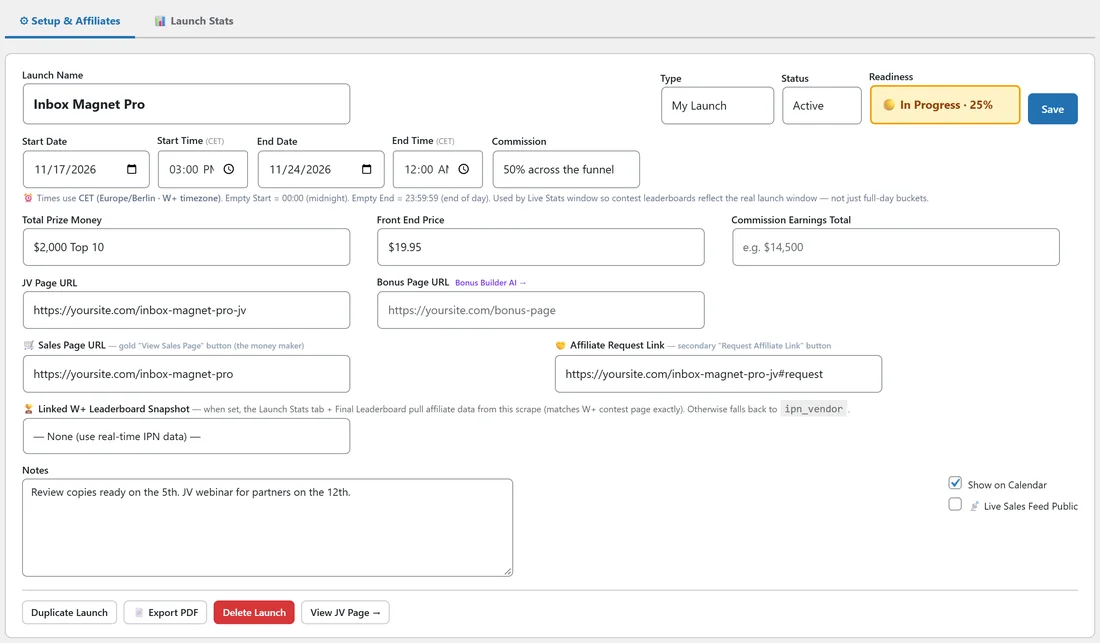
- Open Launches and click the launch.
- On the Setup & Affiliates tab, the Readiness menu sits in the first row, next to Type and Status.
- Pick a state. The menu takes on that state's colour.
- Click Save.
On the calendar:
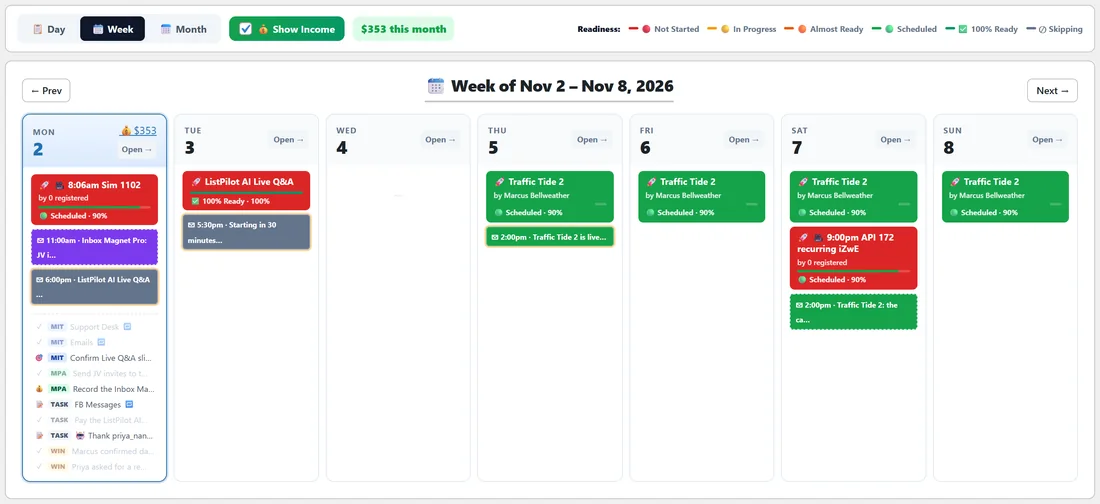
Each launch bar on the calendar starts with the readiness emoji and has a stripe in the readiness colour along its bottom edge. A key at the top of the calendar shows the colours. In the week view each launch card has a small progress bar filled to its readiness percentage, so you can see at a glance which launches need work.
In Smart Insights:
Launches coming up that are not ready appear as Smart Insight cards on Today. The urgency goes up as the launch gets closer, and goes up further when you owe that partner sales.
Step by step, a readiness routine:
- When you accept a JV or add an affiliate launch, set it to Not Started.
- When you start planning mailings, move it to In Progress.
- When your bonus page and swipes are done, move it to Almost Ready.
- When the mailings are booked, move it to Scheduled.
- On the morning of the launch, after a final check, set it to 100% Ready.
A real example:
Dana adds Traffic Tide 2 by Marcus Bellweather as an affiliate launch and sets it to Not Started. Over the week she builds her bonus page, writes three emails and books them, and moves the launch to Scheduled. The bar on her calendar turns green. Video Vault Kit is still Almost Ready, so its bar has an orange stripe and a card on Today reminds her to finish it.
Tips:
- Readiness is about your promotion, not the launch itself. A launch can be Active and only In Progress for you.
- Use Skipping when you decide not to promote. It keeps the launch on your calendar without nagging you.
- Smart Brief in the AI Brain also shows a prep checklist for each launch in the next 30 days, such as JV page, commission and affiliates contacted. See AI Brain: Smart Brief, Forecast, Sales Intelligence And Chat.