The Review page is your archive. It gathers every win you logged, every reflection you wrote and every task you finished, with streak stats, so you can see how you have been doing over time.
It is the place for a Friday wrap-up or a Monday morning look back.
Where to find it:
Hover the Today tab and click Review, or click Review in the second row of tabs on Today.
The four tabs:
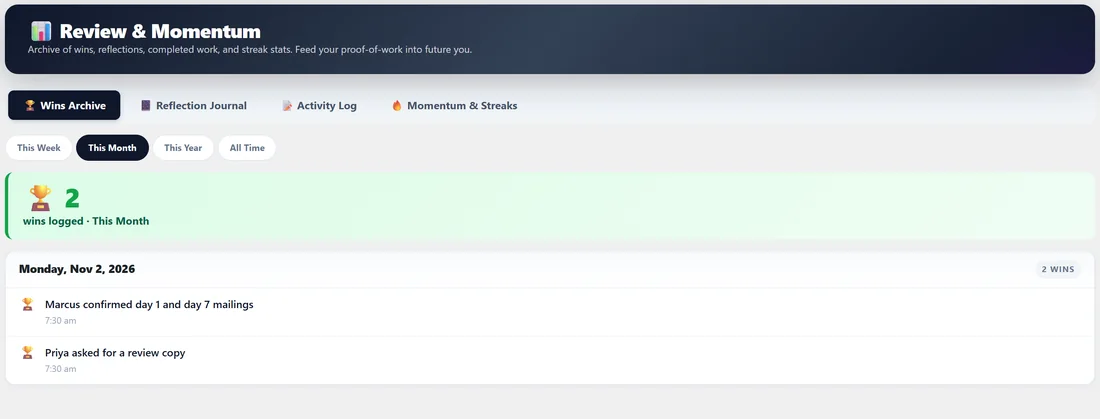
- 🏆 Wins Archive: every win, grouped by day, with the time you logged it. A counter at the top shows how many wins you logged in the chosen range.
- 📔 Reflection Journal: every day you wrote a reflection, newest first. Open that day takes you back to Today on that date so you can read or edit it.
- 📝 Activity Log: every completed MPA, MIT and task, grouped by day, with a filter by kind and a search box.
- 🔥 Momentum & Streaks: your current and longest MPA streak, current and longest MIT streak, win counts, your 30-day average completion rate, totals completed this month, this year and all time, and a 30-day bar chart.
Range filters:
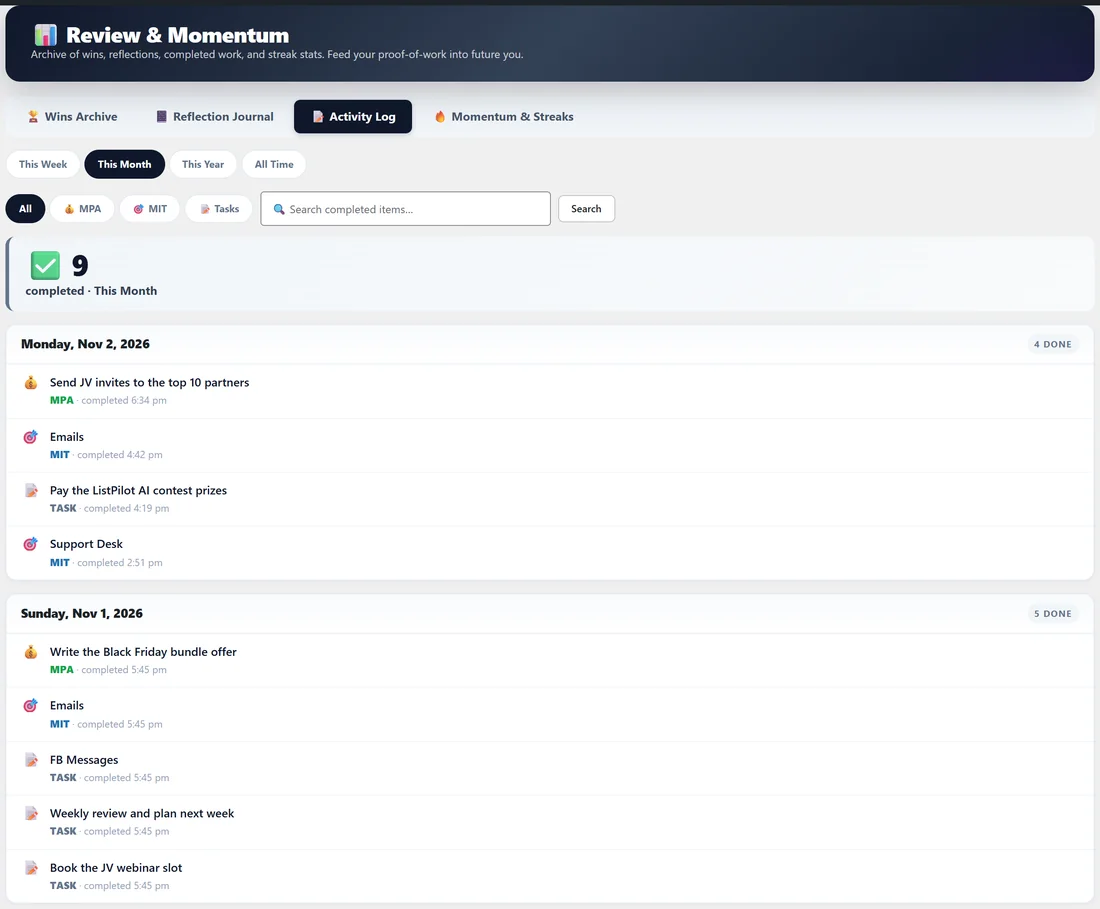
The Wins Archive, Reflection Journal and Activity Log have four range chips: This Week, This Month, This Year and All Time.
The 30-day chart:
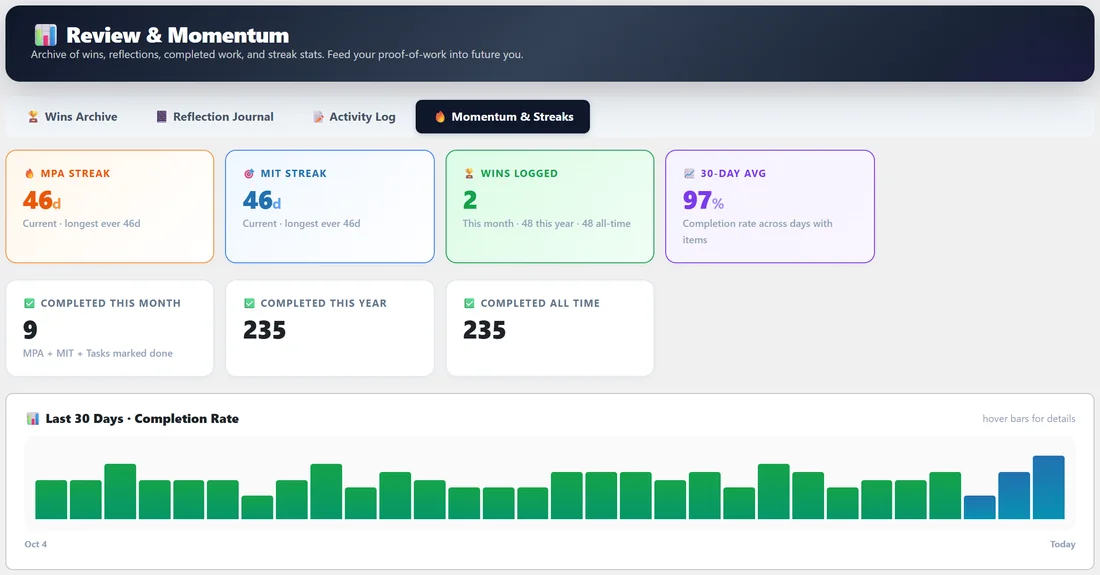
At the bottom of Momentum & Streaks each bar is one day. Its height is how many items were on that day's list, and its colour shows how much got done: green for 90% or more, blue for a normal day, orange or red for under half, and grey for an empty day. Hover a bar to see the exact numbers for that day.
Step by step, a weekly review:
- Open Review and choose This Week.
- Read through Wins Archive. Pick the one that mattered most.
- Switch to Reflection Journal and read what you wrote each day.
- Open Momentum & Streaks and check your completion rate.
- Write one change for next week in a sticky note on Today.
A real example:
On Sunday Dana opens Review, This Month. Her Wins Archive shows Marcus confirming two mailings and Priya asking for a review copy. The Reflection Journal reminds her that morning mailings beat evening ones during the ListPilot AI launch. Momentum shows a long MIT streak, and she makes a note to send Inbox Magnet Pro emails before noon.
Printing:
The Reports tab links to this page as Review & Momentum. Use your browser's print command to save it as a PDF.
Tips:
- Log wins as they happen on Today. Small ones count, and they add up quickly.
- A reflection of two lines a day becomes a useful record of what works in your launches.
- See Today Page, Your Daily Command Center for where wins and reflections come from.