Before the Overview became the Hub's home page (version 1.0.42), the home page showed a This Week Across Your Stack card, fed by a weekly stats channel that plugins published their own totals into. The Overview replaced that card, and it gets its numbers a different way. This article explains both, so you know where every number on the Overview comes from.
Why the Overview reads each plugin directly:
The weekly channel could only ever hold one total per week, and plugins did not all report the same way: some sent labelled figures, some all time totals, some just today. None of it was day by day, so it could not draw a trend line, compare two periods or count a person only once across several plugins. So the Overview reads each plugin's own records directly.
It does that strictly read only, behind three guards:
- The plugin must be installed and switched on. A plugin that is off is never read
- The records, and every field the Hub needs from them, must exist. The Hub checks before it looks, so a plugin on an older or newer version simply shows fewer numbers
- Every plugin is read separately. If one plugin's records are in a shape the Hub does not expect, only that plugin's numbers go missing and the Overview names it in a note at the bottom of the page; everything else carries on
Two sections read logs rather than a running plugin: the AI section reads every ResultsAiX plugin's AI log that exists on the site, and the Audience Vault section reads the Vault's records once they exist. The Hub never writes to, changes or deletes anything in another plugin while counting, and plugins do not need to do anything to appear on the Overview. The counting rules are in How The Overview Counts: One Person, One Sale.
When the counting happens:
- When you open the Overview and the saved numbers are more than 10 minutes old, the page shows them at once and counts again in the background
- Every hour, the Hourly Overview count job counts again so the page usually opens on fresh numbers
- When you press Refresh, it counts everything right now, including your linked sites
The weekly stats channel still exists:
Plugins that publish to it keep working exactly as before. A plugin calls resultsaix_publish_stat with a product slug, a metric name and a value, and the Hub stores it in its own shared table, named with your table prefix plus raix_stats. Nothing breaks if a plugin keeps publishing, and nothing breaks if it stops.
How periods work:
Values are stored against a period key in ISO week format, for example 2026-W45, and a plugin can pass its own period if it is filling in past weeks. Each combination of product, metric and period is unique, so publishing the same number twice overwrites rather than duplicating. Running a calculation again is safe.
Is the weekly total still shown anywhere?
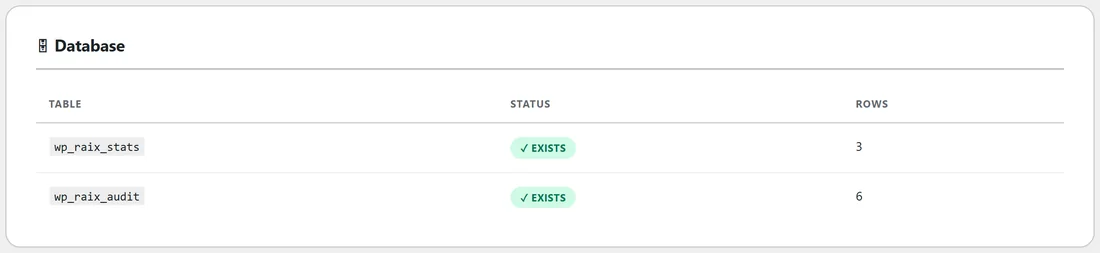
Not on the Overview. The values stay in the table, and Diagnostics shows how many rows it holds, but the Overview's numbers come from each plugin's own records.
A plugin's own numbers on its card:
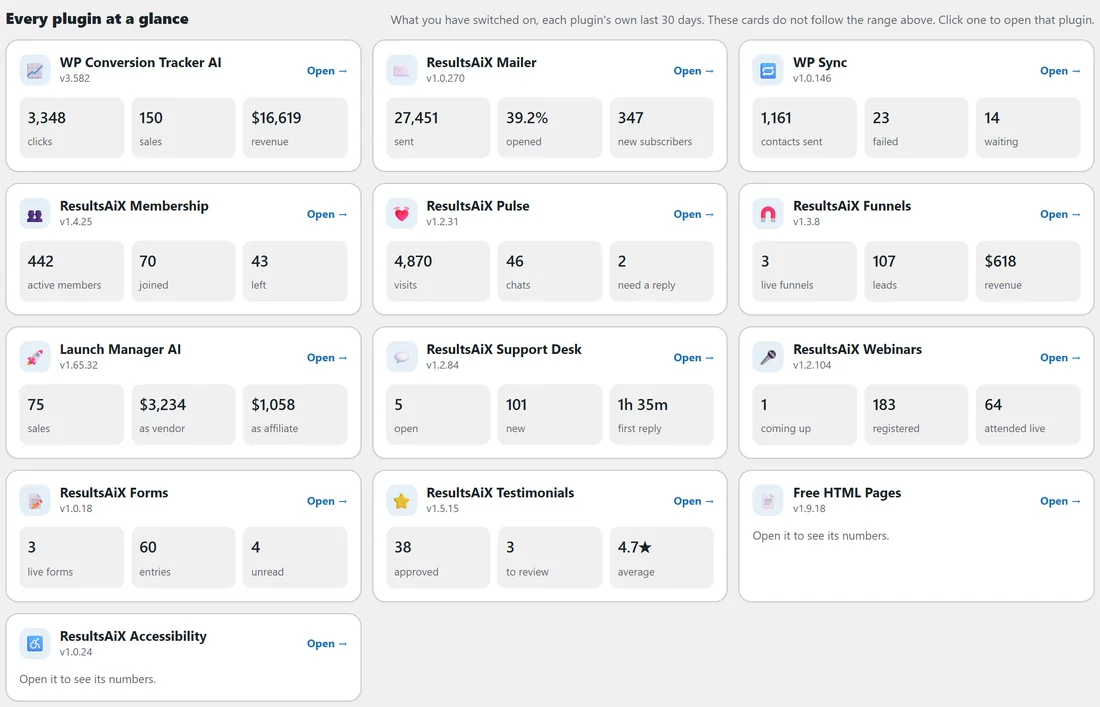
A plugin can also offer the Hub a few of its own numbers when it registers. On the Every plugin at a glance cards, the Hub uses its own reading for the plugins it knows how to read. For any other plugin that offers numbers this way, up to three of them fill its card, so that card is not left empty.
A real example:
On yoursite.com, Diagnostics shows wp_raix_stats with 3 rows: an older weekly total of clicks, sales and revenue that WP Conversion Tracker published. The Overview ignores those and reads WP Conversion Tracker's own click and sale records, day by day, which is how it can show 3,348 clicks and 150 sales for exactly the last 30 days on the WP Conversion Tracker AI card.
Tips:
- A plugin card that says Open it to see its numbers simply has no numbers the Hub can read yet.
- If a note at the bottom of the Overview names a plugin, update that plugin and the Hub, then press Refresh.