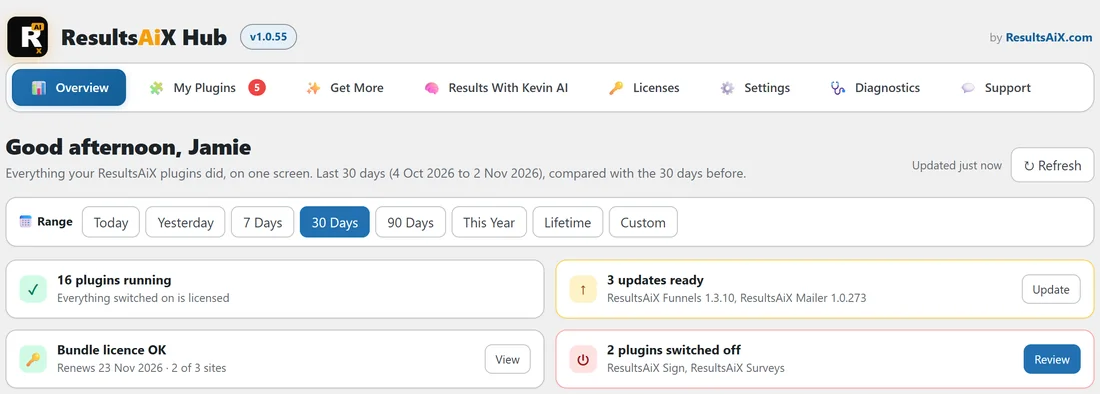
ResultsAiX Hub is a free WordPress plugin that sits on top of every ResultsAiX plugin you have installed. It gathers the things you would otherwise chase across five or ten plugin menus, and shows what all of them did on one screen. Install it on any site that runs ResultsAiX plugins and you get one place to start your day.
It does not replace any of your plugins. Each one keeps its own screens, its own settings and its own licence. The Hub reads, sums up and links you to the right screen.
Where to find it:
After you switch it on, a menu called ResultsAiX Hub appears near the top of your WordPress sidebar, just under Dashboard. Click it and the Overview opens. Every other Hub screen is one click away in the tab strip across the top of the page.
What the Hub gives you:
- Overview: what every ResultsAiX plugin on the site did over the date range you pick, the health of your plugins, and the jobs waiting for you today
- My Plugins: every ResultsAiX plugin installed, on or off, with its version, its licence, its status and one button to switch it on, update it or open it
- Get More: the ResultsAiX plugins this site does not have yet, free ones first
- Results With Kevin AI: a directory of 23 AI bots that live in the Results With Kevin members area
- Licenses: which keys this site uses, how many sites each key is on and when each one renews
- Settings: linked sites, a tidier sidebar, and one colour scheme for every ResultsAiX plugin
- Diagnostics: a read only health snapshot and a copy and paste report for support
- Support: where to go for help, in the right order
A real example:
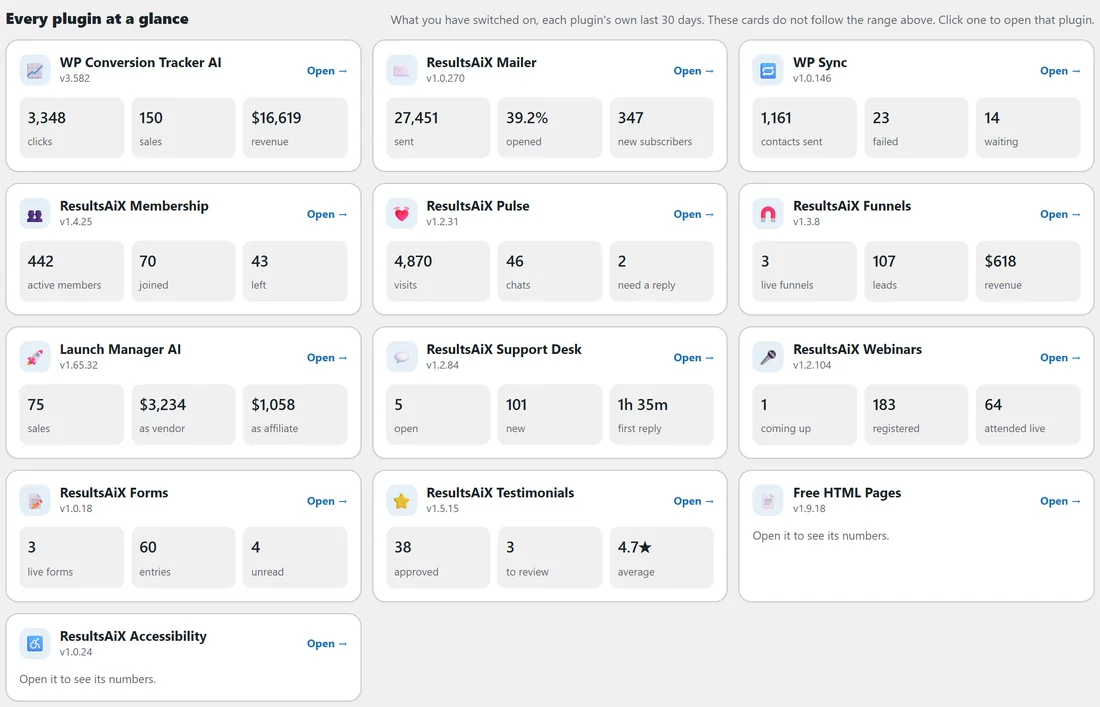
YourSite Academy runs its business on yoursite.com with sixteen ResultsAiX plugins switched on: WP Conversion Tracker AI for links and sales, ResultsAiX Mailer for email, Funnels, Support Desk, WP Sync, Membership, Pulse, Forms, Testimonials, Webinars, Launch Manager AI and a couple of free plugins. Before the Hub, the owner, Jamie, opened six dashboards every morning. Now Jamie clicks ResultsAiX Hub and sees, on one page, the revenue for the last 30 days, how many new people joined the list, how the latest email did, which support tickets are waiting, that three plugins have an update ready and that the Bundle key renews in three weeks.
Is there a licence key for the Hub?
No. The Hub is free and has no licence key, no activation form and no trial. There is nothing to enter and nothing to expire, and the plugin never asks you for an email address. The licence keys it shows belong to your other plugins, not to the Hub.
The Hub is an additive layer:
It is built so it can be switched off at any time. It learns about your other plugins from the WordPress plugin list, from the ResultsAiX catalogue, and from a registration function the plugins call. To fill the Overview it reads each plugin's own records directly, strictly read only. A plugin whose records it cannot read simply shows fewer numbers. The Hub only changes something when you press a button that says so, such as Switch on or Update. Deactivate the Hub and every plugin carries on exactly as before.
Do I need other ResultsAiX plugins?
The Hub is most useful with at least one other ResultsAiX plugin installed, because the Overview, My Plugins and Licenses screens are about those plugins. With none installed, those screens say so and point you to Get More.
About the AI bots:
The bots on the Results With Kevin AI tab are hosted on resultswithkevin.com and open in a new browser tab. Whether a bot opens for you is decided by your Results With Kevin members account. The Hub gives you the directory and the links, not the bots themselves.
Who can use it?
Every Hub screen needs the manage_options capability, so only administrators see it. Your members, customers and editors never see the Hub or its numbers.
How the Hub knows your plugins:
The Hub combines three sources, so it never mistakes a switched off plugin for a missing one:
- WordPress's own plugin list says what is installed and what is switched on
- The ResultsAiX catalogue gives each plugin its name, a short description and its page on resultsaix.com
- Each ResultsAiX plugin registers itself with the Hub on every page load, sharing its menu, its version and, if it chooses, its licence state and a few numbers
More detail in How Plugins Register With The Hub.
A daily routine that works:
- Open the Overview and glance at the health row.
- Clear the amber and red items in Needs you today.
- Read the Mailer section and the headline numbers for 7 Days.
- Once a week, switch to 30 Days and look at Best performers to see which links, emails and funnels earned the most.
Tips:
- Start with Installing The Hub And Finding It In WordPress, then Your First Ten Minutes With The Hub for a short tour.
- Make the Overview your first click each morning. The Needs you today card tells you what to deal with first.
- Run more than one WordPress site? Install the Hub on each one and see Linked Sites: Show Another Site On Your Main Hub.