Engage has two AI helpers built in. Every Engage licence includes them. They use your own AI key, which you connect once on the PRO tab. See PRO: Bring Your Own AI Key.
The AI Copywriter:
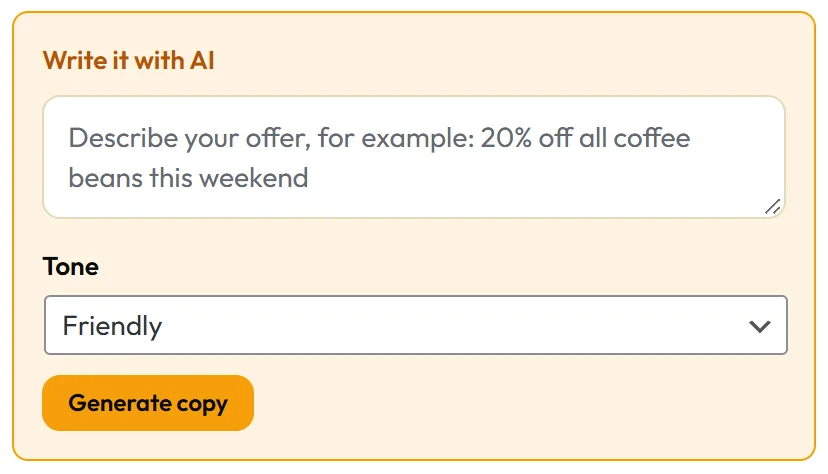
Open any campaign in the builder. At the top of the Content tab, inside the Message group, is the Write it with AI box.
- Describe your offer in a sentence, for example 15% off your first bag of fresh roasted coffee.
- Pick a Tone: Friendly, Urgent, Playful, Professional or Bold.
- Click Generate copy.
- The button shows Writing... and then fills Headline, Sub-line and Button text for you.
Engage asks for a headline of up to 8 words, a sub-line of up to 16 words and a button label of up to 4 words, written for the campaign type you are editing. Everything stays editable, and nothing is saved until you click Save Draft, Save & Publish or Update.
Write it with AI appears on every type with a Message group. The Split Bar, Announcement Ticker and Chat Bubble Callout use their own editors instead.
The AI Campaign Builder:

On the New Campaign screen, above the templates, is Build It With AI.
- Type your goal in plain words, for example Get more newsletter sign ups from people reading my brewing guides.
- Click Build my campaign.
- The AI picks the campaign type, the trigger and whether it should collect emails, and writes the name, headline, sub-line and button.
- Engage checks every choice against what really exists, saves the result as a draft, and opens it in the builder.
Nothing is published automatically. You review it, adjust the targeting and the Opt-in tab, and click Save & Publish when you are happy.
The builder chooses its trigger from Immediately, After a time delay, After scrolling down the page, On exit intent (desktop) and After a number of page views.
A real example:
Northside types Get more newsletter sign ups from people reading my brewing guides. The AI builds a draft with a sign up form and a scroll trigger. They pick their MailerLite list on the Opt-in tab, limit it to their guides on the Targeting tab, and publish.
Every AI job is listed under AI Usage on the PRO tab, with its model, an estimated cost and how long it took.
Writing a good brief:
- Weak: coffee sale.
- Strong: 15% off every bag of single origin coffee this weekend, for people who brew at home.
- Weak: newsletter.
- Strong: a free weekly email with roast notes and a brewing tip, for coffee lovers who want better cups at home.
Say what it is, who it is for and why now, and the copy follows.
Tips:
- Give the copywriter specifics: the offer, the audience and the reason to act now.
- Click Generate copy two or three times and keep the best line from each.
- Use a generated headline as version B in a split test. See PRO: Split Testing, Geo Targeting And Spin To Win.