ResultsAiX Engage turns the visitors you already have into subscribers and buyers. It builds sticky bars, popups, chat callouts and boxes inside your blog posts, decides exactly when each one appears and who sees it, then captures the opt-in and sends it where you want it.
Use it when you want more people on your list, more clicks on an offer, or a clear message in front of the right visitors at the right moment, without hiring a developer or adding five different plugins.
What you see when you open it:
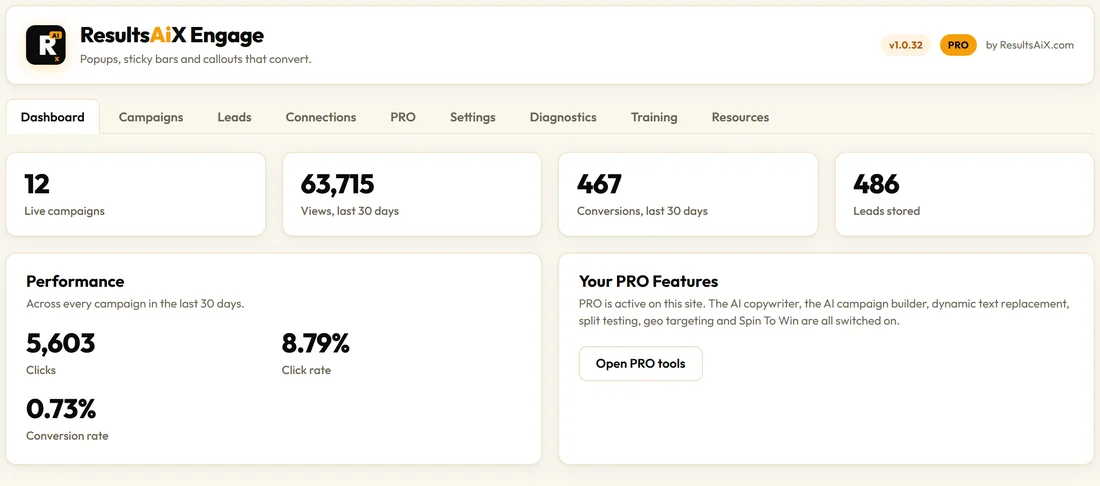
Open ResultsAiX Engage in the WordPress menu. The Dashboard shows your live campaigns, views and conversions for the last 30 days, and the leads stored on your site. The tabs across the top take you to every part of the plugin: Dashboard, Campaigns, Leads, Connections, PRO, Settings, Diagnostics, Training and Resources.
What is in the box:
- 21 campaign types in five families: bars, side tabs, popups, a chat callout and the In-Content Box
- 22 ready made templates, so you never start from a blank screen
- 9 triggers, from Immediately to exit intent, scroll depth and idle time
- Targeting by page, device, new or returning visitor, login state, WordPress role, ResultsAiX Membership level, referrer, URL parameter and dates
- An optional countdown timer on almost any campaign, plus a dedicated Countdown Bar
- Frequency rules, so a visitor is never shown the same campaign too often
- 39 autoresponder connections, plus a webhook and a raw form embed for anything else
- Every lead saved on your own site first, with CSV export
- Views, clicks and conversions for every campaign, per day
- An embed snippet that runs a campaign on any page, even outside WordPress
- The AI copywriter, the AI campaign builder, dynamic text, split testing, geo targeting and Spin To Win
A quick tour of the tabs:
- Dashboard: the last 30 days at a glance, and a shortcut to the PRO tools.
- Campaigns: every campaign with its numbers, the Live or Paused switch, + New Campaign and Import.
- Leads: every opt-in, newest first, with Export all as CSV.
- Connections: your autoresponders, connected once and used everywhere.
- PRO: your AI key, AI usage and the dynamic text switch.
- Settings: your licence, the admin colour scheme, behaviour switches and visitor consent.
- Diagnostics: health check, debug log and the support report.
- Training: short written guides inside WordPress.
- Resources: documentation, video training, your customer portal and more ResultsAiX tools.
Who it is for:
- Bloggers who want more subscribers from the readers they already have
- Shops that want to announce delivery offers, sales and coupons
- Coaches and course creators who want a lead magnet in front of the right reader
- Agencies that build the same campaigns on many client sites, using Export and Import
The one rule everything follows:
Every lead is written to your own WordPress database first, before Engage sends it anywhere. If your autoresponder is busy or a key needs updating, the subscriber is still yours on the Leads tab and in the CSV export.
What it looks like to a visitor:
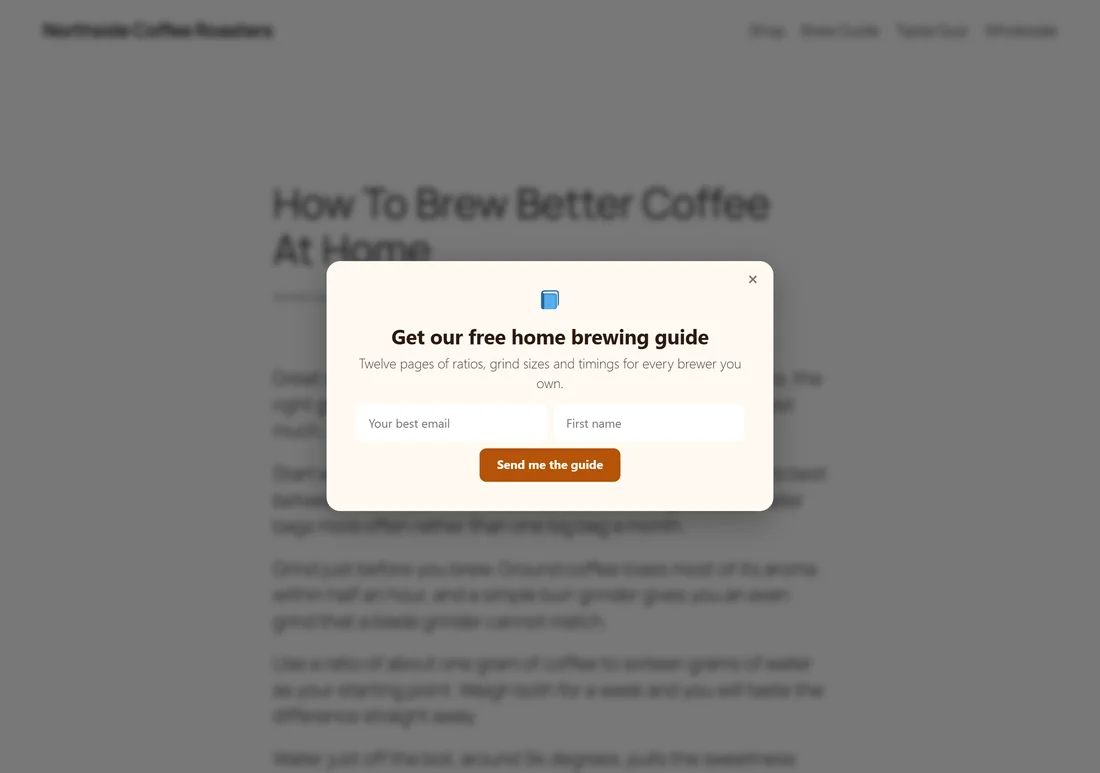
Here is a real example from a made-up coffee business at yoursite.com, Northside Coffee Roasters. A reader of their brewing guide moves the mouse towards the top of the window, and a free guide offer appears. One email field, one first name field, one clear button.
One plugin, every feature:
Every Engage licence includes everything, the AI features too. Your key goes in once, and the PRO tab becomes your AI control panel. There is nothing extra to download.
Light on your site:
If no campaign matches the page a visitor is on, Engage loads no stylesheet and no script at all. The front end is plain JavaScript with no jQuery, and nothing is added to the page until a campaign actually shows.
Where to go next:
Read Quick Start: Your First Campaign to build your first bar in a few minutes. Then see The Campaign Types to pick the right format for each job.