A ticket arrives and you want to know what this person has written to you before, including mail that never became a ticket, or the replies you sent from your mail app. With a mailbox connected, every ticket has an Email history card that searches that mailbox for the customer.
Where to find it:
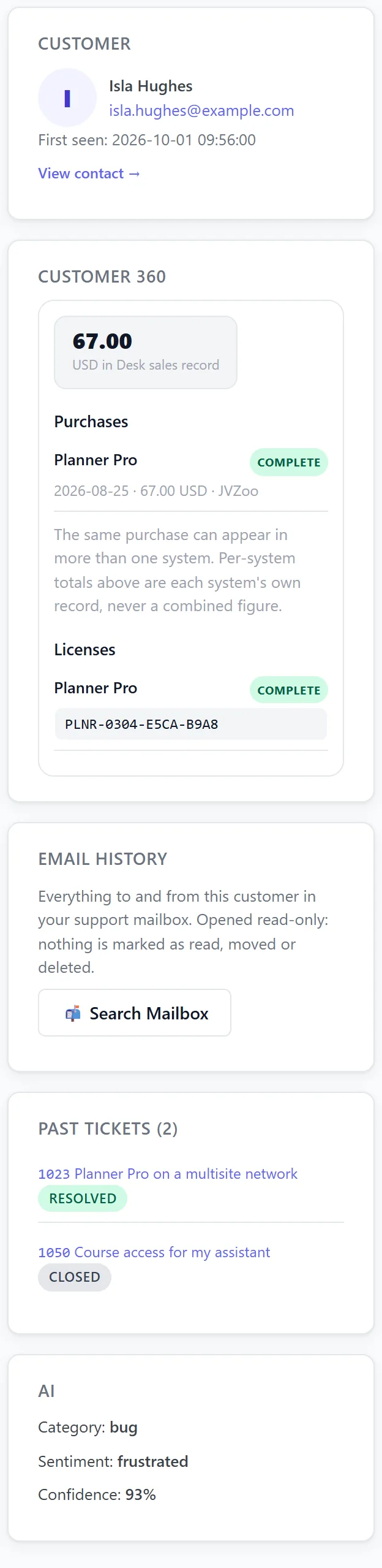
Open any ticket. Email history is a card in the right-hand sidebar, under Customer 360.
Using it:
- Press Search Mailbox on the Email history card.
- The desk lists the newest emails to and from the customer, up to 25, newest first, each marked From them or To them with its subject and date.
- Click an email to read it on the ticket. Click it again to fold it away.
Linked emails saved on the contact are searched too, so mail from the customer's other addresses is included. Results are kept for five minutes; press Search Again for a fresh look.
Connecting Gmail or Google Workspace:
- Personal Gmail has IMAP on already. On Google Workspace, your administrator has to allow IMAP for your account.
- Create an app password at myaccount.google.com/apppasswords. 2-Step Verification has to be on before Google offers that page.
- In Settings, Email, under Turn emails into tickets, press Gmail / Google Workspace, type your full address and the app password, and press Save Settings.
On Gmail the desk searches All Mail, which holds what they sent you and what you sent them together.
Other mail hosts:
Any IMAP mailbox works with the server, port and login your provider gives you. The desk searches the folder you chose plus your Sent folder.
It only ever reads:
The mailbox is opened read-only and every message is read without marking it as read. Searching history never marks anything read, never moves a message and never deletes one, so it cannot get in the way of new mail becoming tickets.
It works with email to ticket switched off:
Email history only needs the saved mailbox details. You can leave Read my support mailbox on No, not yet, take tickets through your form, and still read a customer's history from the ticket.
What you can open:
From a ticket, only emails to or from that customer's addresses can be opened. The desk checks this on the server each time, so the card can never be used to browse the rest of the mailbox.
Good to know:
- Very long emails are shortened on screen, with a note to open your mailbox for the rest.
- Attachments are not shown, only the readable text.
- HTML emails are shown as plain text.
- The PHP IMAP extension has to be on your server. If the card says it is missing, ask your host to enable php-imap.
What it searches:
- The customer's email address on the ticket.
- Every linked email on their contact page.
- On Gmail, All Mail; elsewhere, your chosen folder and your Sent folder.
The newest 25 emails are listed, newest first.
When to use it:
- A customer says "I already emailed you about this".
- You want to see what you promised them last time.
- A new ticket arrives from somebody who has written before, outside the desk.
A real example:
Isla Hughes writes in about wrong class times. Sam presses Search Mailbox on her ticket and sees she emailed twice last month from her studio address about the same booking form, which is linked on her contact page. Sam's reply mentions both and solves it in one go.
Every setting it uses:
Email history reads the Mail server, Port, Email address, Password or app password, Folder and secure connection saved under Settings, Email, Turn emails into tickets. Nothing else needs setting up, and nothing on that tab has to be switched on for it.
Tips:
- Add a customer's other addresses under Linked emails on their contact page and the search finds those too. See Contacts And Customer History.
- To turn email into tickets as well, see Connecting Your Support Email With IMAP.