ResultsAiX Membership turns a WordPress site into a membership site. You decide who can open which pages, posts, downloads and folders, you add or sell access, and your members get a login, a members home and a profile page of their own.
This page is the map. It lists what the plugin does, where each part lives, and which guide covers it in detail. If you are brand new, read the Quick Start next and you will have a working members area the same day.
Where to find it:
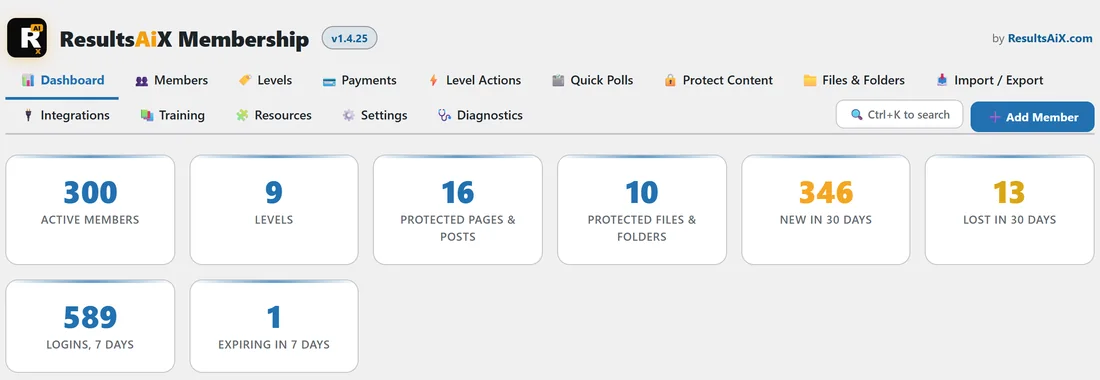
After you activate the plugin, a new menu item called AiX Membership appears in your WordPress admin. Everything lives on one screen with tabs along the top: Dashboard, Members, Levels, Payments (once Stripe is connected), Level Actions, Quick Polls, Protect Content, Files & Folders, Import / Export, Integrations, Training, Resources, Settings and Diagnostics. The Add Member button and the Ctrl+K search sit on the right of the tabs on every screen.
The building blocks:
Three ideas run through everything else, so it is worth having them clear before you start.
- A level is a named access group, such as Free Photo Club or Gold Membership. You can create as many as you like.
- Content is protected for one or more levels. A page, post, category, file or folder that is protected opens only for members who hold one of the levels you ticked.
- A member is an ordinary WordPress user who holds one or more levels. Each level they hold is a membership with its own status (active, cancelled, expired, pending or removed), a join date and an optional end date.
An access check passes when any one of a member's active levels matches. Somebody holding both Photo Basics Course and Gold Membership can open everything either level opens.
What the plugin does, end to end:
- Unlimited membership levels, each with an optional expiry, open or closed registration, and its own after login, after registration and after logout pages.
- Protection for pages, posts, custom post types, categories, tags and topics, one at a time in the editor or in bulk.
- A sealed file library for members-only downloads, and protection for whole folders under your site.
- Drip content that opens a set number of days after each member joined.
- Login, registration, account and profile pages from simple shortcodes, plus menus that show or hide each item by who is looking.
- Members management: add, search, cancel, put back, remove, set expiry dates, set or reset passwords, export and import by CSV.
- A View as button that shows you the site exactly as one member sees it, and a side panel with each member's whole story.
- Paid levels through your own Stripe account, one off or monthly or yearly, with free trials, plus an Orders list and a daily check that keeps Stripe and access in step.
- Buy links: a link or button for any level that you can put on any page, any other website or any email.
- Selling through JVZoo, Warrior Plus, ClickBank, PayPal, Ko-fi, ThriveCart, Lemon Squeezy and Gumroad, with sales, rebills, refunds and cancellations handled for you.
- Level actions, which hand out or take away other levels when somebody joins or loses one, and bundles, where one level opens everything the others open.
- Quick Polls: one-click questions on your members home page that can tag each answer in ResultsAiX Mailer.
- AI Mailer and WP Sync connections, so every new member lands on a list with the right tags or is sent to another tool.
- Email sending through a proper sending service, so password resets and welcome emails reach the inbox.
- A REST API, WordPress abilities for AI agents, outgoing webhooks and WP-CLI commands, for apps and automations.
- A guided migration from WishList Member or Paid Memberships Pro, and a compatibility mode that keeps your old shortcodes and integrations working.
- A setup wizard, a dashboard built from your real membership records, an AI Helper that answers with your own numbers, Ctrl+K search, and a Diagnostics tab.
The Dashboard tab gives you the whole picture at a glance as soon as you have members.
How the guides are arranged:
The guides follow the order most people need them.
- Getting started: Quick Start, The Setup Wizard, Levels, and Protecting Pages, Posts And Categories.
- Content: Protected Files And Whole Folders, Drip Content, Menus That Change With Who Is Looking, and Login, Registration And Account Pages.
- Members: Managing Members, Look At The Site As One Of Your Members, and The Member Profile Page And The Side Panel.
- Selling: Charging For Membership, Paid Levels, Buy Links, Renewals, Failed Cards, Refunds And Cancelling, Orders And The Daily Check, and the marketplace guides.
- Growing: Level Actions And Bundles, Bundles, Quick Polls, AI Mailer And WP Sync.
- Moving in: Migrating From WishList Member, Migrating From Paid Memberships Pro, and Compatibility Mode, API Keys And Retiring The Old Tables.
- Running the site: The Dashboard, Find Anything With Ctrl+K, Settings, Appearance And Diagnostics, Email Sending, the AI Helper, the Shortcode Reference, developer guides, and Licence, Updates And Troubleshooting.
A real example:
Every guide uses the same made-up business so the screenshots line up: Yoursite Academy, an online photography school at yoursite.com. It has a Free Photo Club that anyone can join, two paid courses (Photo Basics Course and Editing Masterclass), a monthly Gold Membership with a seven day trial, a yearly Pro Coaching level, an All Access Bundle that opens both courses, a Bonus Preset Pack handed out by level actions, a two week Gold Trial, and a hidden Past Members level used for win-back emails. About three hundred members at example.com joined over the last three months, and the guides follow one of them, Ella Nash, through the screens.
Two promises worth knowing up front:
- A level with no price is free and behaves exactly as a free level always has. The Payments tab and the price fields on each level appear only once you connect Stripe.
- Members are ordinary WordPress users. Deactivating the plugin leaves every account in place, and deleting it keeps your levels, members and protection unless you tick the box on the Settings tab that says otherwise.
The Training tab:
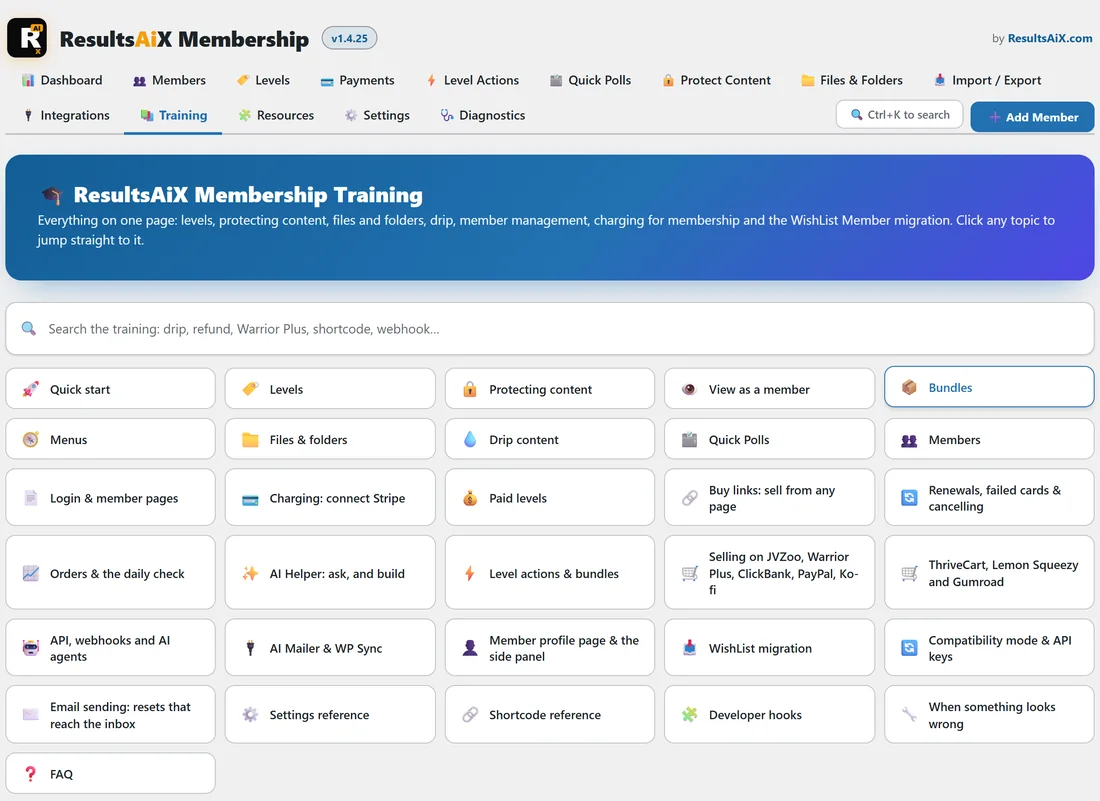
Inside the plugin, the Training tab holds a short guide to every topic with a search box across all of them. Type a word such as drip, refund or shortcode and the matching topics open. These online guides cover the same ground in more depth, with screenshots.
What to do next:
Read Quick Start: A Working Membership Site In 10 Minutes, or open the Settings tab and click Open the setup wizard to have the plugin build your first level and the four pages a members area needs.