Nothing on this page is required. ResultsAiX Surveys is complete on its own: answers are stored on your site, charted, exported and emailed to you whether or not you own anything else. Every connection below is found automatically when that plugin is on the same site, with nothing to paste.
Where to find it:
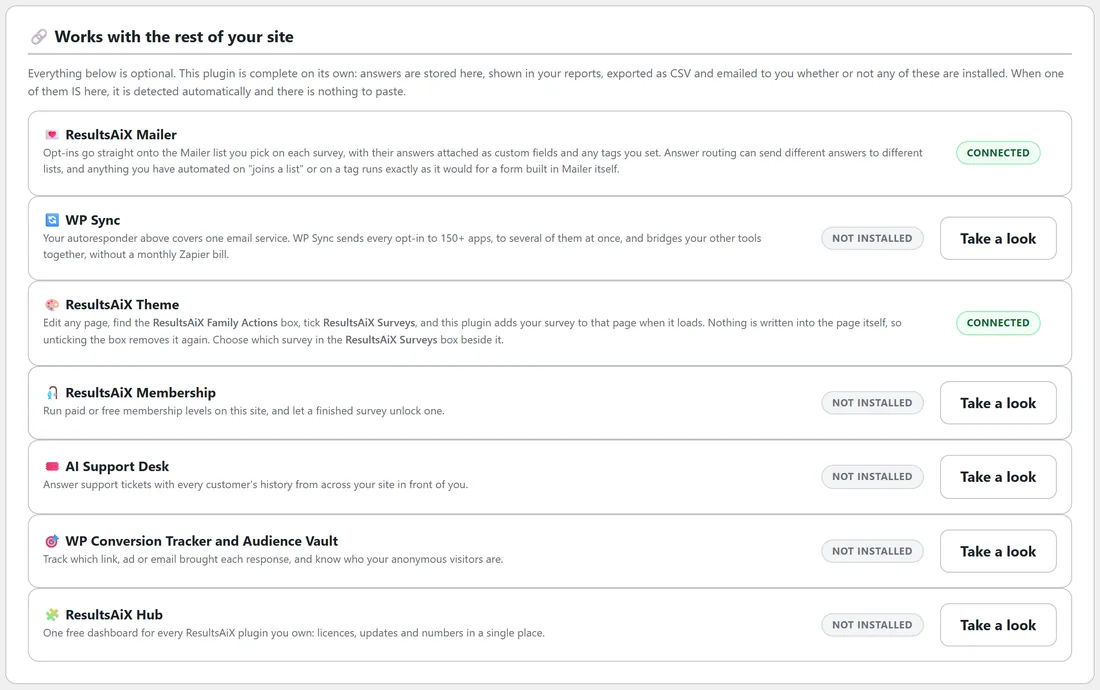
Open Integrations & AI and scroll to Works with the rest of your site. Each plugin has a row with what the connection does and a Connected or Not installed badge.
ResultsAiX Mailer:
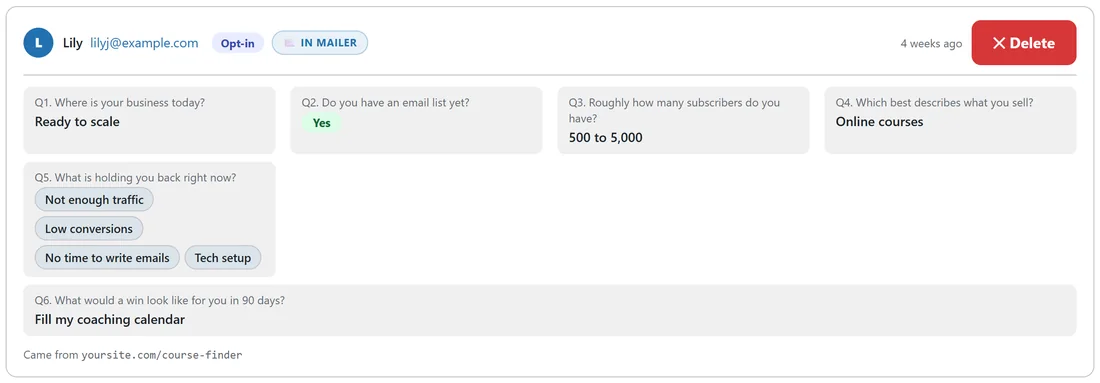
Opt-ins join the Mailer list you pick on each survey, with any tags you set. Their answers travel along as custom fields, so you can merge an answer into an email or build a segment on it. Tags and custom fields are added to what the subscriber already has, never swapped. Routing rules send different answers to different lists, and any automation that starts on a list join or a tag runs exactly as for a form built in Mailer. The Responses tab gets an In Mailer badge for each subscriber. See Sending Survey Opt-Ins To ResultsAiX Mailer.
WP Sync:
Survey opt-ins become a source in WP Sync, so they flow to any app you connect there, with every answer as a custom field. See Sending Survey Opt-Ins To Your Autoresponder With WP Sync.
ResultsAiX Theme, a survey on any page with a tick box:
- Edit any page or post.
- In the ResultsAiX Family Actions box, tick ResultsAiX Surveys.
- In the ResultsAiX Surveys box beside it, choose which survey, or leave Use the site default.
- Update the page.
The survey is added under the page content when the page loads. Nothing is written into the page itself, so unticking the box removes the survey and leaves the page as it was. A page that already holds that survey's shortcode never shows it twice, and a survey's own page never gets a second survey.
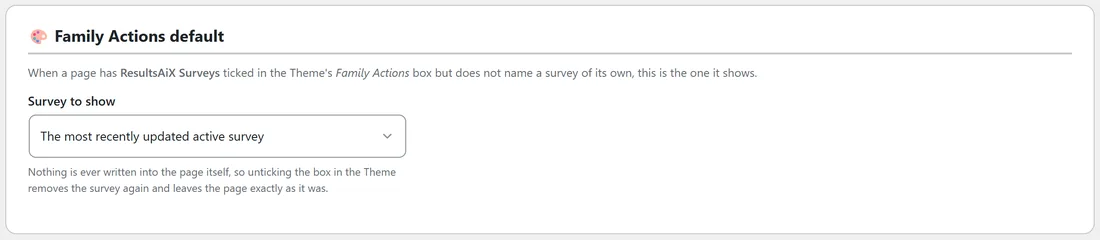
The site default is set on Settings under Family Actions default, in Survey to show: a named survey, or the first option, The most recently updated active survey, which shows your newest active survey. Only Active surveys with questions are ever shown. If the chosen survey is closed or deleted, the page shows nothing rather than a surprise survey.
The Theme also prints its tracking codes and cookie notice on each survey's own page, so your ad tags and consent settings cover those pages too.
ResultsAiX Membership:
A survey can give somebody a membership level the moment they finish it. Set it on the survey's Opt-ins & Routing step under Unlock a membership level, and the completion is written to that member's timeline as "Completed the survey" with the survey title. Only people who already have an account on your site can be given a level: they are logged in, or their email matches an existing account. A survey never creates a login for a stranger, because answering a form is not proof of identity. The picker only appears when Membership is installed.
AI Support Desk:
A person's survey history becomes part of the customer picture the Desk builds: how many surveys they answered, when, and which ones. Whoever answers their ticket already knows what that person told you. A new response refreshes that picture straight away.
WP Conversion Tracker and Audience Vault:
- A tracked link fills in the name and email on the last step, so the visitor just confirms.
- The click that brought them is saved with their response and shown as a click number on the Responses tab, and it travels to WP Sync.
- An opt-in names that visitor in Audience Vault, even on a survey's own page or an embed on another site, where the Vault's own script never runs.
ResultsAiX Hub:
The plugin registers itself with the Hub, so its licence, its updates and this week's responses and opt-ins appear on one dashboard alongside everything else you own. A Hub tab appears in the plugin's tab row, and the admin color scheme can follow the Hub.
A real example:
Yoursite Academy runs Surveys with ResultsAiX Mailer and the ResultsAiX Theme. On Integrations & AI, both rows say Connected. Its members area page has the ResultsAiX Surveys family action ticked with the feedback survey chosen, so students see the survey under the page content without the owner editing the page.
What appears where:
- With Mailer: the Mailer list and tags fields, the Mailer list picker in each routing rule, Tags for anyone who starts, In Mailer badges on the Responses tab and an Open In Mailer button in notification emails.
- With WP Sync: ResultsAiX Surveys as a source in the WP Sync bridge builder.
- With the Theme: the ResultsAiX Surveys box on pages and posts, the Family Actions default card on Settings, and your Theme tracking codes on survey pages.
- With Membership: Unlock a membership level on each survey's Opt-ins & Routing step.
- With AI Support Desk: survey history in the Desk's customer profile.
- With WP Conversion Tracker: click numbers on responses and filled in email steps from tracked links.
- With the Hub: a Hub tab in the tab row and the Follow the ResultsAiX Hub color scheme.
Tips:
- Not installed is just a fact, not a missing feature. Every part of this plugin works without the others.
- Each row's Take a look button opens that product's page if you want to know more.