ResultsAiX Search & Member Activity is a single plugin. Core and PRO are not separate downloads: every feature is already inside the plugin you installed, and your licence key decides which ones are switched on.
That means you never install an add-on, never juggle two plugins, and moving up to PRO is a matter of entering a key.
How it works:
Your key carries your plan. A Core key switches on the search features. A PRO key switches on those plus every PRO feature. The plugin checks the plan when you activate and again once a day, so a key that is upgraded later unlocks PRO by itself within a day.
What Core includes:
- The instant dropdown search bar, as a shortcode, a block and a widget
- Spotlight Search, opened with Ctrl+K or Cmd+K on any page
- The full search results page
- Content Sources, category filters, priorities and group labels
- Excluding single pages from search
- Search Listings: a picture and a description for every item
- Synonyms and Promoted Results
- Search Insights, including the searches that found nothing
- Front end styling, custom CSS and ten admin colour schemes
- Diagnostics you can copy into a support ticket
What PRO adds:
- Member Activity: which pages each signed in member reads, and pick up where you left off lists for your members
- Insights PRO AI: click rates, trends, CSV export, the AI Analyst Report, Ask AI Anything and Member Reports
- AI Tools: the AI Listings Writer and AI Synonym Suggestions
- The AI Answer Box on the results page
- The Shortcode Builder
- Search-triggered offers with date windows and split testing
- Zero-result lead capture and the Leads screen
- The weekly email digest
- Typo tolerance, results page filters and member-aware results
- WooCommerce mode, plus PDF and custom field indexing
What a Core key shows:
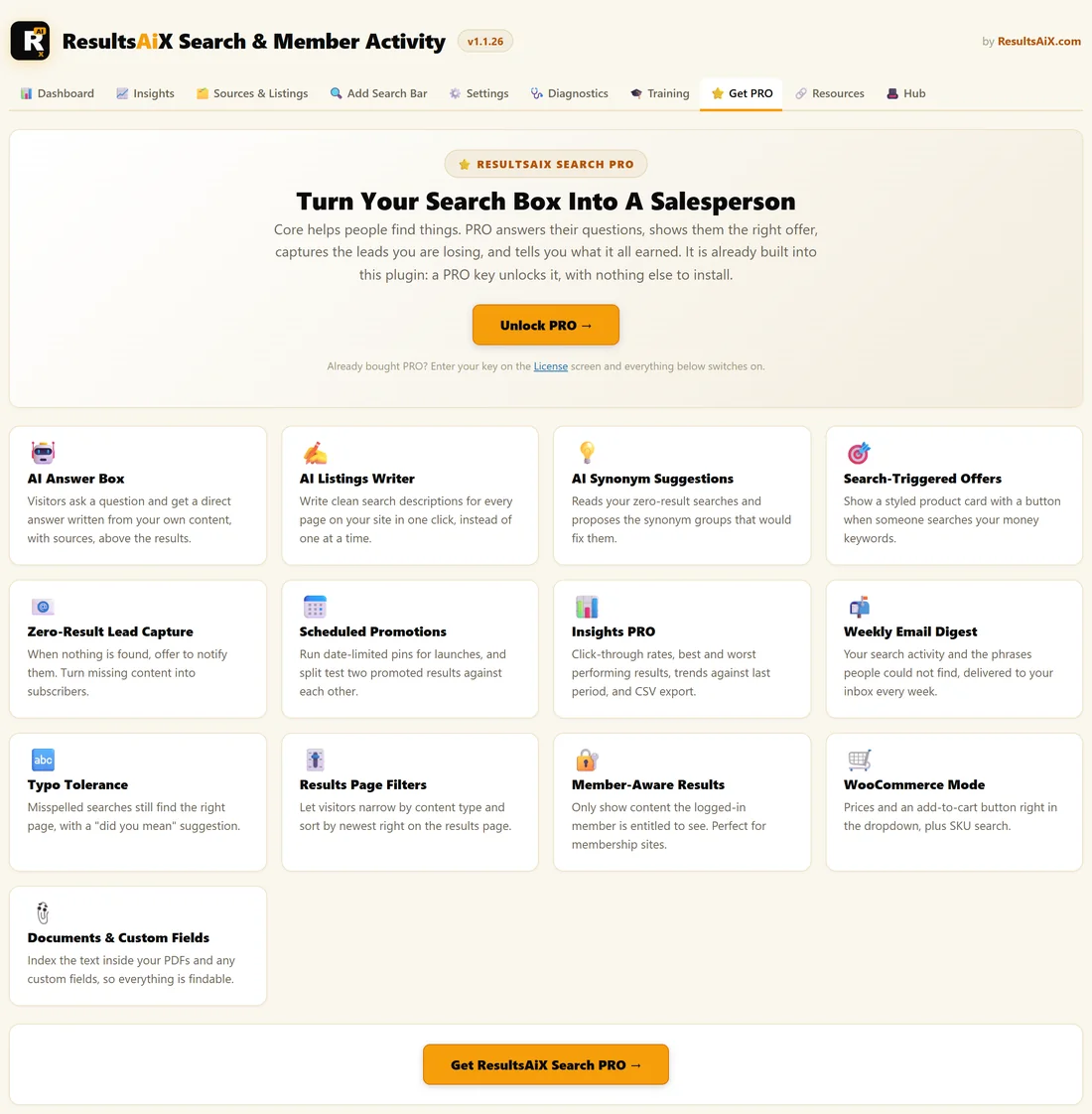
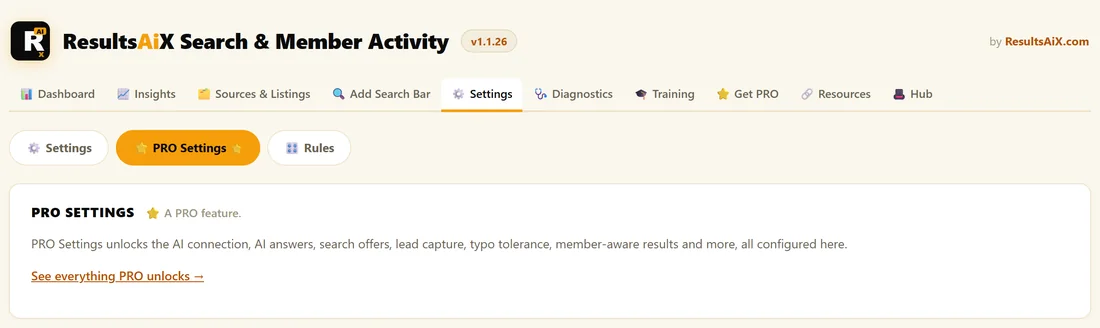
The PRO tabs stay out of the menu, and a Get PRO tab appears instead. It lists every PRO feature as a card, so you can see exactly what PRO adds. Inside Settings, the PRO Settings section is still there, marked with a star, with a short note about what it holds.
Checking which plan you are on:
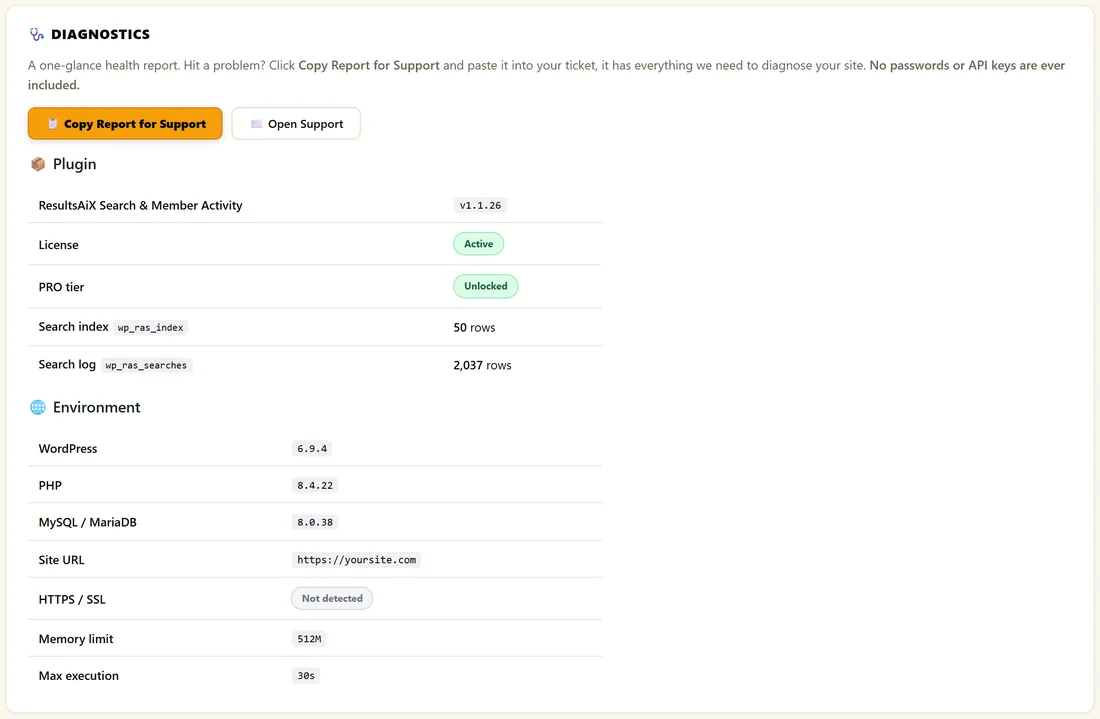
- Open AiX Search, then Diagnostics.
- Look at the PRO tier row. It says Unlocked on a PRO key and Core licence on a Core key.
You can also tell at a glance: on a PRO key you see Member Activity, Insights PRO AI and AI Tools in the tab row, and no Get PRO tab.
Moving from Core to PRO:
Open AiX Search, then Settings, type your PRO key into the Change license key box in the licence panel and click Replace key. The PRO tabs appear straight away. Everything you already set up, from sources to synonyms, keeps working exactly as before.
A real example:
The Home Bakery Club started on a Core key with a search bar on its Find A Recipe page. When the owner wanted to see which members were working through the Sourdough Masterclass, they entered a PRO key. Member Activity started recording that same day, and the search bar and rules carried on untouched.
Tips:
- Read Unlocking PRO And What It Adds for the first things to do once PRO is on.
- Connect an AI key early. See Connecting Your AI Key.