When someone asks your site a question, the Answer Box writes a short answer from your own content and shows it above the results, with links to the pages it used. Visitors get their answer in seconds, and the links lead them into your content.
Where to find it:
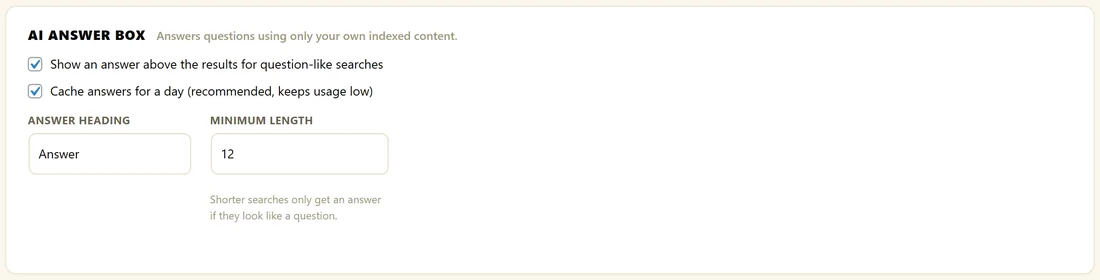
Open AiX Search, then Settings, click PRO Settings, and scroll to AI Answer Box.
Turn it on:
- Make sure an AI key is connected. See Connecting Your AI Key.
- Tick Show an answer above the results for question-like searches.
- Leave Cache answers for a day (recommended, keeps usage low) ticked.
- Click Save PRO Settings.
The settings:
- Show an answer above the results for question-like searches: switches the Answer Box on
- Cache answers for a day: remembers each answer for 24 hours, so a popular question costs one AI call instead of hundreds
- Answer Heading: the small label above the answer. Default: Answer
- Minimum Length: how long a search must be, in characters, to get an answer when it does not look like a question. Default: 12
Where it appears:
On the full results page only. The dropdown runs as the visitor types, and an AI call on every pause would be slow for them and wasteful for you. Pressing Enter or clicking See all results opens the results page, where the answer appears.
Which searches get an answer:
A search that ends with a question mark, or starts with what, how, where, when, why, who, can, does, do, is, are or should. Any other search gets an answer once it is at least as long as Minimum Length. The search must also find at least one result.
What visitors see:
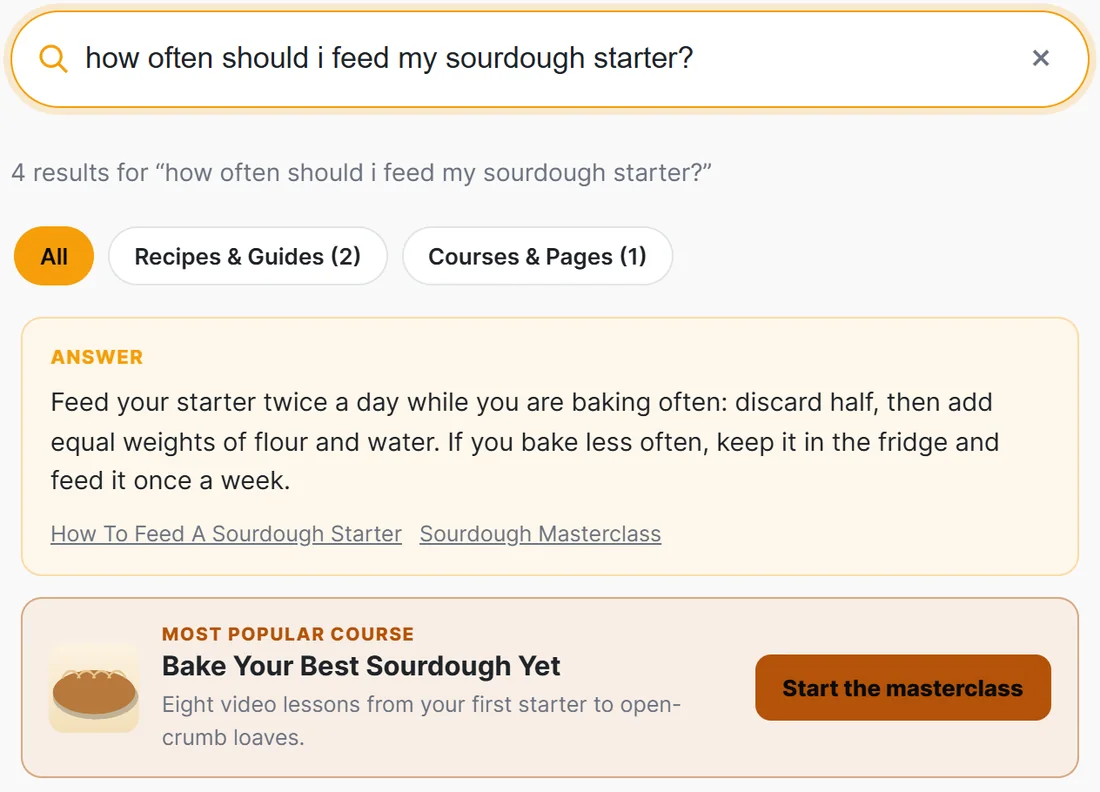
A box above the results with your Answer Heading, a short answer of two or three sentences, and up to three links to the pages it came from. Below it come the usual results, so the visitor can read the answer and still browse. If an offer matches the same search, the offer card sits under the answer.
It only uses your content:
The model is given the top five results, their titles and descriptions, and told to answer in two or three sentences using only that content. If your pages do not answer the question, no box is shown at all, and that is remembered for a day too. Up to three source links appear under the answer. To keep the page quick, the plugin waits about 12 seconds at most for an answer.
A real example:
A member of The Home Bakery Club searches how often should i feed my sourdough starter? The results page opens with an Answer box: feed your starter twice a day while you are baking often, or keep it in the fridge and feed it once a week. Under it are links to How To Feed A Sourdough Starter and the Sourdough Masterclass.
Tips:
- Clear, accurate search descriptions give better answers, because the model reads them. See Search Listings: Images And Descriptions.
- Every answer is listed as answer_box in AI Usage.