Insights and Member Activity are built to be useful to you and respectful to your visitors. This page sets out exactly what is stored, so you can describe it in your privacy policy.
What is recorded for every search:
- The words that were typed
- How many results came back
- Whether it was a search or a click on a result
- The date and time
- For a signed in member, their WordPress user account. For a visitor who is not signed in, nothing that identifies them
The account link is what lets a PRO Member Report show what a member searched for.
What the search log never holds:
- IP addresses
- Names, emails or contact details
- Cookies that follow people around
Member Activity (PRO):
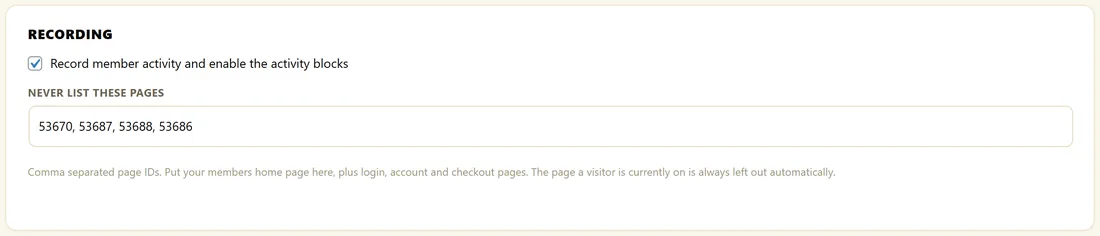
- It records which pages each signed in member opens: one row per member per page, with a view count and the last time they read it, plus a daily total per page
- Nothing at all is recorded for visitors who are not signed in, and no cookies or anonymous sessions are used
- It only tracks content you made searchable, and never items you excluded
- Pages the browser loads in advance, before anyone clicks, are not counted
- Administrators keep their own reading history for their own lists, but are left out of every member number and daily total
- Switch it off with Record member activity and enable the activity blocks, under Recording on the Member Activity tab
Other PRO features:
- Zero-Result Lead Capture stores the email a visitor typed into the form, the search they made and the time
- Search-triggered offers count how often each offer is shown and clicked. To count an offer view once per visitor, and to slow down repeated lead form posts, the plugin keeps a one-way code made from the visitor's IP address for a few minutes. It is never written to the search log and clears itself
- The AI features send only what each feature needs to the AI provider you chose. The AI Usage panel stores the type, model, cost estimate and speed of each job, never the prompts or answers
Your controls:

- Untick Record searches for the Insights tab in Settings to stop recording searches
- Click Clear Search Log at the bottom of the Insights tab to delete every recorded search. It asks you to confirm first
- Untick Record member activity on the Member Activity tab to stop recording reading history
- Your search history is kept until you clear it, so trends improve over time
A sample line for your privacy policy:
This site records the words visitors type into its search box, to improve its content. Searches by signed in members, and the pages members read, are linked to their account so we can show them their reading history. The search tool does not store IP addresses.
A real example:
The Home Bakery Club added the sample line to its privacy page and a short note to its member welcome email: your pick up where you left off list is built from the pages you read while signed in.
Tips:
- When you write your policy, include the line about signed in members, since their searches are linked to their account.
- See Member Activity: What Your Members Read for the reports built from this data.