The Insights tab shows, in your visitors' own words, what they are looking for on your site. It is the cheapest audience research you will ever do, because it comes from people who were already on your site.
Where to find it:
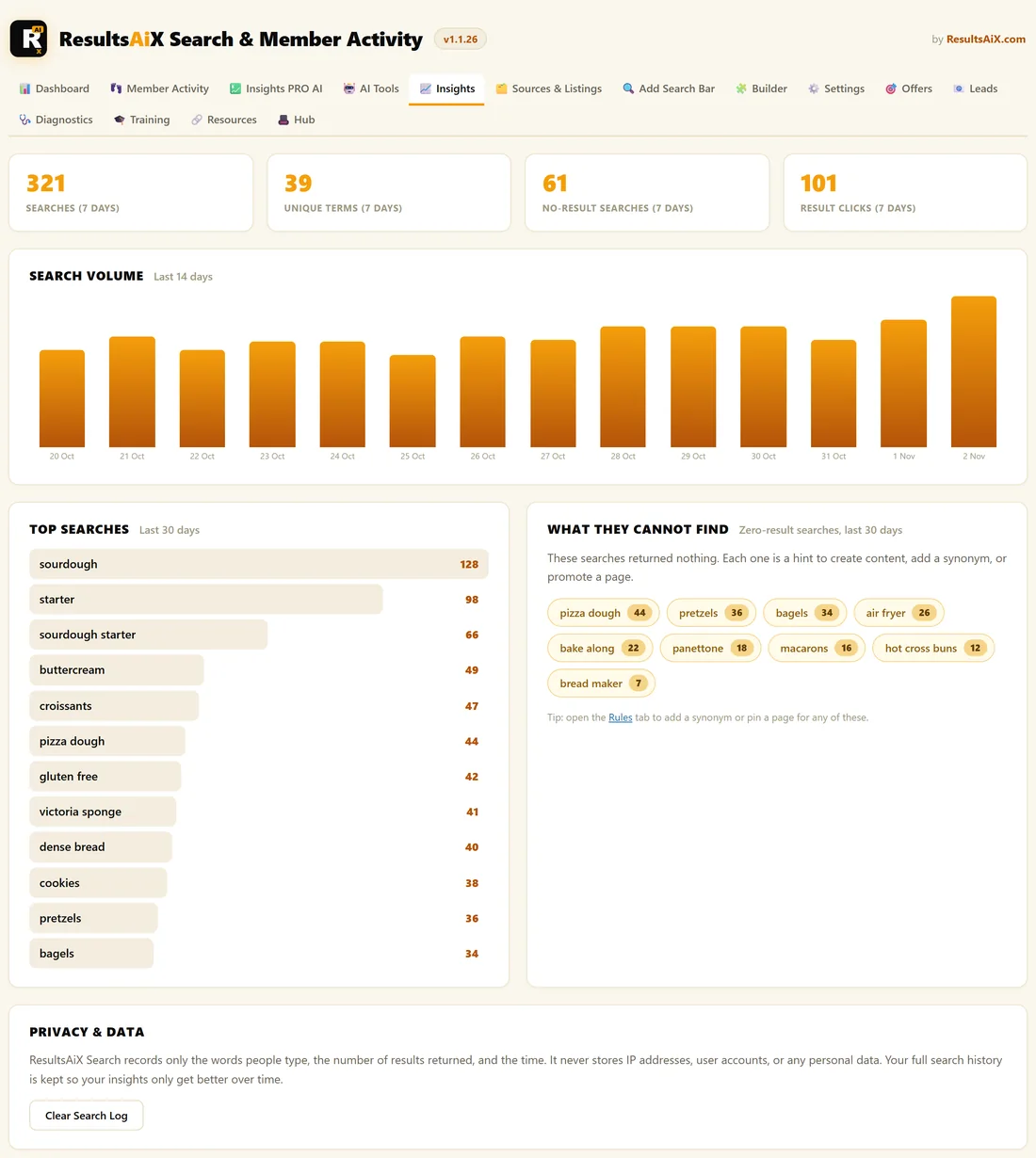
Open AiX Search, then Insights.
The four numbers at the top:
All four cover the last 7 days.
- Searches: how many searches were made
- Unique Terms: how many different phrases were used
- No-Result Searches: how many searches found nothing
- Result Clicks: how many times someone clicked a result
Search Volume:
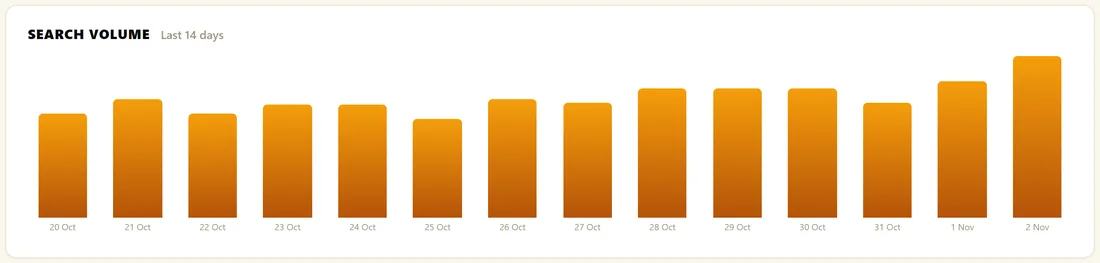
A bar chart with one bar per day for the last 14 days. Hover a bar to see the date and the exact count. Use it to see the effect of an email, a launch or a new piece of content.
Top Searches:
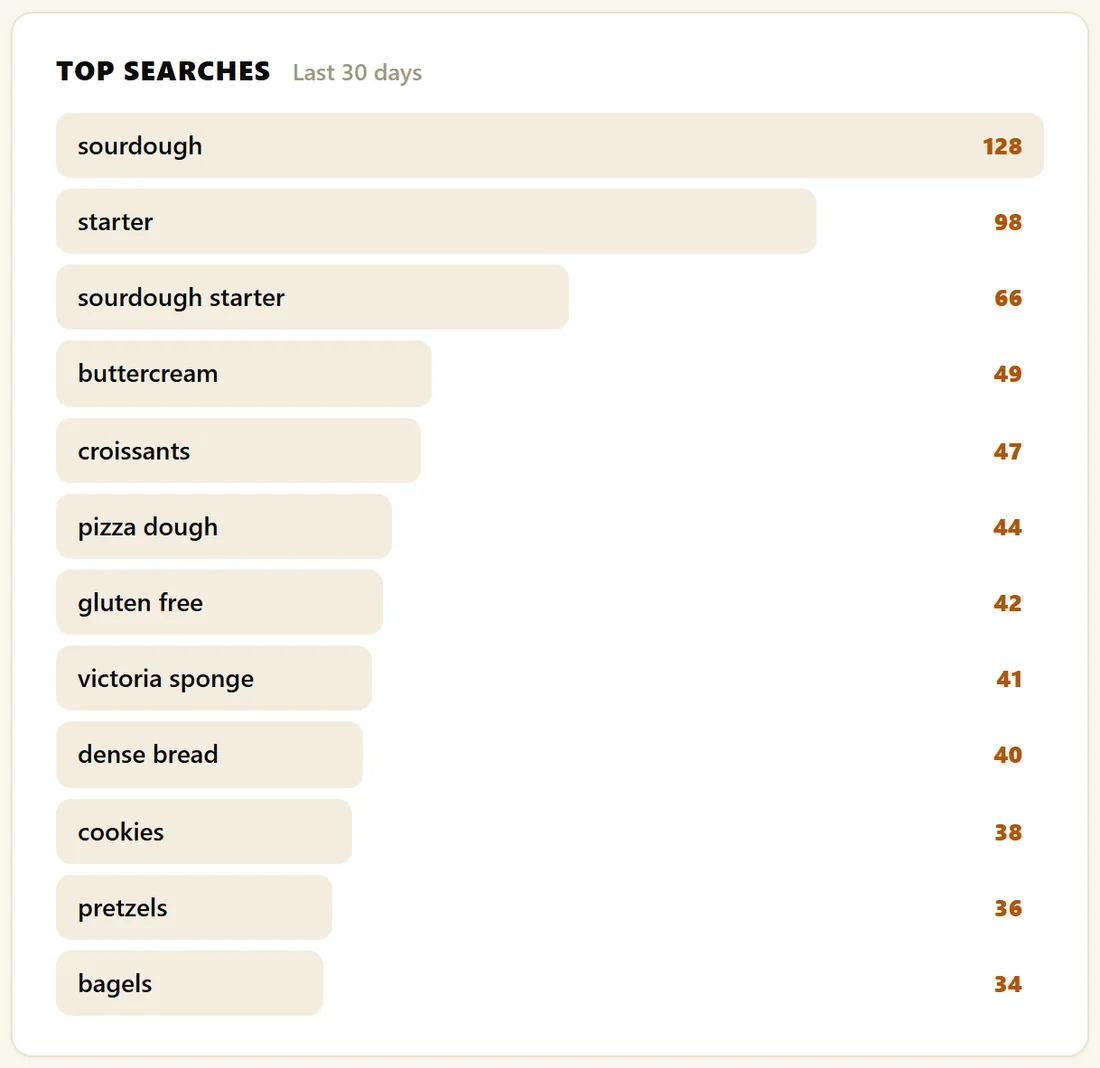
Your most frequent searches over the last 30 days, up to 12, ranked, with a bar showing how popular each one is next to the top search. This is what your audience cares about most. Use it to plan content, menus and offers.
What They Cannot Find:
The searches that found nothing in the last 30 days, with a count for each. It is the most useful box on the screen. See Zero-Result Searches: Your Content Roadmap.
How searches are counted:
A search is recorded once the visitor stops typing for a moment, so a half typed word is not counted. The same phrase is counted once per page view. A click is recorded when the visitor opens a result.
Turning recording on or off:
Recording is on by default. To switch it off, untick Record searches for the Insights tab in the Search Behavior box in Settings and click Save Settings. With it off, nothing new is stored and the Insights tab shows a note saying recording is off.
Privacy & Data:
The box at the bottom explains what is stored and holds the Clear Search Log button. Clicking it asks you to confirm, then deletes every recorded search for good. See Privacy And What Gets Recorded.
Questions Insights answers:
- What should my next piece of content be? Look at Top Searches and What They Cannot Find
- Did my email or launch bring people in? Look at Search Volume on the day it went out
- Are people finding what they look for? Compare Searches with Result Clicks
- Which words do my visitors use? Read Top Searches in their own spelling
A real example:
In a week, The Home Bakery Club saw 321 searches using 39 different terms. sourdough leads the Top Searches list, followed by starter and sourdough starter. That told the owner to pin the Sourdough Masterclass for sourdough searches and to promote the feeding guide on the home page.
Tips:
- Look at Insights once a week. Trends get more useful the longer you run the plugin, because your full history is kept.
- With PRO, Insights PRO adds click rates per term, week on week trends and CSV export. See Insights PRO.