The search bar is built to sit naturally on any theme. It uses your theme's font out of the box, so it usually looks right straight away. When you want it to match your brand more closely, you can change the colour for every bar, or the shape, colour and font of one bar.
Where to find it:
Open AiX Search, then Settings, and scroll to Appearance On The Front End.
Change the accent colour for the whole site:
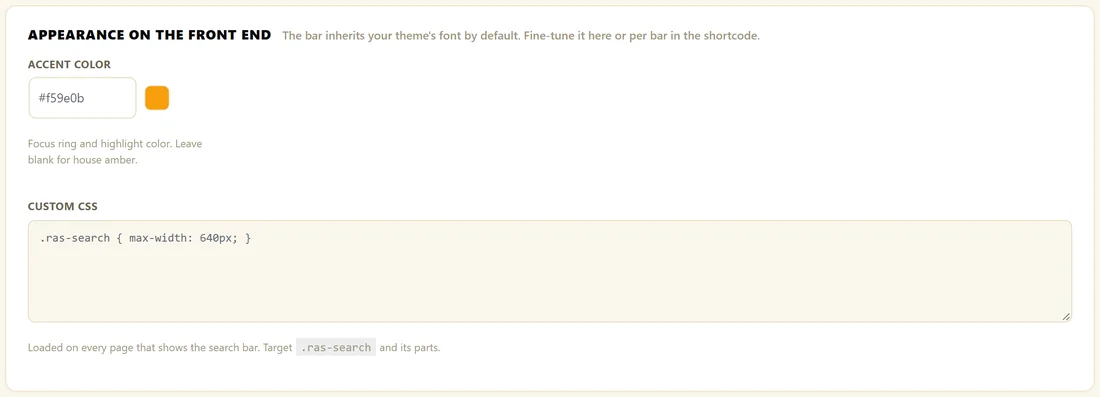
- Type a hex colour into Accent Color, for example #0d6efd. The dot beside the box shows the colour.
- Click Save Settings.
The accent colour is used for the focus ring around the bar, the search icon and the highlighted words in results. Leave the box empty to use the house amber, #f59e0b.
Change one bar only:
Add the accent option to that bar's shortcode:
- [results_ai_search accent="#0d6efd"]
Change the font:
The bar uses your theme's font by default. To set a font for one bar:
- [results_ai_search font="Georgia, serif"]
Pick a shape:
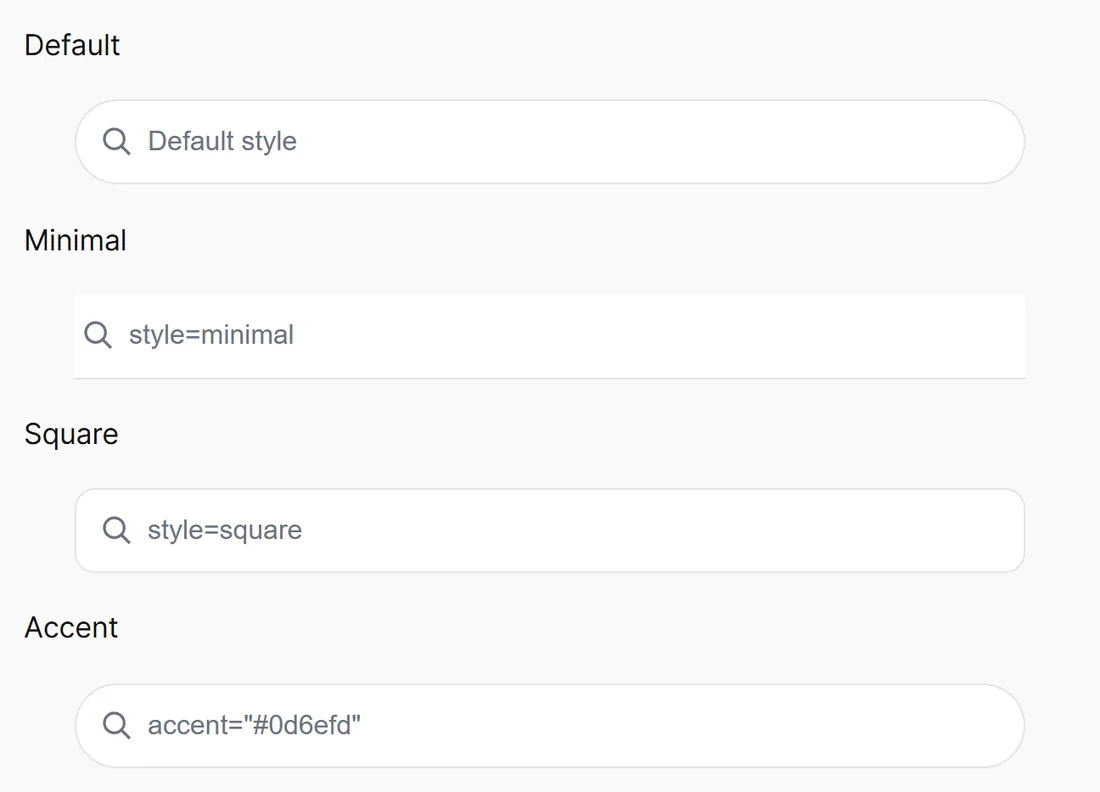
- style="minimal" removes the box and leaves a clean underline
- style="square" uses soft rounded corners instead of the full pill
- Leave style out for the default pill shape
Write your own CSS:
The Custom CSS box loads on every page that shows a search bar. Target the wrapper class .ras-search and its parts:
- .ras-box: the bar itself
- .ras-input: the text box inside the bar
- .ras-panel: the dropdown
- .ras-results: the list on the full results page
For example, to widen every bar:
- .ras-search { max-width: 640px; }
To style one bar only, give it a class and target that:
- [results_ai_search class="hero-search"]
- .hero-search .ras-box { height: 60px; }
A real example:
The Home Bakery Club keeps the house amber on its main bar, because it matches the warm colours of its photos. Its Cake Decorating Course page uses a pink bar to match the course colours:
- [results_ai_search accent="#db2777" style="square" placeholder="Search cake lessons..."]
Tips:
- The Admin Color Scheme setting changes the plugin's own admin screens, not your website. See Admin Colour Schemes.
- Clear your caching plugin after changing styles, so visitors get the new look.