The dropdown shows the best handful of matches. When a visitor wants to see everything, the See all results link at the bottom of the dropdown, or the Enter key, takes them to the full results page.
Out of the box that link uses your theme's own search page, which is often plain. ResultsAiX Search can give you a much better one in one click.
Where to find it:
Open AiX Search, then Settings, and scroll to the See All Results Page box.
Create your results page in one click:
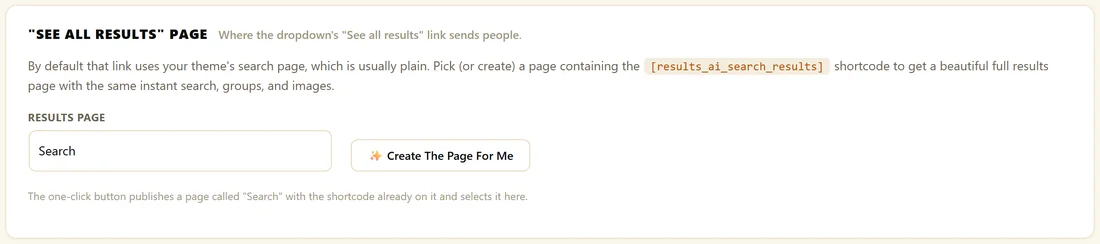
- Click Create The Page For Me.
- The plugin publishes a page called Search with the results shortcode on it, at the address /search-results/, and selects it in the Results Page drop-down.
- A notice confirms the page has been created and selected.
From then on, See all results and the Enter key send visitors there.
Or build it yourself:
Create a page, add this shortcode and publish it:
- [results_ai_search_results]
Then, in Settings, choose that page in the Results Page drop-down under See All Results Page and click Save Settings.
Choose Theme search page (default) in the drop-down to go back to your theme's page.
What the results page does:
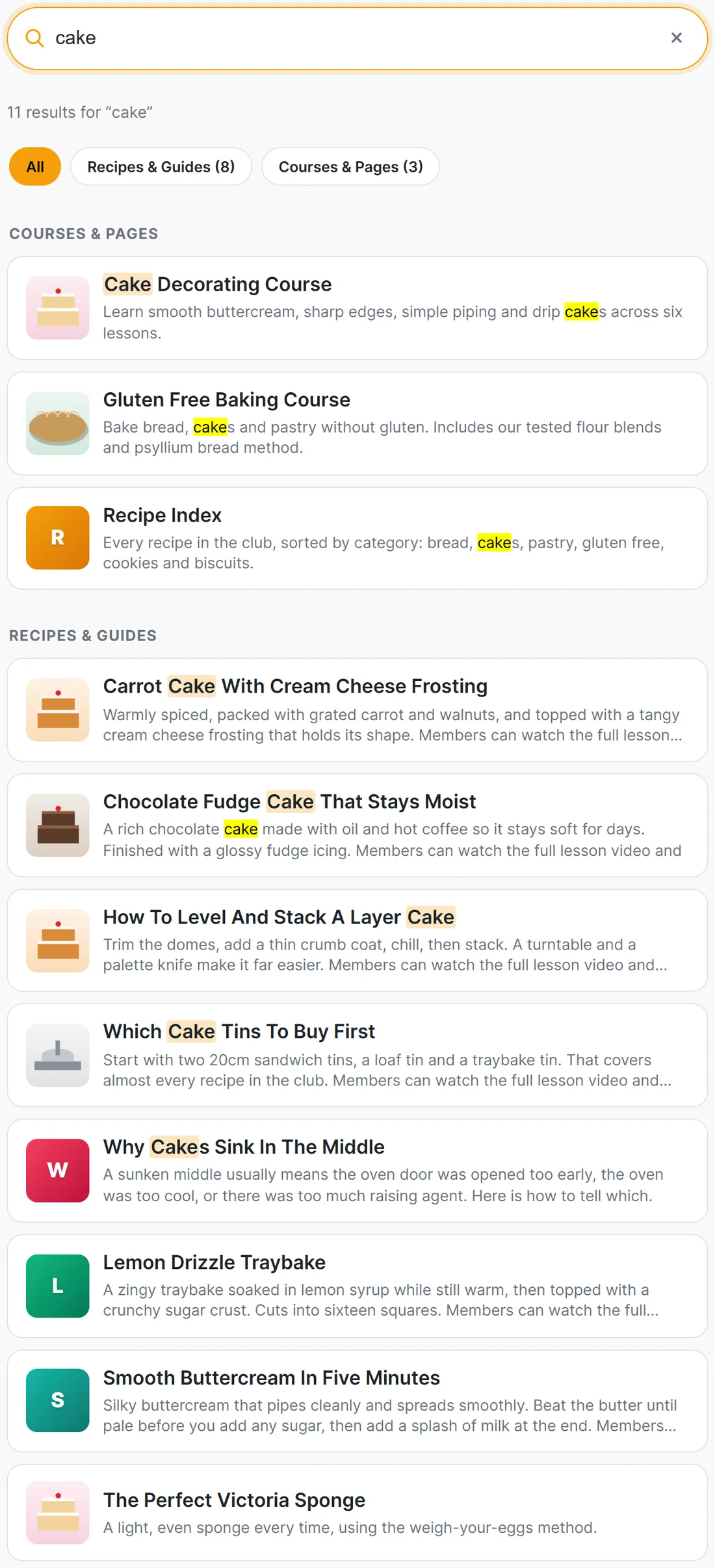
- Shows a large search bar with the visitor's search already filled in and the cursor in it
- Shows a line such as 11 results for cake
- Lists every match as a card with its picture, title and description, with the searched words highlighted
- Groups results under the same headings as the dropdown
- Updates live as the visitor changes the search, with no page reload
- Keeps the web address in step with the search, so a results page can be shared or bookmarked
With PRO you can also show filter chips above the results, an AI answer for question-like searches, offer cards and a lead form when nothing is found. See Results Page Filters, The AI Answer Box, Search-Triggered Offers and Zero-Result Lead Capture.
Link straight to a search:
The results page reads the search from its web address, so you can link to a ready made search in an email, a button or a menu. Add ?ras_q= and the search words to the page address, for example:
- https://yoursite.com/search-results/?ras_q=sourdough
The page opens with sourdough already in the bar and the results showing.
Make it full width:
The results page uses a 720px reading column by default. For the full width of your theme, use:
- [results_ai_search_results width="100%"]
Any CSS width works, for example width="900px".
A real example:
The Home Bakery Club clicked Create The Page For Me, then excluded the new Search page from search results. A visitor who types cake and presses Enter sees 11 results: three courses and pages, then eight recipes, each with its picture.
Tips:
- Exclude the results page from search, since it only holds a search box. See Excluding Pages From Search.
- The page counts as a search bar, so a Member Activity list attached to every search bar shows here too.