The digest is the easiest habit in the plugin, because it comes to you. Once a week it emails a short summary of your search activity, with the list of things your visitors could not find.
Where to find it:
Open AiX Search, then Settings, click PRO Settings, and scroll to Weekly Email Digest.
Turn it on:

- Tick Email me a weekly summary of search activity.
- Type an address into Send To. Leave it empty to use your site's admin email.
- Click Save PRO Settings.
What arrives:
The subject reads like [The Home Bakery Club] Search digest: 321 searches this week. Inside:
- Searches in the last 7 days, and whether that is up or down on the week before
- How many different terms were used
- Result clicks and your click-through rate
- How many searches found nothing
- Most searched: your top 10 terms of the week, with counts
- What your visitors could not find: up to 10 searches that found nothing, with counts
- A link to open your Insights
With an AI key connected, a short What this means section follows the numbers: a few sentences on what stands out this week and the most useful thing to do about it. Without a key, or if the AI is busy, the digest simply goes without that section.
When it sends:
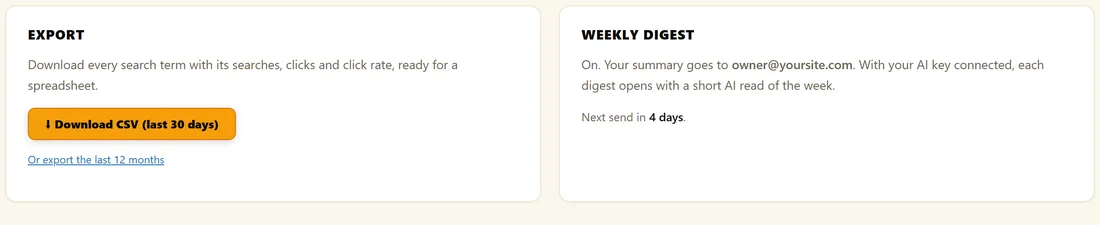
The first digest is scheduled for about an hour after you save the setting, then it goes once a week. The Weekly Digest box on Insights PRO AI shows the address and Next send in, for example 4 days.
WordPress runs scheduled jobs when your site gets visits, so on a very quiet site a digest can arrive a little late.
Turning it off:
Untick the setting and click Save PRO Settings. The schedule is removed.
A real example:
The owner of The Home Bakery Club gets the digest every Thursday morning at owner@yoursite.com. This week's list of things members could not find led with pretzels and bake along, which went straight onto the content plan.
Tips:
- The could not find list is your content plan, delivered. See Zero-Result Searches: Your Content Roadmap.
- Send it to a team inbox if several people write your content.