Spotlight puts search one keystroke away on every page of your site. A visitor presses Ctrl+K, or Cmd+K on a Mac, and a search box opens in the middle of the screen with the cursor already in it.
It is included with every licence, and there is no shortcode or block to place.
Where to find it:
Open AiX Search, then Settings, and scroll to Spotlight Search.
Turn it on:
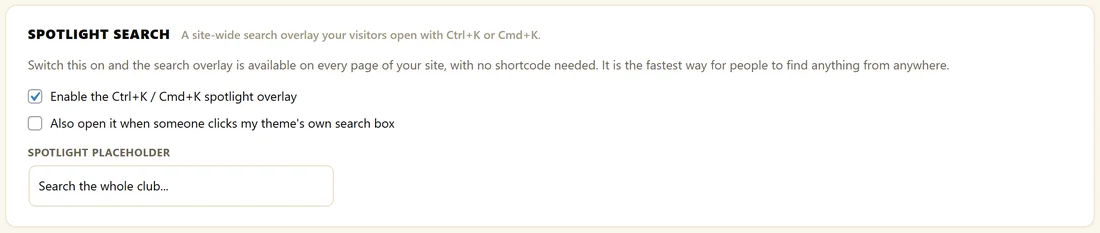
- Tick Enable the Ctrl+K / Cmd+K spotlight overlay.
- Type your own prompt into Spotlight Placeholder, for example Search the whole club... The default is Search everything...
- Click Save Settings.
What visitors see:
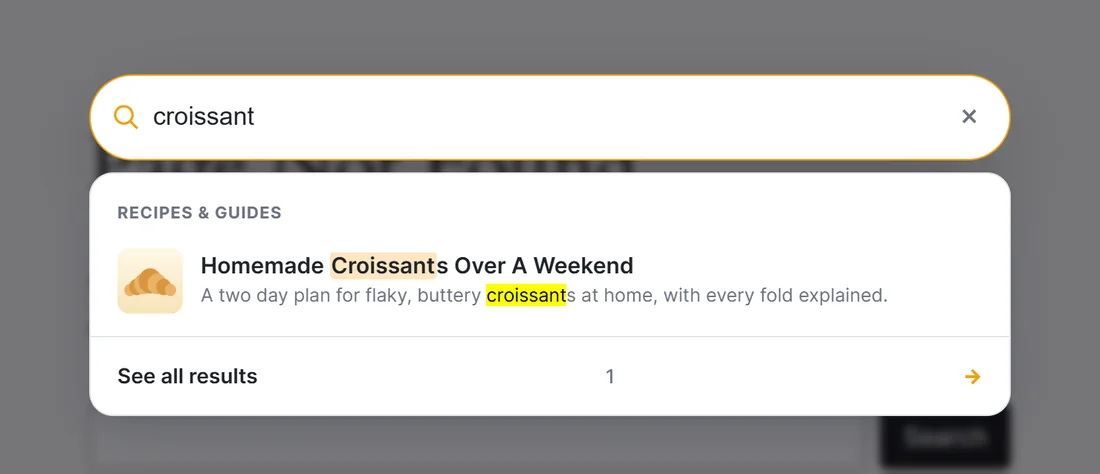
On any page, Ctrl+K or Cmd+K opens the overlay over a dimmed page. Results appear as they type, with the same groups, pictures, synonyms and promoted results as your search bars. A small hint shows Esc to close. Pressing Ctrl+K or Cmd+K again also closes it.
Take over your theme's search box:
Tick Also open it when someone clicks my theme's own search box. When a visitor clicks your theme's built in search field, Spotlight opens instead. It is the quickest way to upgrade a theme's search without editing a template.
The settings:
- Enable the Ctrl+K / Cmd+K spotlight overlay: switches Spotlight on for every page
- Also open it when someone clicks my theme's own search box: hands your theme's search fields to Spotlight
- Spotlight Placeholder: the prompt text inside the overlay
How Spotlight and search bars work together:
Spotlight and your search bars share the same index and the same Search Behavior settings, so results look the same everywhere. A page can have a search bar and Spotlight at the same time. Spotlight's See all results link leads to your full results page, just like the dropdown.
Telling visitors about it:
Visitors only use a shortcut they know about. Mention it where they will see it:
- On your Start Here page or help page: press Ctrl+K, or Cmd+K on a Mac, to search from any page
- In your welcome email to new members
- In a short line under a search bar on your main pages
A real example:
The Home Bakery Club switched Spotlight on with the placeholder Search the whole club... A member reading a cake recipe presses Ctrl+K, types croissant, and opens Homemade Croissants Over A Weekend without scrolling back to the menu.
Tips:
- Tell your members about the shortcut, for example in your welcome email or on your Start Here page.
- Spotlight uses your Search Behavior settings, so Start Searching After and the grouping apply here too.
- See all results in Spotlight leads to your full results page. See The Full Search Results Page.