Regenerate Section rewrites one block. Rewrite Page With AI works on a whole page, and its three modes do three very different jobs.
Where to find it:
Open a funnel on Build Funnel and press Rewrite Page With AI in the bar above the preview. The panel is called Rewrite A Page With AI. Pick a mode at the top, choose the page in Which Page, fill the box, then press the button at the bottom.
Mode one, Rewrite this page with AI:
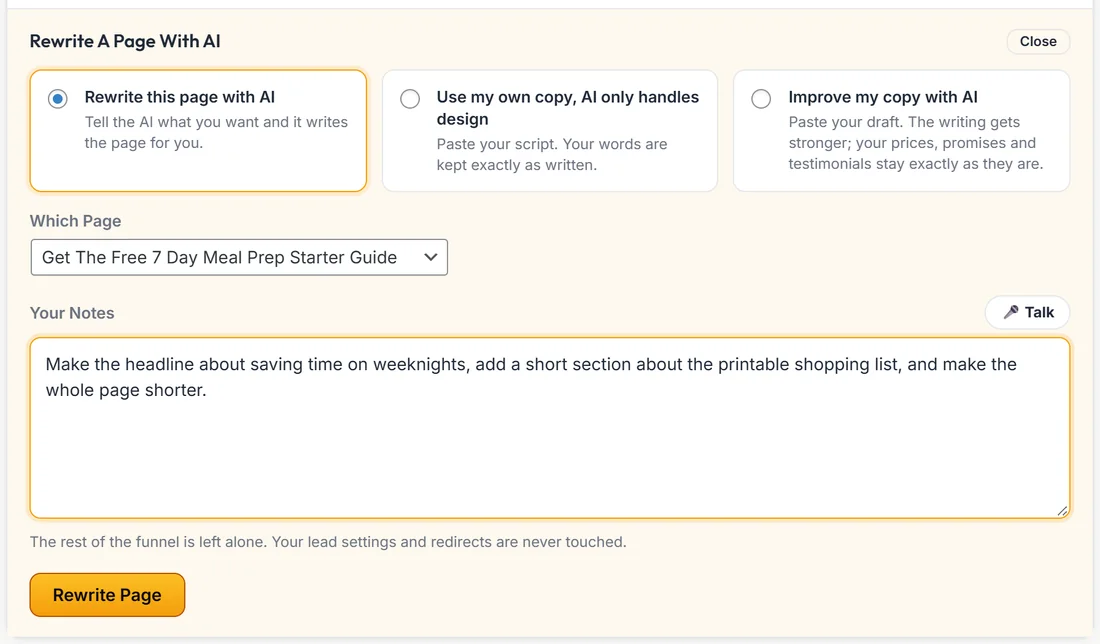
Tell the AI what you want and it writes the page for you.
- Choose Rewrite this page with AI.
- In Which Page, pick the page, or Every page in this funnel.
- Type in Your Notes what you want changed. Be specific.
- Press Rewrite Page.
A good note names the change and the reason, for example: make the headline about saving time on weeknights, add a short section about the printable shopping list, and make the whole page shorter.
Every page in this funnel works through the pages one at a time and reports progress as it goes, so you are never left watching a spinner. The rest of the funnel is left alone, and your lead settings and redirects are never touched.
Mode two, Use my own copy, AI only handles design:
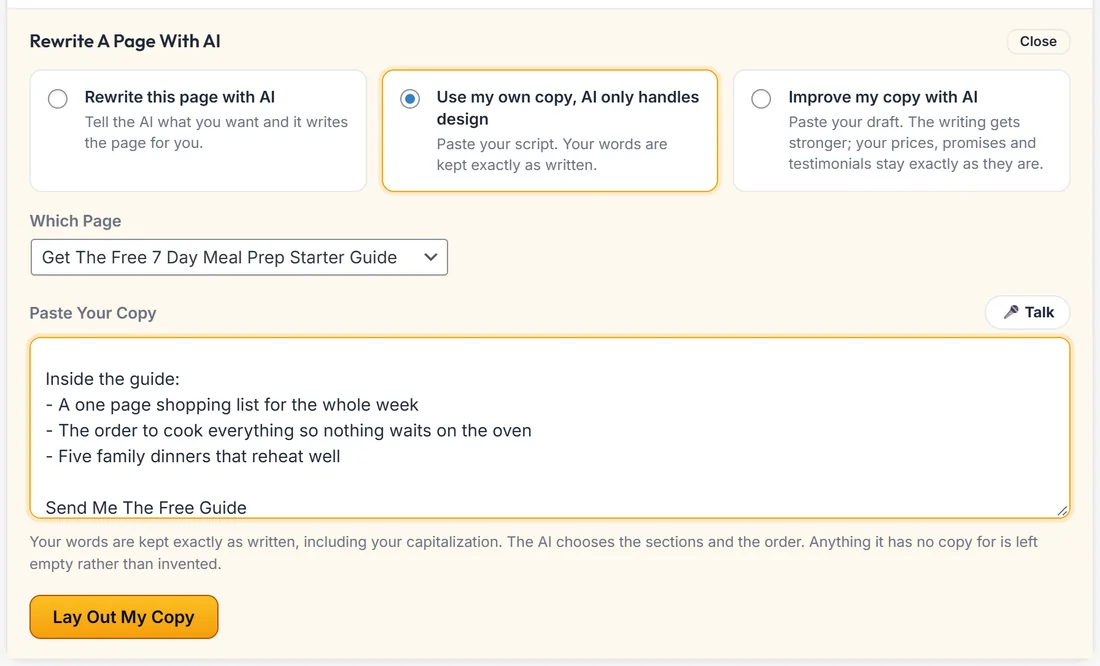
This is for when your words are already right. The AI becomes the designer instead of the writer.
- Choose Use my own copy, AI only handles design.
- Pick the page in Which Page.
- Paste your sales letter, script or page copy into Paste Your Copy.
- Press Lay Out My Copy.
What you can count on in this mode:
- Your words are kept exactly as you typed them, including your capitalisation
- Not a single sentence is rewritten, shortened, improved or re-voiced
- No testimonials, statistics, bullets or FAQ entries are invented to fill a gap
- If your copy does not cover a field, that field is left empty rather than made up
What the AI decides is the design: which sections to use, in what order, which line is a headline and which is body copy, and which layout fits.
Mode three, Improve my copy with AI:
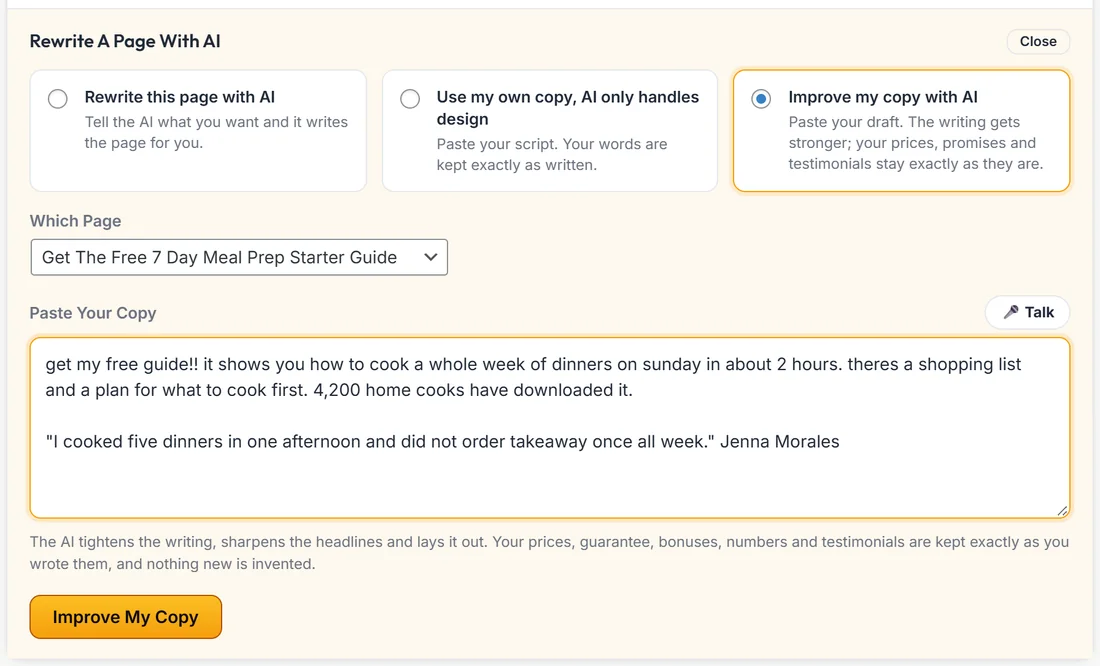
For a draft that says the right things but could read better.
- Choose Improve my copy with AI.
- Pick the page in Which Page.
- Paste your draft into Paste Your Copy.
- Press Improve My Copy.
What changes and what stays:
- The writing gets stronger: sharper headlines, clearer bullets, tighter paragraphs, a stronger call to action, fixed spelling and grammar
- Your offer does not change. Every price, guarantee, bonus, deadline and number stays exactly as you wrote it
- Testimonials are copied across word for word, because they are real people
- Nothing new is invented: no extra testimonials, statistics, results or bonuses
Pasted copy goes on one page at a time, so both copy modes ask you to pick the page.
Your lead settings and buy buttons are never touched:
In all three modes, the connection, list, tags, webhook and redirect on your forms are hidden from the AI and restored afterwards. The product a Buy Button sells is protected the same way, and so is the webinar a registration form points at. A rewrite you liked can never quietly disconnect a live funnel from your list or point a button at the wrong product.
A real example:
Sarah's free guide page read a little salesy. She chose Rewrite this page with AI, picked Get The Free 7 Day Meal Prep Starter Guide and typed: make the headline about saving time on weeknights and make the whole page shorter. Later she pasted a rough draft from a friend into Improve my copy with AI. The writing tightened up, and the 4,200 home cooks figure and Jenna's quote stayed exactly as written.
What it costs:
The same as any other AI call here. You pay your own provider directly, and every rewrite appears on the AI Usage card on Connect AI with what it cost.
Tips:
- Rewrite one page first and read it before you try Every page in this funnel.
- Keep a copy of your own text before an Improve run, so you can compare.
- If a page uses your own HTML, rewrites change the builder version. Press Edit HTML, then Back To The Builder Version, to use it.