Connecting your email tool tells the plugin what you use. Telling a form where to send its leads is a separate step, set on each form. That way two forms in the same funnel can feed two different lists.
Where to find it:
Open the funnel on Build Funnel, click the page with the form, press Edit Content, and find the Optin Form or Webinar Register card. Its Where These Leads Go box holds every setting.
How to set it, step by step:
- Open the funnel and click the page with the form.
- Press Edit Content.
- Find the form's card and its Where These Leads Go box.
- Pick your tool in Send To.
- Pick the list in List.
- Add Tags if you use them.
- Choose what happens in After They Opt In.
- Press Save And Preview, then Save Funnel.
- If the funnel is published, press Publish To WordPress again.
Every setting in Where These Leads Go:
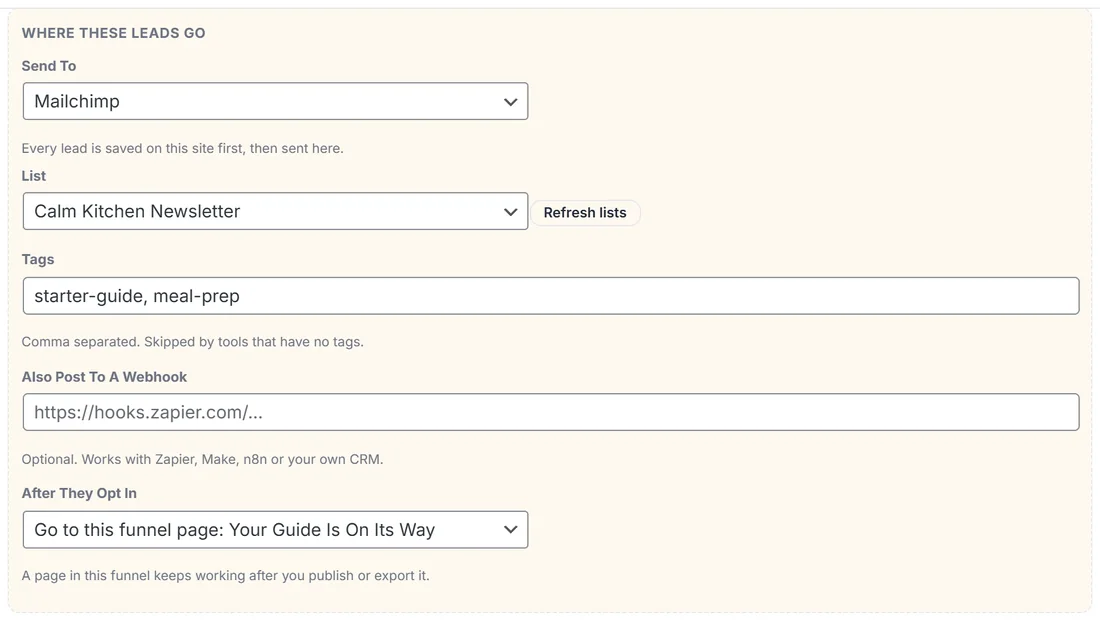
- Send To: which connection receives the lead. Store on this site only keeps the lead on your Leads screen and sends it nowhere else. Only connected tools appear here, plus WP Sync bridge when WP Sync is active. The line under it says Every lead is saved on this site first, then sent here.
- List: loaded live from your account and shown by name. Press Refresh lists if you created a list a moment ago. With a lot of lists, a search box lets you type a few letters instead of scrolling. For a tool that cannot list its lists, a box appears for you to paste the List ID.
- Tags: comma separated, for example starter-guide, meal-prep. Skipped by tools that have no tags.
- Also Post To A Webhook: optional. Works with Zapier, Make, n8n or your own CRM. It runs alongside the connection, not instead of it.
- After They Opt In: what the visitor sees next.
After They Opt In, in detail:
- Show the success message: the visitor stays on the page and sees the form's success message, which you set in the Success Message field on the same card.
- Go to this funnel page: pick any page in the same funnel. The address is worked out for you and keeps working after you publish or export.
- Go to any other URL: type any address, inside or outside your site.
Most optin pages should go to a page. A thank you page lets you confirm what happens next, explain where the email is, and make a first offer while attention is highest.
The rest of the form card:
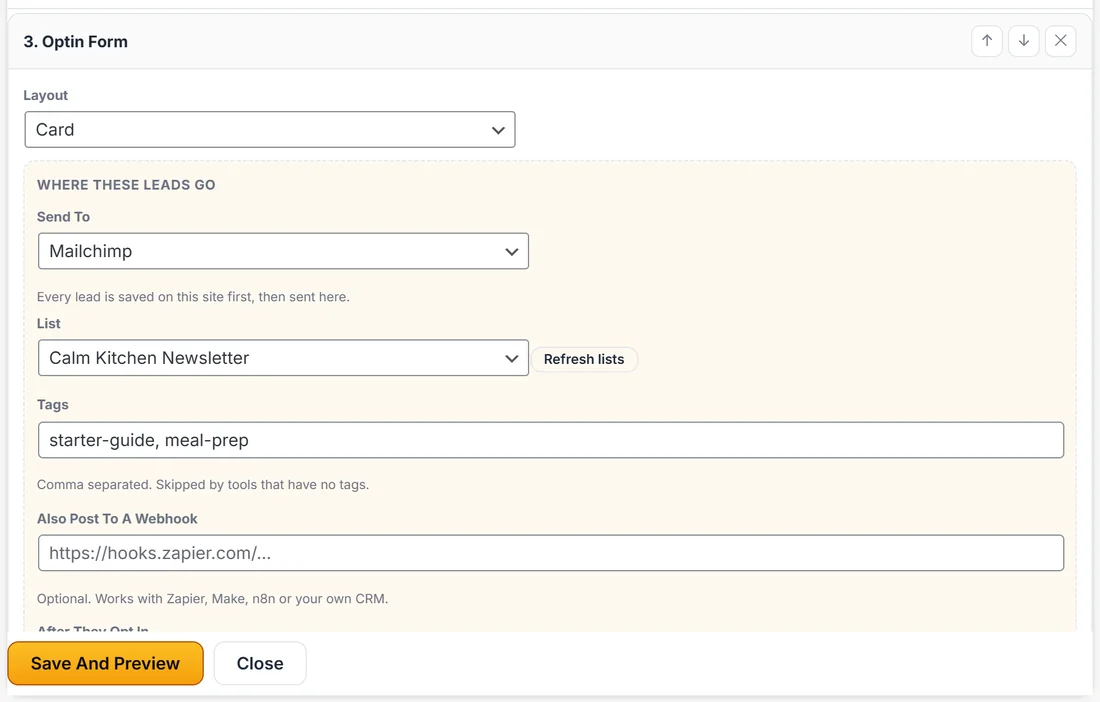
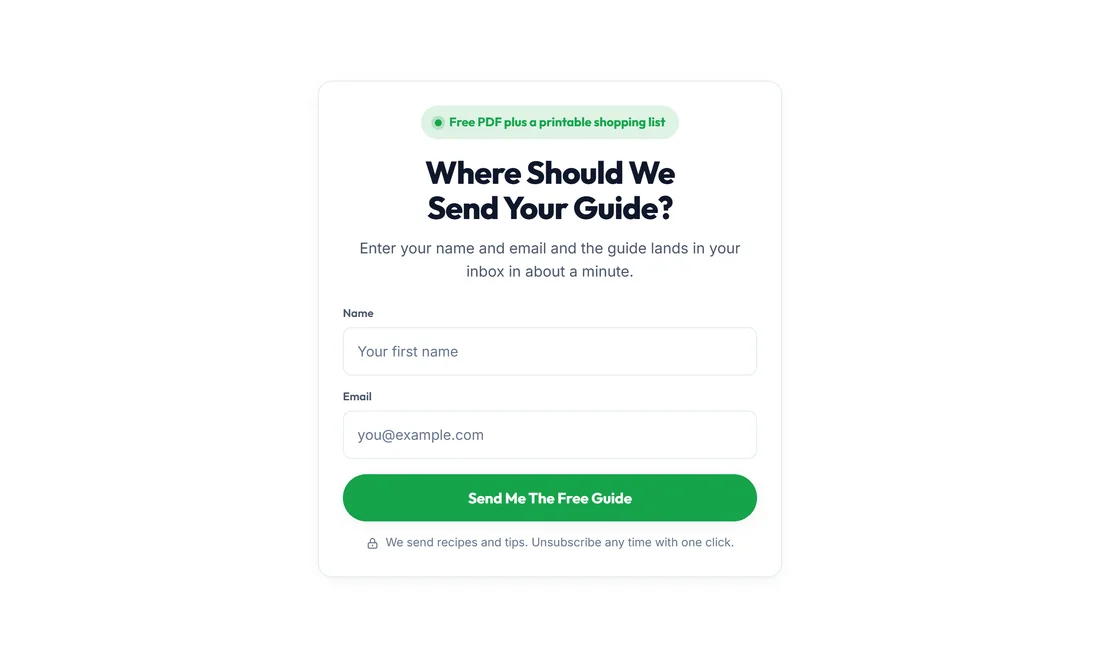
Above Where These Leads Go, the same card holds the words visitors see: Layout (Inline, Card or Split), Headline, Subhead, Fields (name, email, phone, one per line), Button Label, Disclaimer, Success Message and Incentive, the small chip above the form.
Why the list is not stored in the page:
The page never carries your list ID. When a lead arrives, the plugin looks up where that form sends leads from the funnel you saved. Nobody can read your list from the page source, and nobody can aim your form at a different list by tampering with the page.
Spam protection, already on:
Every form carries a hidden field that bots fill in and people never see, and anything submitted in under two seconds is ignored. Both are silent, so a real visitor never meets a puzzle or a checkbox.
A real example:
On the free guide page Sarah sets Send To to Mailchimp, List to Calm Kitchen Newsletter, Tags to starter-guide, meal-prep, and After They Opt In to Go to this funnel page: Your Guide Is On Its Way. On the challenge funnel, the form sends to Kit (ConvertKit) and the Meal Prep Challenge Form instead.
Tips:
- Tag by funnel. It makes follow up emails in your email tool easy to target.
- Test a published form with your own email address, then check the Leads screen and your email tool.
- Changing a list never needs a rebuild. Edit Content, Save And Preview, Save Funnel, publish again.