ResultsAiX Funnels stands on its own. Each of these connections is optional, and nothing breaks when a sibling plugin is missing. They simply add more when the other plugin is there.
WP Sync:

When WP Sync is active, WP Sync bridge appears in the Send To list on every optin form, and your saved bridges load in the List box. Choose a bridge and the lead goes to every destination on it. Use this when a lead needs to reach more than one place, or a tool with no direct connection here.
The Works With Anything Else card on Connections tells you whether WP Sync is active on this site.
How to send a form through WP Sync:
- Create and enable a bridge in WP Sync.
- Open the funnel on Build Funnel and press Edit Content on the page with the form.
- In Where These Leads Go, set Send To to WP Sync bridge.
- Pick the bridge in List.
- Press Save And Preview, then Save Funnel, then publish again.
Your testimonials in proof sections:
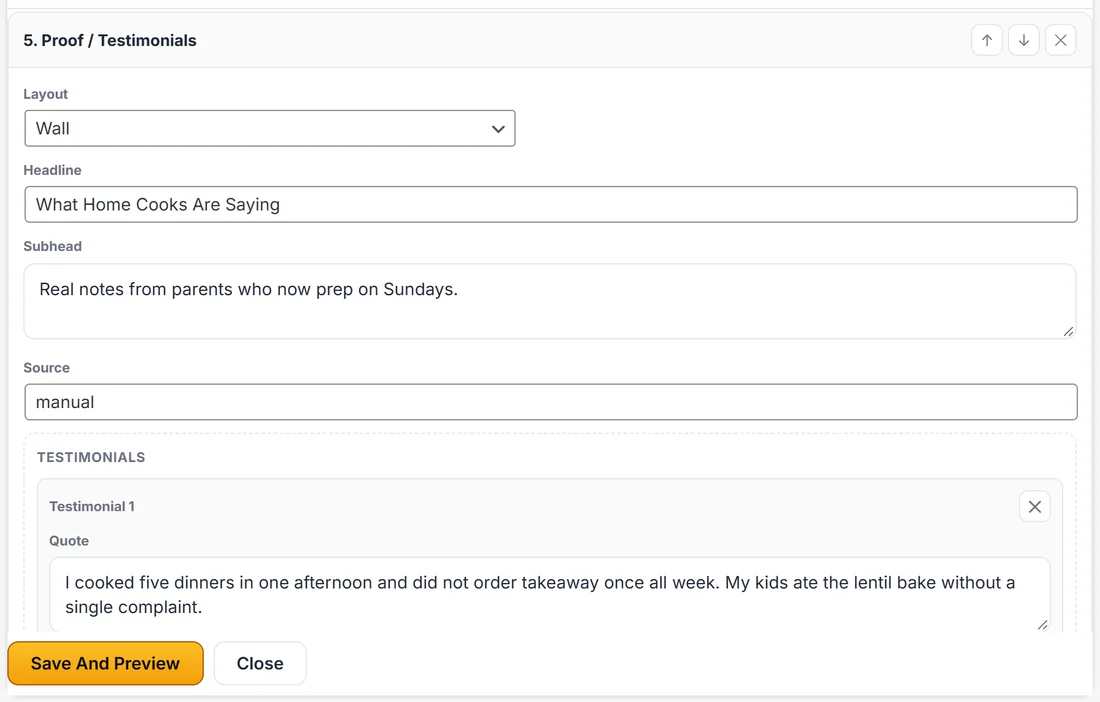
Every Proof / Testimonials section has a Testimonials group in Edit Content. Each testimonial has a Quote, Name, Role, an avatar image and a Rating. The AI may write example quotes when it builds a page, so replace them with real words from real customers before you publish.
If you collect reviews with ResultsAiX Testimonials, copy your approved quotes into the section. Real, specific proof from named customers always does better than general praise. Quotes are shown exactly as written: the house rules that tidy the AI's copy never change a customer's words.
Tracking your links:
Any button in a funnel can point at a tracked link instead of a plain address.
- Create the tracked link in WP Conversion Tracker and copy it.
- Open the funnel, press Edit Content and find the button.
- Paste the tracked link into the button's Href field.
- Press Save And Preview, Save Funnel, and publish again.
Clicks then show up in your tracking reports next to the rest of your traffic. For ad pixels and conversion events on the pages themselves, see Tracking: Pixels, Analytics And Conversion Events.
ResultsAiX Theme, Family Actions:
If you use the ResultsAiX Theme, its Family Actions box on a page can switch ResultsAiX Funnels on for that page. When you do, a draft funnel is started for that page, titled For: and the page's name, and it waits for you on the Dashboard under Your Funnels. The page itself is never touched, and whether and when you publish the draft is your own decision. The page's edit screen shows a short note that a draft has been started, with a Continue It button that opens it in the builder.
ResultsAiX Webinars, Mailer and Payments:
- ResultsAiX Webinars turns Webinar Register forms into real registrations. See Webinar Funnels: Registrations, Reminders And Replays.
- ResultsAiX Mailer appears on Connections with nothing to paste. See Connecting Your Email Tool: The Built In Connections.
- ResultsAiX Membership on the same site shares one Stripe connection with this plugin. See Taking Payments: Connecting Your Own Stripe Account.
A real example:
Sarah collects reviews with ResultsAiX Testimonials. She copies three approved reviews into the Proof section on the free guide page, with names and star ratings. She also creates a tracked link for her Meal Prep Mastery button in WP Conversion Tracker and pastes it into the button's Href, so she can see clicks from the thank you page.
A note on privacy:
These connections only work with plugins on your own site. Nothing here phones home, and a missing sibling plugin never blocks a build, a publish or an export.